When planning a data migration, knowing the different types of data migration is one of the first things that helps you make better decisions. Each type comes with its own challenges, use cases, and level of complexity – so choosing the right one can save you time, budget, and stress down the line.
To help you do that with confidence, this article breaks down the most common types of data migration. More specifically, we’ll explore them in three main ways:
Keep reading for more details!
What is Data Migration?
Data migration is the process of moving data from one system to another. That might mean switching to a new platform, updating your database software, or moving everything to the cloud. The goal is to ensure all your important data – like customer info, product details, or order history – ends up in the new system safely, without losing accuracy or breaking workflows.
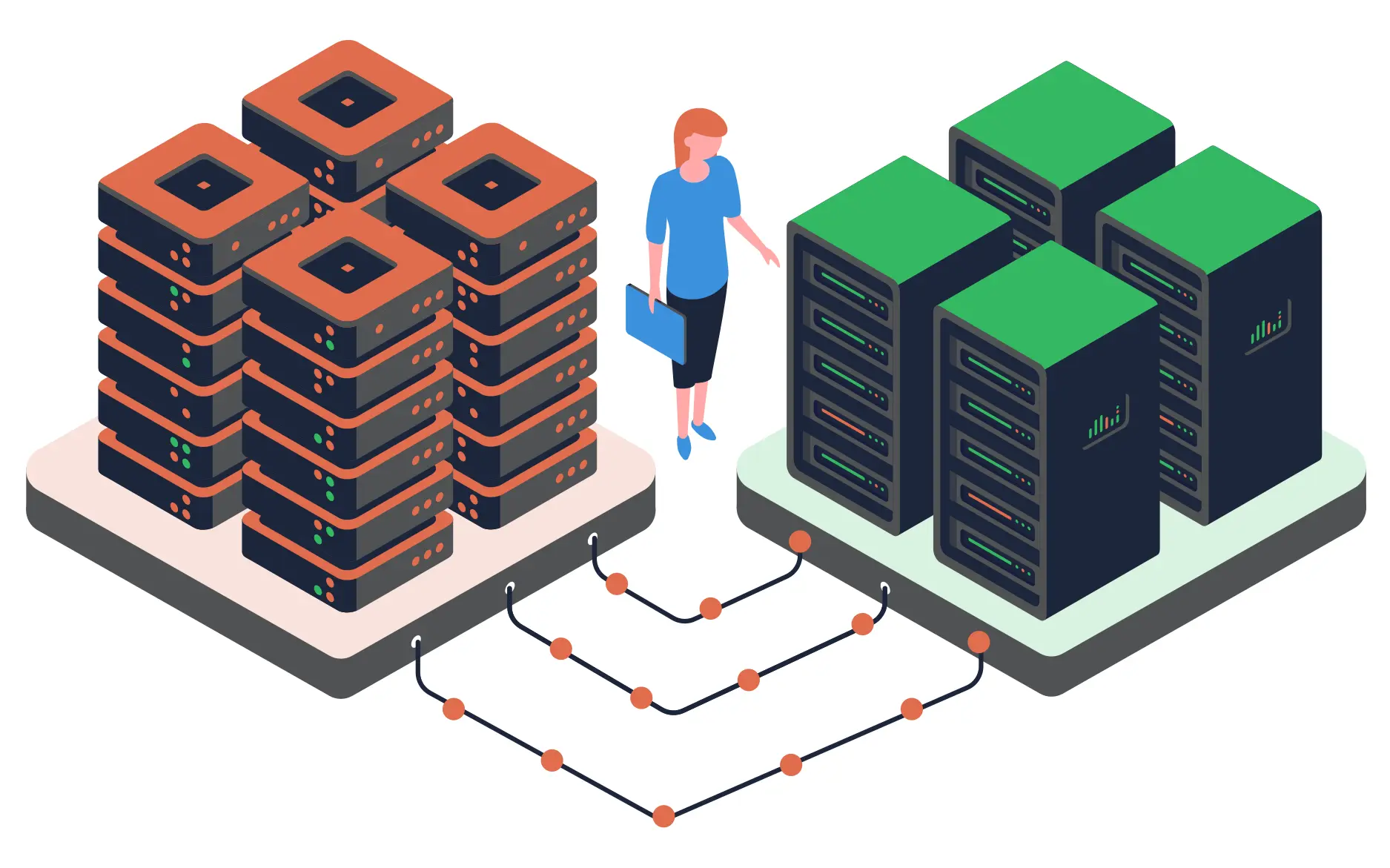
It sounds simple, but there’s often more to it than just copying and pasting. You’ll need to clean the data, map it to the new system, and make sure it still “makes sense” in the new structure. That’s why planning and choosing the right types of data migration is so important.
Before we go further, let’s clear up a common confusion: data migration is not the same as data integration or replication. Here’s how they differ:
Data Migration | Data Integration | Data Replication | |
Definition | One-time process of moving data from one system to another | Combining data from different sources to create a unified view | Copying data from one place to another, usually on a continuous basis |
Use case | Moving from WooCommerce to Shopify | Syncing data across your website, CRM, and email tool | Backing up a live database in real time for recovery |
What are the risks of data migration?
While data migration can bring big improvements, it also comes with important considerations. To avoid unwanted surprises, it’s essential to understand what could go wrong and prepare for it in advance. Here are some of the most common risks:
- Data loss or corruption: Your data might not fully transfer, or it may arrive in the wrong format.
- Downtime and disruption: Migrating without a clear plan can interrupt your business operations.
- Security gaps: If sensitive data isn’t protected properly during the move, it could be exposed.
- Incompatibility issues: Data may not match the structure or logic of the new system, leading to errors.
- Hidden costs: Without clear scope and resources, the project might take more time and budget than expected.
Understanding what data migration is – and the risks that come with it – gives you a strong starting point. But not all migrations look the same. Depending on what you’re moving, how much you’re moving, and how your systems are set up, there are different ways to approach it.
Let’s break it down and explore the main types of data migration – so you can figure out what fits your project best.
7 Main Types of Data Migration
Different data migration projects involve moving different types of systems or components. Understanding what exactly you're migrating helps set the right expectations and approach. Here are 7 common types of data migration based on what’s being moved:
- Storage migration: Moving data from one storage system to another, like upgrading from HDDs to SSDs or switching to cloud storage.
- Database migration: Transferring data between different database types or versions – often done for performance, security, or scalability.
- Application migration: Moving apps and their data to new platforms, such as switching from on-premise software to a cloud-based version.
- Cloud migration: Shifting data, apps, or infrastructure to the cloud – for example, moving from on-premise servers to AWS or Azure.
- Business process migration: Changing the systems behind your business workflows to improve efficiency or align with new goals.
- Platform migration: Moving from one platform or technology stack to another – like switching your eCommerce store from WooCommerce to Shopify.
- Data center migration: Relocating all systems and data from a physical data center to a new facility or a cloud-based environment.
1. Storage migration
One of the most common types of data migration is storage migration, which involves moving data from one storage system to another. It could be a shift from traditional hard drives to SSDs, or from on-premises storage to the cloud.
The good news is: storage migration usually doesn’t change your data. What it does is improve how quickly and reliably your systems can access it. This type of migration is often the first step in a larger digital transformation.
2. Database migration
Database migration happens when you move data from one database system to another. Sometimes it’s a simple move – like upgrading from one version to another. Other times, you’re switching between completely different systems (for example, from Oracle to PostgreSQL), which requires more preparation.
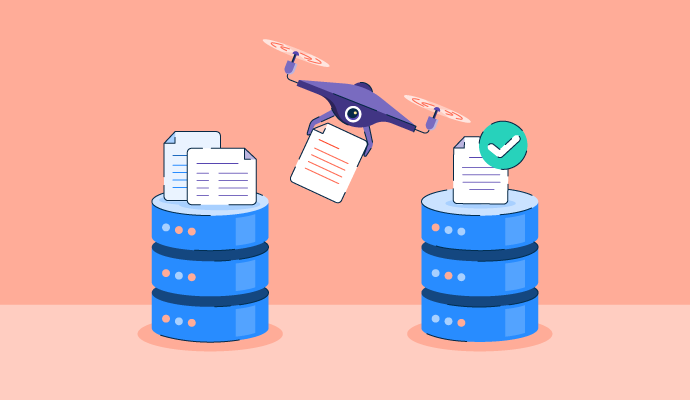
Each database organizes data differently, so this type of migration may involve adjusting formats, structures, and relationships. If you skip that step, things might not work as expected. But when done right, database migration helps you future-proof your data systems and improve performance.
3. Application migration
Whenever you change the software your team uses – like moving from an old CRM to a new one – you're going through application migration. It’s more than just moving data from one place to another. You also have to make sure it “makes sense” inside the new app’s layout and logic.
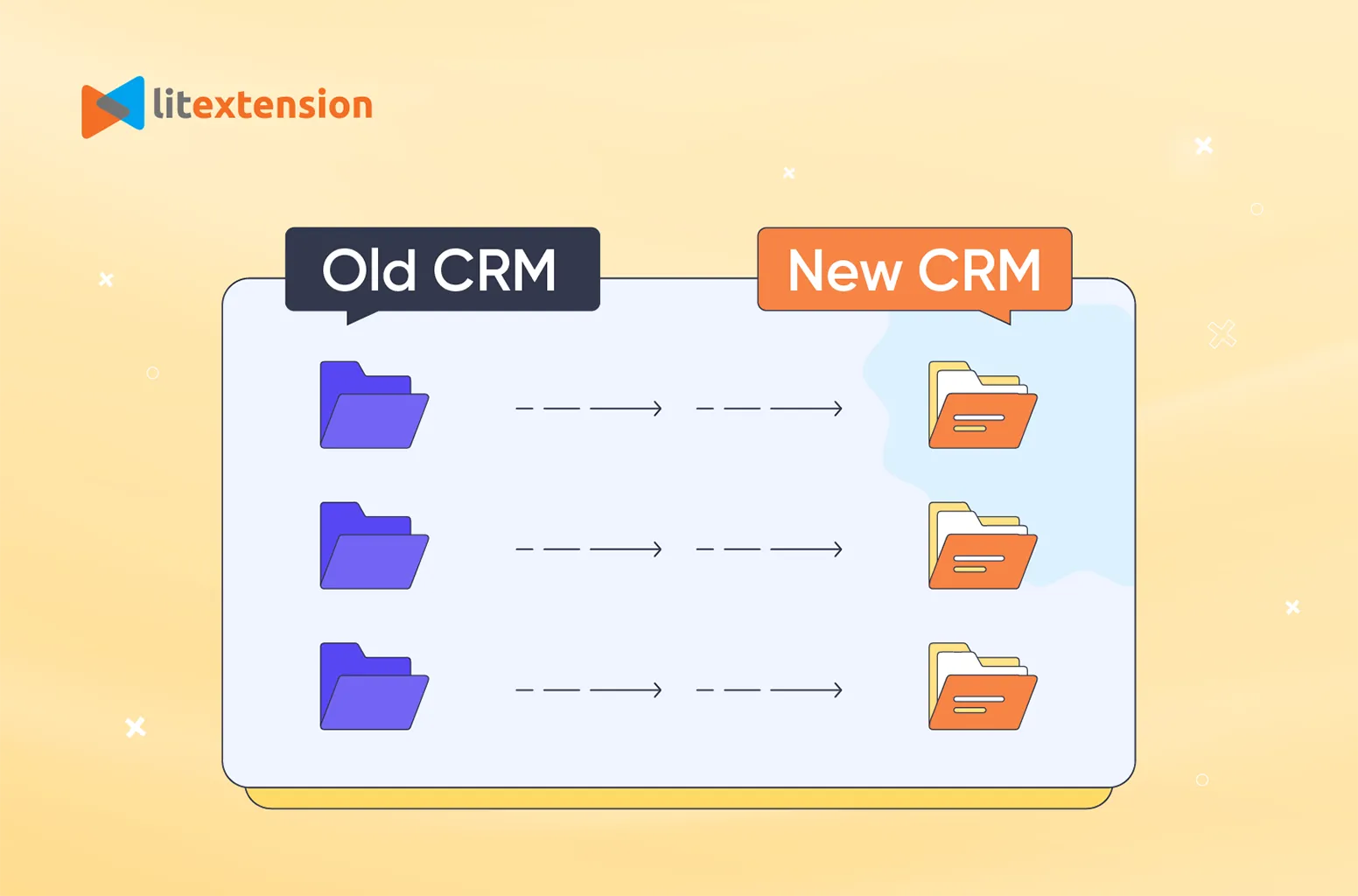
Because different applications use different data models, this kind of migration needs careful prep. You might need to re-map fields, reformat records, or even clean up messy legacy data.
If you're not sure where to start, following an application migration strategy checklist can help you plan and avoid common mistakes. It takes some effort, but it helps you get the most out of your new tool right from day one.
4. Cloud migration
These days, many businesses are turning to cloud migration to modernize how they store and manage data. This means moving files, apps, or systems from local servers to cloud platforms like AWS or Google Cloud.
This is one of the types of data migration that can help you cut IT costs, scale faster, and let your team work from anywhere. But it also brings new questions around security, permissions, and backups. That’s why cloud migration isn’t just a technical change – it’s a shift in how your business operates.
5. Business process migration
If your company is updating the way it handles things like payroll, logistics, or HR, you’ll likely go through business process migration. This means moving not just the data, but also the workflows and systems that support your daily operations.
It often happens when adopting a new ERP or enterprise software. Since so many departments rely on the same core processes, this kind of migration needs strong coordination. When done well, it creates smoother, more efficient ways of working across the business.
6. Platform migration
When a business moves its store from WooCommerce to Shopify, it’s undergoing a platform migration. Even though both are eCommerce platforms, they store and structure data differently. This also applies to website migration projects, or when you move from one CMS (content management system) to another, like WordPress to Webflow.
The process can feel overwhelming, but you don’t have to do it alone. That’s exactly where our LitExtension migration service comes in. With 14+ years of experience and a team of platform experts, we’re here to help you transfer your data smoothly, safely, and with confidence.
Store Migration Made Easy With LitExtension!
LitExtension offers great migration solutions that help you transfer your data from the current eCommerce platform to a new one accurately, painlessly with utmost security.

7. Data center migration
Finally, among the different types of data migration, there’s data center migration. This refers to situations where a company physically relocates its infrastructure – including servers, storage, and networking – to a new facility. The move might be driven by cost concerns, performance upgrades, or security improvements.
4 Types of Data Migration by Scope
Another way to group different types of data migration is by their scope – meaning how much data is moved at a time. Here are 4 common approaches that you can consider:
- Full migration: Moving all your data at once from the old system to the new one – a complete switchover.
- Partial migration: Transferring only selected data – like a few categories, stores, or certain date ranges.
- Incremental migration: Migrating data in phases over time, often syncing changes until everything is ready.
- Pilot migration: Running a test migration with a small data set first, to validate everything before doing the full transfer.
1. Full migration
In a full migration, you move 100% of your data from the old system to the new one all at once. That includes everything from product information and customer profiles to order history and custom fields. It's a complete handover – perfect for businesses ready to make a clean break from their current platform.
2. Partial migration
Not every project needs to move everything. In cases like that, partial migration makes more sense. Maybe you're only updating part of your system, or just want to migrate one category of products, a specific region, or certain customer segments first. You decide what goes – and what stays.
Compared to other types of data migration, this approach gives you more flexibility and control. It’s especially useful when you’re testing a new platform, working with limited time, or sorting out what data is still relevant. You get to move forward without feeling overwhelmed.
3. Incremental migration
With incremental migration, the data transfer happens in stages rather than one big push. You might migrate your latest orders and active customer accounts first, then continue syncing older records over time. It’s like updating your system bit by bit – without shutting anything down.
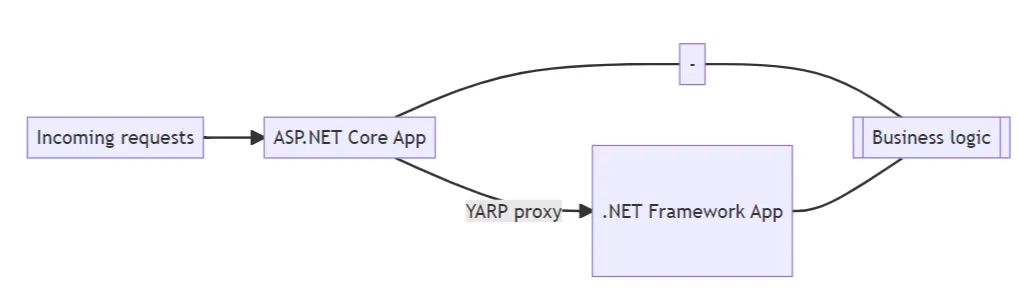
This method is especially useful for businesses with large, dynamic databases that change daily – like eCommerce stores. It helps reduce downtime and avoids data loss, since you’re working with smaller batches and keeping both systems in sync during the transition.
4. Pilot migration
Pilot migration is a smart way to test how the new system handles your data – without committing to a full move right away. You migrate a small sample set first (like one product category or a handful of customer records) to see how everything performs.
By running this “trial migration,” you get to catch any issues early and tweak the setup before the full rollout. It’s ideal if you're migrating to a new or unfamiliar platform. Think of it like a dress rehearsal: low risk, low pressure, and super useful for building confidence before launch day.
No matter which scope fits your project – full, partial, incremental, or pilot – our LitExtension migration service has you covered. We’ve built our process to adapt to different needs, so you can move forward with clarity and confidence!
3 Types of Data Migration by Strategy
Not all types of data migration are defined by what you’re moving – sometimes, it’s about how you move it. This section focuses on your approaches or strategies:
- Big Bang migration: All data is moved in one go, often during a planned downtime. Faster, but riskier if something goes wrong.
- Trickle migration: Data is migrated in stages, allowing both systems to run in parallel for a smoother transition.
- Zero-downtime migration: Designed to avoid any service interruptions, this approach requires careful planning and automation.
1. Big Bang migration
With Big Bang migration, all your data is moved from the old system to the new one in a single event. Everything gets transferred at once – usually over a weekend or during planned downtime. Once the migration is complete, the old system is retired, and you switch entirely to the new one.
This method works best when speed is more important than flexibility. But it does come with a higher risk – if something breaks, there’s no going back easily. That’s why it needs careful testing and a solid backup plan before launch day.
2. Trickle migration
As another common strategy-based type of data migration, trickle migration spreads the data transfer over time. You migrate your data bit by bit while keeping both systems running in parallel. This allows you to test, adjust, and monitor along the way.

It’s a safer route for complex or high-volume migrations, especially if you can’t afford to move everything all at once. Just be ready for the extra effort it takes to keep both environments synced until the process is complete.
3. Zero-downtime migration
For businesses that can’t afford any interruption at all, zero-downtime migration is the ideal approach. As the name suggests, it ensures your site or system stays fully accessible to users during the entire migration process.
This strategy often involves syncing live data between the old and new environments in real time. It’s more technically complex, but it provides the smoothest experience for your customers – especially for high-traffic websites or critical platforms that need to be online 24/7.
2 Types of Data Migration by System Type
Besides scope and strategy, some types of data migration are also categorized based on the similarity between the source and target systems. The closer the systems are, the easier the migration tends to be. Here are two types of data migration by system type:
- Homogeneous migration: Moving data between two similar systems – like MySQL to MySQL – is usually simpler and faster.
- Heterogeneous migration: Transferring data between different systems – like Oracle to PostgreSQL – often requires more transformation and testing.
1. Homogeneous migration
In a homogeneous migration, the source and target systems are the same – or at least very similar. For example, moving from one MySQL database to another, or from Shopify to a different Shopify store. Since both systems use the same structure, the data doesn't need much reformatting.
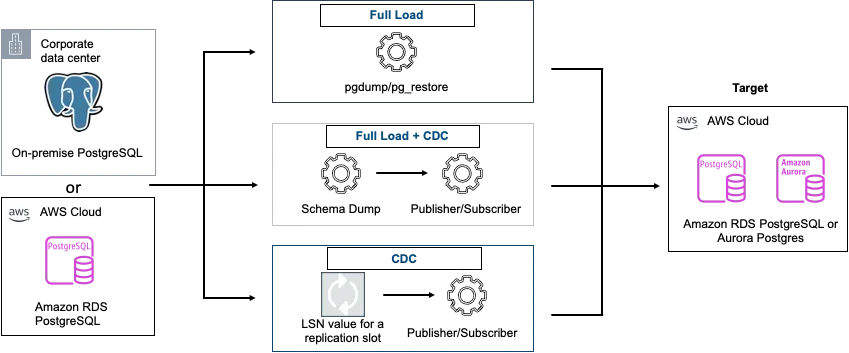
This type is usually more straightforward and faster to execute. You still need a careful data migration plan, but you won’t face as many compatibility issues as you would with more complex migrations.
2. Heterogeneous migration
Heterogeneous migration happens when you move data between two very different systems – like from Oracle to PostgreSQL, or from WooCommerce to Shopify. Because each system stores and interprets data differently, the migration often involves data mapping, transformation, and extensive testing.
These migrations tend to take more time and technical effort, but they’re also very common during platform changes or digital transformations. If you're planning this type of move, it's important to understand the structural differences early on so nothing gets lost in translation.
7 Steps to Conduct a Successful Data Migration Plan
So far, we’ve walked through all types of data migration – divided by scope, strategy, and system type. These categories give you a clear way to understand what kind of migration you’re working with.
Now it’s time to turn that understanding into action. Below is a quick visual summary of the 7 steps involved in a successful eCommerce migration project.
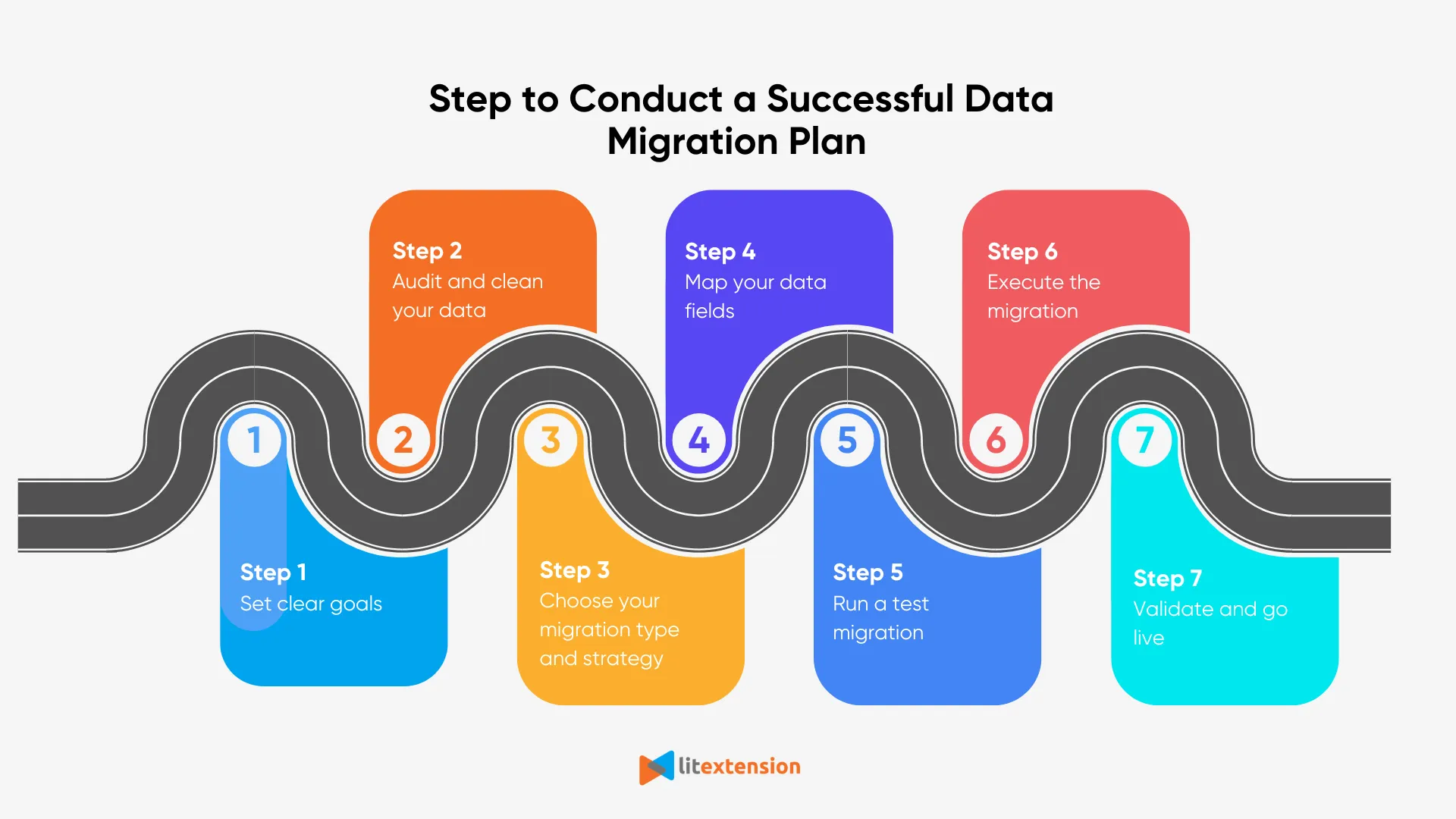
Once you’ve seen the big picture, let’s take a closer look at each step.
Step 1: Set clear goals
Every successful migration begins with a clear understanding of why it’s being done. Whether it’s to improve performance, reduce costs, or switch platforms, your goals will guide every other decision. That’s why it’s important to get everyone aligned from the beginning.
Step 2: Audit and clean your data
Your existing data likely includes duplicates, outdated entries, or inconsistent formatting. Cleaning it up beforehand not only saves time during migration but also improves accuracy in the new system. This step also helps you decide what’s worth keeping and what’s not.
Step 3: Choose your migration type and strategy
There’s no one-size-fits-all approach, so choosing the right type of data migration matters. For example, a full migration may be quick but risky, while an incremental approach takes longer but offers more control. Your strategy should match your data size, system complexity, and tolerance for downtime.
Step 4: Map your data fields
Source and target systems often store data differently, so field mapping helps ensure everything lands in the right place. This is where you catch mismatches, rename fields, or convert data types if needed. Without this step, your migrated data may not function as expected.
Step 5: Run a test migration
Before moving everything, testing with a small data set gives you a safe way to check for issues. If anything breaks or looks off, you’ll have a chance to fix it before the full migration. This early feedback is key to avoiding surprises later on.
Step 6: Execute the migration
After testing, you can move forward with migrating the full dataset. While the migration runs, it’s important to monitor progress and watch for any errors or delays. The more complex your systems are, the more value real-time oversight brings.
Step 7: Validate and go live
Once the migration is complete, reviewing and validating the results ensures nothing got lost or misaligned. Teams often run tests, compare reports, and check key workflows before making the switch official.
If you need help staying on track, our eCommerce migration checklist is a great resource to double-check everything before launch.
Types of Data Migration: FAQs
What are the 4 types of migration?
The four main types of data migration are usually classified by the kind of environment data is moving between:
- Storage migration: moving data from one storage system to another (e.g. HDD to SSD, or on-prem to cloud storage).
- Database migration: transferring data between different database systems or versions.
- Application migration: moving data as part of switching from one software application to another.
- Cloud migration: shifting data, apps, or infrastructure from local servers to cloud-based platforms.
These are often driven by the need to modernize systems, cut costs, or improve performance.
What are the 7 migration strategies?
The “7 Rs” are a well-known set of cloud migration strategies. They help businesses choose the best approach when moving applications to the cloud:
- Rehost (lift and shift)
- Replatform (lift, tinker, and shift)
- Repurchase (move to a new product)
- Refactor / Re-architect (redesign the app)
- Retain (keep as-is for now)
- Retire (shut it down)
- Relocate (move without redesigning – often used for VMs)
What are the 8 types of migration?
This can vary depending on the source, but in most contexts, “8 types of migration” refers to a broad combination of migration types based on method, scope, and system. A possible breakdown includes:
- Storage migration;
- Database migration;
- Application migration;
- Cloud migration;
- Platform migration;
- Business process migration;
- Homogeneous migration;
- Heterogeneous migration.
-
These cover both what is being moved and how it's being transferred.
What are the three migration choices for databases?
When migrating databases, businesses typically choose between these three approaches:
- Big Bang migration: move the entire database at once.
- Trickle migration: migrate in phases with systems running in parallel.
- Zero-downtime migration: sync data live with no interruption to users.
Each method has its own pros and cons, depending on system complexity and tolerance for downtime.
Conclusion
So that wraps up our guide to the different types of data migration. We hope this breakdown helped you understand which approach fits your needs – and what to expect during the process.
For more migration insights, check out our blog and join our Facebook community group to connect with others on the same journey.