An ERP migration organizes your data and speeds up your work, but the process is risky. Without a clear plan, you could face expensive downtime, stalled work, and lost data. You don’t have to do it alone. After successfully moving over 300,000 eCommerce platforms, we wrote this complete guide to help you switch safely and grow your business.
- Step 1. Define objectives and plan the migration
- Step 2. Evaluate and choose the ERP solution
- Step 3. Conduct a system and data audit
- Step 4. Configure data for migration
- Step 5. Train employees and go live
- Step 6. Monitor, support, and optimize
Without further delay, let’s get started!
What is ERP data migration?
ERP migration is the process of moving a business’s data, processes, and workflows from an existing Enterprise Resource Planning (ERP) system to a new one. Much like an Application migration, this transfer typically involves migrating core information like customer details, inventory records, financial data, and operational workflows.
Many businesses consider ERP when their current system becomes outdated, or they want to move from an on-premise ERP to a cloud-based solution. The goal is to adopt an ERP system that better meets the business’s current and future needs.
Benefits of ERP migration
Moving to a modern business system offers massive advantages. It is more than a basic software update, it improves how your company runs, making everything smoother and more adaptable. Here are the top benefits:
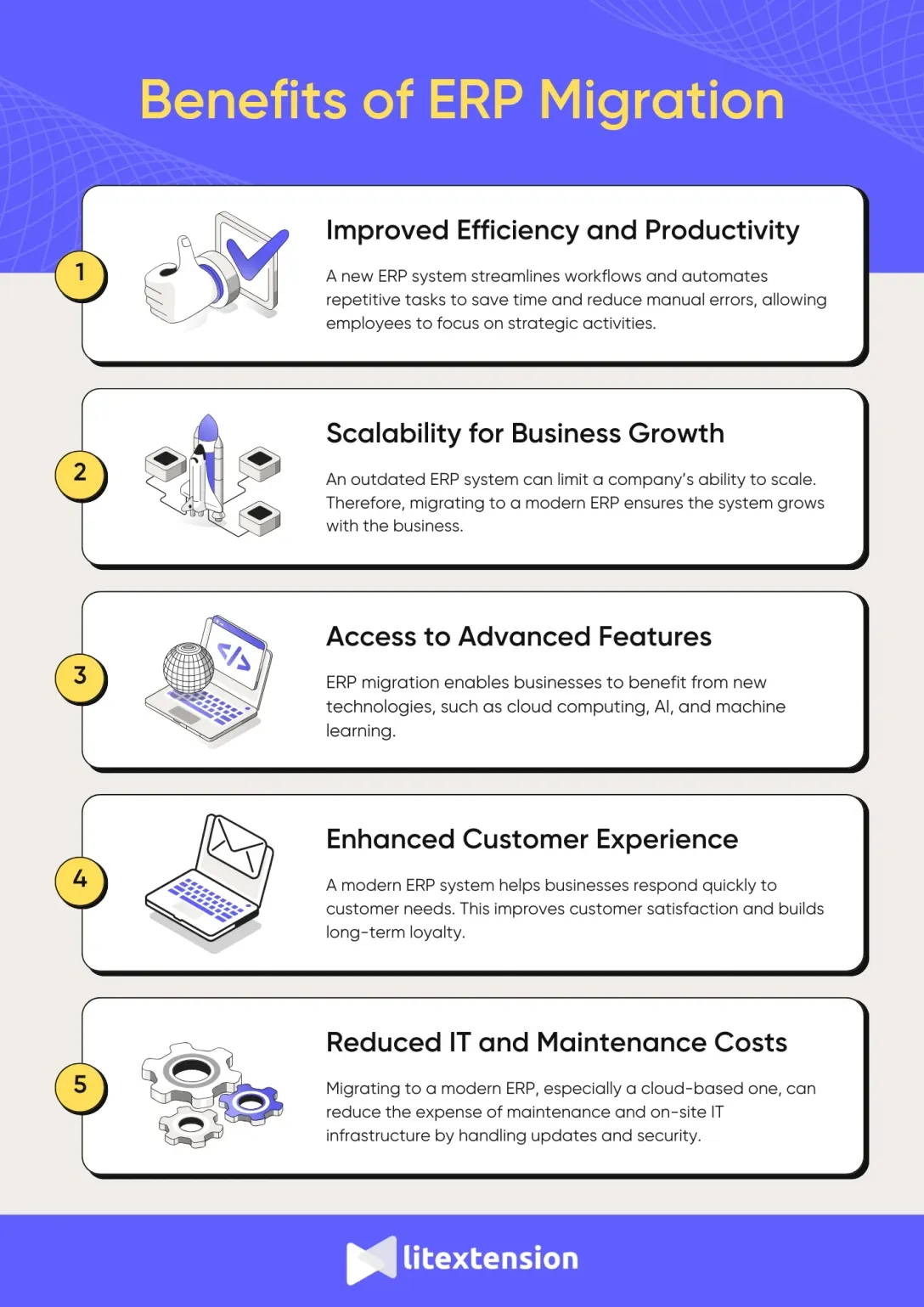
1. Improved efficiency and productivity
A new ERP system streamlines workflows and automates repetitive tasks. For example, it can simplify inventory tracking, automate payroll, or generate financial reports in minutes. This saves time and reduces manual errors, allowing employees to focus on strategic activities.
2. Scalability for business growth
An outdated ERP system can limit a company’s ability to scale. Implementing a modern ERP ensures the system grows with the business. For instance, it can handle larger datasets, support new locations, and integrate with advanced tools like CRM platforms or analytics software.
3. Access to advanced features
ERP migration enables businesses to benefit from new technologies, such as cloud computing, AI, and machine learning. For instance, cloud-based ERPs improve accessibility by allowing employees to work remotely while ensuring secure access to data from any device.
4. Enhanced customer experience
A modern ERP system helps businesses respond quickly to customer needs. For example, it allows for faster order processing, accurate delivery tracking, and personalized communication. This improves customer satisfaction and builds long-term loyalty.
5. Reduced IT and maintenance costs
Older ERP systems often require costly maintenance and on-site IT infrastructure. Migrating to a modern ERP, especially a cloud-based one, reduces these expenses. Cloud ERP providers handle updates, security, and support, freeing up internal IT resources.
How to Perform ERP Migration: 6-Step Checklist
In this section, we’ll break down the migration process into manageable steps. Each step is designed to help you address critical aspects of the migration, from setting clear objectives to ensuring your new system operates efficiently after going live:
Step 1. Define objectives and plan the migration
Objectives provide clarity on what the business aims to achieve, whether it’s streamlining processes, reducing operational costs, or gaining better data insights. Borrowing principles from a standard Application migration checklist, clear objectives not only align all teams but also ensure that every decision during the migration process supports the business’s overall goals.
Additionally, a detailed migration plan is equally important, as it serves as a roadmap for the entire process. This plan should include a timeline, a list of deliverables, and the responsibilities assigned to each team so that progress can be monitored effectively. A structured timeline ensures the migration stays on schedule, while detailed deliverables help avoid unnecessary confusion or delays.
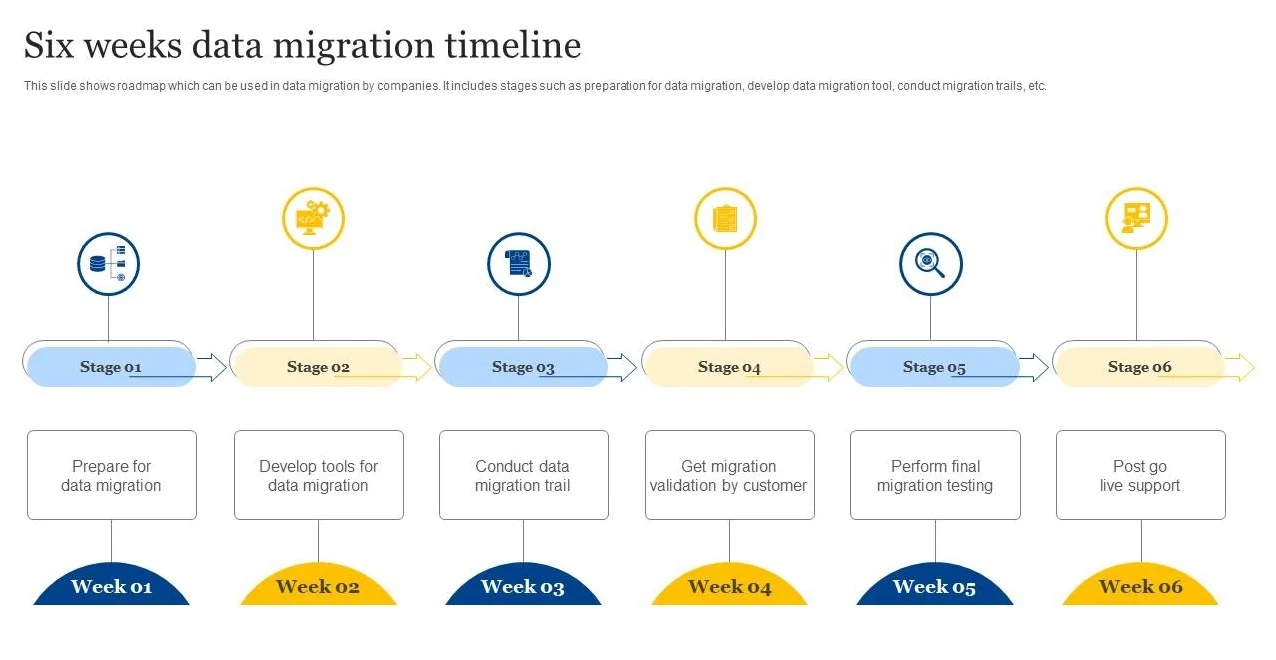
On top of that, don’t forget to consider a realistic budget, as it helps manage costs effectively. This budget should include expenses like software licenses, data migration tools, consultant fees, and employee training programs so that financial resources are allocated wisely.
Step 2. Evaluate and choose the ERP solution
The next crucial step to consider in the migration process is evaluating and choosing the right solution because the success of your business operations depends on it. The new ERP system must meet your current needs while also providing scalability for future growth. Therefore, this step requires thorough research, careful consideration, and involvement from key stakeholders.
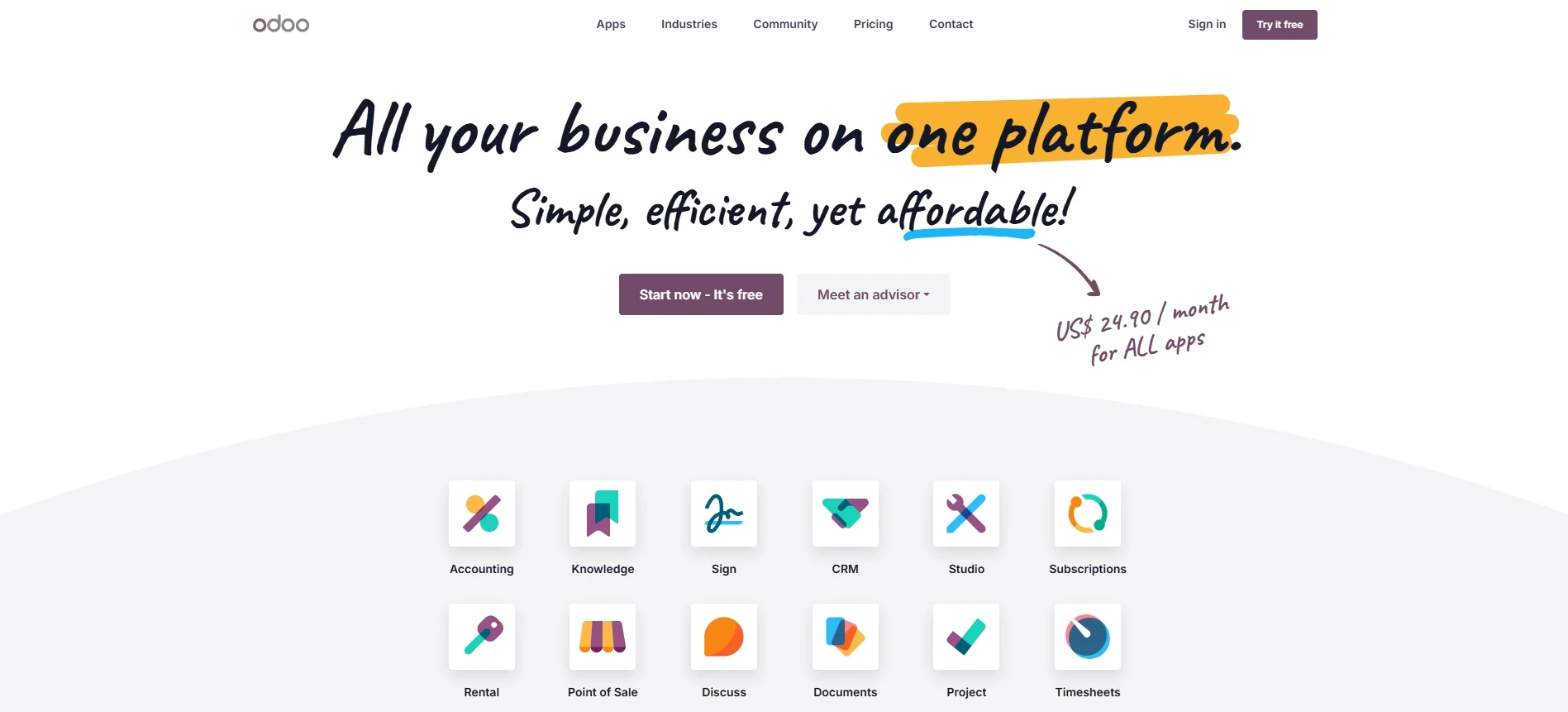
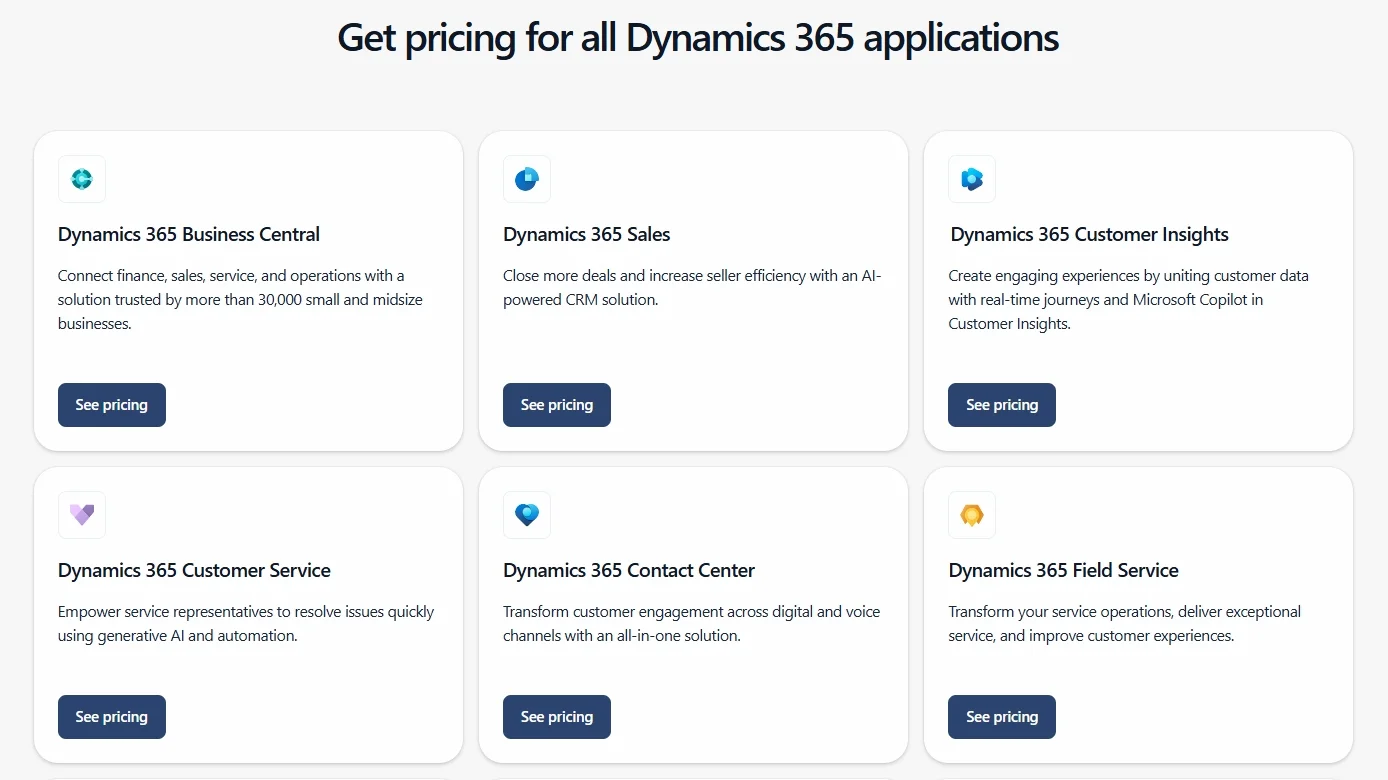
Here are the key criteria to evaluate when choosing an ERP solution:
- Business requirements: Identify the specific features your business needs, such as inventory management, financial reporting, or customer relationship management.
- Vendor research: Compare ERP providers based on:
- Pricing and licensing models.
- Key features and functionality.
- Customer reviews and success stories.
- Quality of customer support and training.
- Availability of product demonstrations or trials.
- Integration capabilities: Ensure the ERP solution integrates seamlessly with your existing systems.
- Scalability: Choose a system that can grow with your business.
- Cost analysis: Evaluate both upfront and ongoing costs, including:
- Licensing fees.
-
- Implementation and customization expenses.
- Maintenance and support costs.
- Potential return on investment (ROI) over the long term.
By evaluating your business needs, researching vendors, and analyzing costs, you can choose an ERP solution that aligns with your objectives and supports your business’s growth. This step not only ensures a smoother migration but also lays the foundation for a more efficient and productive future.
Step 3. Conduct a system and data audit
This process ensures that your current systems and data are ready for a smooth transition to the new ERP platform. As often noted in a CMS migration guide, skipping this audit step can lead to severe compatibility issues, data errors, or migration delays.
A system audit involves evaluating your existing infrastructure, software, and processes. Identifying outdated systems or tools that may not be compatible with the new ERP system is critical. This evaluation helps you determine what needs to be upgraded, replaced, or retained during the migration. Additionally, assessing system performance and current bottlenecks allows you to address inefficiencies before moving to the new platform.
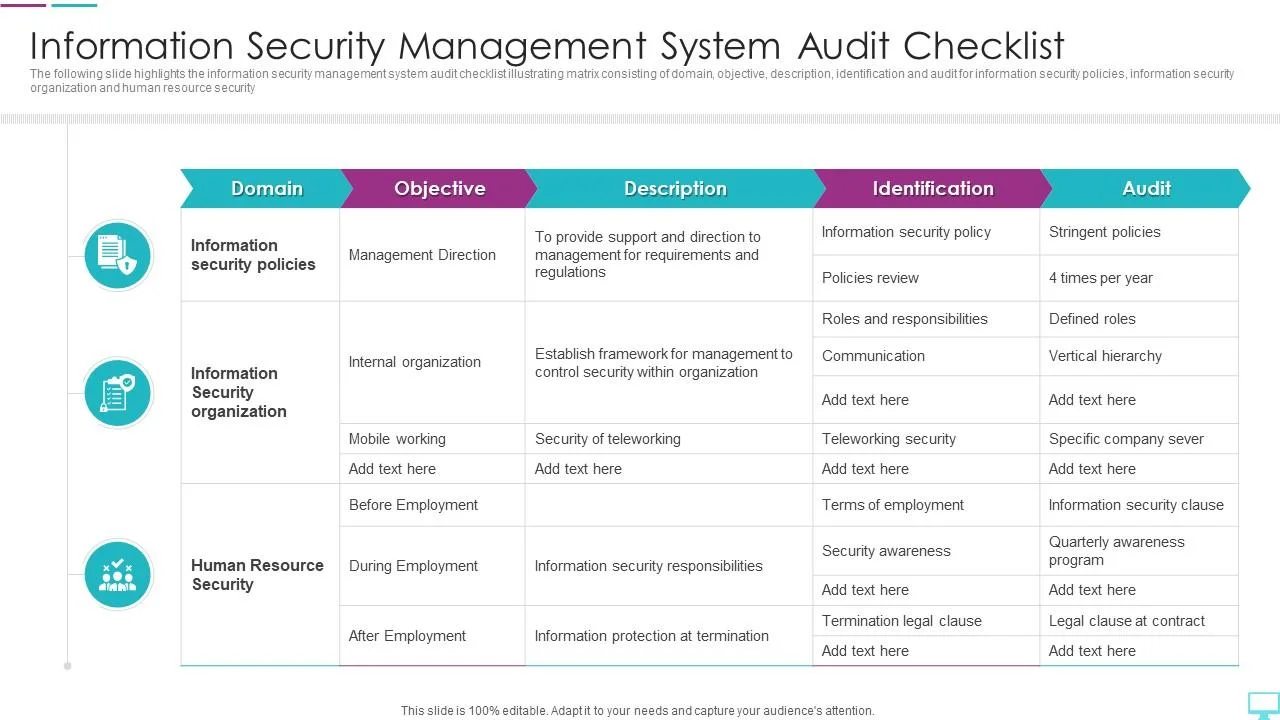
On top of that, don’t forget about data audit. This process focuses on analyzing the quality and structure of your current data to ensure that only clean and relevant information is transferred during the migration. A well-executed data audit minimizes errors and improves the performance of the new ERP system.
By conducting a comprehensive system and data audit, you can identify potential risks and ensure the migration proceeds without technical or operational setbacks. This step not only prepares your business for the new ERP system but also sets the stage for improved efficiency and data accuracy.
Step 4. Configure data for migration
Proper data preparation, a core requirement found in any CRM migration checklist, minimizes errors, reduces downtime, and improves the performance of the new ERP system.
This step involves:
- Data cleaning: Review your existing data to identify and remove duplicates, outdated information, and irrelevant records to ensure only valuable data is migrated.
- Data mapping: Map each data field in the old system to its appropriate field in the new system.
- Data formatting: Convert your data into the format required by the new ERP system to ensure compatibility.
- Data testing: Run sample data migrations to spot and resolve errors any error that arises.
Step 5. Train employees and go live
Proper testing ensures that the system functions correctly, while a well-executed go-live strategy minimizes disruptions and sets the foundation for long-term success.
System testing is the first priority before going live. This step involves verifying that all workflows, features, and integrations are working as expected. Running end-to-end tests ensures that the ERP system can handle real-life scenarios, such as processing orders, generating reports, or managing inventory. Testing also helps identify and resolve any technical issues, such as bugs, data mismatches, or performance slowdowns.
And now that everything is in its correct place let’s plan for the go-live session. Remember to select a low-activity period for the go-live date to reduce the impact on daily workflows. Creating a detailed checklist for the final launch, including system configurations, data verification, and backups, ensures that everything is ready for a smooth transition.
Step 6 Monitor, support, and optimize
Monitoring, supporting, and optimizing the ERP system after going live is a crucial step in ensuring the long-term success of the migration. Even after a smooth launch, continuous evaluation and improvement are necessary to address emerging challenges, refine workflows, and maximize the system’s potential.
System monitoring should begin immediately after the go-live phase. Regularly tracking system performance ensures that everything is functioning as intended. Monitoring also helps detect any data inconsistencies or integration problems that may have gone unnoticed during the testing phase.
Issue resolution should be a top priority during this step. Any bugs, glitches, or performance issues discovered after launch must be addressed promptly to prevent disruptions. Collaborating with the ERP vendor or migration consultants can provide faster and more effective solutions. Maintaining a clear process for reporting and resolving issues helps keep the system running smoothly.
Seamlessly migrate your store to a more robust place!
LitExtension can safely transfer your data to unlock more growth on the new platform.

Possible challenges of ERP migration
Identifying these challenges early and planning for solutions can help businesses ensure a smooth transition. Below is a table outlining common challenges and their corresponding solutions:
|
Challenges |
Solutions |
|
1. Data loss or integrity issues |
– Perform a detailed data audit before migration. – Use reliable data migration tools and conduct thorough testing to ensure data accuracy. |
|
2. Downtime during migration |
– Plan the migration during low-activity periods. – Use phased rollouts or parallel runs to minimize disruptions to operations. |
|
3. High costs and resource demands |
– Set a clear budget and allocate resources wisely. – Consider cloud-based ERP solutions to reduce infrastructure costs. |
|
4. Employee resistance to change |
– Provide comprehensive training and involve employees early in the planning process. – Communicate the benefits of the new ERP system to employees. |
|
5. Compatibility issues with existing systems |
– Conduct a thorough system audit to identify integration needs. – Choose an ERP system that supports existing tools and workflows. |
|
6. Lack of expertise or experience |
– Hire experienced consultants or migration experts (like LitExtension – #1 eCommerce Migration Expert). – Leverage vendor support or training programs for internal teams. |
|
7. Insufficient testing |
– Create a detailed testing plan that includes all workflows, integrations, and data validations. – Allocate time for multiple testing phases before going live. |
|
8. Post-migration performance issues |
– Monitor the system closely after going live. – Have a dedicated support team in place to resolve issues quickly and optimize performance. |
By understanding these challenges and proactively addressing them, businesses can navigate the migration process more effectively.
When Is ERP Data Migration Necessary?
ERP data migration is not limited to situations where a company replaces its entire ERP system. It can become necessary whenever existing business data needs to work within a new system, a different technical environment, or a significantly changed operating setup.
A migration may be worth considering when you encounter situations such as:
Your business has outgrown the current ERP
As a company expands, its ERP may struggle to support higher data volumes, additional locations, more complex operations, or new business requirements. At this point, upgrading the existing system or moving to a more capable ERP can provide the foundation needed for further growth.
If the new environment uses a different data structure, the information stored in the legacy system will need to be prepared and migrated rather than simply left behind.
You’re moving away from legacy infrastructure
Older ERP environments can become increasingly difficult and expensive to maintain. A business may decide to move its ERP to a cloud environment or adopt newer technology to improve accessibility, security, scalability, and system performance.
This transition can require existing business records to be transferred into an environment that handles data differently. Migration therefore becomes part of the broader modernization process.
Your business processes are being restructured
ERP data reflects how a company operates. When workflows or organizational processes change, the way information is organized in the ERP may need to change with them.
For example, a business introducing new workflows or substantially reconfiguring its ERP may need to review which data should be retained, how different records relate to one another, and whether existing configurations still make sense in the new setup.
You’re replacing an ERP with a different solution
Sometimes the issue is not the age of the system but its suitability. A business may move to another ERP because the current solution lacks the functionality, flexibility, or scalability it now requires.
In this case, migration helps carry essential operational and historical information into the new system so the business can transition without losing access to important records.
In short, ERP data migration becomes necessary when the system or business environment changes enough that existing data can no longer be used as-is. Identifying that point early gives you time to review, clean, map, and test the data before the new ERP goes live.
ERP Data Migration Best Practices
Migrating data to a new ERP system can be challenging, but with the right approach, you can avoid costly mistakes and ensure a seamless transition. Here’s our detailed ERP migration checklist to help you succeed:
1. Start with a data audit
First, take the time to review your existing data before migration. Clean up outdated, duplicate, or irrelevant records so that only valuable and accurate data makes it into your new ERP system. This will save time and prevent errors later.
2. Have a clear migration strategy
You should prepare a well-structured plan tailored to specific types of data migration to keep things organized and reduce the risk of confusion. Define a step-by-step plan for extracting, transforming, and loading (ETL) your data. Outline roles and responsibilities so that everyone knows what to do at each stage.
3. Map your data correctly
Ensure that every data field from your old system aligns with the new ERP’s structure, especially when executing a complex SaaS migration. Incorrect mapping can lead to missing or misplaced data, which can cause operational issues after migration. Double-check formats, relationships, and dependencies before moving forward.
4. Back everything up
Always create a full backup before migrating data, whether through a system snapshot or an isolated SQL backup. Even with the best planning, things can go wrong. Having a secure copy of your data ensures that you can recover critical information if needed.
5. Plan for downtime
Schedule your migration during off-peak hours or implement a phased approach to prevent operational halts, such as when a QuickBooks migration failed unexpectedly during active hours. This will minimize disruptions and ensure that your business operations continue with minimal impact.
Store Migration Made Easy With LitExtension!
LitExtension helps you transfer your data to the new platform accurately, painlessly, with utmost security.
Who Should Be Involved in an ERP Migration?
An ERP migration needs input from both the people who understand the business and those responsible for making the technology work. Instead of building a large team where everyone has a separate title, it is more practical to assign responsibilities across a few key areas.
Business leadership
Someone from the leadership team should provide the business direction for the project. This person helps establish priorities, approve major decisions, and step in when the migration requires changes that affect multiple departments.
Representatives from departments such as finance, sales, operations, and HR should also be involved. They know which records, workflows, and reports their teams depend on, making their input essential when deciding what needs to move to the new ERP and how it should work afterward.
Project and technical team
A project manager keeps the migration organized from planning through go-live. They coordinate different teams, manage deadlines and resources, and make sure technical work stays aligned with business requirements.
On the technical side, an IT lead or system administrator assesses the existing environment, integrations, and infrastructure. They also help identify compatibility issues that could affect the new ERP.
Data and quality team
Data preparation deserves dedicated ownership because simply transferring everything from the old system can bring outdated, duplicated, or incorrectly structured information into the new ERP.
A data specialist can take responsibility for reviewing, cleaning, mapping, and preparing records for migration. Meanwhile, a testing or QA owner verifies that the migrated information and critical workflows behave as expected before the new system becomes fully operational.
ERP Migration: FAQs
What does ERP migration mean?
An ERP migration is the process of transferring data, processes, and workflows from an existing ERP system to a new one. This can involve upgrading to a modern version of your current system or transitioning to an entirely different platform. The goal is to improve business efficiency, scalability, and integration by adopting a more advanced solution.
How long does an ERP migration take?
The timeline for ERP migration can vary depending on the complexity of the project. On average, small to medium-sized businesses may take 3 to 6 months, while larger organizations or more complex migrations can take up to 12 months or longer. Factors like data volume, system customization, and employee training can impact the duration of the process.
What are the 3 common types of ERP?
The three common types of ERP systems are:
- On-premise ERP: Installed locally on a company’s servers and m- aintained by the organization’s IT team.
- Cloud- based ERP: Hosted on the vendor’s servers and accessed through the internet, offering flexibility and scalability.
- Hybrid ERP: Combines on-premise and cloud-based solutions, allowing businesses to leverage the benefits of both environments.
What is an example of an ERP system?
An example of an ERP system is SAP ERP, a widely used solution that offers tools for managing various business operations, including finance, supply chain, human resources, and procurement. Other popular ERP systems include Oracle NetSuite, Microsoft Dynamics 365, and Odoo, each tailored to different business sizes and industries.
Final Thoughts
ERP migration is a transformative journey that can significantly improve your business’s efficiency, scalability, and overall operations. By understanding the process, addressing challenges, and following a structured plan, businesses can ensure a smooth transition to a more advanced ERP system.