
Among website builders and eCommerce platforms, Weebly was once a popular choice thanks to its ease of use and affordability. Nevertheless, in recent years, its active development has slowed as Square shifts its focus toward Square Online. That’s why many website owners are searching for ways to transfer Weebly site to another host or platform altogether.
Don’t worry; we can help you here! In this guide, we’ll walk you through two of the best ways to transfer a Weebly site:
- Transferring Weebly site manually to another host
- Migrating your Weebly store using LitExtension All-in-One
Let’s get started!
How to Transfer Weebly Site to Another Host Manually
Since Weebly is a closed website builder, you can’t transfer the entire site to a new host with a single export file. Instead, you’ll need to prepare your domain, back up your content, rebuild the site on the new platform, and then connect your domain once everything is ready:
Step 1: Review your domain setup
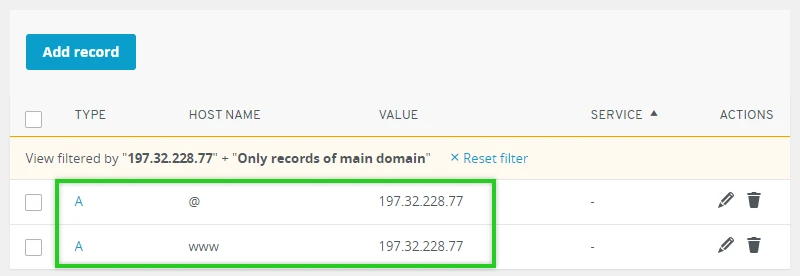
Before starting the migration, you must review how your domain is currently configured:
- If your website already uses a custom domain, you can continue using it after moving to a new host.
- However, if you’re still using a free Weebly subdomain, you’ll need to purchase a custom domain before launching your new website elsewhere.
At this stage, avoid making any changes to your domain settings. Your current Weebly website should remain connected to the domain until the new site has been fully built and tested.
Plus, it’s also a good idea to identify where your domain is registered and make sure you can access your registrar account. You’ll need those credentials later when it’s time to point the domain to your new hosting provider.
Step 2: Choose a new hosting provider
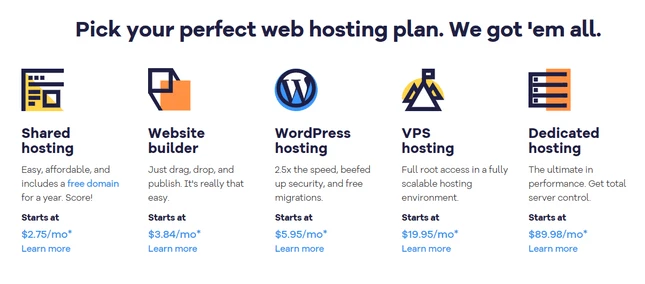
Once you’ve confirmed your domain setup, the next step is selecting a hosting provider for your new website.
When comparing hosting options, look for a provider that allows you to build and test your site before updating your DNS settings. This approach lets you work on the new website behind the scenes while your existing Weebly site continues serving visitors.
Then, after choosing a provider, create your hosting account and set up the environment where your new website will be built. Having the hosting environment ready before migrating content will make the remaining steps much easier to manage.
Step 3: Set up your new website environment
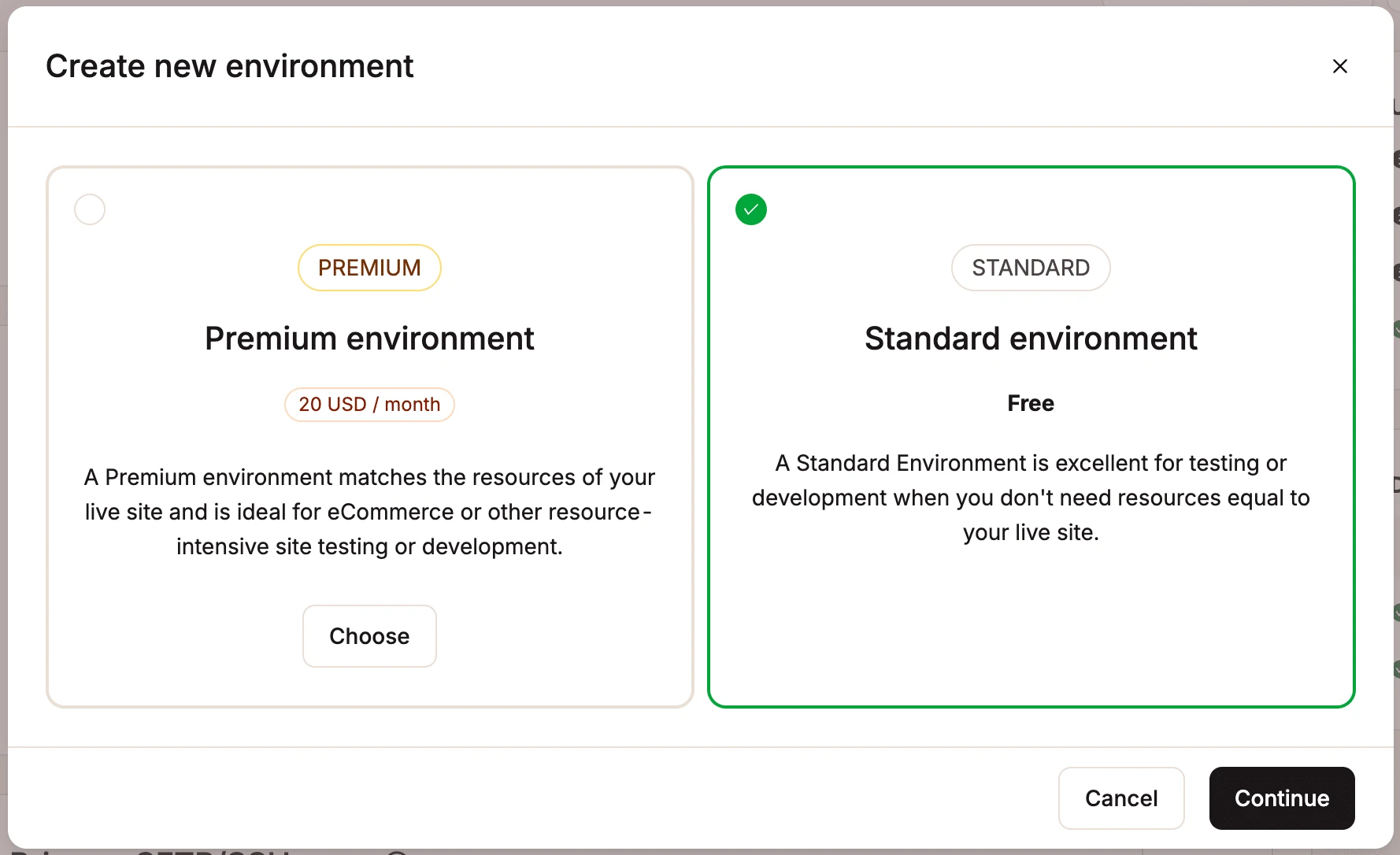
Before transferring any content, you should establish the basic structure of your new website. Specifically, you can configure your site’s design, navigation menu, page structure, and any essential functionality you plan to use. By setting up these foundations in advance, you can move content directly into a prepared website rather than constantly adjusting layouts throughout the migration process.
Similarly, if you’re migrating an eCommerce store, this is also the right time to configure store-related settings such as product categories, payment gateways, taxes, and shipping options.
Step 4: Back up your Weebly website
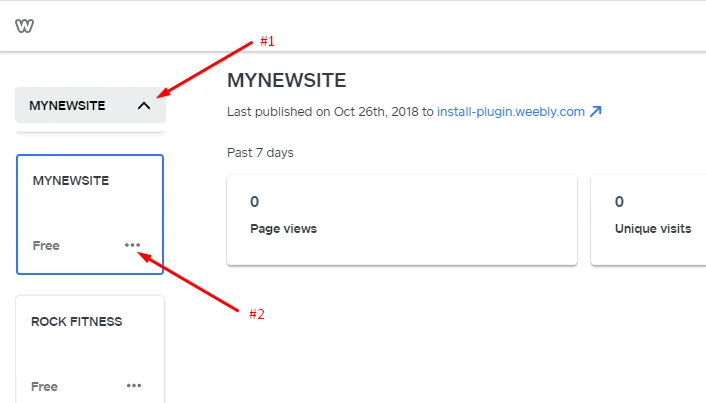
Next, it’s best to create a backup of your existing Weebly website. This duplicate provides a safety net if something goes wrong during the migration and serves as a reference point when rebuilding the site on the new platform.
To create a duplicate, log in to your Weebly account, locate the website you want to migrate, click the three-dot menu (…) next to the site name, and select Duplicate Site. Weebly will generate an exact copy of the site, including its pages, content, and design elements. Although this duplicate remains inside Weebly, it can be useful for testing or verifying content during the migration process.
You should also create a downloadable backup archive. Open your website in Weebly, navigate to Settings, scroll down to the Archive section, enter your email address, and click Email Archive.
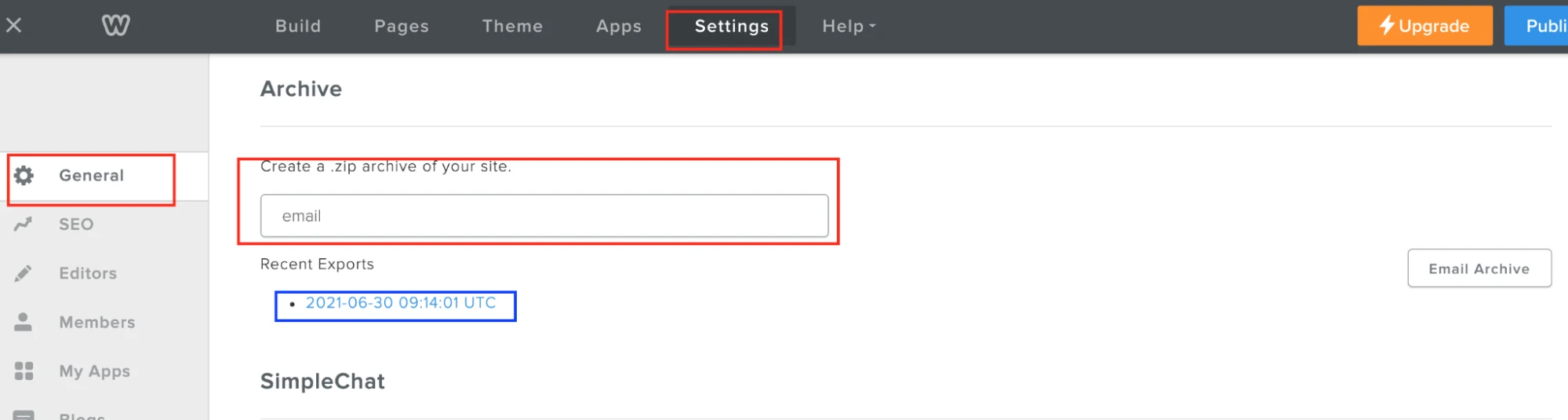
Once you receive the email, download the ZIP file and store it in a secure location before proceeding.
Step 5: Transfer your website content
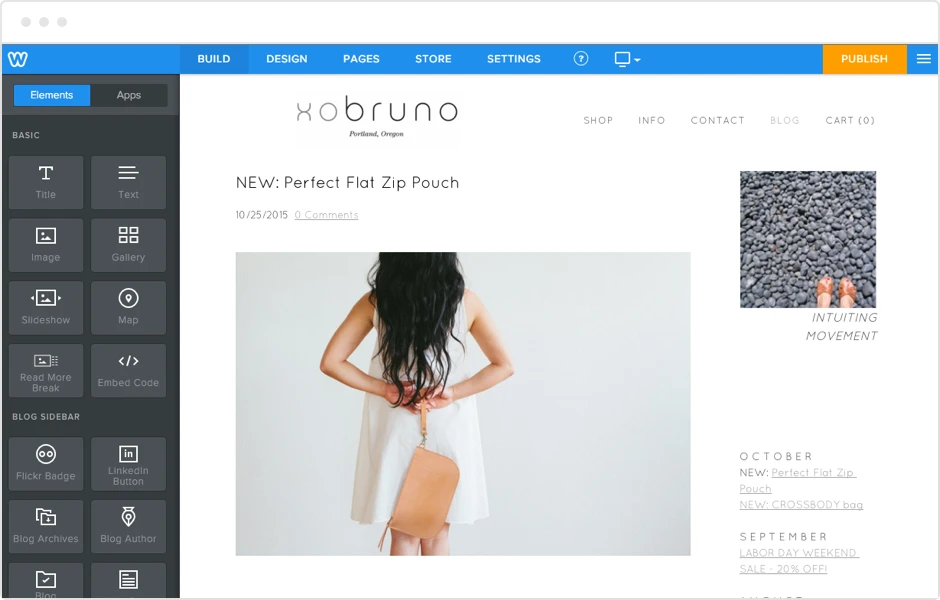
With your backup secured and your new website environment ready, you can begin moving your content!
For most migrations, the simplest approach is to recreate pages on the new platform manually:
- Open your Weebly website in one browser tab and the editor for your new platform in another.
- Then, you can recreate primary pages, such as the homepage, About page, Contact page, and service pages.
- Next, copy the text, images, and media assets from Weebly into their corresponding pages on the new website.
Some platforms may provide import tools that support RSS feeds, XML files, CSV files, or proprietary migration methods. If your new platform offers these options, review its documentation to determine whether any of your Weebly content can be imported automatically.
As you complete each page, compare it against the original version on Weebly to ensure that formatting, images, links, and embedded content have transferred correctly.
Step 6: Migrate product data (If applicable)
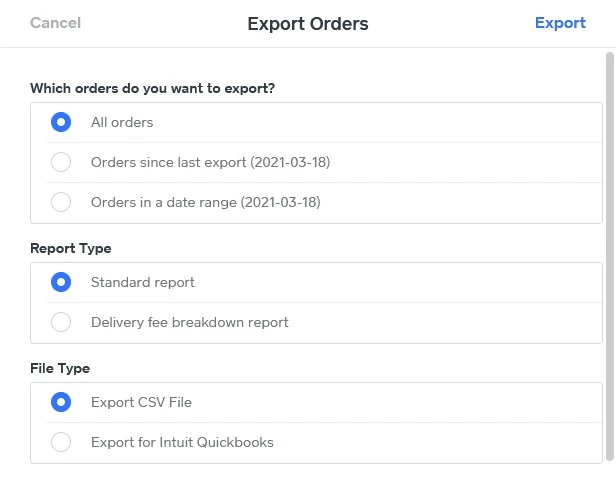
If your Weebly website includes an online store, you’ll need to transfer product data separately from your standard website content.
To export your products, log in to your Weebly dashboard and navigate to Items > Site Items. Click the three-dot menu and select Export. Weebly will generate a CSV file containing your product information and send it to your email address. Download the file and save it locally.
Next, use your new platform’s product import tool to upload the CSV file. Depending on the platform, you may be asked to map fields such as product name, SKU, price, inventory quantity, category, and description before starting the import process.
Once the import is complete, carefully review your catalog. Product images, variants, categories, and inventory levels may require additional adjustments, so it’s important to verify that everything displays correctly before launching the new store.
Step 7: Point your domain to the new host
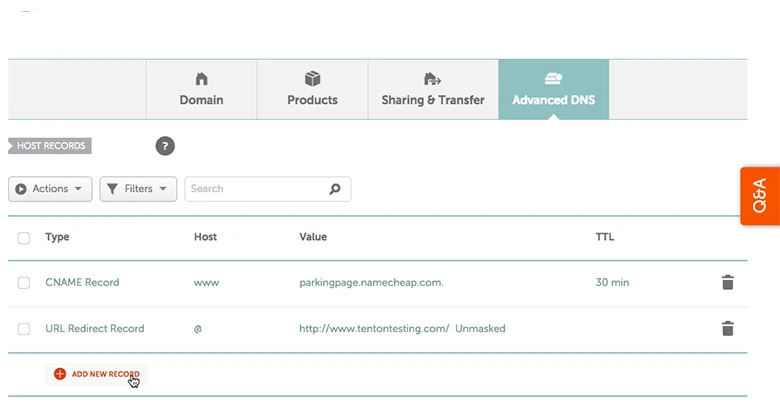
Finally, after you’ve rebuilt your website and confirmed that everything works properly, it’s time to connect your domain to the new hosting provider.
Log in to the account where your domain is registered and locate the DNS management settings. Your hosting provider will typically provide instructions on whether you need to update nameservers, A records, or other DNS records. Follow those instructions and save the changes.
Keep in mind that DNS updates are not immediate. During the propagation period, some visitors may still see your old Weebly website while others are directed to the new version. Hence, to avoid disruptions, you should leave your Weebly site active until you’ve confirmed that traffic is consistently reaching the new website.
An Advanced Solution with LitExtension
Overall, the manual migration method discussed earlier is easy to perform and works well for smaller websites. However, for larger sites or eCommerce stores, manually rebuilding all data (not to mention the subsequent verification process) is extremely time-consuming and impractical.
So, if you’d rather avoid the technical work altogether, LitExtension’s All-in-One Migration Service is worth considering. Our experts will handle every stage of the process for you, from initial planning to post-migration support:
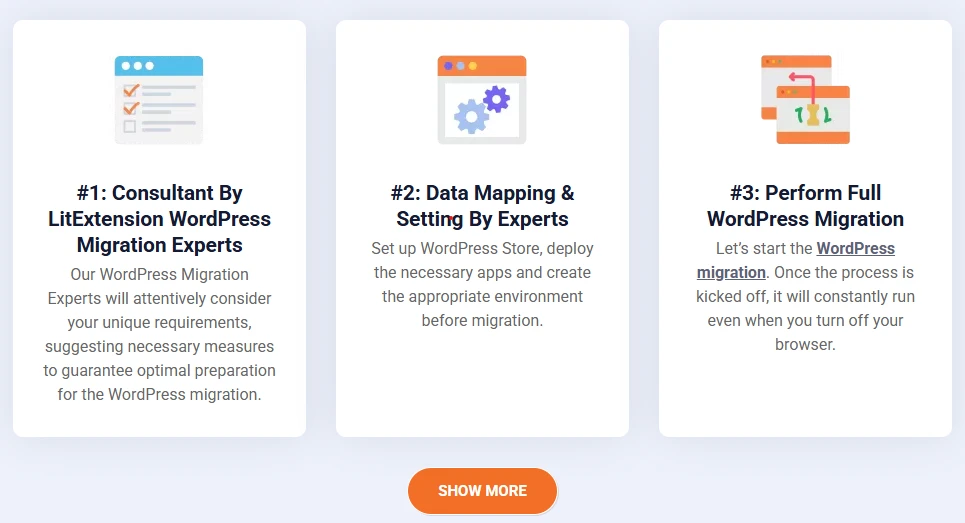
Step 1. Technical consultation
First, during our consultation, you can tell us about your current Weebly website, your target platform, and any specific requirements you may have.
Our specialists will then review your website structure and analyze the data that needs to be transferred. Once all technical details have been agreed upon, we’ll prepare a Service Level Agreement (SLA) outlining the migration scope and deliverables. After your approval, the project officially moves forward!
Step 2. Pre-migration preparation
Next, our team will prepare the destination environment for the migration.
Specifically, we configure all the necessary settings and establish the technical connections required to receive your Weebly data. This preparation helps ensure the destination website is ready before any transfer begins.
In addition, we also perform detailed data mapping between the two platforms. If your website contains custom fields or unique data structures, we will create tailored migration rules to ensure everything is transferred accurately.
Step 3: Demo migration
Before migrating the entire website, we perform a demo migration using a small sample of your data. Here’s your chance to preview how your content, products, customer information, and other data will appear on the new platform. If necessary, our team will identify and resolve any technical issues before the full migration takes place.
Once you’re satisfied with the demo results, we’ll proceed to the next stage.
Step 4: Perform the full migration
After the demo is approved, we begin the full migration.
As mentioned, our experts will handle the entire transfer process, including data migration, technical configurations, and ongoing monitoring. We carefully oversee each step to ensure data accuracy and minimize disruption throughout the migration.
Want to Migrate to a New Site?
LitExtension provides a well-optimized All-in-One migration service for your data transfer!

Step 5: Quality assurance after migration
After the migration is complete, we conduct a thorough quality assurance review.
Our team checks all critical data, including pages, products, customer records, images, metadata, and other website content, to ensure everything has been transferred correctly. If any inconsistencies are detected, they will be resolved before the project is wrapped up.
Step 6: Post-migration services
Even after the migration is complete, our support continues. To help you manage changes that occur during the transition period, we provide a range of post-migration services, including:
- Unlimited, Free Recent Data Migration: We transfer new orders, customers, and products created after your initial migration. This process is completely free within 60 days from the start of your migration, as long as the new data remains under 5% of the original migration volume.
- 2 Free Remigrations: This gives you a fresh migration from scratch when needed. Our team reassesses the original migration, re-transfers all store data, and thoroughly verifies the results to ensure maximum accuracy.
- Unlimited, Free Smart Update: You can keep your new store synchronized with changes made after migration by updating only modified data to prevent duplicates and minimize downtime. This service is available free for up to 60 days from the start of your full migration.
Plus, you’ll also receive up to 60 days of free technical support from our migration specialists, ensuring assistance is available whenever needed.
Step 7: Ongoing customer support
Our commitment doesn’t end once your new website goes live. Whether you need help verifying migration results or troubleshooting unexpected issues, our support team is always available from Tuesday to Saturday to assist you.
With guaranteed response times and dedicated migration experts, you’ll always have reliable guidance from the LitExtension team throughout your migration journey.
What to Do After Transferring Your Weebly Site to Another Host
Completing the migration from Weebly is a major milestone, but there are still a few important tasks to handle:
Update your DNS settings
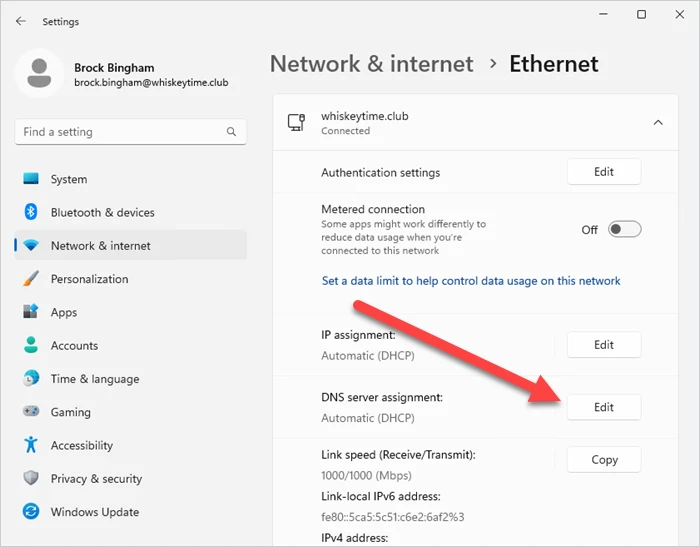
Once your new website is ready to go live, you’ll need to connect your domain to the new hosting provider.
Log in to your domain registrar account and update the DNS settings according to your new host’s instructions. Depending on the hosting provider, this may involve changing your nameservers, updating A records, or modifying other DNS entries.
After saving the changes, allow time for DNS propagation. During this period, some visitors may still see your old Weebly website while others are directed to the new one. Hence, to avoid interruptions, keep your Weebly site active until the propagation process is complete and traffic is consistently reaching the new host.
Set up redirects
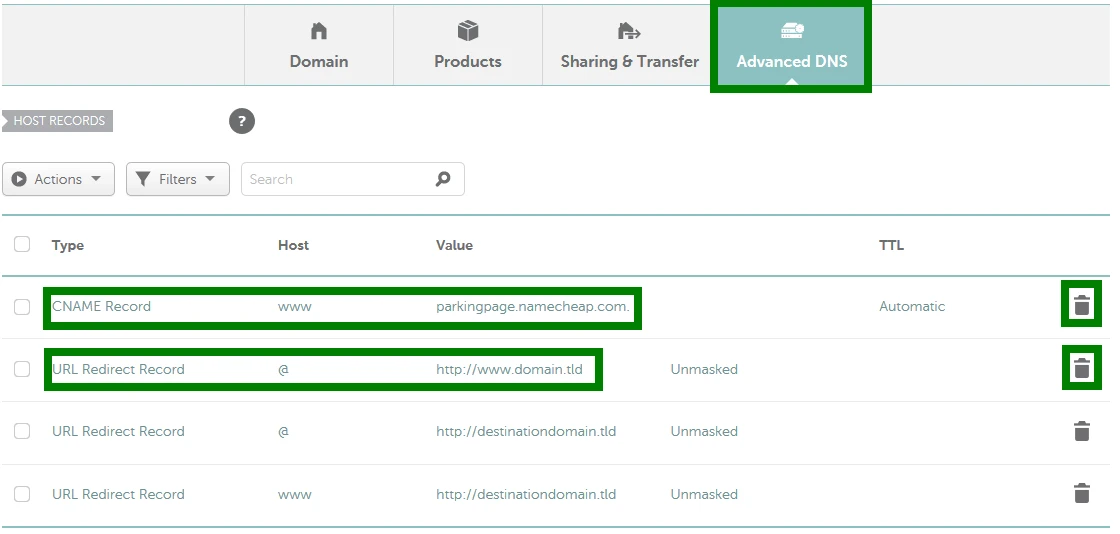
Redirects help ensure visitors and search engines can still find your content if any URLs change during the migration.
You can start by identifying pages whose URLs differ from those on your Weebly site. Then create 301 redirects from the old URLs to their new equivalents. This way, users will be automatically sent to the correct destination, which helps preserve the SEO value of existing pages.
If your website contains a large number of pages, consider creating a redirect map before launch so you can systematically verify that every important URL has been accounted for.
Test the site thoroughly
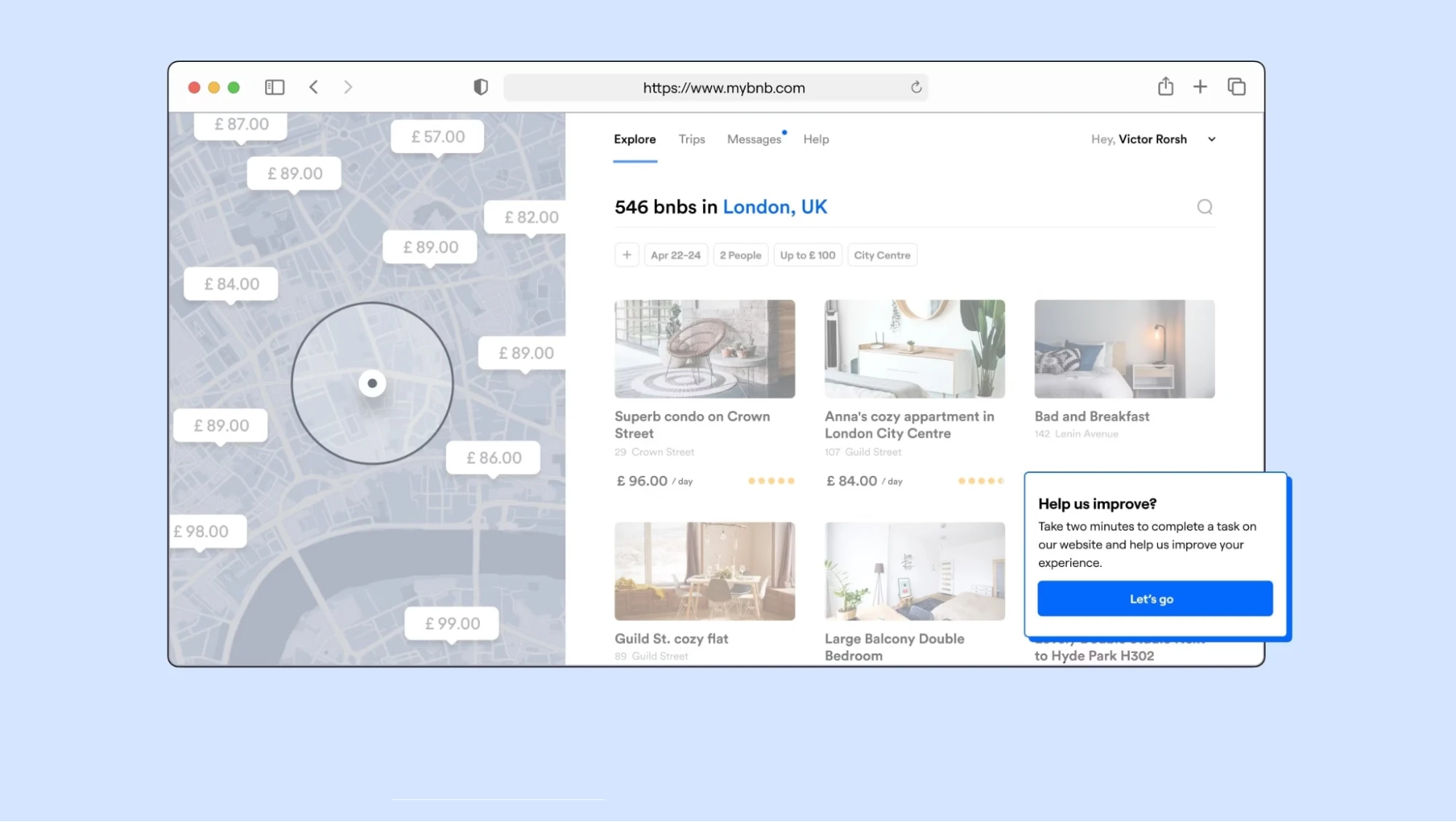
Lastly, before announcing the launch of your new website, you should perform a comprehensive review of the entire site. We recommend checking the following:
- Key pages
- Navigation menus
- Internal links
- Images
- Videos
- Forms
- Downloadable files.
If you operate an online store, place several test orders to verify that the cart, checkout, payment processing, and order notifications are working as expected.
Why Transfer from Weebly to Another Platform?
While Weebly remains a user-friendly website builder for beginners, many businesses eventually outgrow its capabilities. As your website expands, you may need more flexibility, stronger eCommerce features, or greater control over your site’s design and functionality.
Some of the most common reasons to migrate from Weebly include:
- Increasingly uncertain future: Although Weebly has not announced any plans to shut down, Square has shifted much of its focus toward Square Online rather than continuing to expand the Weebly platform.
- Limited customization freedom: Weebly’s drag-and-drop builder is easy to use, but it can become restrictive as your website evolves. Moving to another platform gives you greater control over design, layouts, functionality, and the overall user experience.
- Restricted eCommerce capabilities: If you’re running an online store, migrating to a dedicated eCommerce platform can provide advanced inventory management, more payment gateway options, flexible checkout customization, and stronger sales tools.
- Seeking broader integration options: Modern businesses often rely on multiple tools for email marketing, CRM, analytics, automation, and customer support. Hence, migrating from Weebly can give you access to a larger ecosystem of third-party integrations that better support your workflows.
FAQs
Can I transfer my Weebly site to another host?
You cannot directly transfer or export your Weebly website to another web host because Weebly is a closed, proprietary platform. However, you can move your content to an open-source platform like WordPress or migrate your custom domain to a new registrar.
Can I move my website from one host to another?
Yes, you can absolutely transfer your website to another host. This process is actually quite common among site owners and eCommerce merchants.
How do I transfer ownership of a Weebly site?
Because Weebly is integrated with Square, there is no direct "transfer owner" button. Hence, to transfer ownership of your Weebly site to another person, you must either transfer full account login credentials (the fastest option) or rebuild the site in the new owner's account.
Is Weebly being phased out?
No, Weebly is not officially shutting down. However, it is in "maintenance mode" with no active development as its parent company, Square, directs users toward its newer platform, Square Online. Existing Weebly sites continue to function, and there are no immediate plans to delete them.
Final Words
Overall, to transfer Weebly site to another host, you can either handle the migration yourself or choose a fully managed service.
Though the DIY route may work for smaller websites, larger sites and online stores often require significantly more time and technical effort. So, if you’d rather avoid the risks and complexity of a manual migration, LitExtension is here to help! With 15+ years of migration experience and a dedicated team of specialists, our All-in-One Migration Service will take care of every stage of the process for you.
For more tips and guidance, check out our blogs or join our Facebook Community.


