
Are you considering SHOPLINE for your online store? You have come to the right place! SHOPLINE has been one of the most popular eCommerce solutions in recent years, and in our SHOPLINE reviews, we’ll help you answer the question, “Is SHOPLINE legit?”
In the following lines, we will give you a comprehensive understanding of SHOPLINE, including overview, pricing analysis, key features, and how to migrate to this platform. Let’s get into it!
An Overview of SHOPLINE
Before exploring the key features of SHOPLINE, let’s start by taking a quick glance at all the fundamentals of this platform.
What is SHOPLINE?
Shopline is an eCommerce platform designed to help businesses create and manage their online stores. It offers a range of tools and features that assist users in building a customized online storefront, handling product listings, managing inventory, processing payments, and fulfilling orders. The platform also allows you to sell globally on web stores, social media, chats, retail, and marketplaces.
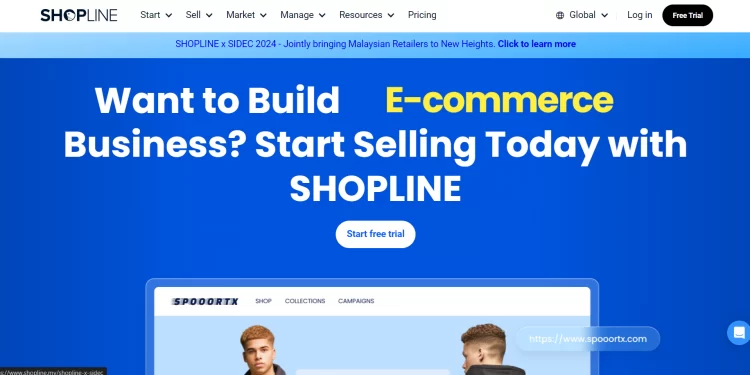
Furthermore, SHOPLINE makes things easy for you and your customers with multiple payment and shipping options. SHOPLINE payment gateways and reliable shipping integrations ensure a smooth and hassle-free purchasing experience.
Additionally, SHOPLINE’s real-time order status and data visualization tools can help you easily track your orders and manage your sales. These features provide valuable insights, allowing you to make informed decisions and optimize your business strategies effectively.
Pros & cons of using SHOPLINE
As said, SHOPLINE is an all-in-one solution for getting your online business up and running smoothly. Nevertheless, like other eCommerce platforms, it still has some certain drawbacks.
Take a look at the table below for the main pros & cons of this solution.
| Pros | Cons |
|---|---|
| Competitive pricing plans | No free plan |
| User-friendly interface | Extra transaction fees for third-party payment providers |
| Built-in migration tools | Advanced features are limited to higher-tier plans |
| Powerful email and SMS marketing | Some features require additional fees |
| Strong global selling features | Customer support response times may vary |
Switch Platform to SHOPLINE with Confidence!
With the All-in-One Migration Service, our experts take care of everything, ensuring a seamless and stress-free migration.

Now that you have a better grasp of SHOPLINE, let’s move to the main part of this SHOPLINE reviews. We will provide a more comprehensive view of SHOPLINE, including its pricing and key features.
SHOPLINE Pricing
One of the key points to consider in this SHOPLINE review is its flexible pricing structure. If you are unsure whether SHOPLINE suits your needs, there’s a 14-day free trial to experience its nature. After that, the platform provides four plans with a monthly starting price of $29. Things will get cheaper when you upgrade to annual billing since SHOPLINE gives you 2 extra months for free.
Now, let’s dive a bit deeper into the SHOPLINE pricing plans.
At $29 per month, the Starter plan provides the core tools needed to launch and run an online store. It includes an online storefront, checkout and inventory management, five staff accounts, built-in AI tools, SmartPush email marketing with 1,000 emails included, and multi-channel selling across the online store and social commerce.
For growing businesses, the Essential plan costs $79 per month and expands the platform with 35 staff accounts, a lower third-party transaction fee of 0.8%, advanced reporting and customer segmentation, multi-store and organization management, advanced checkout customization, and developer tools.
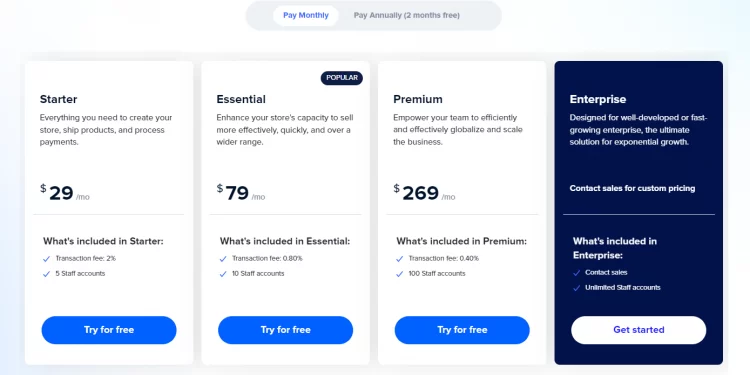
The Premium plan costs $269 per month and is designed for larger or more complex eCommerce operations. It supports 100 staff accounts and a 0.5% third-party transaction fee, while adding advanced marketing automation, AI-powered recommendations, developer tools, API integrations, and multi-channel selling across social, POS, and online channels.
For larger businesses with more complex requirements, SHOPLINE Enterprise uses custom pricing. The plan includes unlimited staff accounts, multi-store and organization management, advanced checkout customization and developer tools, enterprise infrastructure, and priority API access.
All plans are available with a 14-day free trial, while annual billing currently offers a 17% saving, with the displayed monthly-equivalent prices starting at $24 for Starter, $66 for Essential, and $224 for Premium.
| Starter | Essential | Premium | Enterprise | |
|---|---|---|---|---|
| Monthly price | $29/month | $79/month | $269/month | Custom pricing |
| Annual price | $24/month | $66/month | $224/month | Custom pricing |
| Staff accounts | 5 | 35 | 100 | Unlimited |
| Third-party transaction fee | 2% | 0.8% | 0.5% | Custom |
| Store locations | 15 | 15 | 30 | 300 |
| Online store & checkout | ✓ | ✓ | ✓ | ✓ |
| Inventory management | ✓ | ✓ | ✓ | ✓ |
| SmartPush email marketing | ✓ | ✓ | ✓ | ✓ |
| Built-in AI tools | ✓ | ✓ | ✓ | ✓ |
| Advanced reporting & customer segmentation | — | ✓ | ✓ | ✓ |
| Marketing automation | — | ✓ | ✓ | ✓ |
| Developer tools & API integrations | — | — | ✓ | ✓ |
| Advanced checkout customization | — | — | ✓ | ✓ |
| Multi-store & organization management | — | — | — | ✓ |
| Enterprise infrastructure | — | — | — | ✓ |
| Priority API access | — | — | — | ✓ |
Shopify Reviews: Ease of Use
SHOPLINE’s ease of use is definitely one of its standout features. The platform is designed to be highly user-friendly, making it an ideal choice for both eCommerce newcomers and seasoned professionals.
With SHOPLINE’s straightforward process, setting up your store is a breeze, and you’ll be up and running in no time. Its drag-and-drop design features ensure a hassle-free experience as you create and manage your online business. From adding products and selecting payment gateways to configuring delivery options, SHOPLINE’s intuitive interface guides you every step of the way, even without extensive technical expertise.
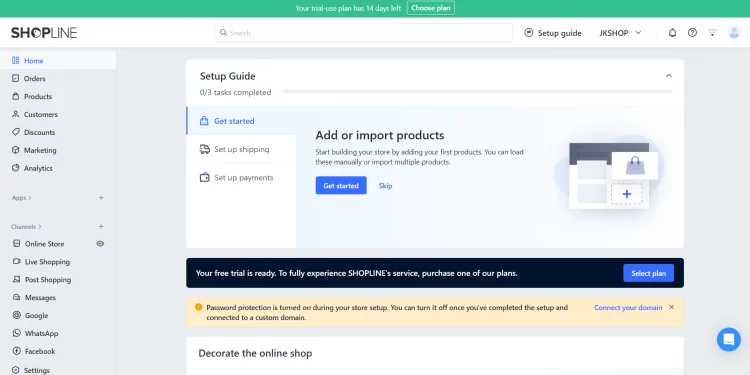
And if you happen to hit a snag, comprehensive support and resources are readily available to assist you every step of the way.
Mobile App
One of the great things about SHOPLINE is that you can manage your eCommerce business anywhere. They developed both website and app versions so that merchants can keep track of their stores seamlessly.
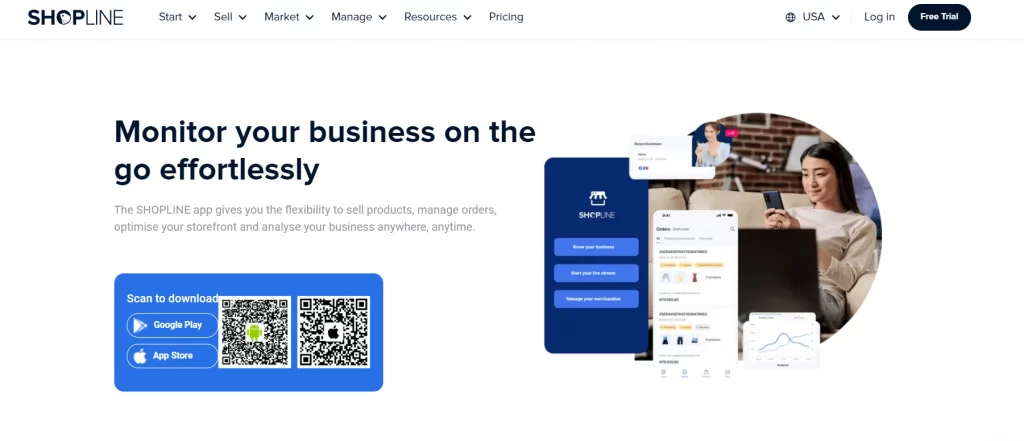
Similar to the website version, the SHOPLINE app also supports various features for efficient online store management. It allows for customizable store design, comprehensive product listing management, order management, real-time data analytics, inventory management, and more.
This app also offers the ability to manage marketing campaigns across multiple channels from a single dashboard. Additionally, it supports the creation and management of loyalty programs to enhance customer relationships.
Design Functionality
Another SHOPLINE feature worth highlighting is its storefront design functionality. The platform currently offers 25+ free categorized themes to give merchants a wide variety of starting points for different types of online stores. These themes also support app blocks and embeds, so you can extend storefront functionality without rebuilding the entire theme.
SHOPLINE also introduced its new Theme OS 3.0 framework in 2025, which features a redesigned component structure, more flexible section and block editing, dedicated mobile settings, and a new template engine. Merchants can also adjust layouts, spacing, and other design elements separately for desktop and mobile devices, giving them greater control over the storefront experience.
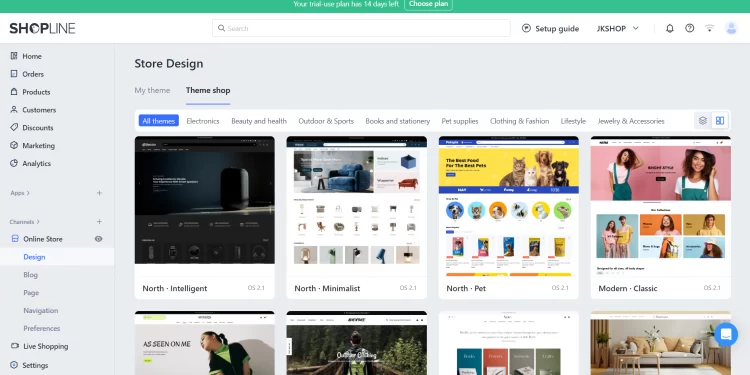
And it’s not just about looks. SHOPLINE’s themes are crafted with conversion optimization in mind. Imagine showcasing your bestsellers with eye-catching product carousels or strategically placed call-to-action buttons that gently guide customers toward checkout. Plus, every SHOPLINE theme is fully mobile responsive, ensuring a smooth and enjoyable browsing experience on any device, from desktops to smartphones.
Want to add your personal touch? SHOPLINE makes customization easy! Play around with different fonts and colors, add engaging content sections, and swap out images to create a look that’s uniquely yours. The intuitive drag-and-drop interface puts you in control, allowing you to tweak layouts and features without advanced coding skills.
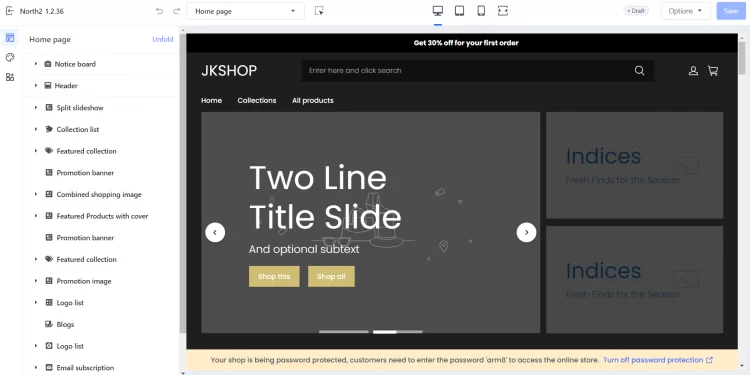
While SHOPLINE’s customization options cater to a wide range of needs, their support team or a SHOPLINE expert can guide you toward the best solution if you have particular requirements or require unique integrations.
Integration Capability
The next part of this SHOPLINE reviews is its integration capability.
As a matter of fact, SHOPLINE isn’t just about creating an attractive online storefront–it can help you build a central hub for your entire eCommerce operation. The platform’s capability to integrate with a wide range of essential apps allows you to streamline your workflow and scale your business operations.
SHOPLINE also provides an extensive app ecosystem for merchants who need to extend their store’s functionality. At the time of this update, the SHOPLINE App Store lists around 480 apps across categories such as marketing and conversion, sales channels, product management, store design, store management, and order and logistics.
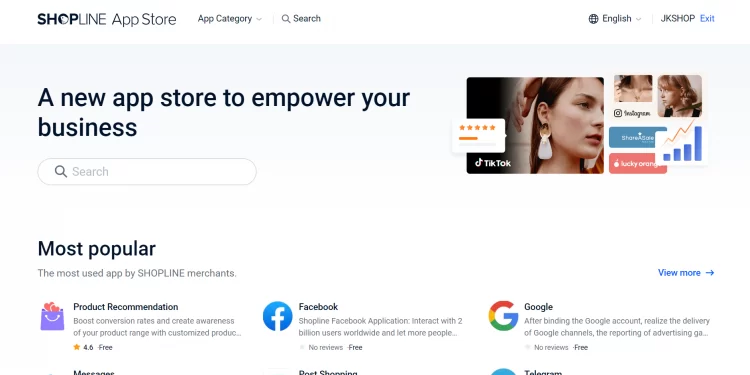
SHOPLINE’s integration capabilities also enable you to adapt and scale as your business grows easily. With access to a wide range of integrations, you can seamlessly connect new tools and services as your company expands. For example, you might need to integrate a new fulfillment service to handle increased order volume or a new payment method to process more order payments.
While SHOPLINE offers a marketplace with a wide variety of apps, it’s worth noting that it might not have every single specialized app available. However, SHOPLINE does offer an API that allows for custom integrations and development, which will be discussed further in the next section.
Built-in App Builder
As said, SHOPLINE offers a curated selection of reliable and popular solutions for businesses struggling to find the right app at the SHOPLINE app store. With SHOPLINE API documentation, you can create a customized eCommerce app tailored to your store’s needs. This means you can build an app that matches your requirements, making your online store more efficient and better suited to your business goals.
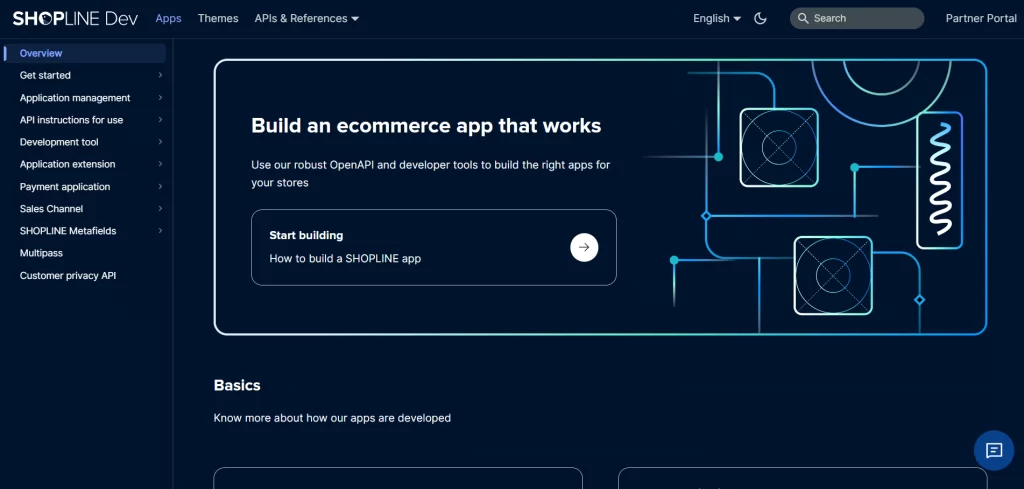
There are three main application distribution methods: public apps, custom apps, and private apps:
- Public apps can be distributed through the SHOPLINE App Store after review
- Custom apps can be installed by designated merchants through an authorization link.
- Private apps are created and installed for a merchant’s own store through the admin backend.
In addition, SHOPLINE provides development capabilities such as the REST Admin API, Webhooks, Storefront API, App Bridge, and App Extensions. These tools allow developers to connect external services, access or modify store data, and extend the merchant experience across the storefront and admin interface.
Streamlined Product and Order Management
Next, we’ll explore the product and order management system in this SHOPLINE reviews.
Managing several products and orders can feel overwhelming, but SHOPLINE simplifies things with its streamlined system. Adding new products is a breeze with this eCommerce platform since you’ll have clear instructions and options to upload photos and descriptions and set variations like sizes or colors.
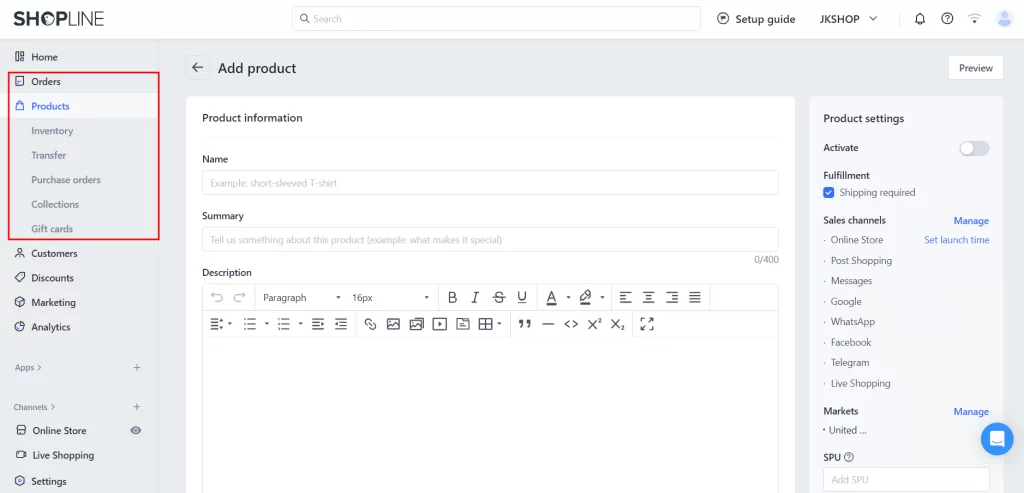
Keeping track of your inventory is easy as well. Once orders start rolling in, SHOPLINE keeps you organized with a user-friendly dashboard that shows you everything on your screen. You can easily see new orders, track their status, and manage them efficiently, all from one central hub, which can save you time and frustration.
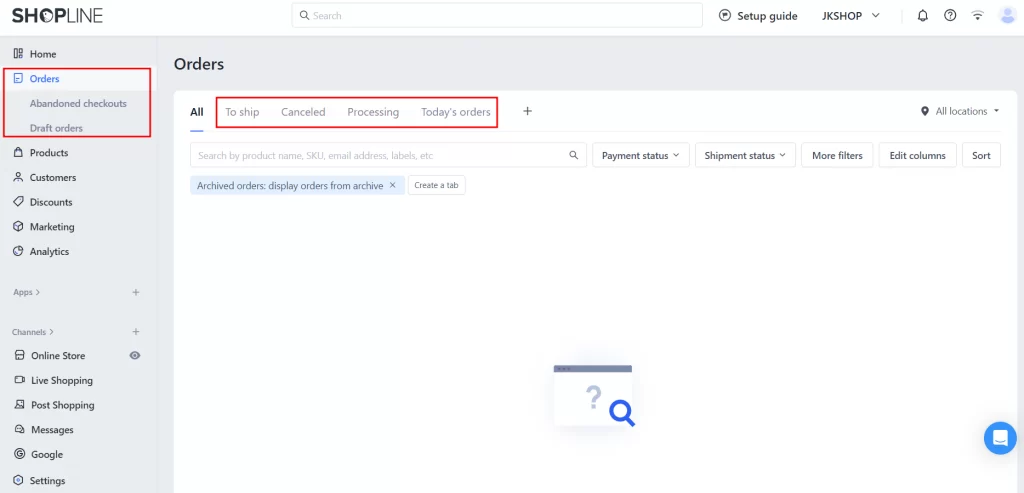
Moreover, SHOPLINE’s product management system offers a valuable feature that allows you to “lock” your inventory to avoid overselling when stocks are low. This ensures that no further sales can be processed for that item once your inventory reaches a certain threshold. By automating this inventory control aspect, SHOPLINE helps you maintain better stock accuracy and streamline your overall inventory management process.
POS System
SHOPLINE POS connects physical retail operations with online selling, allowing merchants to manage products, orders, inventory, customers, and other data across online and offline channels.
The current POS system supports real-time inventory synchronization, multi-location inventory management, customer profiles, loyalty programs, and omnichannel fulfillment options. Merchants can support scenarios such as buy online, pick up in store (BOPIS), buy in store and ship to customers, and ship online orders from physical store locations.
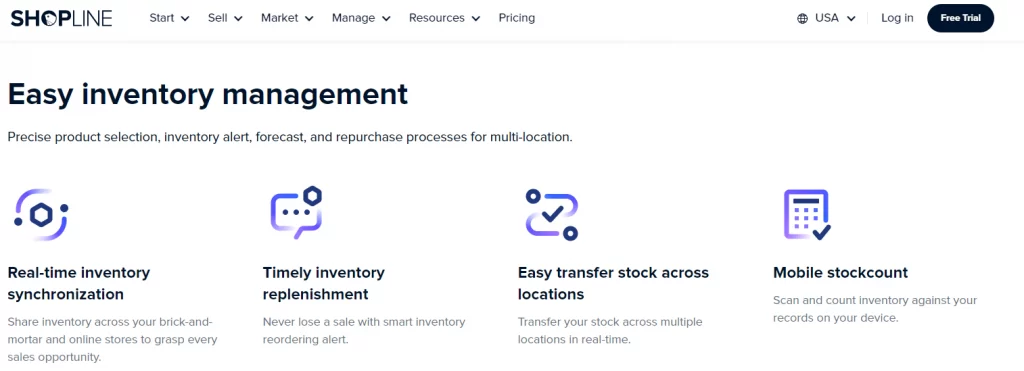
SHOPLINE POS also provides retail-focused tools such as checkout, payment processing, staff management, cloud reporting, stock transfers, and mobile stock counting. This makes it suitable for businesses that operate both physical stores and online sales channels.
CRM System & Loyalty Program
Our SHOPLINE reviews wouldn’t be complete without mentioning the exceptional loyalty program.
SHOPLINE offers a robust customer relationship management (CRM) tool that helps you create a strong loyalty program to enhance customer retention.
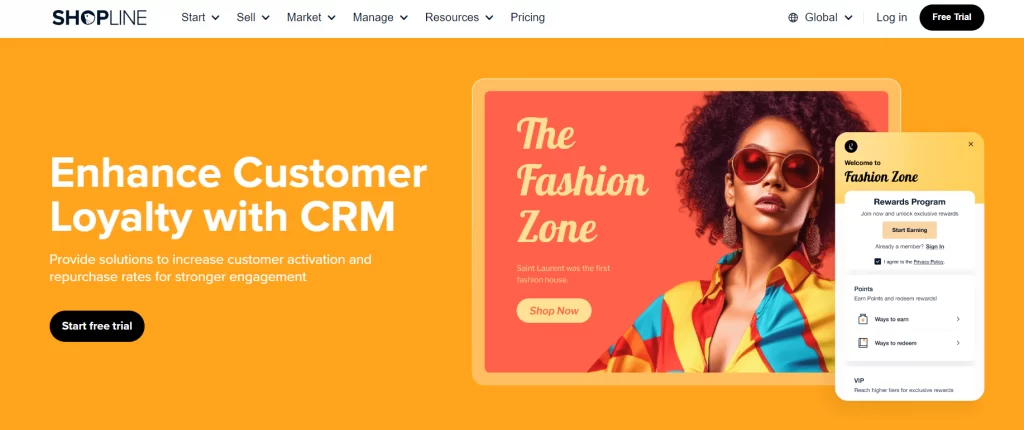
The easy-to-use CRM allows you to track customer activity such as registration, subscriptions, birthdays, purchases, social shares, and comments. Using this data, you can design a loyalty program that matches your brand and pleases your customers.
Specifically, the program lets you create personalized rewards, such as loyalty points, discounts, exclusive gift cards, and free shipping. This not only encourages recurring purchases but also helps build a strong and lasting relationship with your customers.
Checkout & Payment System
Now, let’s get into the checkout and payment system of this platform with our SHOPLINE reviews.
SHOPLINE’s checkout process is straightforward and user-friendly, helping to reduce abandoned carts and increase sales. This platform also ensures secure transactions, which will significantly help protect your customers’ payment information.
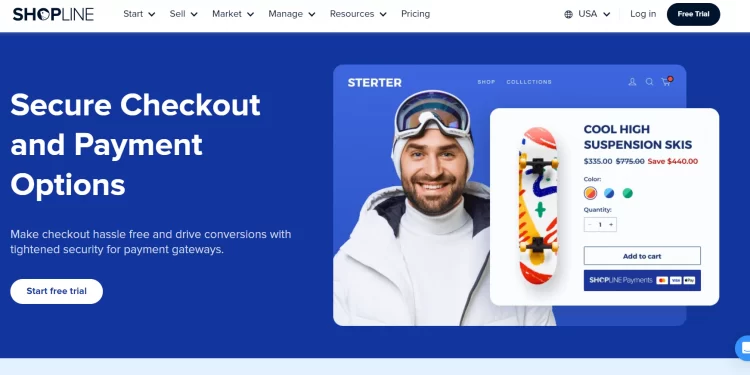
Additionally, SHOPLINE provides an in-house solution called SHOPLINE Payments, which acts as an all-in-one platform for managing payments. This service streamlines the process of accepting online payments and refunds for your store. With SHOPLINE Payments, customers can choose from supported payment options such as credit cards and other available local payment methods. Merchants can also configure third-party payment methods, such as PayPal, separately to give customers more ways to pay.
Marketing Features
Marketing feature is one of the most important aspects of any eCommerce platform. Hence, this will be another factor that we will discuss in this SHOPLINE reviews.
SHOPLINE provides a wide range of built-in marketing tools to help merchants attract customers, increase conversions, and build long-term customer relationships. In addition to traditional email, SMS, social commerce, and campaign tools, SHOPLINE now incorporates AI into areas such as product recommendations, customer service, search, content creation, and marketing automation.
Multiple touchpoints
With SHOPLINE, you can effortlessly expand your presence across multiple marketing channels.
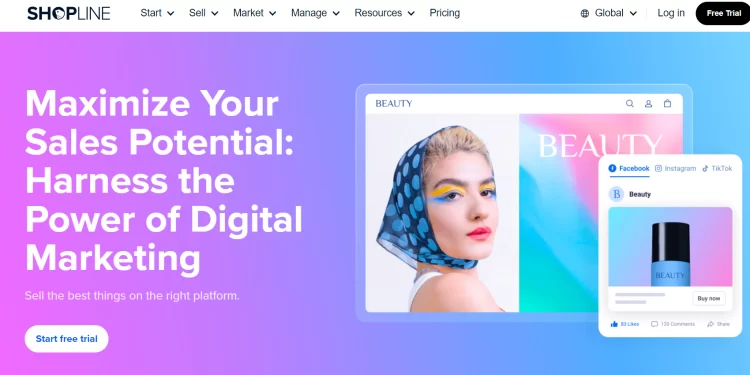
SHOPLINE’s seamless integration to various social media such as Facebook, Instagram, Tiktok, and Google Ads lets you turn your social media presence into a powerful marketing channel. It expands your reach to a wider audience and increase brand engagement. With this feature, your customers can even browse and purchase products directly from your social media accounts.
Furthermore, you can also manage all your marketing campaigns on multiple channels from one central dashboardThis eliminates the need to switch between platforms, saving you valuable time and effort.
SHOPLINE message center
The SHOPLINE message center is a powerful tool that centralizes all your customer communications in one place.
With this feature, you can easily manage and respond to buyers from multiple channels, including your online store and social media platforms. The Message Center allows you to keep track of all conversations, ensuring no customer query goes unanswered. It also provides quick and efficient responses, which helps improve customer service and foster better relationships with your customers.
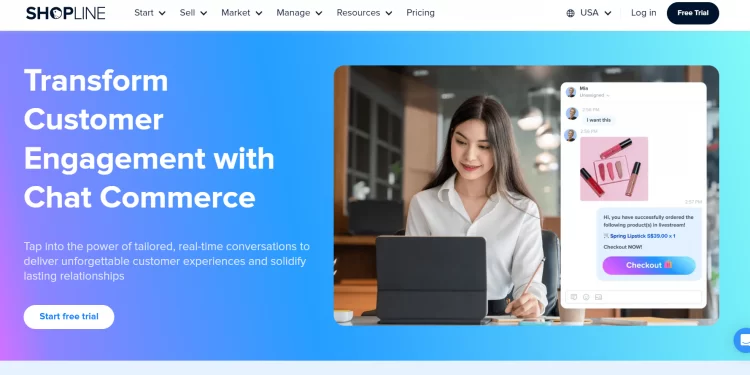
Additionally, the SHOPLINE message center supports automated replies and templates through AI chat assistance, saving you time and ensuring consistent communication. Moreover, SHOPLINE also enables in-chat shopping with product catalogs for seamless customer shopping within chat windows.
Over and above that, this feature creates customer profiles based on view of past transactions across online touchpoints. With these profiles, you can get a comprehensive understanding of customer behaviors and create more personalized customer experiences. Besides, you can refine your chat management strategy by tracking response times, conversation volume, customer satisfaction, and more.
Email marketing
SHOPLINE’s email marketing features empower you to connect with your customers effectively and drive sales.
With SHOPLINE, you can create and send personalized email campaigns to promote new products, special offers, and updates directly to your customers’ inboxes. The platform provides easy-to-use templates and customization options, allowing you to design visually appealing emails that match your brand.
Additionally, SHOPLINE’s email marketing tools include multidimensional tags, which can help you send personalized emails based on customer behavior and preferences. Moreover, you can track the performance of your campaigns with detailed analytics, helping you understand what your audience likes and refine your strategies accordingly.
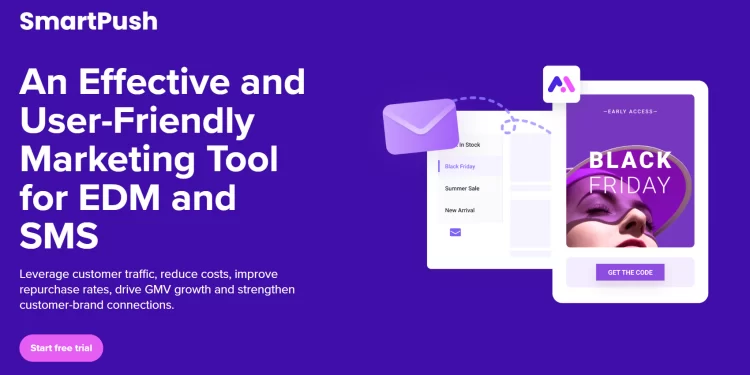
Most importantly, SHOPLINE’s SmartPush has expanded beyond traditional email campaigns. It currently supports email and SMS marketing, pop-up forms, customer segmentation, marketing automation, campaign analytics, and AI-powered personalization.
Merchants can use customer data to create targeted campaigns and automate communications based on customer behavior. Its newer AI capabilities can also help with content creation, product recommendations, and send-time optimization, allowing merchants to personalize campaigns and improve marketing performance with less manual work.
Plus, SHOPLINE has expanded its AI capabilities across different parts of the eCommerce journey.
SHOPLINE AI Capabilities:
- AI Smart Product Recommendation: Automatically suggests relevant items based on user behavior, sales performance, and product metadata.
- AI-Driven Storefront Tools & Widgets: Allows merchants to design and modify front-end storefront experiences using simple text prompts without writing code.
- Integrated AI Content & Descriptions: Helps merchants rapidly create SEO-friendly product copy and marketing content directly from the admin dashboard to save operational time.
These tools give merchants additional ways to automate routine tasks, personalize the shopping experience, and improve product discovery.
Analytics
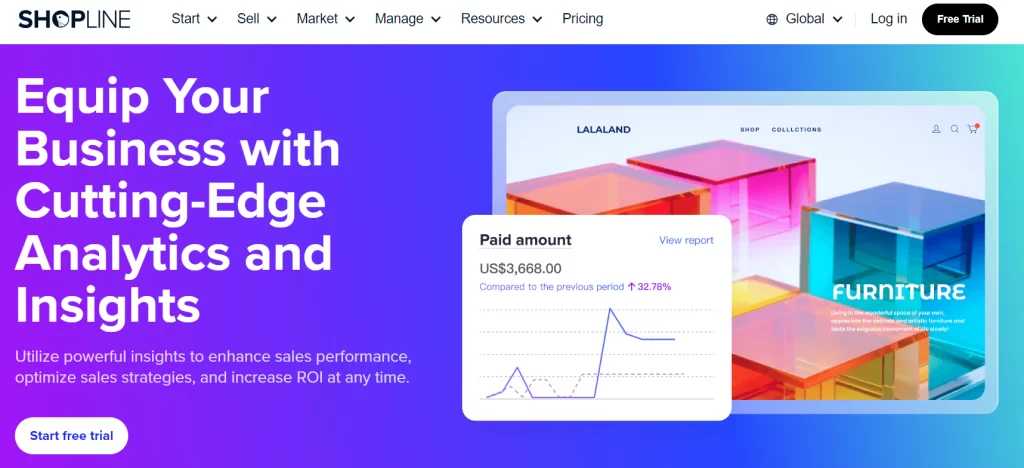
SHOPLINE’s analytics tools provide valuable insights to help you understand and grow your business. With SHOPLINE, you can track key performance metrics such as sales, customer behavior, or membership renewal rates.
The platform provides detailed reports and dashboards that present data in a clear and easy-to-understand format. You can monitor your store’s performance in real-time, identify trends, and make informed decisions based on the data.
Potential to go international
SHOPLINE provides many tools for merchants looking to expand into international markets. Its current global selling features support 35+ storefront languages, multiple currencies, localized online stores, and market-specific product or variant pricing.
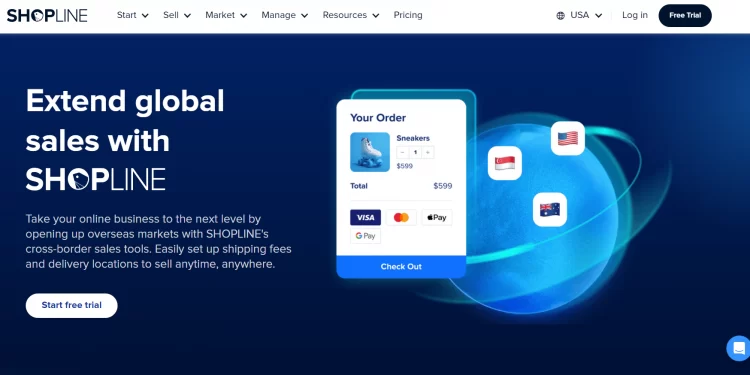
Merchants can also configure localized domains using domains, subdomains, or subfolders, while the Multi-Market Theme Editor allows storefront content and components to be customized for different markets. SHOPLINE also supports location-based inventory management, helping merchants assign inventory to specific markets and manage localized fulfillment.
Together, these features allow businesses to manage multiple market experiences from a single platform, instead of creating completely separate stores for every region.
Support for B2B stores
SHOPLINE provides dedicated tools for businesses that operate wholesale and B2B sales. Its current B2B & Wholesale Solution combines inquiry management, tiered pricing, and minimum order quantity (MOQ) settings to support different wholesale purchasing scenarios.
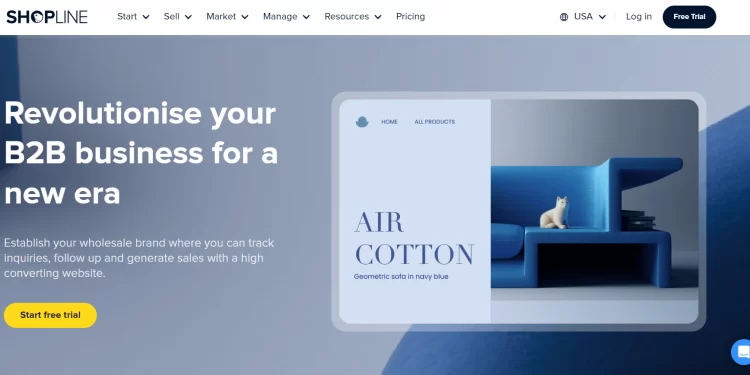
Merchants can create Request a Quote forms, manage inquiries, configure tiered pricing based on purchase quantities, and set minimum order quantities for products. The solution also supports features such as quote management, customer and company information management, customizable forms, and, depending on the plan, quote-to-order conversion and price hiding.
For businesses selling products in bulk, these tools can help create a more structured wholesale buying process without requiring a completely separate B2B storefront.
How to Migrate Your Online Store to SHOPLINE?
After reading our SHOPLINE reviews, have you fallen in love with this platform? If so, let’s not wait any longer and migrate your current online store to SHOPLINE.
Switching to SHOPLINE doesn’t have to mean starting from scratch. The platform offers convenient migration options to help you seamlessly transition your existing online store. You can use SHOPLINE’s built-in migration tools or hire a professional service such as LitExtension. Each approach has its own pros and cons, so consider our quick reviews below to determine the most suitable strategy for you.
SHOPLINE migration tools
SHOPLINE currently provides a Multi-platform Store Migration app for transferring store data from supported platforms. Its official migration guides cover migrations from Shopify, WooCommerce, and Shoplazza; SHOPLINE’s Help Center also documents a Lightspeed migration workflow within the migration tool.
The exact migration scope depends on the source platform. For example, the Shopify migration flow supports modules such as customers, products, logistics, custom pages, blog posts, orders, and 301 redirects. WooCommerce and Shoplazza migrations also support core data such as products, customers, and orders, with additional options for 301 redirects or advertising feed migration depending on the source platform.
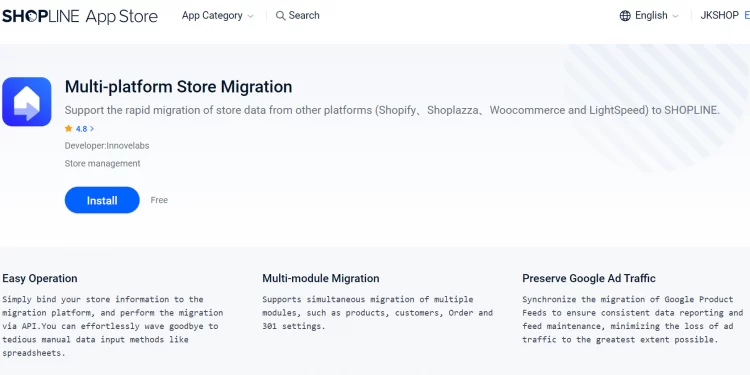
Because supported platforms and migration capabilities can change, merchants should check SHOPLINE’s latest migration documentation before starting a transfer.
Here are the steps:
Step 1. After creating your SHOPLINE store, first review your existing store and decide which data you need to transfer. Depending on your source platform, the Multi-platform Store Migration app can support different modules, such as products, customers, orders, logistics, custom pages, blog posts, and 301 redirects.
Step 2. Next, prepare the required credentials for your source platform. For example, Shopify migration requires API credentials, but WooCommerce migration requires a REST API key and secret.
Step 3. After connecting the source store, select the data modules you want to migrate and configure any available options, such as 301 redirects or Google Merchant Center feed migration.
Step 4. Once your settings are complete, start the migration and review the results after the transfer. SHOPLINE also recommends checking migration-specific considerations, because some data fields or functions may have limitations depending on the source platform.
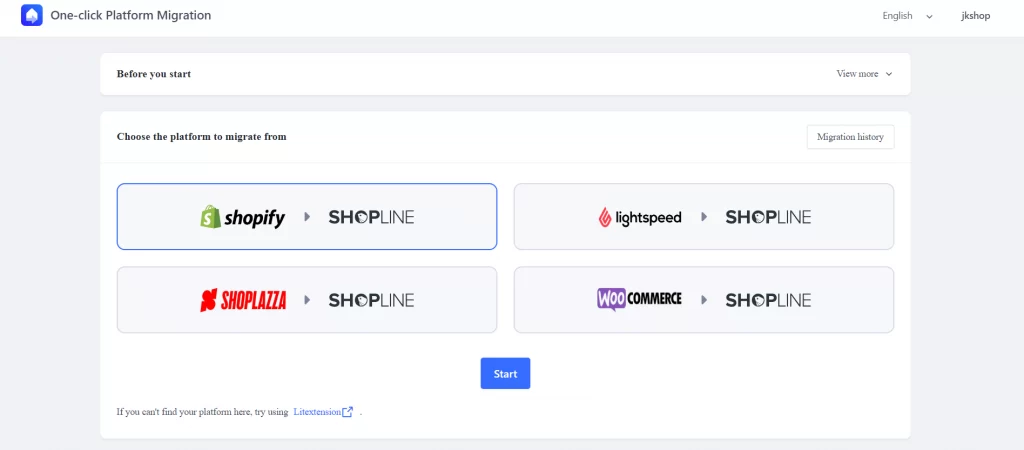
That said, SHOPLINE’s built-in migration tools may not cover every migration scenario. The available migration channels and supported data can vary depending on your source platform; hence, you may need a more flexible solution when migrating from an unsupported platform or transferring more complex store data.
LitExtension’s tool and app
If your source platform is not covered by SHOPLINE’s built-in migration options, or if you need to transfer a wider range of store data, you can consider a specialized migration service such as LitExtension, an official partner of SHOPLINE.
LitExtension supports migration to SHOPLINE from 140+ eCommerce platforms, including Shopify, WooCommerce, BigCommerce, Magento, PrestaShop, custom carts, database dumps, CSV files, and XML files. The service can transfer core data such as products, customers, and orders, and more.
In addition, LitExtension’s app on SHOPLINE App Store also offers Free & Unlimited Recent Migrations, Re-Migrations, and Smart Update services after migration. Plus, for merchants with more complex requirements, LitExtension supports additional migration scenarios and data sources, including database dumps and CSV/XML files.
If you are interested in our service, please contact our support team for more details.
SHOPLINE Reviews: FAQs
Which is better, SHOPLINE or Shopify?
Shopify is generally the better and more powerful overall ecommerce platform. Nevertheless, SHOPLINE can be a great fit if you run a smaller business focused specifically on the Asian market. Check out our SHOPLINE vs Shopify comparison for more details.
Is SHOPLINE legit or not?
Yes, SHOPLINE is a legitimate software-as-a-service (SaaS) e-commerce platform founded in 2013 in Hong Kong. It provides online store builders, point-of-sale (POS) systems, and marketing tools for merchants to sell products across Asia and globally.
How much does SHOPLINE cost?
SHOPLINE pricing ranges from $24 to $224+ per month when billed annually, depending on the scale and requirements of your eCommerce store. If you choose month-to-month billing, base prices typically start slightly higher around $29 per month.
Final Words
To sum up our SHOPLINE reviews, this platform is more than just a website builder. SHOPLINE is a complete solution that allows you to set up and manage your online store with ease.
SHOPLINE offers many valuable features, such as customer management, built-in marketing tools, detailed analytics, support for B2B operations, and more. Moreover, you can also utilize its multilingual and multi-currency support, seamless payment gateway integration, and efficient global shipping management to broaden your business to international markets.
Let Our Experts Handle Your Store Migration!
LitExtension handles the heavy lifting of data migration so you can focus on your new store on SHOPLINE.
We hope that after reading our SHOPLINE reviews, you will be able to determine whether it fits your needs and budget. If you already have an online store built with another platform and want to migrate to SHOPLINE, you can either use SHOPLINE’s built-in migration tools or hire an eCommerce data migration expert such as Litextension. LitExtension – the #1 eCommerce Migration Service can help you transfer your data quickly, accurately, and securely.
Besides, don’t forget to check out our LitExtension’s blog for all things about eCommerce.

