If you run a Shopify online store, one important task that follows is sending your customers a Shopify invoice. This document not only confirms a purchase but also helps both you and your customer keep track of the order.
If you don't know how to set up and send invoices in Shopify, we're here to help. In this article, we'll present everything you need to know about this feature, including:
- How to create an invoice for custom orders
- Customize your invoice on Shopify
- How to download the customer orders invoice
- Best Shopify apps to manage your invoices efficiently
Without further delay, let's get started!
How to Send A Shopify Invoice to Your Customers
If you want to set up the exact products, pricing, and terms before your customer pays, a Shopify invoice is the perfect way to go. This method works well when you sell custom bundles, wholesale deals, made-to-order items, or services that need manual approval.
To send invoices from Shopify, please follow the steps below:
- Step 1. From your Shopify Admin dashboard, navigate to Orders > Drafts.
- Step 2. Open an existing draft order or click Create order to build a new one.
- Step 3. In the Payments section, click Send invoice.
- Step 4. Then, in the Send invoice dialog, enter the message you want to include with the invoice.
- Step 5 (optional): Adjust the following settings before sending:
- Product prices: This setting is locked by default, but if you want to adjust the price, make sure to unlock it.
- Discount codes: Allow customers to apply discount codes at checkout.
- Ignore checkout rules: Let customers bypass validation rules (e.g., address or shipping restrictions).
- Step 6. Click Review invoice to preview how it appears on your customers' end.
- Step 7. Lastly, when everything's ready, click “Send invoice” to email it to your customer.
How to Customize Shopify Invoice
Shopify allows you to customize your Shopify invoice through its built‑in templates, fully editable using Shopify Liquid. This option is useful when you want to adjust the layout, add branding, or include specific business details that your customers need to see.
To personalize your Shopify invoice appearance, please follow these steps:
- Step 1. From your admin dashboard, go to Settings at the bottom of the page.
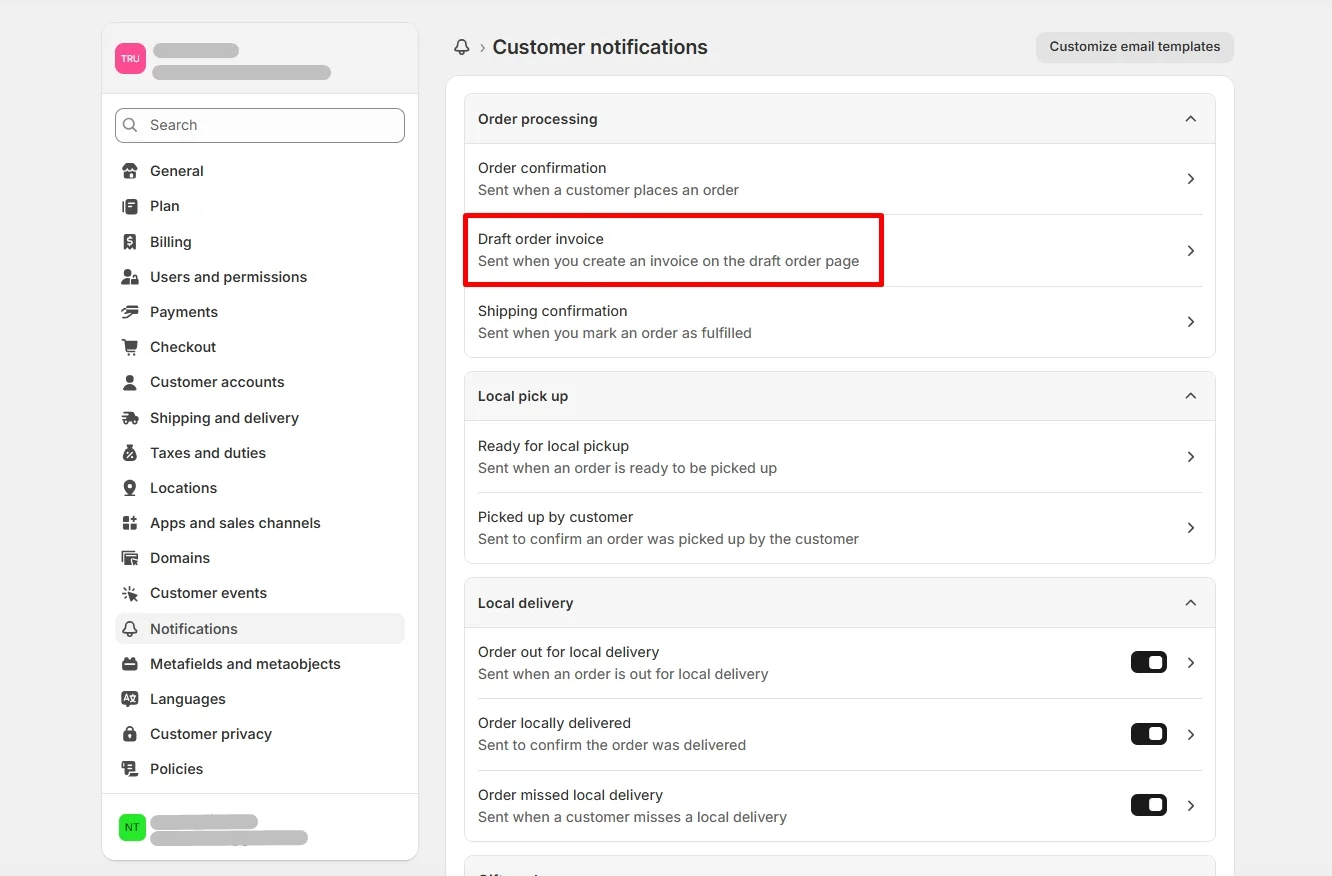
- Step 2. Then, navigate to Notifications > Customer notifications > Draft order invoice.
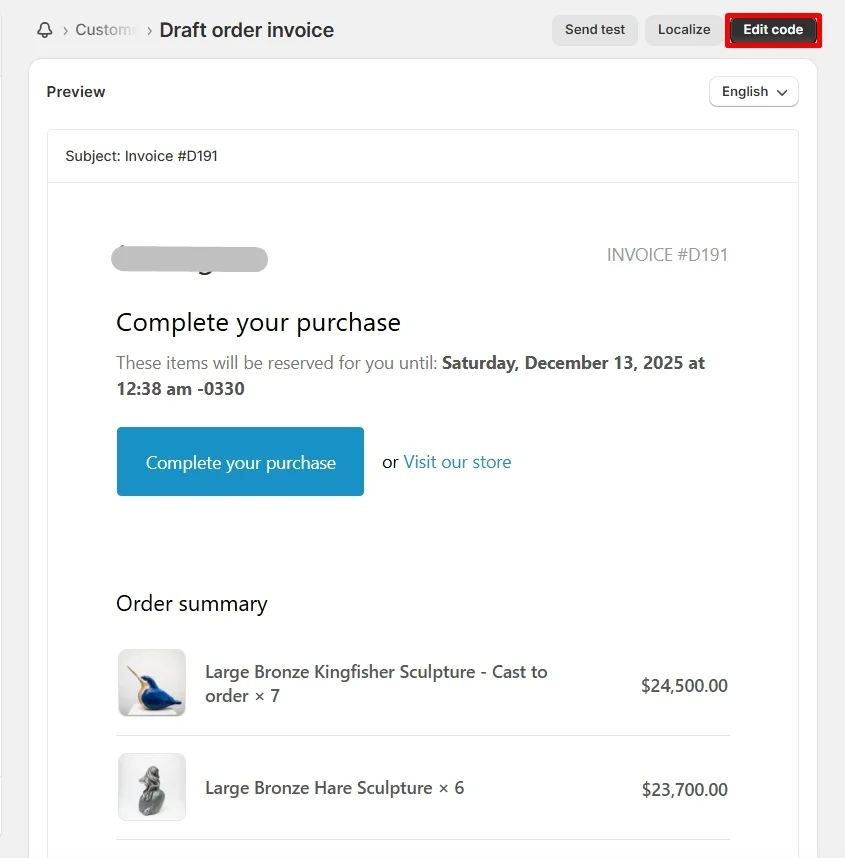
- Step 3. To customize the Shopify invoice, click the Edit code button. You'll be redirect to the edit panel to make your changes.
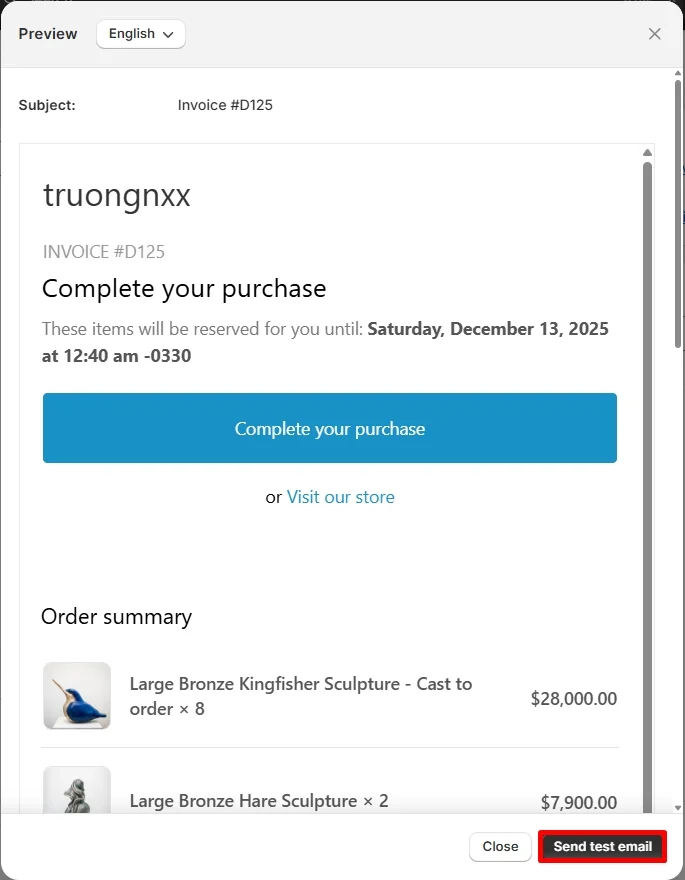
- Step 4. After you finish, you can click the Preview button to see how it looks like. Additionally, you can also send a test email to your admin email to preview it in real life.
However, please keep in mind that since this template is written in Liquid and basic HTML, you will need to understand how the code works before making changes. Otherwise, if you’re comfortable editing code, Shopify’s built‑in tools give you full control over how your invoice looks and what information it displays. This makes it a flexible option for merchants who want a more tailored invoice design.
How to Download Customer Invoice for Shopify
In many cases, downloading Shopify invoices is essential when running your online business, whether for accounting purpose, tax reporting, or eCommerce platform migration.
Unfortunately, this platform doesn't offer a built-in feature to download customer invoices directly from the admin. Therefore, to solve this problem, we recommend using the Vify Order Printer PDF Invoice app, one of the highest-rated invoice apps on the Shopify App Store. With features like bulk downloads and printing, it can help you save your Shopify invoice with ease.
To download invoices with the Vifi app, please follow the steps below:
- Step 1. From the Shopify App Store, search and download the “Vifi Order Printer PDF Invoice” app.
- Step 2. After the installation, click the Vifi app on your admin dashboard, and navigate to Orders.
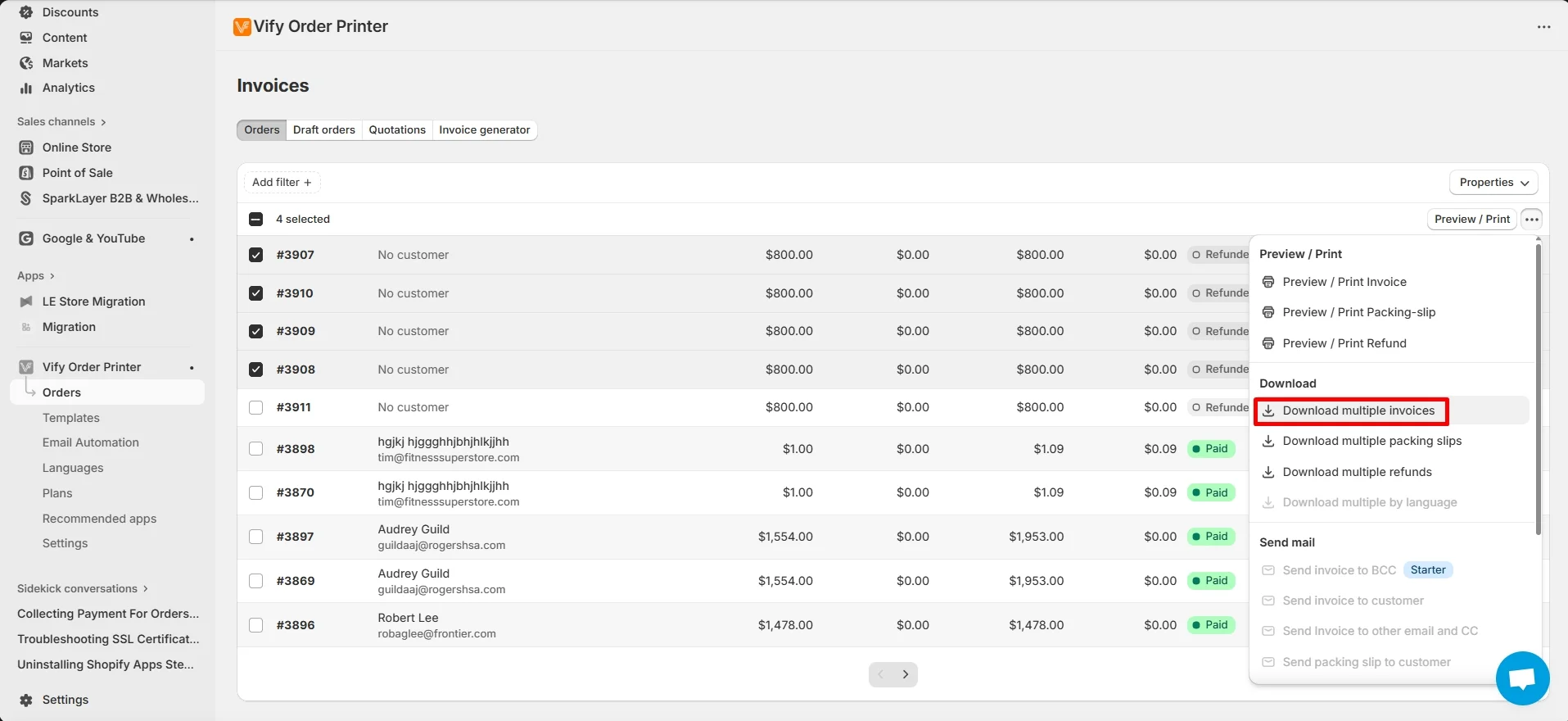
- Step 3. Tick on the orders you want to export, then click the three dots and select the Download multiple invoices option.
- Step 4. Wait for few seconds so that Shopify can process your request. The invoices will be then downloaded to your device.
And that's how easy it is to download Shopify invoice via a third-party app. In the next section, let's discover other extensions to help you manage invoice more efficiently on Shopify.
Bonus: 5 Best Shopify Apps to Manage Your Invoices Efficiently
If you need more control over how your invoices look and function, third-party apps can help you simplify the invoicing process, especially when you want features like automated invoice emails, downloadable PDFs, or advanced customization.
Below, we’ve handpicked five of the best Shopify invoice apps based on their ratings, features, and ease of use. Whether you're running a small business or managing high-volume orders, these apps can help you send, customize, and manage invoices more efficiently, all without writing a single line of code.
#1 Vify Order Printer PDF Invoice
Rating on Shopify App Store: 4.9/5
Vify Order Printer PDF Invoice stands out as one of the top choices for managing invoices on Shopify. It’s widely trusted by thousands of merchants for its clean interface, powerful features, and ease of use, even for non-technical users. Whether you need to send invoices automatically, allow customers to download them, or generate bulk PDFs for recordkeeping, Vify makes the process simple and efficient.
This app is especially useful for stores that work with B2B clients, international customers, or any business that needs professional, branded invoices. You can customize templates, localize content, and add important details like tax IDs or notes with no coding required.
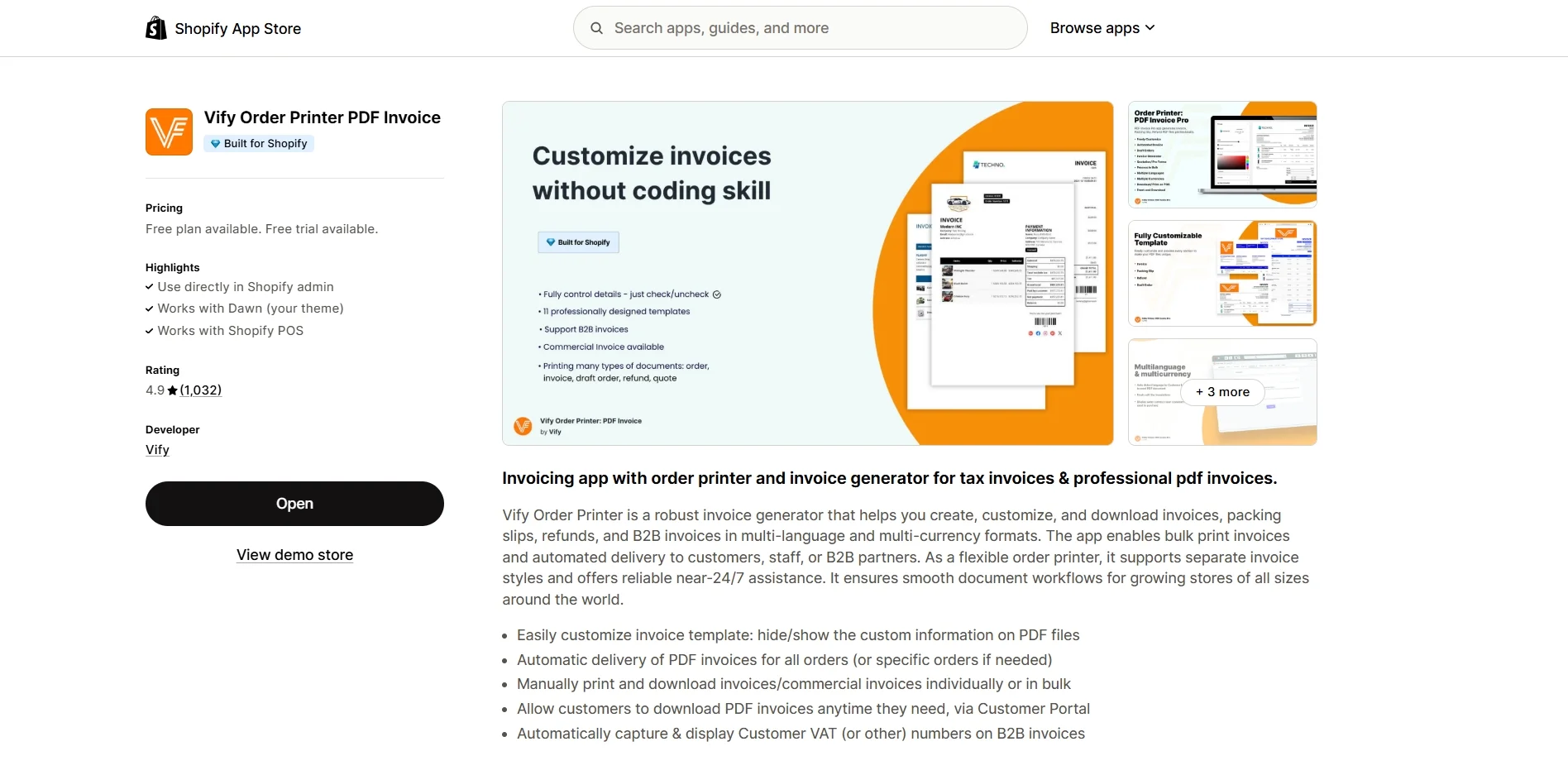
Key features:
- Fully customizable invoice templates, choose which details to show or hide on your PDF invoices
- Automatic delivery of PDF invoices for all orders or selected ones
- Manual printing and downloading of invoices, including in bulk for multiple orders
- Customer portal access that allows customers to download invoices anytime they need
- Automatic detection and display of VAT or other tax numbers on B2B invoices
Pricing: From $0 to $69.99 per month
#2 Order Printer Pro: PDF Invoice
Rating on Shopify App Store: 4.9/5
Order Printer Pro is a powerful invoicing app built for speed, flexibility, and professional branding. It helps you print and email PDF invoices, quotes, packing slips, and receipts for every Shopify order. You can quickly add your store logo, colors, and custom fields to match your brand, or dive deeper with full template customization using code.
This app is ideal for merchants who need both automation and design flexibility. It supports bulk actions, translations, multi-currency, and B2B workflows, making it a great fit for growing businesses that serve customers globally.
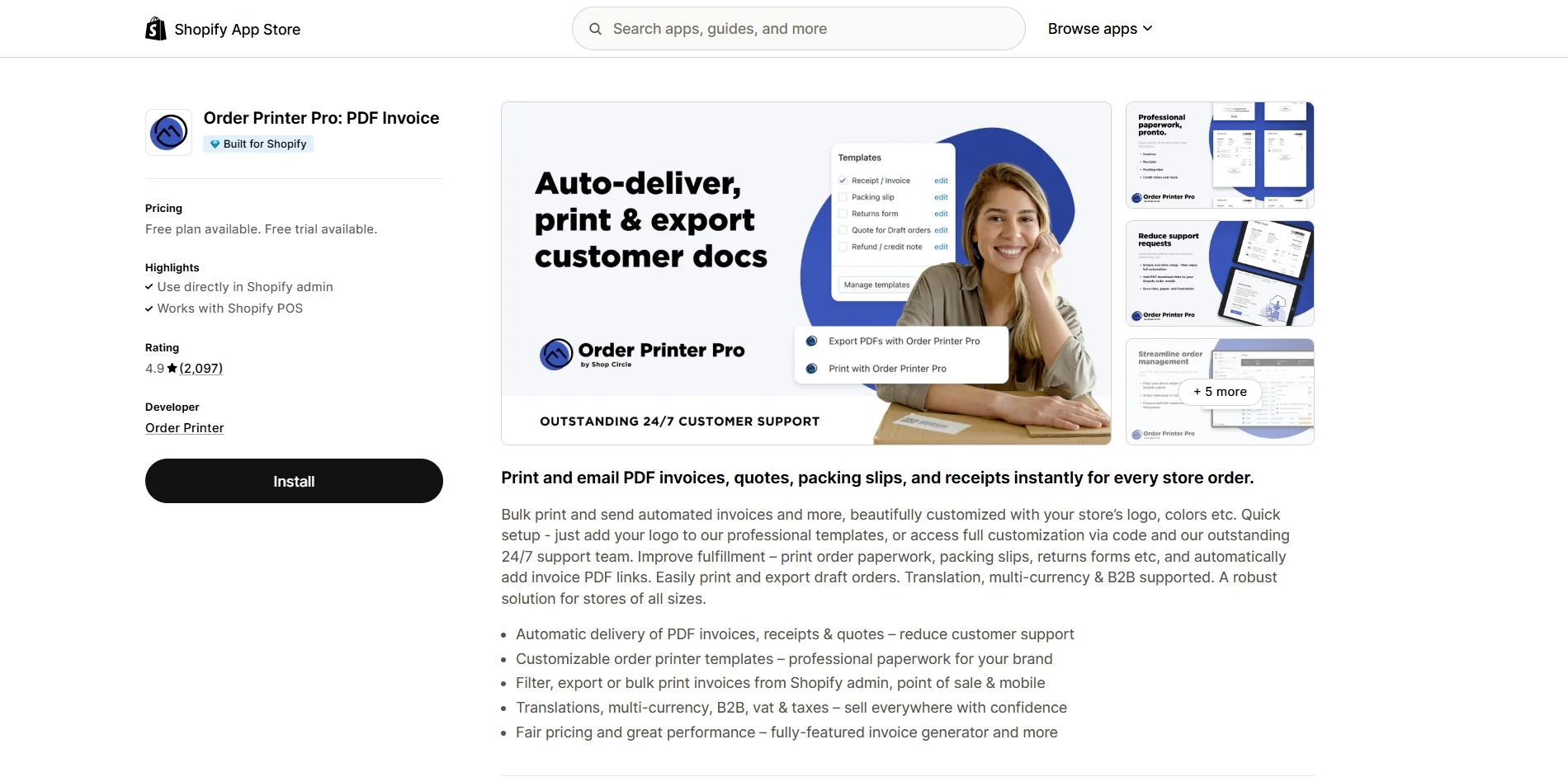
Key features:
- Automatically sends PDF invoices, receipts, and quotes to reduce customer support
- Professionally designed and customizable templates for branded paperwork
- Easily filter, export, or bulk print from Shopify admin, POS, or mobile
- Supports translations, multi-currency, VAT, and B2B sales
- Reliable performance and fair pricing for a full-featured invoicing solution
Pricing: From $0 to $40 per month
#3 Avada Order Printer PDF Invoice
Rating on Shopify App Store: 4.9/5
AVADA PDF Invoice Order Printer is designed to simplify invoicing for both retail and B2B sellers. It allows you to easily manage company orders, historical orders, and even combine multiple orders into one invoice, making it especially helpful for wholesale transactions and recurring customers.
The app supports automatic invoice delivery, including payment reminders for overdue invoices, and lets you generate professional PDF invoices, packing slips, and quotes. With support for multiple languages, currencies, and tax formats, it’s well-suited for global businesses that need flexible and compliant invoice handling.
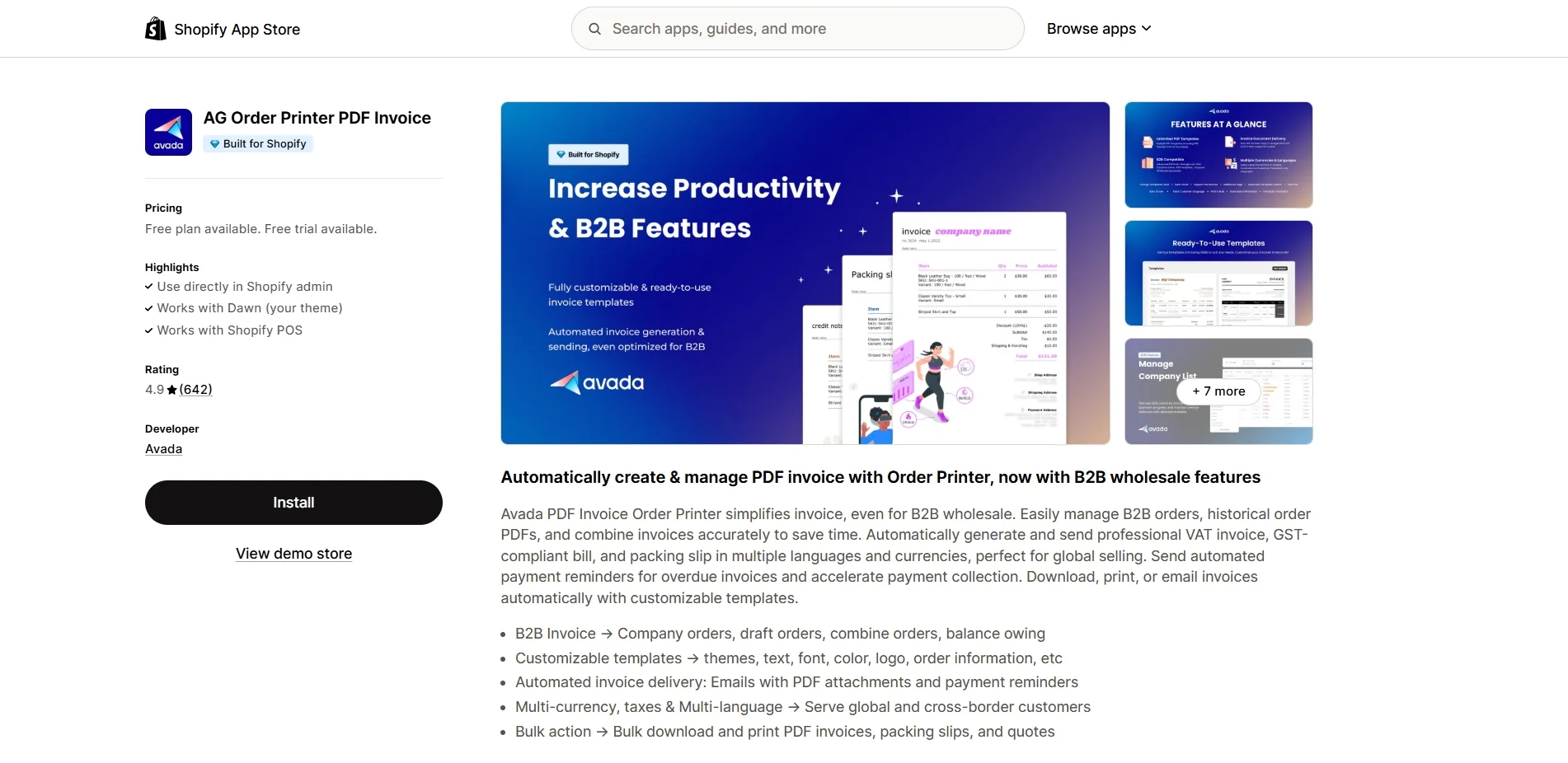
Key features:
- B2B-friendly invoicing: supports company orders, draft orders, combined orders, and balance tracking
- Customizable templates: change themes, fonts, logos, and order details with ease
- Automated delivery: send PDF invoices and payment reminders via email
- Multi-currency, tax, and multi-language support for global sales
- Bulk actions: download and print invoices, packing slips, and quotes in batches
Pricing: From $0 to $49 per month
#4 Sufio: Professional Invoices
Rating on Shopify App Store: 4.9/5
Sufio is a professional-grade invoicing solution built specifically for Shopify merchants who need compliance, automation, and advanced B2B support. It goes far beyond simple order printing by offering features like credit notes, receipts, reminders, and adherence to global e-invoicing standards.
With native Shopify B2B integration, Sufio is ideal for stores serving international customers or operating across multiple regions. It helps you stay compliant with local tax laws and invoice regulations by generating legally valid documents translated into multiple languages.
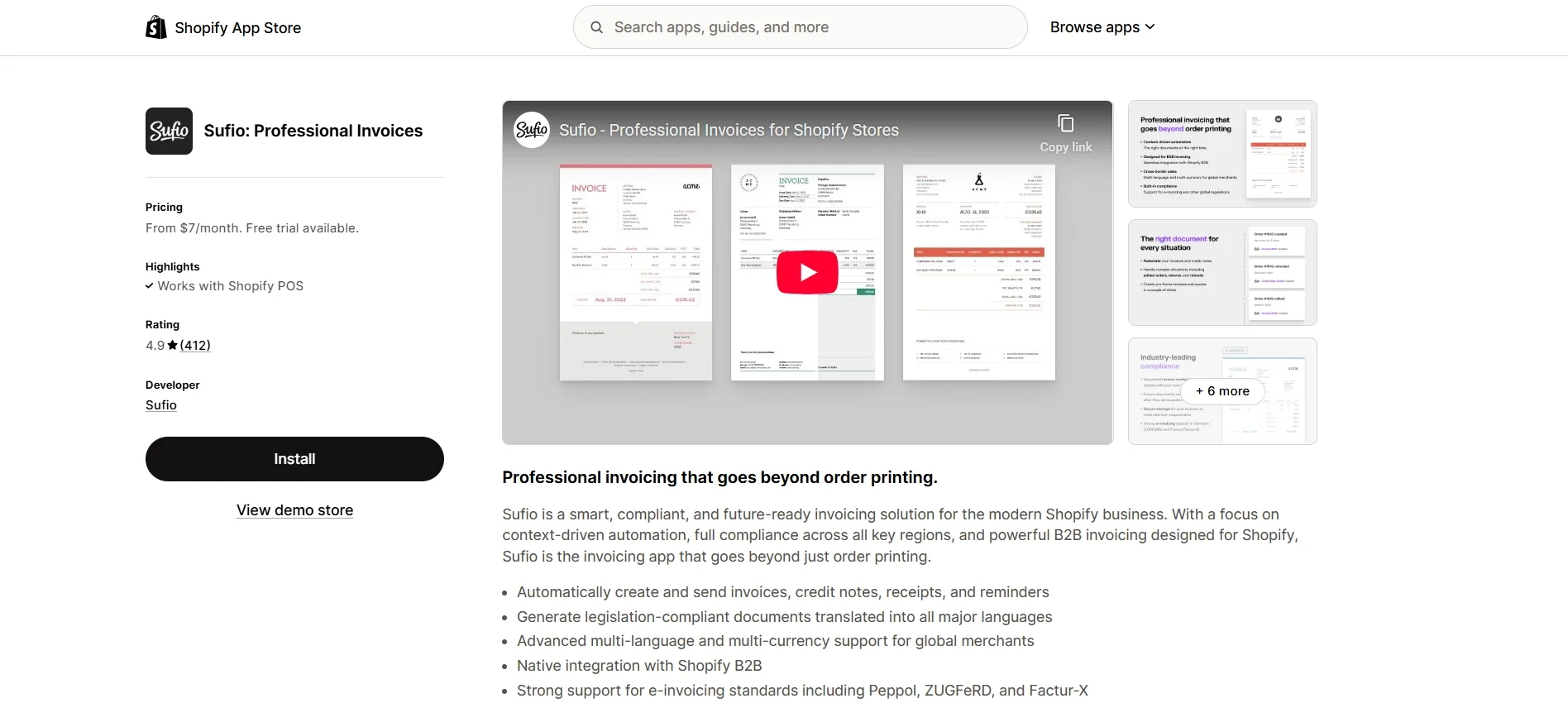
Key features:
- Automatically generates and sends invoices, credit notes, receipts, and payment reminders
- Compliant with invoicing legislation in major countries and regions
- Multi-language and multi-currency support for global merchants
- Seamless integration with Shopify B2B
- Supports e-invoicing standards such as Peppol, ZUGFeRD, and Factur-X
Pricing: From $7 to $129 per month
#5 Invoice Hero PDF
Rating on Shopify App Store: 4.8/5
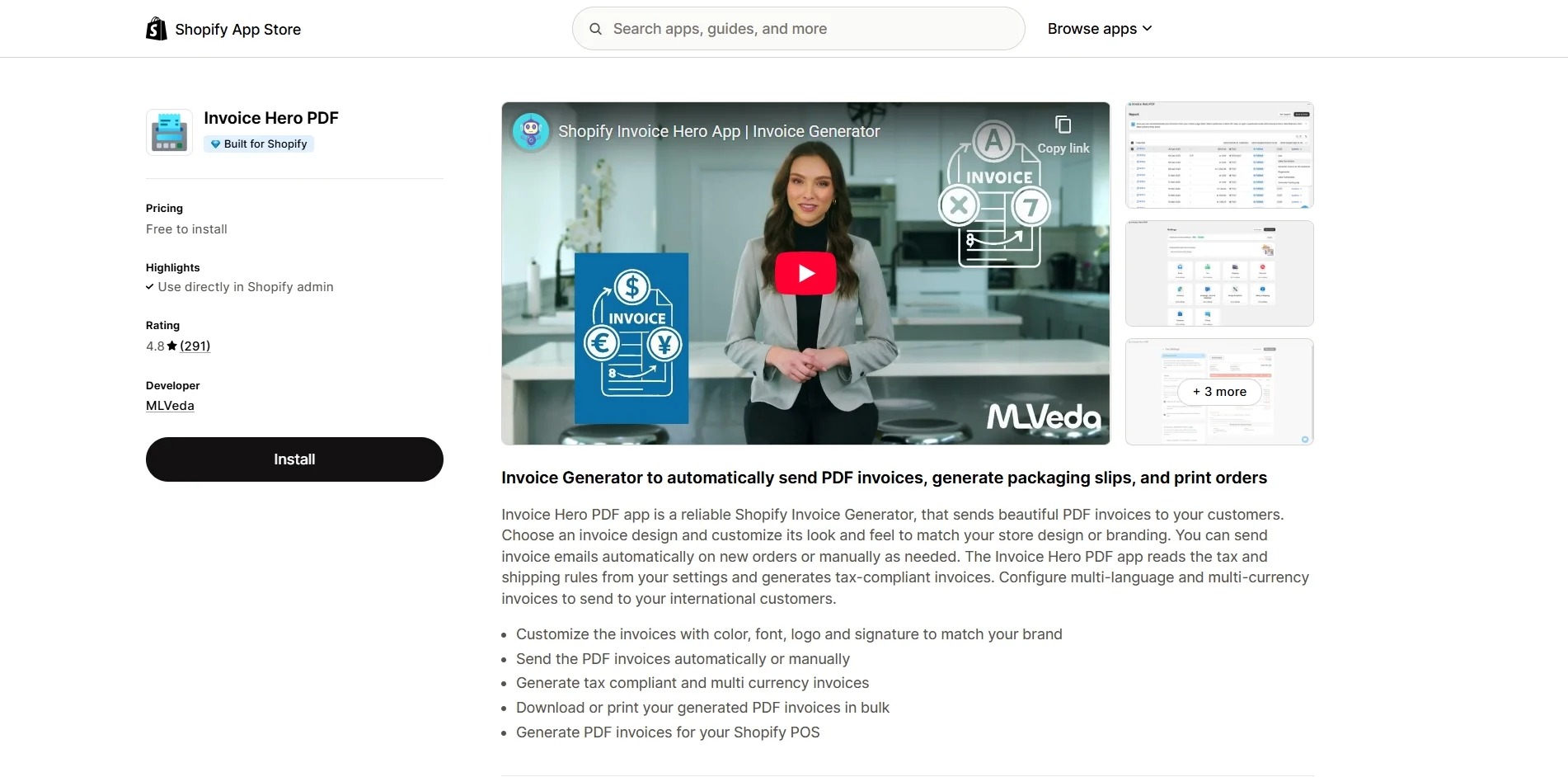
Invoice Hero PDF is a reliable Shopify invoice generator designed to help merchants automatically create and send beautiful, branded PDF invoices. Whether you want to send invoices instantly after each order or manually generate them when needed, this app gives you full flexibility. It also supports Shopify POS, making it a great option for both online and offline stores.
The app pulls tax and shipping settings directly from your Shopify store to generate tax-compliant and multi-currency invoices, which is especially helpful for stores selling internationally. With customization options for layout, colors, fonts, and branding elements, you can ensure every invoice looks consistent with your store’s identity.
Key features:
- Customize invoice design with your brand’s color, font, logo, and signature
- Automatically or manually send PDF invoices
- Create tax-compliant and multi-currency invoices
- Bulk download or print invoices as needed
- Generate invoices for Shopify POS orders
Pricing: $0 to $24.95 per month
Shopify Invoice – FAQs
Does Shopify allow you to send invoices?
Yes, Shopify allows you to send invoices through order confirmation emails or by creating a draft order and using the Send invoice option. These invoices include a checkout link that lets customers complete their purchase.
How do Shopify invoices work?
Shopify invoices are typically sent via email when an order is placed or a draft order is created. While they serve as basic order confirmations, they don’t include downloadable PDF files unless you use an additional tool or app.
How can I send an invoice to my customers on Shopify?
To send an invoice, go to Orders > Drafts, create or open a draft order, and click Send invoice in the Payments section. You can include a custom message and adjust settings like price lock, discount codes, and validation rules before sending.
Final Words
In short, managing invoices is an essential part of running a professional and organized Shopify store. By understanding how to send, customize, and download your Shopify invoice, you can improve your workflow and deliver a better experience for your customers. And if you need more advanced features, using a dedicated invoice app like Vify, Order Printer Pro, or Sufio can save you time while keeping your business compliant and on-brand.
Last but not least, please don't forget to check out other articles on LitExtension Resources and Blogs for more expert tips and insights.