
Migrating data to Salesforce is a critical step for any business planning to adopt this powerful CRM platform. However, without a clear Salesforce data migration checklist, this process can become overwhelming, time-consuming, and error-prone.
To help you navigate through a smooth and on-schedule transition project, we have created this Salesforce data migration checklist, breaking it down into manageable phases. Keep on reading for:
- Why migrate to Salesforce
- The three phases of a Salesforce data migration
- Best practices to successfully migrate to Salesforce
- Common pitfalls and how to avoid them
We hope that with our detailed checklist, your team can move to Salesforce confidently and efficiently, ensuring that nothing falls through the cracks.
Why Should You Migrate to Salesforce
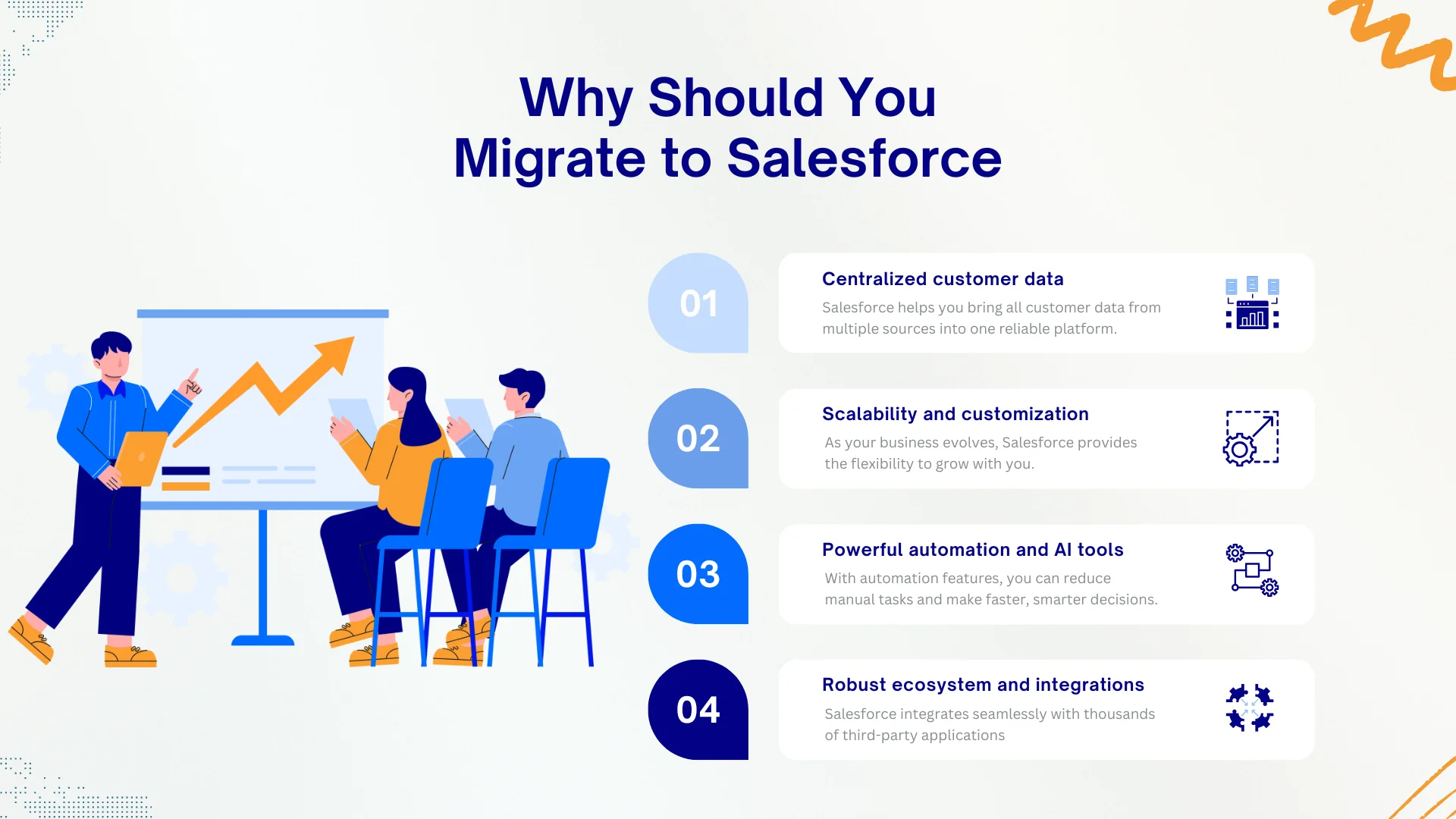
Below, we break down the four key reasons why Salesforce is worth the switch:
1. Centralized customer data
Salesforce helps you bring all customer data from multiple sources into one reliable platform. This unified system improves collaboration between departments and gives every team access to the same accurate, real-time customer information.
2. Scalability and customization
As your business evolves, Salesforce provides the flexibility to grow with you. From simple layout changes to advanced custom workflows and logic, the platform adapts to your exact needs. A proper Salesforce data migration checklist helps you plan for these customizations in advance, ensuring smooth alignment between your data structure and business processes.
3. Powerful automation and AI tools
With automation features like flows and Salesforce Einstein, you can reduce manual tasks and make faster, smarter decisions. These tools improve productivity and help your teams stay focused on what matters most.
4. Robust ecosystem and integration capabilities
Salesforce integrates seamlessly with thousands of third-party applications, from email marketing to ERP systems. This broad ecosystem allows you to build a connected tech stack without starting from scratch, making Salesforce the central hub of your operations.
If you want to learn everything about this platform and how it can help your business, don't forget to check out our detailed Salesforce review here!
Salesforce Data Migration Checklist – How to Migrate in Three Phases
Migrating data to Salesforce is not a one-step process; it involves careful planning, accurate execution, and thorough validation. Skipping any of these steps can lead to serious consequences, such as data loss, system downtime, reporting errors, or even failed adoption.
That’s why following a detailed Salesforce data migration checklist is essential to ensure a smooth transition project. By breaking the process into three structured phases: Preparation, Execution, and Post-Migration, you can avoid costly mistakes and ensure a smooth transition.
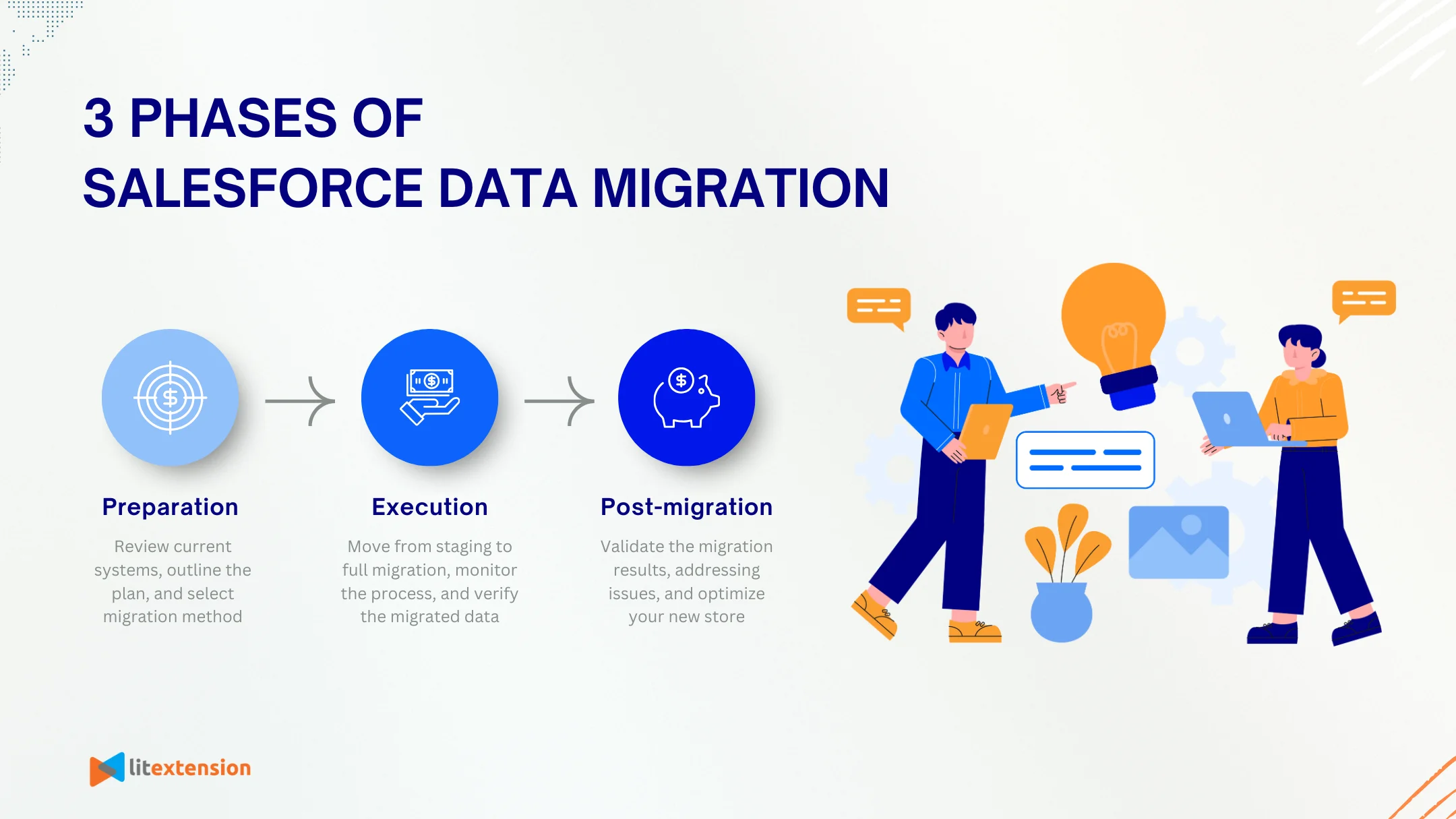
Phase 1. Preparation
A successful Salesforce data migration begins with solid preparation. This phase is where you set clear expectations, clean up your existing data, and plan every detail to avoid complications later. Without this groundwork, you risk migrating messy or incomplete data, disrupting daily operations, or even exceeding your budget.
In this phase, you’ll take the time to review your current systems, outline the exact data you need to migrate, and organize your team. This is also when you estimate your budget and select the most suitable migration method. By addressing these foundational steps early on, you’ll reduce risks and set your project up for long-term success.
Here's the Salesforce data migration checklist for the preparation phase:
- Define the migration scope: Decide which objects and records you want to migrate (such as contacts, leads, accounts, opportunities, and custom objects).
- Create a migration timeline: Set realistic milestones for preparation, execution, and validation.
- Assign roles and responsibilities: Clearly define ownership for each task to keep the project on track.
- Estimate the total cost of migration: Consider internal labor, tools, testing time, and potential downtime. In case you need help identifying the expenses, please check out our free ebook below!
- Audit and clean your source data: Remove duplicates, fix formatting issues, and delete outdated or irrelevant records.
- Identify data relationships: Understand how different objects are connected to maintain data integrity after migration.
- Decide on historical data: Determine whether to migrate all historical records or only active and relevant data.
- Choose the suitable migration method:
- Manual migration using the built-in Data Import Wizard: Offers full control over data handling but requires significant time, technical skills, and careful error management.
- Automated migration with LitExtension: Reduces manual effort, improves accuracy, and provides expert support throughout the process.
Let Our Experts Handle Your Salesforce Migration!
With the All-in-One Migration Service, our experts take care of everything, ensuring a seamless and stress-free Salesforce migration.

- Back up all source data: Ensure you can restore data quickly if issues occur during migration.
Phase 2. Execution
Once preparation is complete, it’s time to move into the execution phase, where the actual data transfer to Salesforce takes place. This stage requires careful handling, as even small errors during migration can affect data quality and disrupt your workflows. A structured approach ensures that your mapped data is transferred accurately and that any issues are caught early through testing.
During this phase, you’ll move from staging to full migration, monitor the process closely, and verify that the data lands in the right place within Salesforce. Whether you're using a manual method or working with a migration partner like LitExtension, this is where precision and quality checks matter most.
Here's the Salesforce data migration checklist for the execution phase:
- Map source fields to Salesforce fields: Align data structures to avoid missing or misaligned information.
- Set up a staging or sandbox environment: Use a test instance of Salesforce to validate your migration without affecting live data.
- Upload a small data sample: Test the process using a limited dataset to catch errors early.
- Review and validate field mapping: Confirm that each source field correctly maps to its Salesforce counterpart.
- Execute the full migration batch: Once testing is complete, proceed with migrating all intended data.
- Monitor migration progress: Track status logs and flag any failed or partial imports for review.
- Document issues and resolutions: Keep a log of any challenges during execution to inform post-migration fixes.
Phase 3. Post-migration
The migration may be complete, but our Salesforce data migration checklist doesn't end here. The post-migration phase is critical to ensure your data is accurate, your team is fully onboard, and your Salesforce system is functioning as expected. Skipping this phase could result in unnoticed data issues, user confusion, or poor adoption.
During this stage, you’ll focus on validating the results of the migration, addressing any leftover issues, and setting your team up for long-term success on Salesforce. It’s also the perfect time to optimize processes and configure features based on how your team will actually use the platform moving forward.
Here's the Salesforce data migration checklist for the post-migration phase:
- Validate migrated data in Salesforce: Cross-check key records and objects to ensure accuracy and completeness.
- Run system-wide data reports: Identify missing fields, duplicate entries, or formatting inconsistencies.
- Provide team training and documentation: Ensure users understand the new workflows and where to find migrated data.
- Address post-migration issues: Resolve any data mismatches, broken links, or configuration problems.
- Decommission old systems if needed: Safely shut down or archive legacy tools once all data has been validated.
- Implement regular backups and data monitoring: Protect your new system with proactive data management practices.
Following a clear and structured Salesforce data migration checklist is the key to a smooth and successful transition. By working through these steps in order, you reduce the risk of data loss, avoid costly rework, and give your team the best chance of adopting the platform with confidence.
Best Practices to Successfully Migrate to Salesforce
Following a structured Salesforce data migration checklist is essential, but combining it with proven best practices will take your Salesforce data migration to the next level. Below are tried-and-true tips to help you minimize risks, save time, and ensure a smooth transition.
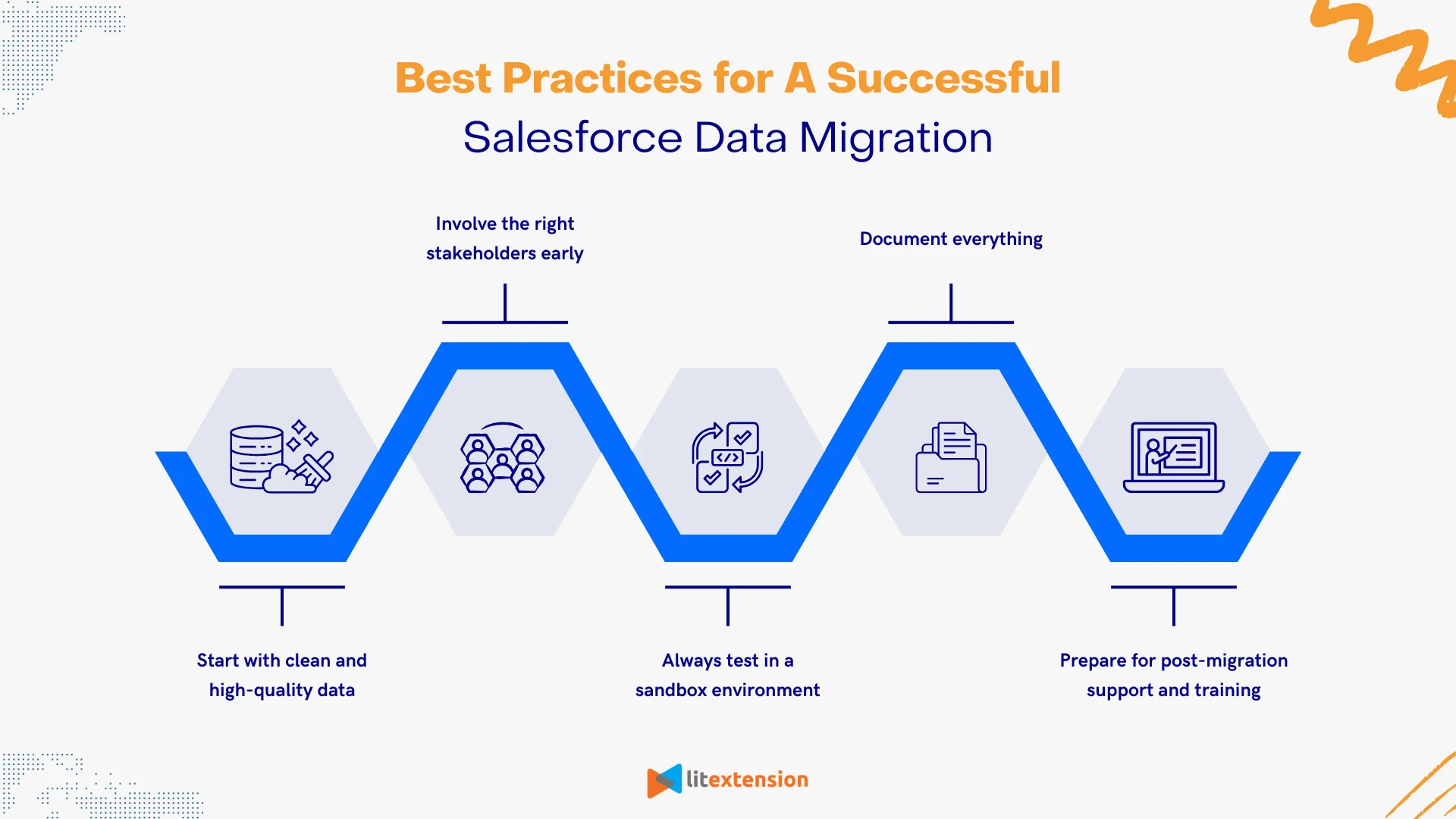
1. Start with clean and high-quality data
Data quality has a direct impact on the success of your migration. Before you transfer anything to Salesforce, audit your existing data to remove duplicates, fix formatting issues, and archive outdated records. Clean data leads to better reporting, smoother workflows, and higher user satisfaction.
2. Involve the right stakeholders early
Migration isn’t just an IT responsibility. It affects sales, marketing, operations, and customer support teams. Engage these stakeholders early to align on goals, prioritize what data matters most, and ensure the new Salesforce setup fits real business needs.
3. Always test in a sandbox environment
Testing is critical for identifying issues before they reach your live system. Use a Salesforce sandbox to run test migrations with a sample dataset. This helps you validate field mappings, catch formatting errors, and fine-tune your process without disrupting day-to-day operations.
4. Document everything
Keep detailed records of field mappings, tool configurations, testing outcomes, and decision points. Good documentation not only helps with troubleshooting but also speeds up future migrations or audits.
5. Prepare for post-migration support and training
Even a flawless migration won’t succeed if your team doesn’t know how to use the system. Provide training resources, hold onboarding sessions, and offer ongoing support as users adjust to the new workflows in Salesforce.
Following these best practices alongside your Salesforce data migration checklist will give your team the clarity, confidence, and structure needed to migrate successfully without the usual headaches.
Troubleshoot Common Salesforce Data Migration Challenges
Even with a careful Salesforce data migration checklist, this process can still come with unexpected issues. These challenges may arise from technical gaps, data inconsistencies, or process misalignment. If not addressed early, they can delay your project, compromise data quality, or frustrate users.
The good news? Most of these problems are preventable or easily fixable, especially when you know what to look out for. Below are some of the most common Salesforce data migration challenges, along with practical solutions to help you troubleshoot them effectively.
Challenges | Solutions |
Duplicate or outdated records in the source data | - Perform a full data cleanup before migration. - Use deduplication tools or filters to remove unnecessary records and ensure only up-to-date data is migrated. |
Field mismatches between systems | - Carefully map fields from your source platform to Salesforce objects. - Create custom fields in Salesforce if needed, and test mappings in a sandbox before full migration. |
Broken relationships between data objects | Maintain original IDs or create temporary external IDs during migration. This helps preserve parent-child relationships when importing data into Salesforce. |
Importing unsupported data formats or special characters | - Standardize data formats (e.g., date, currency, phone numbers) before migration. - Validate encoding (UTF-8) to prevent character corruption, especially for international data. |
Loss of attachments or files during migration | - Use tools or services that support migrating attachments and documents. - Confirm file size limits and storage availability in your Salesforce org beforehand. |
Unexpected downtime or performance issues during migration | - Schedule your migration during off-peak hours and run test batches in advance. - Monitor system usage during the process and keep a rollback plan ready. |
By anticipating these challenges and using the right solutions, you can make your Salesforce data migration more reliable, reduce stress for your team, and launch your new system with confidence.
Salesforce Data Migration Checklist – FAQs
What are the phases of Salesforce data migration?
Salesforce data migration typically involves three key phases:
- Preparation: Clean your data, define the migration scope, choose a method, and map your fields.
- Execution: Run test migrations, monitor the process, and perform the full data transfer.
- Post-migration: Validate your data, fix any issues, train your team, and optimize Salesforce for daily use.
Each phase plays a critical role in ensuring your migration is accurate, secure, and aligned with your business goals.
Why should I follow a Salesforce data migration checklist?
A structured Salesforce data migration checklist helps you avoid missed steps, data errors, and project delays. It gives your team a clear roadmap, reduces risks, and improves the overall quality of your migration. With a checklist in place, you’re more likely to complete the process on time, within budget, and without disrupting your operations.
What are the mistakes to avoid when migrating to Salesforce?
Some of the most common mistakes include:
- Migrating dirty or duplicate data without cleanup
- Skipping testing in a sandbox environment
- Poor field mapping or ignoring data relationships
- Underestimating the time and cost involved
- Failing to involve key users or provide training
Avoiding these mistakes will lead to a smoother migration and better long-term results in Salesforce.
Final Words
Salesforce data migration isn’t just about moving records from one system to another; it’s also about setting a solid foundation for how your business will operate moving forward. With the right Salesforce data migration checklist in hand, you can avoid common risks, maintain data accuracy, and ensure your team gets the most out of Salesforce from day one.
If you want to learn more helpful guides and expert tips, please don't forget to check out our LitExtension blogs and Resources. We’re here to help you navigate every stage of your eCommerce and migration journey confidently and successfully.


