
PrestaShop is a popular eCommerce solution that allows users to easily set up and develop their online store. But with so many capabilities available, it can be difficult to know which PrestaShop features actually matter for your business.
In this guide, we’ll walk you through the platform’s core features to help you understand what you can expect from the latest version:
- What is PrestaShop;
- Core PrestaShop features you get out of the box;
- PrestaShop B2B features for wholesale and large catalogs.
Let’s get started!
What Is PrestaShop?
PrestaShop is a free, open‑source eCommerce platform that you download and host yourself to build fully owned online stores, with no per‑sale platform fees. It is written in PHP (using MySQL and the Symfony framework) and has been developed by a global community since 2007, now powering over 170,000 websites worldwide in dozens of languages.
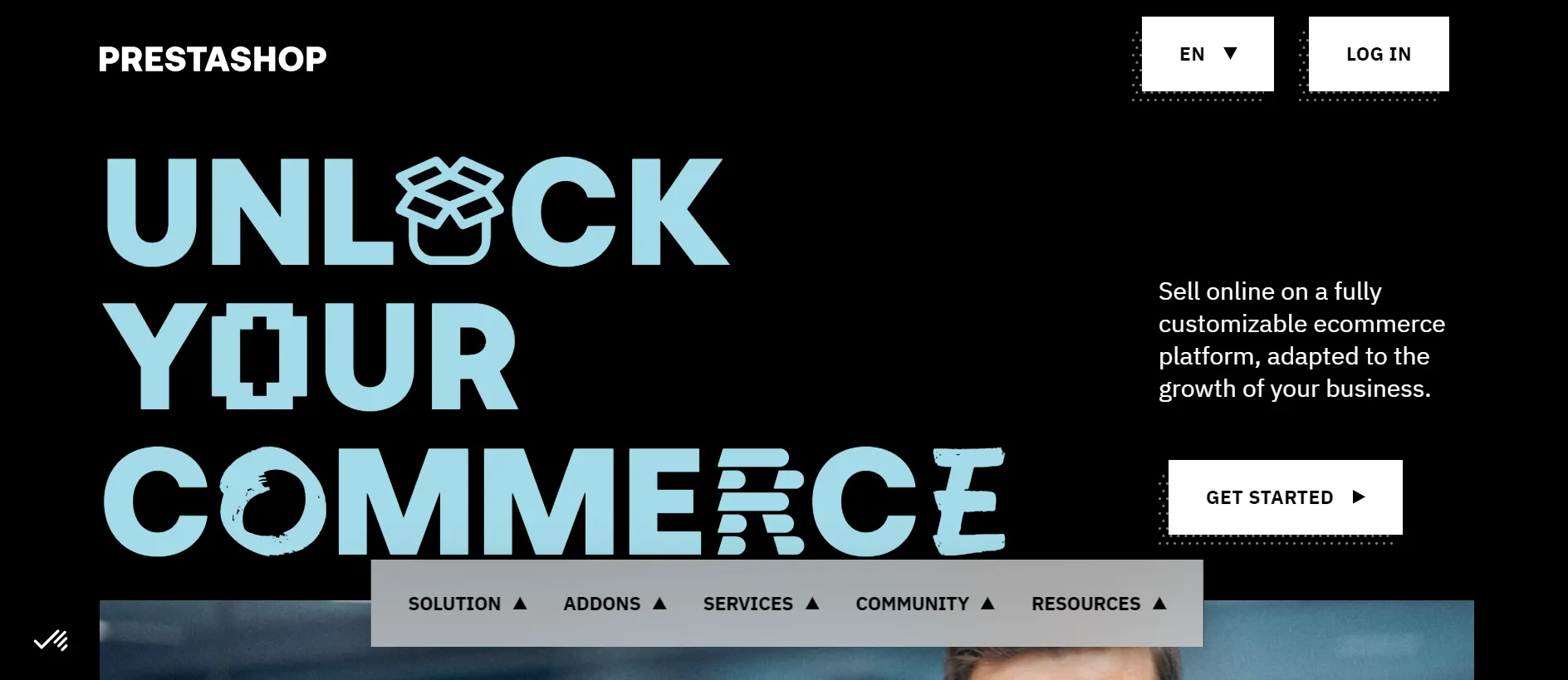
Out of the box, it includes all the core eCommerce functions, just like any other hosted platform, such as product and catalog management, inventory tracking and stock alerts, multi-language and multi-currency support, tax and shipping rules, order and customer management, promotions, and reporting tools.
PrestaShop pros and cons
Rather than relying solely on documentation or user reviews, we tested PrestaShop firsthand by setting up a store and exploring its core eCommerce capabilities. Here are our key PrestaShop pros and cons from that experience.
Pros:
- PrestaShop is highly customizable, with full access to the code and store architecture.
- The large marketplace of modules and themes gave us plenty of options to extend the platform.
- The platform supports both B2C and B2B business models.
- The built-in SEO tools covered most of the essentials without requiring additional modules.
Cons:
- Some advanced features required paid modules, which can increase the total cost over time.
- We found the initial setup and customization process more technical than many hosted platforms.
New features in the latest PrestaShop version
The current stable release is PrestaShop 9.1, launched in March 2026. After exploring the latest version ourselves, we noticed that most of the updates aren’t flashy new selling tools.
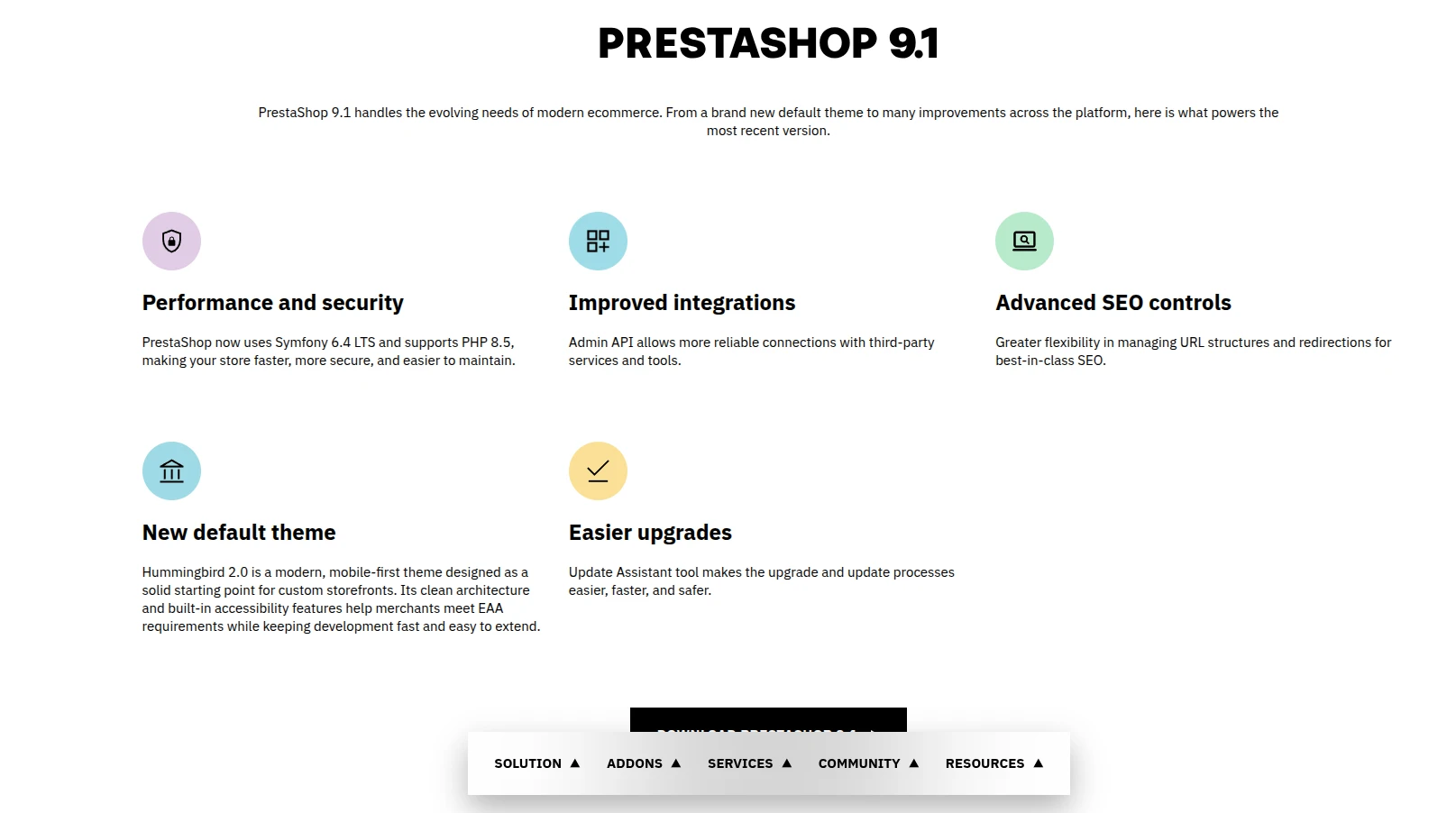
Instead, PrestaShop has focused on modernizing the platform, improving the storefront experience, and giving developers more flexibility to build on top of it.
- Hummingbird 2.0 is now the default theme: Every new PrestaShop store now starts with Hummingbird instead of the long-standing Classic theme. The result is a storefront that feels noticeably more modern right from the start.
- Better accessibility support: Hummingbird 2.0 is built with the European Accessibility Act in mind, making it easier for merchants to create stores that work well for a wider range of customers.
- Multi-carrier shipping (experimental): PrestaShop is testing a new shipping system that should make managing multiple carriers much easier than before.
- Redesigned discount engine (experimental): The platform is also reworking how promotions and discounts are handled, giving merchants more flexibility when running campaigns.
- Support for newer PHP versions: PrestaShop 9.1 now supports PHP 8.1 through 8.5, helping stores stay up to date with modern hosting environments.
- New developer hooks: For developers, the latest version adds more hooks and customization points, making integrations and custom modules easier to build.
Core PrestaShop Features You Get Out of the Box
The latest updates certainly make PrestaShop more modern and future-ready. That said, most merchants will spend far more time using the platform’s day-to-day capabilities than its newest additions.
So before deciding whether PrestaShop is right for your business, let’s explore the core features that come built into the platform.
1. Product catalog & inventory management
Product catalog management is one of the strongest PrestaShop features. It is designed to handle both small inventories and large product catalogs without feeling overly complicated to manage. You can build out your entire product range and keep inventory accurate from a single back-office interface:
- Creating simple products, product combinations, virtual products, and product bundles
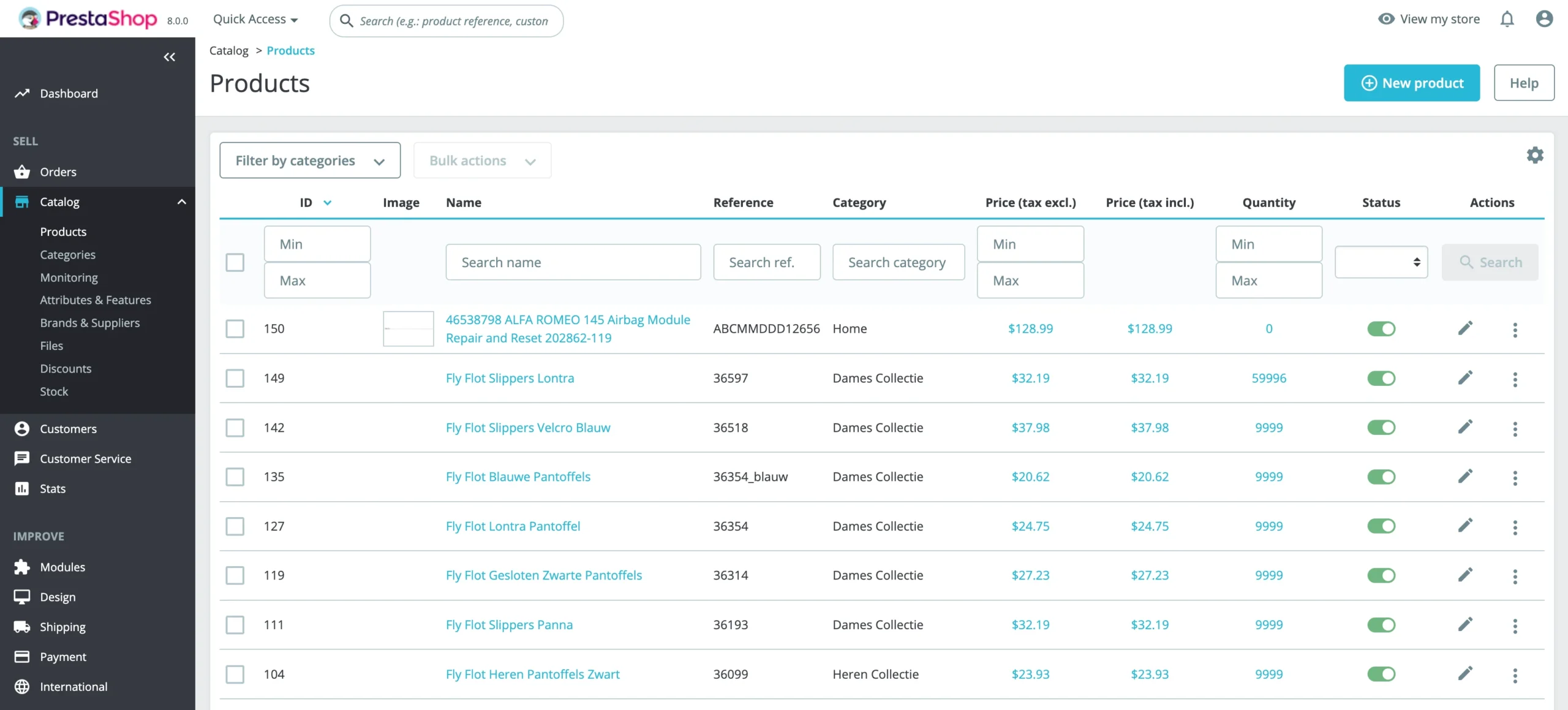
- Adding multiple images, detailed descriptions, SEO metadata, and custom pricing for each product
- Tracking inventory in real time with low-stock notifications
- Managing stock across multiple warehouses
- Importing, exporting, and updating products in bulk via CSV files
- Enabling faceted search so customers can filter products by attributes, price, availability, and more
One feature that stood out to us is how PrestaShop separates attributes from features. Attributes represent selectable options such as size or color, while features describe fixed characteristics like material or weight. This structure makes large catalogs easier to organize and helps shoppers find products more quickly.
2. Customizable themes & storefront
Your storefront is the first thing customers see, and PrestaShop gives you full control over how it looks. New installations now ship with Hummingbird 2.0, a modern, accessible, mobile-first theme, and you can extend or replace it however you like:
- Choose from 900+ free and premium templates in the PrestaShop marketplace
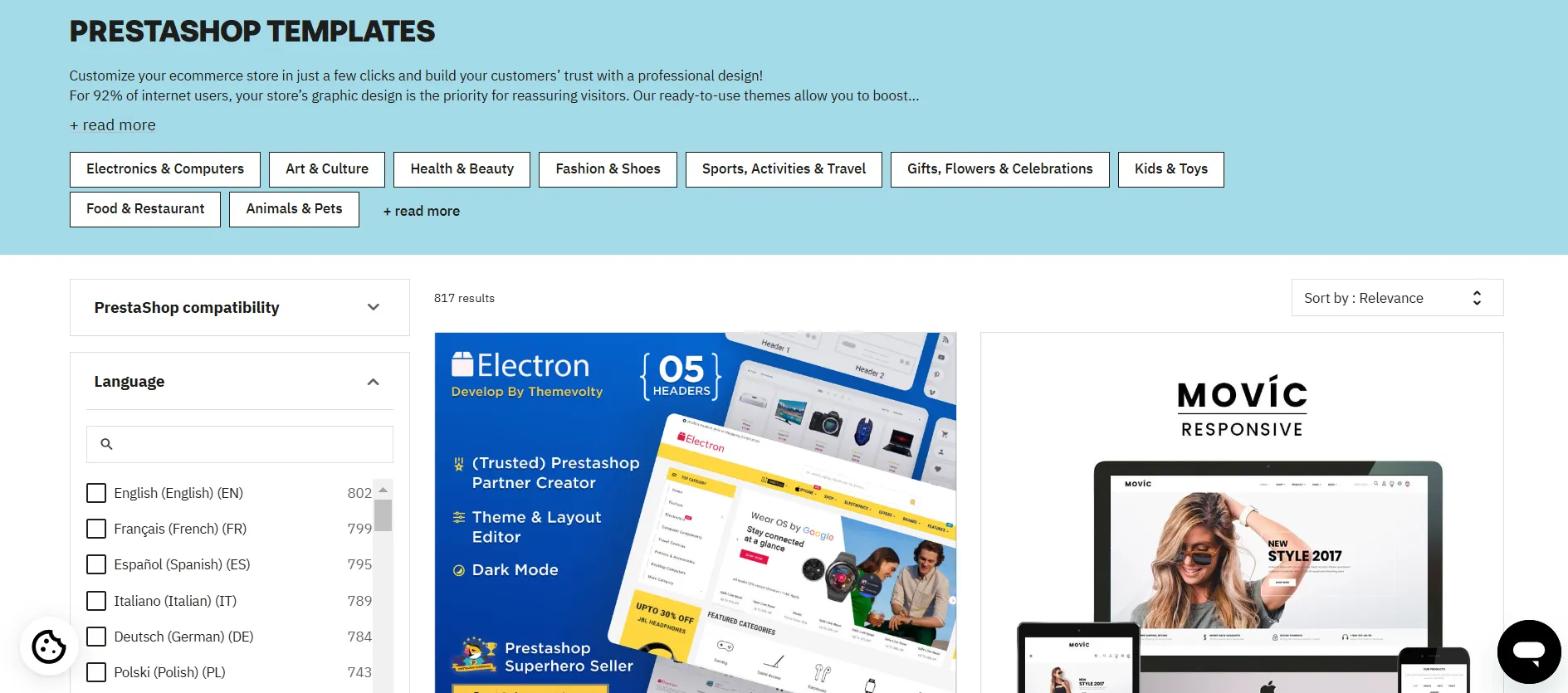
- Customize layouts, colors, fonts, and branding without touching code in most cases
- Edit the underlying templates directly for complete design freedom, since the platform is open-source
- Deliver a responsive experience that adapts automatically to desktop, tablet, and mobile
- Preview and switch themes from the back office without rebuilding your store
Because you own the code, there are no design limits imposed by a closed platform – you can shape the storefront to match your brand exactly, or hand it to a developer for a fully bespoke build.
3. Modules & add-ons for extending functionality
Here’s something worth understanding up front: PrestaShop’s whole architecture is built around modules. Almost everything you do to extend or change how your store behaves happens through them, which is a big part of what makes the platform so flexible.
In fact, when you first run the installation wizard, you can choose to install all modules (the recommended option) or just a selection – but either way, PrestaShop installs a minimal set of core modules so your store works from day one. From there, the official PrestaShop Marketplace and third-party developers give you add-ons for almost any need:
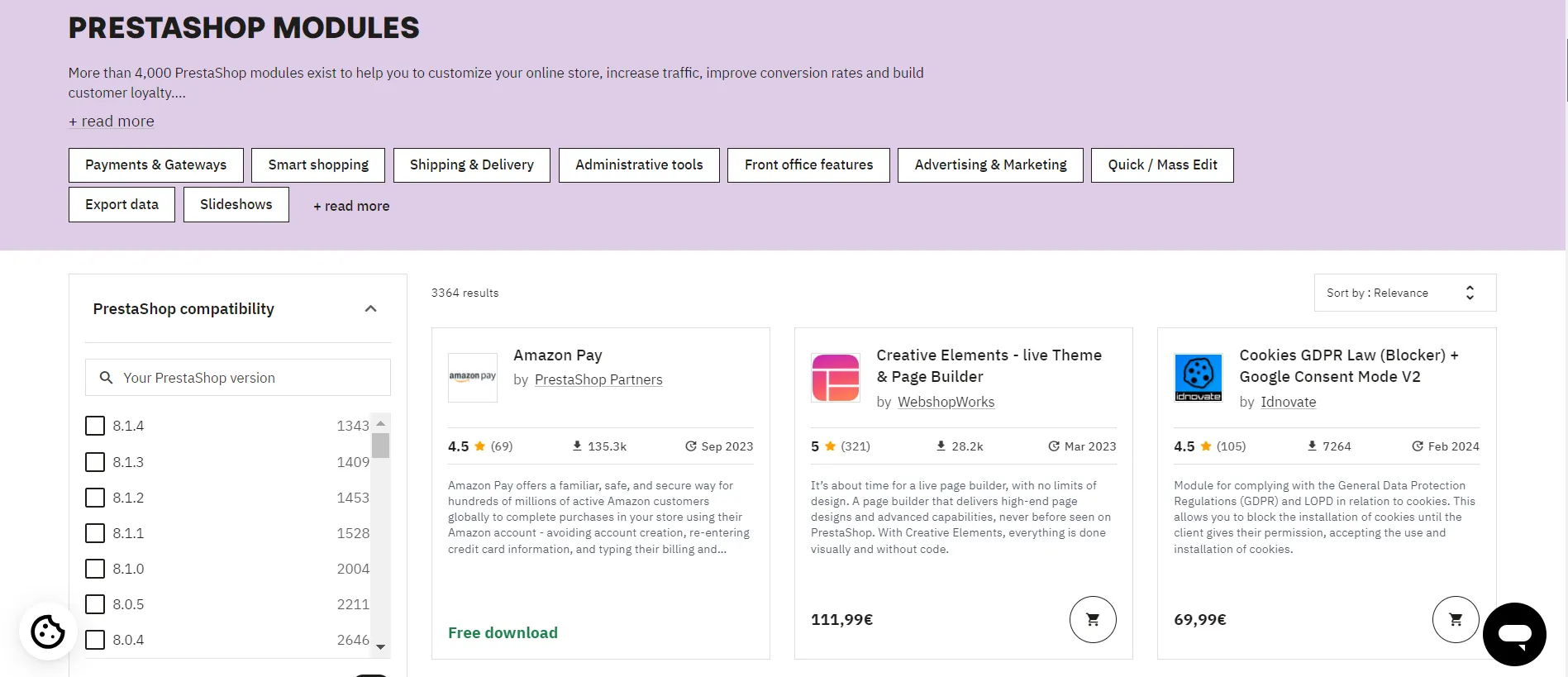
- Extend your store with payment, shipping, marketing, and analytics modules
- Add functionality like live chat, abandoned cart recovery, loyalty programs, and product reviews
- Install and configure most modules directly from your back office
- Build your own custom modules, or commission one, thanks to the open architecture
- Choose from thousands of options across free and paid tiers
It’s worth knowing that the free core covers the essentials, but advanced functionality often comes from paid modules – so factor add-on costs into your budget as your requirements expand.
4. Cart rules & discount conditions
Another useful PrestaShop feature is its built-in promotions engine, known as cart rules. It gives merchants plenty of flexibility to create and manage discounts without relying on additional modules.
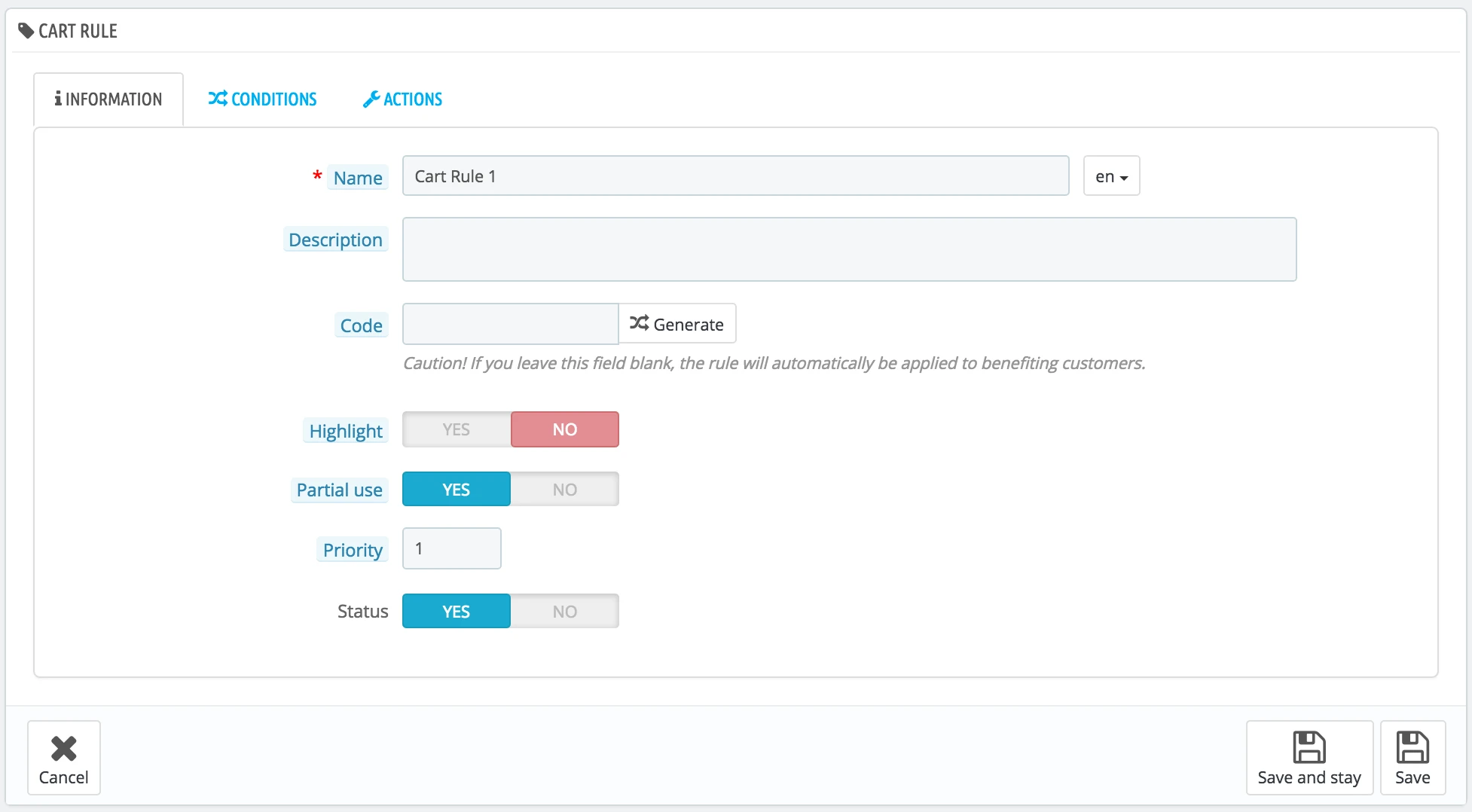
With cart rules, you can:
- Create percentage discounts, fixed-amount discounts, or free shipping promotions
- Generate voucher codes and promo codes for marketing campaigns
- Trigger discounts based on cart value, specific products, categories, or customer groups
- Set usage limits by date, quantity, or number of redemptions
- Apply automatic discounts that activate without requiring a coupon code
This level of control makes it easy to run seasonal promotions, reward repeat customers, or encourage larger purchases. Everything can be configured directly from the back office, giving merchants the flexibility to tailor campaigns to their sales strategy.
5. SEO tools & optimization
PrestaShop is well regarded for SEO because it gives you control over the on-page elements that search engines care about, straight out of the box. You can optimize your store without third-party tools, then extend further with modules if needed:
- Set custom SEO titles, meta descriptions, and URL slugs for products, categories, and pages
- Enable SEO-friendly, keyword-rich URLs in place of generic ID-based links
- Manage canonical tags to avoid duplicate-content issues
- Generate and submit XML sitemaps so search engines can index your store
- Set up 301 redirects to preserve rankings when URLs change
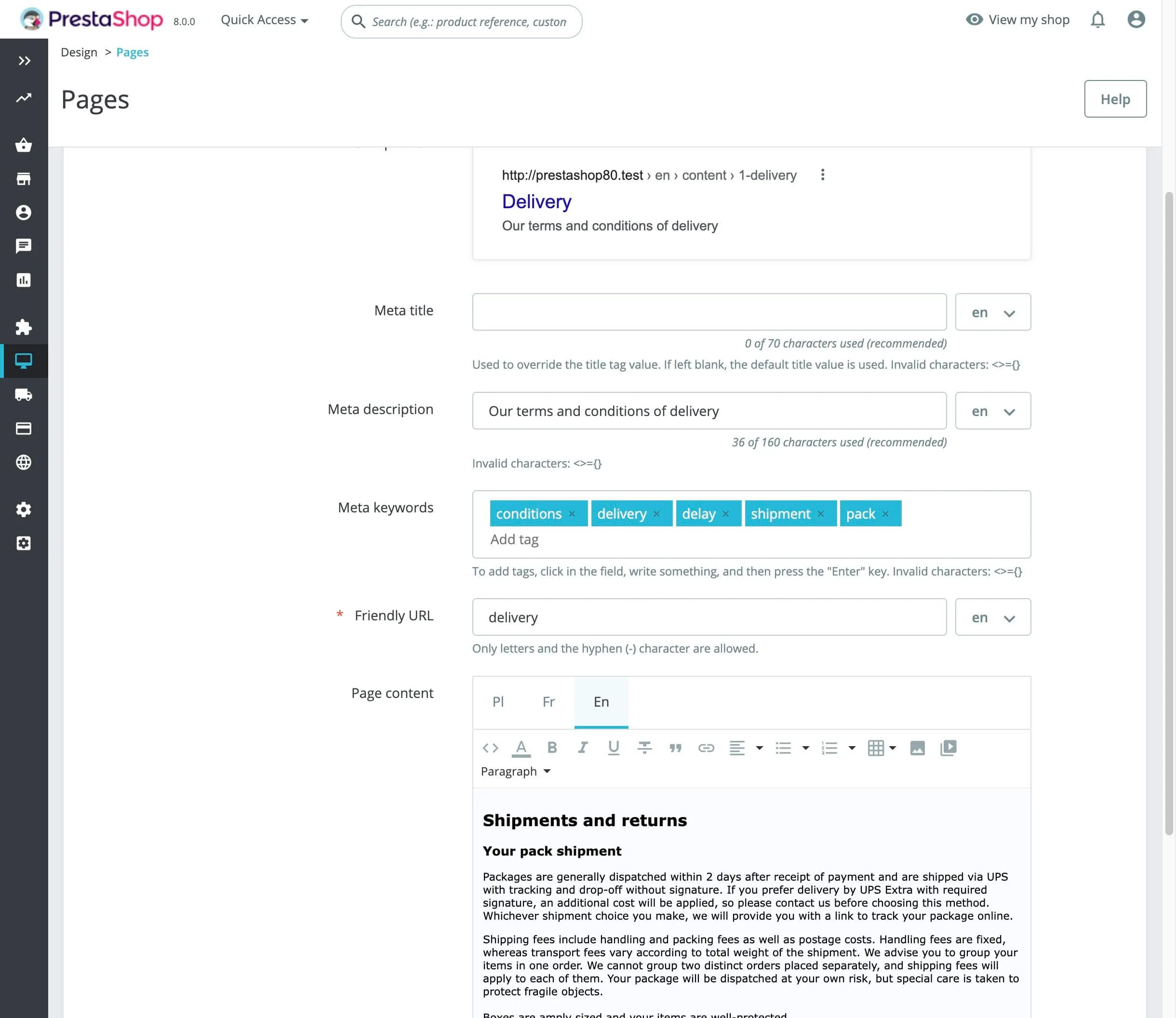
For more advanced PrestaShop features, there are SEO modules for automated audits, structured data, and multilingual sitemap support. You can further explore the marketplace for them.
6. Multi-store & multichannel selling
If you plan to expand beyond a single storefront, PrestaShop’s multi-store functionality can save you a lot of time and effort. Instead of managing separate systems, you control everything from one place:
- Manage multiple stores from one back office, with shared or independent settings
- Run different stores for separate brands, regions, or customer types (B2B and B2C)
- Share catalogs, customers, and orders across stores, or keep them fully separate
- Apply settings globally or override them per store as needed
- Extend selling to marketplaces and social channels through integration modules
As your business grows, this setup makes it much easier to scale. You can launch new storefronts without maintaining an entirely separate eCommerce system, while still keeping day-to-day operations centralized. And if you want to sell beyond your website, marketplace integrations can help you reach customers on channels like Amazon, eBay, and social commerce platforms.
7. International & cross-browser support
Expanding into new markets often means dealing with different languages, currencies, tax regulations, and customer expectations. Fortunately, many of these capabilities are built directly into PrestaShop, making international selling much easier to manage.
- Offer your store in 75+ languages with free official translations
- Sell in multiple currencies with localized pricing
- Configure region-specific tax rules, shipping options, and legal requirements
- Connect global payment providers and international shipping carriers
- Deliver a consistent experience across all modern browsers and devices
All of this means you can enter new markets without rebuilding your store or relying on costly third-party services
8. Analytics & reporting dashboard
Running an online store is much easier when you can see what’s working and what’s not. To help with that, PrestaShop includes a built-in analytics dashboard that gives you quick access to your store’s most important performance metrics.
- View sales, orders, and conversion data on the back-office dashboard
- Track best-selling products, categories, and customer behavior
- Monitor traffic sources, registrations, and average order value
- Generate detailed KPI reports across customers, catalog, and sales
- Connect Google Analytics and other tools through dedicated modules
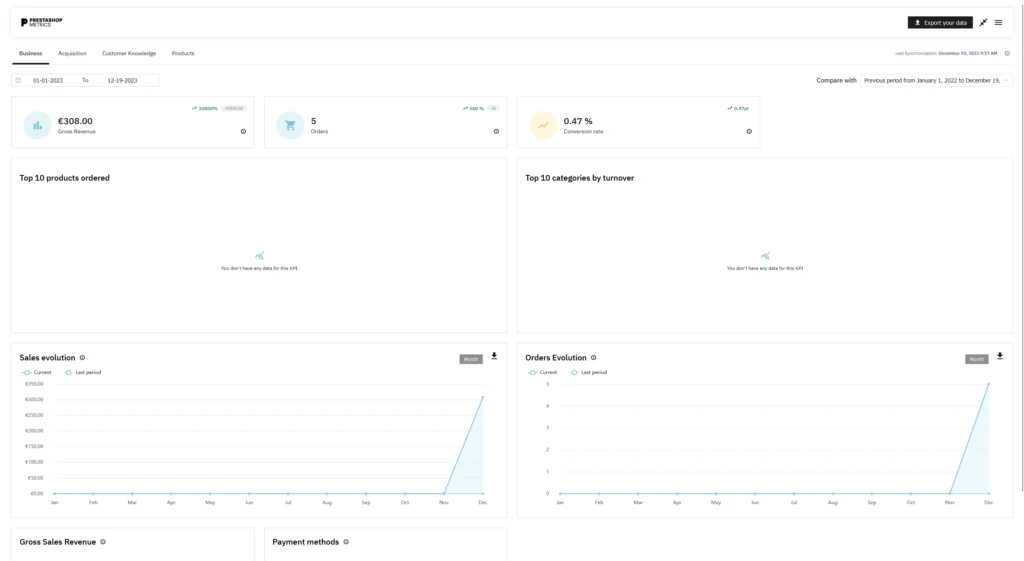
For day-to-day store management, the built-in dashboard covers most of the essential PrestaShop features. And if you need deeper insights into customer behavior or marketing performance, you can easily extend your reporting capabilities through third-party analytics integrations.
9. Database cleaning & optimization
Behind the scenes, the PrestaShop features list extends to maintenance tools that keep your store fast and your database lean – something many competing platforms hide or omit entirely. A healthy database means quicker page loads and a better experience for shoppers:
- Clean up unnecessary data and check database integrity from the back office
- Optimize and defragment database tables to improve performance
- Manage caching and performance settings to speed up your store
- Remove orphaned data left behind by deleted products or modules
- Schedule routine maintenance to keep things running smoothly as you grow
Regular use of these PrestaShop features helps prevent the slowdown that large catalogs and high order volumes can cause, protecting both your conversion rate and your search rankings, since site speed affects both.
10. Security & data protection features
Security is one of those PrestaShop features that often goes unnoticed until something goes wrong. Fortunately, the platform includes several built-in protections to help safeguard customer data, user accounts, and store operations.
- Encrypt sensitive data and secure customer accounts with modern password hashing
- Process payments through PCI-compliant gateways without storing card data yourself
- Control back-office access with granular employee permissions and roles
- Stay protected with regular security patches and updates from the PrestaShop team
- Meet privacy obligations like GDPR with built-in and module-based compliance tools
While no eCommerce platform is completely immune to security risks, PrestaShop provides a solid foundation for protecting your store. As long as you keep the platform, modules, and server environment up to date, you’ll be well-positioned to maintain a secure shopping experience.
11. Headless commerce, APIs, and developer tools
For businesses that want flexibility beyond a traditional storefront, PrestaShop has evolved into a capable headless commerce platform. The modernized architecture introduced in PrestaShop 9 opens up far more possibilities for developers:
- Connect any frontend, mobile app, or external system through the Admin API
- Build custom integrations and automate workflows using the webservice API
- Extend or modify core behavior with hooks, overrides, and custom modules
- Work in a modern codebase built on Symfony, with clean, maintainable PHP
- Manage content and products centrally while delivering them across multiple channels
These features open up a wide range of possibilities beyond traditional eCommerce setups. If you’re looking to improve system connectivity, launch new sales channels, or create highly customized customer experiences, PrestaShop provides the tools to make it happen.
PrestaShop B2B Features for Wholesale and Large Catalogs
People often think of PrestaShop as a B2C retail platform, but we’ve seen it work just as well for B2B, wholesale, and large-catalog businesses. Some of these PrestaShop features come built into the core, and others you’ll add through dedicated modules.
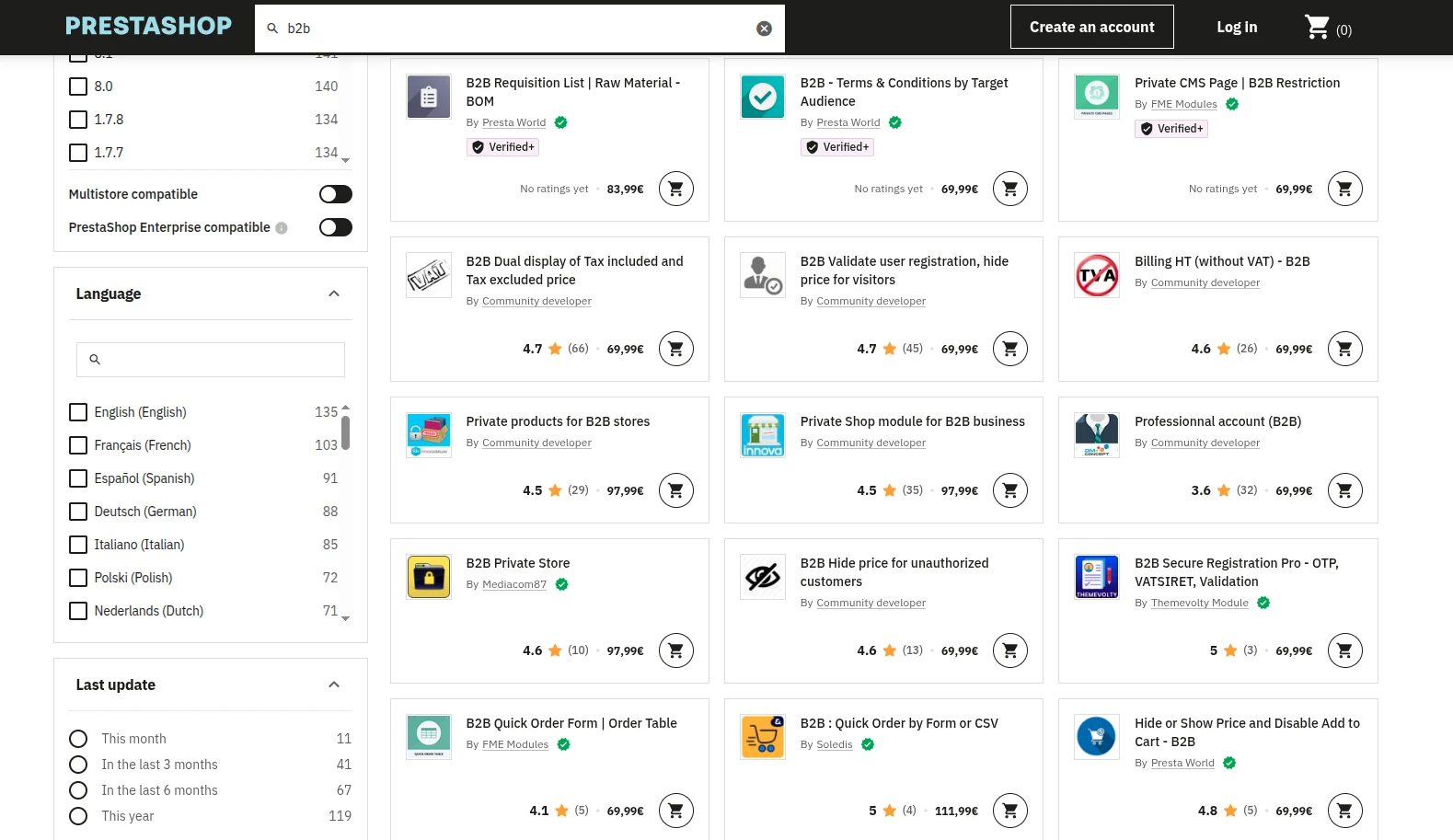
Here’s what we think makes PrestaShop worth a look if you’re selling B2B.
1. Customer segmentation & group-based pricing
B2B selling rarely uses one-size-fits-all pricing, and PrestaShop handles this beautifully through customer groups. You can organize your buyers into segments and tailor exactly what each group sees and pays:
- Create customer groups for wholesalers, retailers, distributors, or VIP accounts
- Set specific prices, discounts, and catalog visibility per group
- Show or hide products, categories, and prices based on who’s logged in
- Display prices with or without tax depending on the buyer type
- Automatically assign customers to the right group at registration or approval
In practice, this means a wholesale buyer and a retail customer can browse the very same store yet see completely different pricing and products. You get to run one clean setup instead of juggling separate sites, which is a relief once your account list starts to grow.
2. Contract pricing & quote requests
Business purchases often involve a bit of back-and-forth rather than a fixed checkout, and these PrestaShop features support that nicely, usually with the help of B2B modules. Here’s what you can put in place for your buyers:
- Let buyers request a custom quote instead of buying at list price
- Set negotiated, contract-specific pricing for individual accounts
- Manage quote requests and approvals from the back office
- Convert accepted quotes directly into orders
- Restrict checkout to approved buyers for account-based selling
From what we’ve seen, this is what makes PrestaShop feel genuinely built for B2B rather than retrofitted. It mirrors how your real deals actually work, where the final price depends on volume, relationship, and terms rather than a single number on a product page.
3. Bulk ordering & wholesale management
Business buyers tend to order in volume and reorder often, so you’ll find PrestaShop features that make large orders quick and painless:
- Enable quick-order forms so buyers can add many products at once
- Set minimum order quantities and sell in packs or case sizes
- Offer tiered pricing that rewards larger quantities
- Support fast reordering from past purchases
- Manage stock across warehouses to fulfill high-volume demand
Together, these take the friction out of the large, repeat purchases that define wholesale and distribution. The easier you make it for buyers to reorder, the more likely they are to keep coming back to you instead of shopping around.
4. ERP & CRM systems integrations
B2B operations usually depend on back-office systems, and one of the most valuable PrestaShop features here is how openly it connects to the tools you already run:
- Sync orders, inventory, and customer data with your ERP
- Connect your CRM to manage accounts and sales relationships
- Automate data flow through the API and dedicated integration modules
- Keep pricing, stock, and catalogs consistent across systems
- Reduce manual data entry and the errors that come with it
By connecting your store with ERP and CRM systems, PrestaShop helps keep data synchronized across your business. As order volumes grow, this reduces manual work and improves the accuracy of inventory, pricing, and customer information.
PrestaShop Features: FAQs
What are the main features of PrestaShop?
PrestaShop includes everything needed to run an online store, from product and inventory management to SEO, promotions, analytics, multi-store management, and international selling.
Are PrestaShop's built-in features enough, or do I need paid modules?
For most stores, the built-in features provide a solid foundation. However, you may need paid modules if you require advanced functionalities, marketplace integrations, or highly specialized workflows.
Does PrestaShop support B2B and wholesale features?
Yes. PrestaShop supports customer groups, group-based pricing, and other B2B workflows. More advanced wholesale capabilities can be added through dedicated modules.
Is PrestaShop actually good for multilingual stores?
Yes. With support for 75+ languages, multiple currencies, and localized tax and shipping settings, PrestaShop is well equipped for international selling.
How does PrestaShop handle large product catalogs?
PrestaShop can comfortably manage large catalogs with thousands of products thanks to its inventory management, bulk editing tools, product combinations, and advanced filtering capabilities.
Conclusion
Our blog has just reviewed some outstanding PrestaShop features in detail. To enhance your online store’s performance, you should have a flexible combination of these features and consider your budget carefully in case getting paid options.
We hope you have a wonderful experience with PrestaShop. Check out our LitExtension Blog or join our Facebook Community Group for more useful tips.

