
As popular eCommerce platforms continue to evolve, it has become common for merchants to migrate their stores from one platform to another in search of long-term growth opportunities. However, one very common mistake is that many focus only on the preparation phase and totally ignore the post migration checklist!
In reality, this post-migration period is where some of the most critical work begins – the final nail that determines whether your new store can truly operate as intended. Without it, even a successful migration can result in SEO losses or technical disruptions, which ultimately waste much of the effort you’ve already invested.
But no worries! In this guide, we will walk you through everything you need to do after the migration, including:
- 1. Verify core data integrity
- 2. Validate data quality
- 3. Review error logs and migration exceptions
- 4. Perform delta migration for new or updated data
- 5. Reconfigure integrations and third-party apps
- 6. Restore and test communication channels
- 7. Update knowledge base and internal links
- 8. Update templates, automations, and workflows
- 9. Evaluate tracking, reporting, and SEO
- 10. Train internal teams
Let's begin!
Why A Post Migration Checklist Is Important?
Though your data may already exist in the new platform, the checklist provides a structured way to confirm that the store can operate smoothly, support customers, and grow without unexpected technical or operational issues.
In short, a post-migration checklist is the final step that turns a completed migration into a stable, usable, and scalable store due to the following reasons:
- Data accuracy and reliability: A post-migration checklist allows merchants to systematically verify that core data (products, customers, orders, and their relationships) have been transferred in full, remain consistent with the source store, and behave correctly within the new platform’s structure.
- Operational continuity: By reviewing integrations, automations, and workflows step by step, you can confirm that essential business processes (order processing, inventory updates, payments, and fulfillment) continue to function correctly after the migration.
- Risk and cost reduction: A structured checklist helps merchants identify migration gaps or missing elements early, which reduces the likelihood of having to redo multiple steps later or fix issues under pressure once the store is already live.
- SEO and performance protection: Through careful SEO validation, your team can avoid traffic loss, reporting inaccuracies, and long-term SEO damage caused by overlooked technical changes.
Post-Migration Checklist: 10 Items to Consider
1. Verify core data integrity
After migration, the first task is to ensure the foundation of your store remains intact. Basically, all essential entities, including products, customers, orders, categories, and related records, must exist in the target store and match the source store in quantity and structure.
Hence, you should compare total record counts between the old and new platforms: check how many products, customers, and orders you had before migration, then confirm the same numbers appear after migration. And once the numbers align, move on to structural validation. Open several sample records and confirm that relationships are preserved:
- Products should be assigned to the correct categories
- Orders must still be linked to the right customers
- Historical order details such as taxes, shipping methods, and payment statuses should remain consistent.
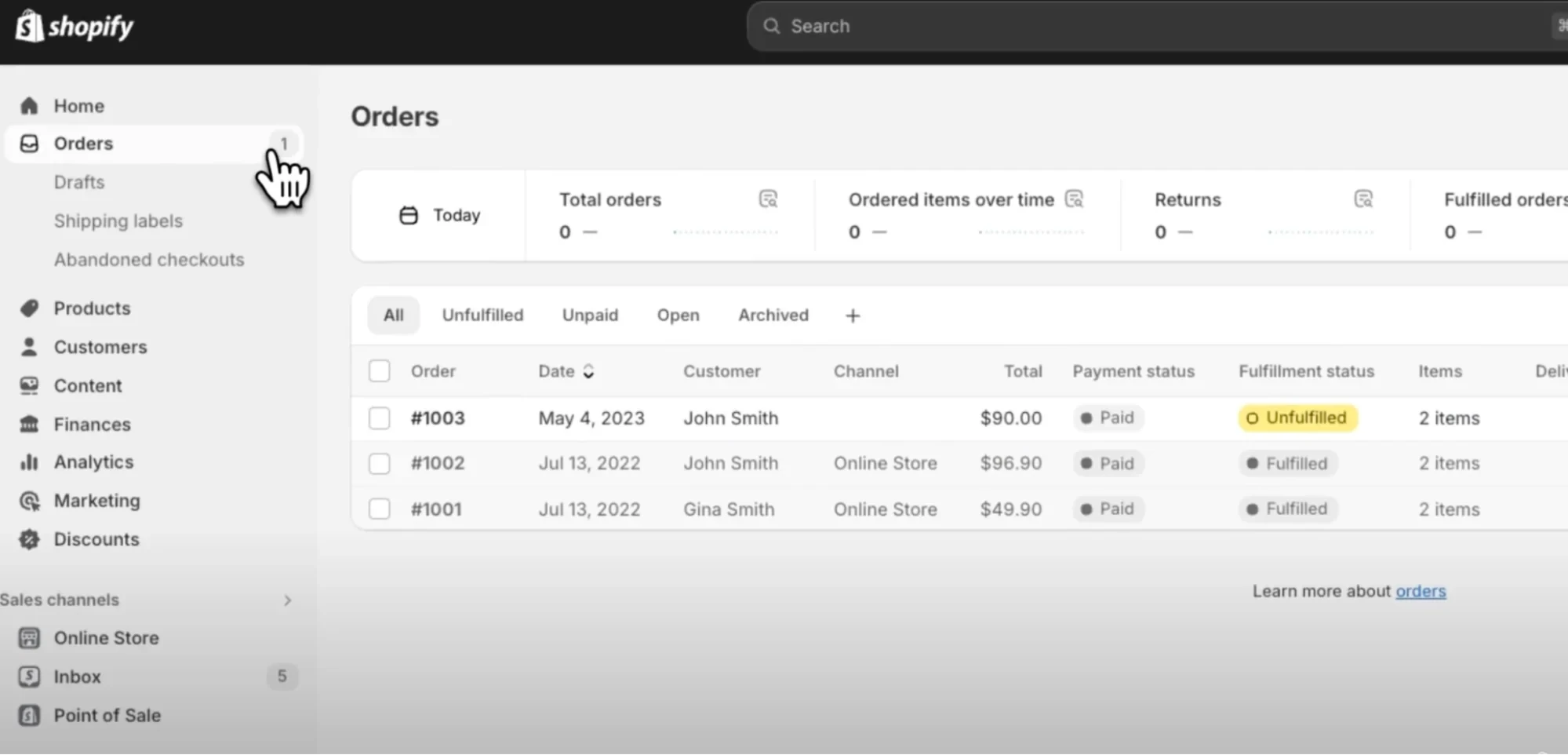
In short, this step ensures the migration didn’t just copy data but also preserved how that data works together.
2. Validate data quality
Now that you've confirmed that the data exists, the next logical step is checking whether it looks and behaves correctly. After all, even if all records are present, issues like broken images or incorrect prices can still severely impact customer trust.
So, you should begin with product data: review product names, descriptions, SKUs, prices, variants, attributes, and images to ensure nothing was truncated, mismatched, or reformatted incorrectly. Also, don't forget to pay special attention to currency, decimal values, and variant logic, as these sometimes differ vastly between platforms.
After that, remember to double-check other essential details, such as:
- Customer data
- Email addresses
- Billing and shipping details
- Customer groups
- Account statuses.
If customer passwords were migrated, test login functionality using sample accounts to confirm customers can access their profiles without friction.
3. Review error logs and migration exceptions
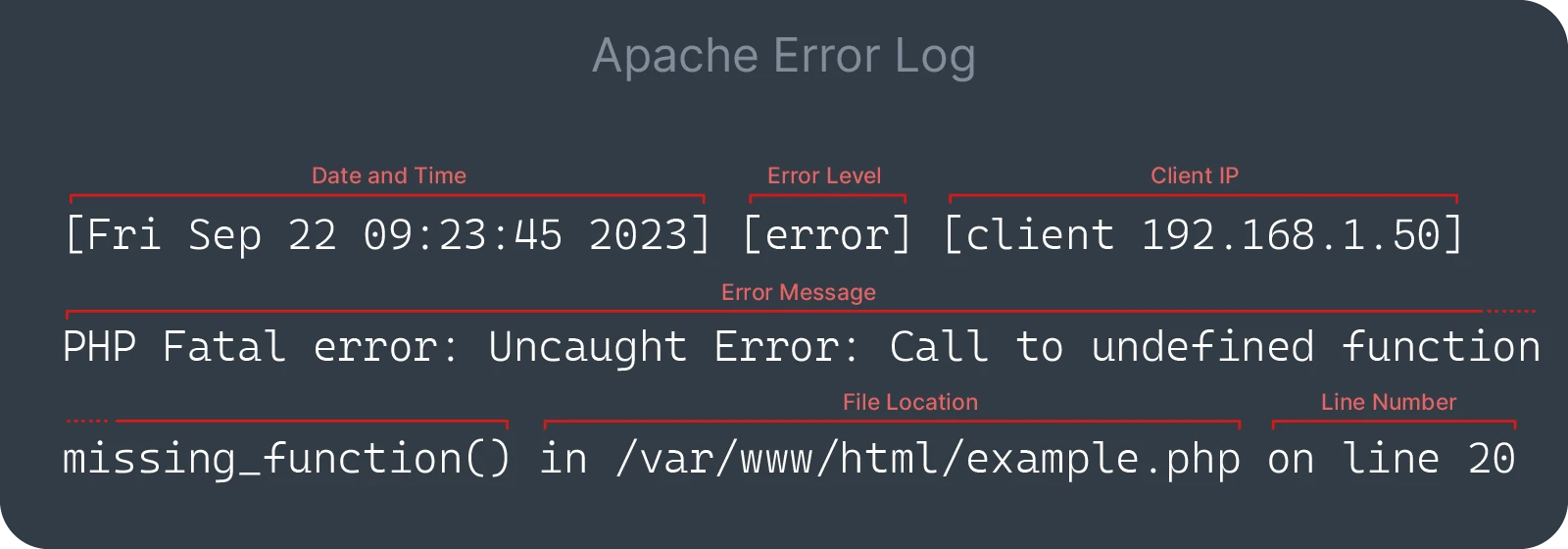
Even a 99.99% successful migration still comes with warnings or skipped records. That’s why reviewing error logs and migration exception reports is a critical follow-up step after validating data quality, as these logs explain what didn’t migrate fully and, more importantly, why.
We recommend you go through the migration report to identify failed entities, unsupported data types, or records that were skipped due to platform limitations. Each exception should be categorized: does it require manual correction, a custom migration rule, or a re-run of specific data? Addressing these issues early prevents hidden problems from surfacing later, such as missing products or incomplete order histories.
4. Perform delta migration for new or updated data
If your source store remained active during the initial migration (which is the case for most businesses), there will be new or updated data that wasn’t included in the first run. Delta migration bridges this gap by transferring only the data created or modified after the original migration:
- Before running the delta migration, define a clear cutoff point for your initial data transfer.
- Then, re-migrate recent orders, new customer accounts, and any updated product information.
- After the delta migration completes, recheck record counts and spot-test recent orders to ensure they appear correctly in the new store.
As you can see, this step ensures data continuity and prevents discrepancies when you officially switch customers over to the new platform.
5. Reconfigure integrations and third-party apps
With all data fully synchronized, attention should now shift to the systems that support daily operations. That's because integrations and third-party apps (such as payment gateways, shipping providers, tax tools, CRM systems, ERP platforms, email marketing services, and analytics) do not automatically transfer during migration and must be reconfigured manually.
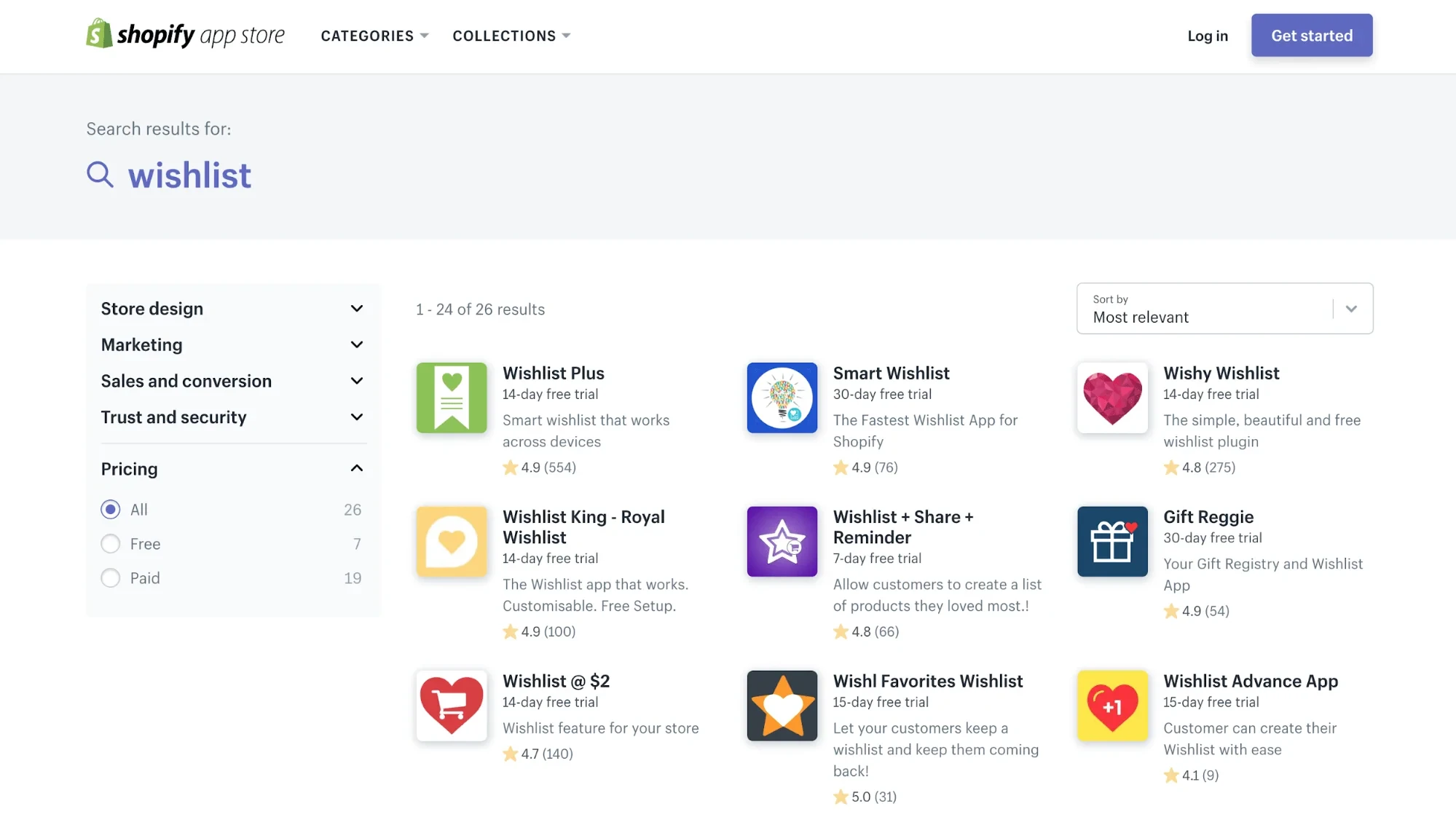
For that reason, you and your team need to:
- Reinstall essential apps on the new platform and reconnect them using updated API keys or credentials.
- Validate each integration through real-world testing.
- Place test orders to confirm payments, shipping rates, tax rules, order data, etc., sync and function correctly
Without this critical step, your store will not be operationally ready when it goes live later on.
6. Restore and test communication channels
Migration often disrupts communication channels because email services, notification rules, and contact forms are usually platform-dependent and require manual reconfiguration. Hence, now that the store's core operations are stable, you should ensure customers can communicate with you without friction, too.
To do so, you need to review all customer-facing communication points, including:
- Transactional emails (order confirmations, shipping updates, password resets)
- Contact forms
- Live chat tools
- Customer support ticket systems.
Then, verify that sender domains, email templates, and SMTP or third-party email services are correctly connected. In addition, you should also run end-to-end tests by placing test orders, submitting contact forms, and triggering password resets to confirm messages are delivered correctly and on time.
7. Update knowledge base and internal links
Similarly, migration also often changes URL structures, page paths, or content locations, which can affect internal links and confuse both users and search engines if left unaddressed.
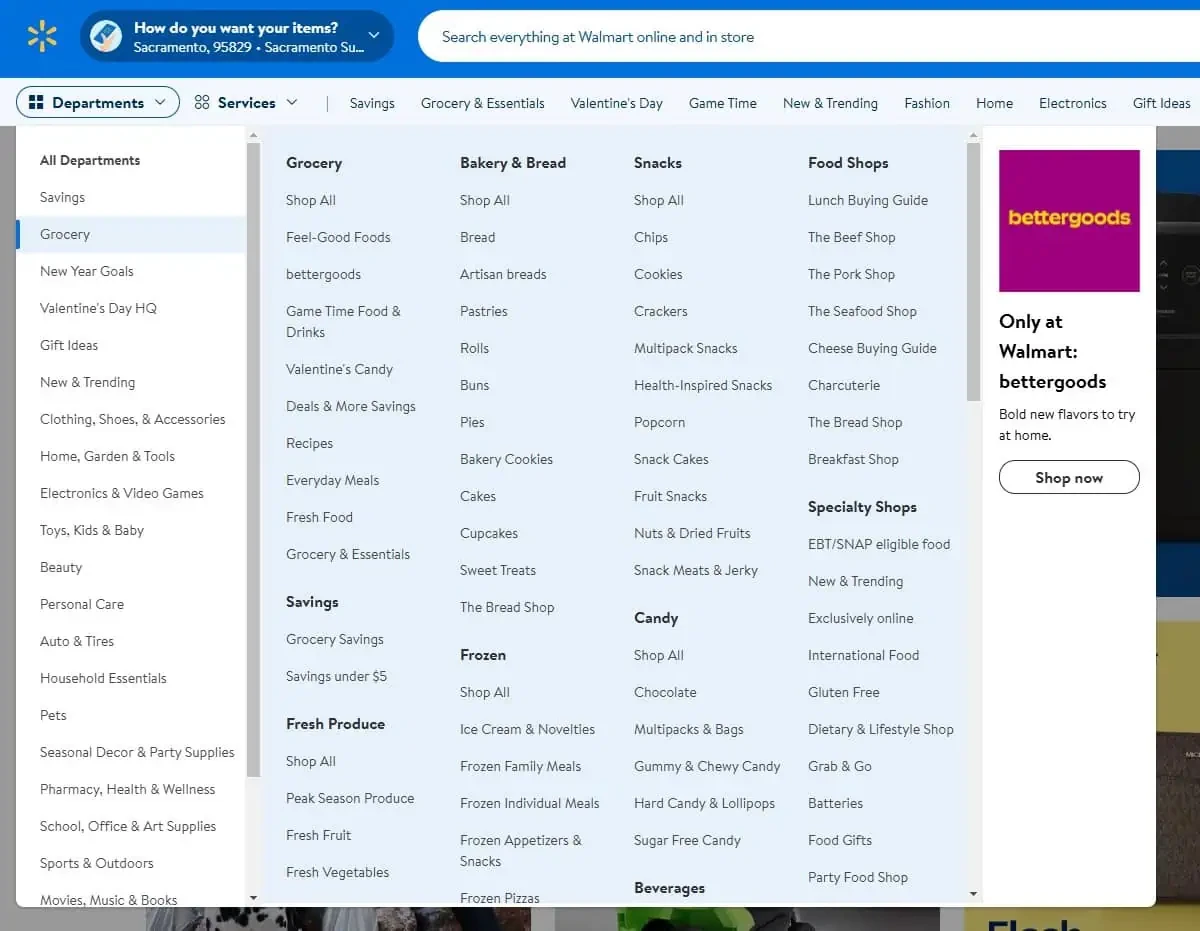
That's why it's best for you to:
- Audit your knowledge base, help center, FAQ pages, blog posts, and policy pages.
- Check for outdated links pointing to old URLs, deprecated pages, or missing resources.
- Update internal links to reflect the new store structure and verify that all referenced pages load correctly.
If URL changes were unavoidable, then ensure proper redirects are in place.
8. Update templates, automations, and workflows
After content and links are aligned, it’s time to review how your store operates behind the scenes since templates, automations, and workflows often do not migrate automatically or may behave differently on the new platform:
You can start with front-end templates such as product pages, checkout layouts, and email designs to ensure branding, messaging, and layout consistency. Backend automations need to be examined as well, including:
- Order fulfillment rules
- Inventory updates
- Customer segmentation
- Abandoned cart flows
- Marketing triggers.
If necessary, rebuild or adjust workflows to match the logic of the new platform, and test each automation using controlled scenarios.
9. Evaluate tracking, reporting, and SEO
Another important task in the post-migration checklist is to verify that performance data is being tracked accurately.
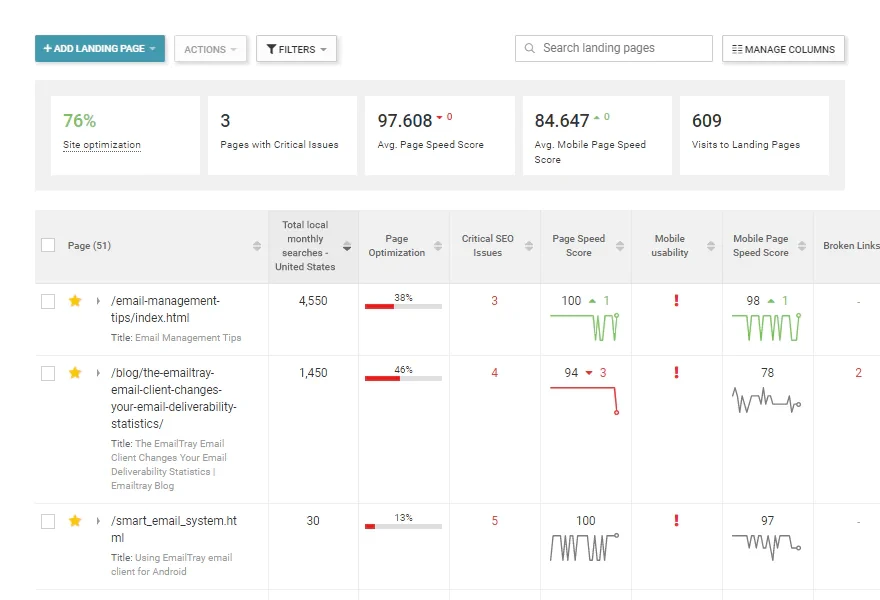
Specifically, you need to:
- Check that analytics tools, conversion tracking, advertising pixels, and reporting dashboards are correctly installed and collecting data.
- Validate that page views, transactions, and events are working as expected. From an SEO perspective, review URL structures, meta titles, meta descriptions, canonical tags, and indexing settings.
- Test redirects and submit updated sitemaps if necessary.
10. Train internal teams
Last but not least, even if everything works perfectly, your own internal teams still need to understand how the new platform operates to avoid errors and inefficiencies.
For that reason, we highly suggest you:
- Provide targeted training for relevant teams (e.g., customer support, marketing, operations, and inventory management)
- Walk them through new workflows, updated dashboards, and platform-specific features they’ll use daily.
- Create updated documentation or quick reference guides to support onboarding and reduce reliance on ad hoc troubleshooting.
At the end of the day, proper training ensures your team can confidently manage the new store and fully leverage the benefits of migration.
Lift Your Stress with LitExtension All-in-One Migration Service
As you can see, at a closer look, a post-migration checklist is far more demanding than it first appears. Each item depends partly on the accuracy of the previous step, meaning a single mistake can easily trigger a chain reaction that requires your team to go back and redo multiple steps. Needless to say, it's a huge waste of time and internal resources, and, even worse, might even delay the launch of your new store.
That's why many businesses turn to reputable migration services like LitExtension All-in-One Migration to lift the technical burden entirely.
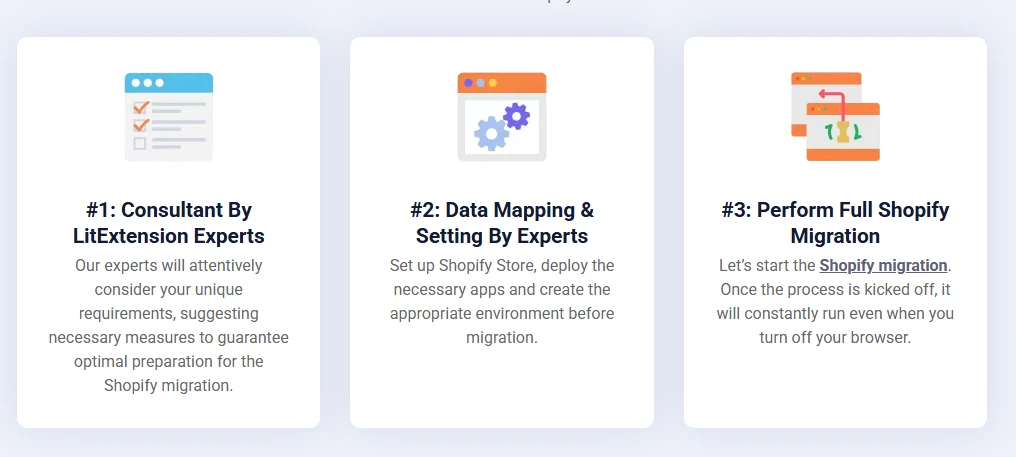
When purchasing this package, merchants don’t have to manage the checklist themselves. In fact, all you need to do is to simply specify your requirements, and LitExtension’s migration experts will handle everything – data verification, error resolution, delta migration, integrations, SEO checks, and post-migration validation – from start to finish for you!
Backed by over 15 years of experience working with more than 200,000 merchants worldwide, LitExtension is capable of anticipating issues before they arise and applying the most effective solutions for each unique store setup. So, for a faster, safer, and more cost-effective migration experience, contact LitExtension today!
Need Help To Migrate Safely?
LitExtension provides a well-optimized All-in-One migration service for your data transfer!

Post-Migration Checklist FAQs
What is a post-migration checklist?
A post-migration checklist is a structured, step-by-step guide used to verify, validate, and optimize data, systems, or applications after they have been moved to a new environment.
What are the 7 R's of migration?
The 7 R's of cloud migration: Rehost, Replatform, Refactor, Repurchase, Relocate, Retain, and Retire. It’s a framework from Amazon AWS used to plan application migration strategies.
How do I ensure no data is lost?
To ensure no data is lost during migration, you need to perform a full backup, conduct test runs in a staging environment, and use automated validation tools (e.g., checksums) to compare source and target systems.
Final Words
Though the migration itself is a major step forward for your store, keep in mind that the success of this move also depends heavily on what happens after the data transfer is complete. In short, only after following a well-structured post migration checklist can you truly turn your new store into a fully functional, stable, and growth-ready site!
Find it too overwhelming? No worries; with LitExtension, you don't have to do it alone. Backed by over 15 years of experience and more than 300,000 successful migrations, our team provides an All-in-One Migration Service that takes care of everything, from data verification and error resolution to post-migration validation, so you can focus on running your business. Contact us today!
For even more eCommerce guidance, check out our blog and join our Facebook Community.


