
If you're weighing osCommerce vs WooCommerce, you're likely at a crossroads. osCommerce is one of the earliest open-source e-commerce solutions, built for developers who want full server-level control. Meanwhile, WooCommerce, launched as a WordPress plugin, has since grown into the world's most widely used eCommerce platform.
In this article, we will help you compare osCommerce vs WooCommerce across essential criteria, including:
- Scalability
- Design & customization
- Ease of use
- Inventory & order management
- Payment gateways
- Marketing & SEO features
- Apps & integrations
- Security
- Support & resources
- Cost of ownership
We hope that our detailed breakdown can help you make a confident decision between osCommerce vs WooCommerce.
osCommerce vs WooCommerce At A Glance
Before diving into the detailed breakdown of osCommerce vs WooCommerce, let's take a look at each platform first to see where it excels and where it falls short. This section will give you a high-level look at both options before comparing them head-to-head.
osCommerce pros and cons
osCommerce (Open Source Commerce) was launched in 2000, making it one of the oldest e-commerce platforms still in existence. It is a self-hosted, PHP-based solution that gives developers complete control over the codebase, database, and server environment. At its peak, it had a large and active contributor community, but modern adoption has slowed significantly as newer, more user-friendly platforms have taken over. Today, osCommerce is best suited for businesses with dedicated technical resources that are already invested in its ecosystem.
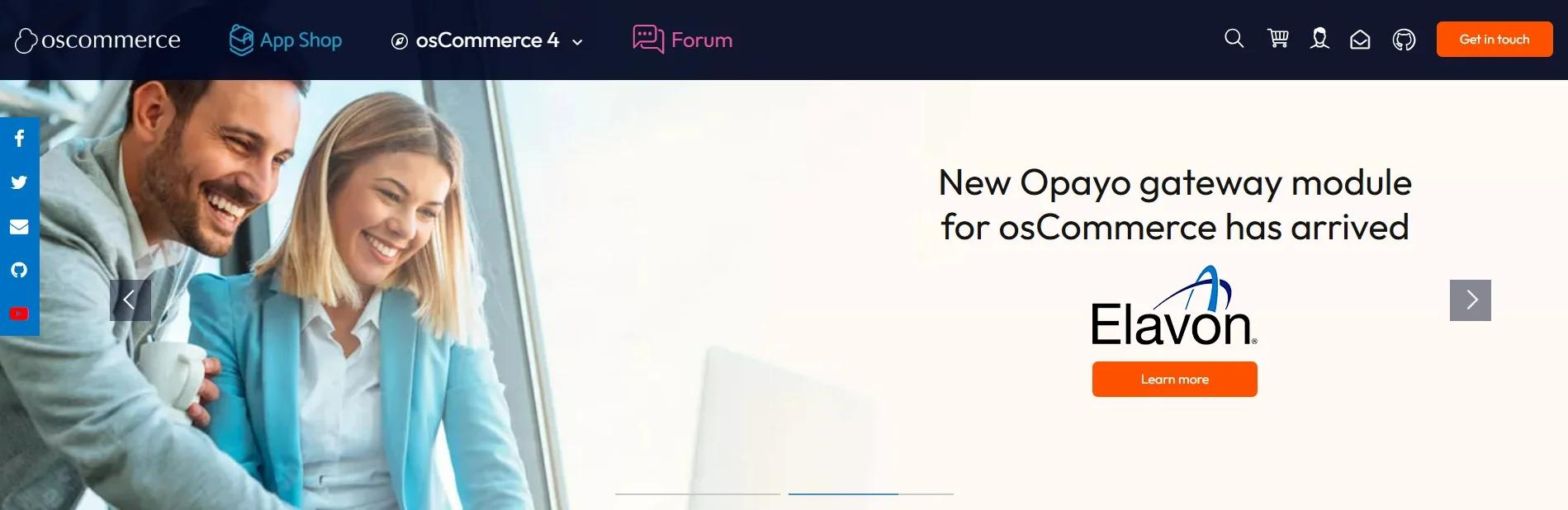
Here are the pros and cons of osCommerce for your consideration.
osCommerce pros | osCommerce cons |
- Free and fully open-source - Complete ownership of your store data with high degree of server-level control - No recurring licensing or SaaS fees - Highly customizable for experienced PHP developers | - Outdated admin interface and UX - Steep learning curve for non-developers - Slow security patching compared to modern platforms - Difficult to integrate with modern SaaS tools |
WooCommerce pros and cons
WooCommerce started as a simple WordPress plugin in 2011 and has since grown into one of the best eCommerce platforms in the world. Bearing the mission of transforming any WordPress website into a fully functional eCommerce store, this platform is the backbone of more than 3.5 million users worldwide (according to BuiltWith).
What makes WooCommerce particularly powerful isn't the core plugin itself, but the ecosystem around it: thousands of extensions, a global community of developers, and seamless compatibility with the world's most popular CMS. Whether you're selling five products or five thousand, WooCommerce is built to adapt to your business rather than the other way around.
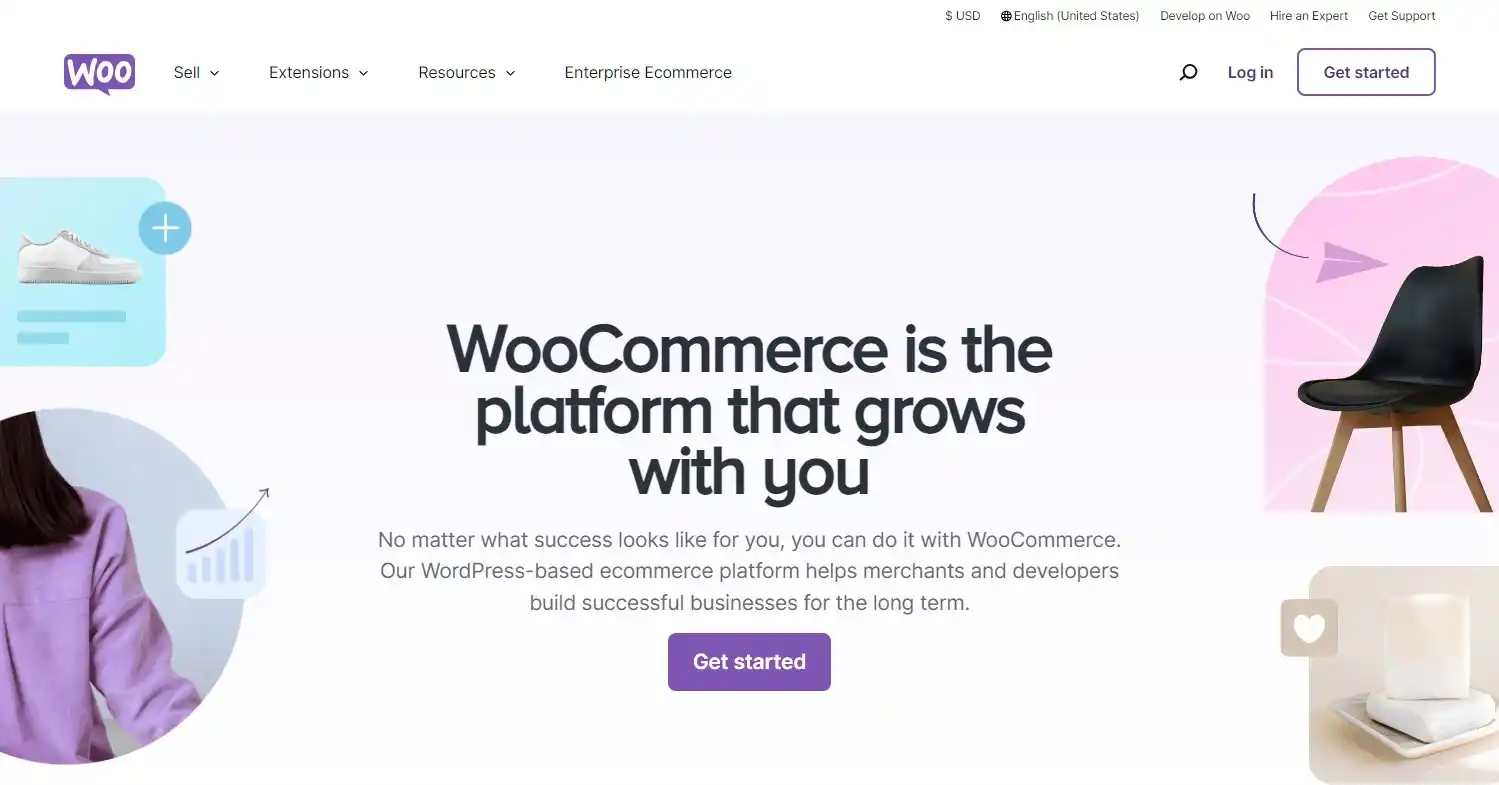
Let's take a look at WooCommerce pros and cons to see what this platform offers overall.
WooCommerce pros | WooCommerce cons |
- Free core plugin with a massive extension ecosystem - Beginner-friendly setup with a guided wizard - Active community with extensive documentation - Wide range of payment, shipping, and marketing integrations | - Costs can stack up quickly with premium plugins - The reliance on WordPress adds an extra layer of management - Plugin conflicts can cause technical issues - Performance is dependent on hosting quality |
If you want to learn more about this platform, please don't hesitate to check out our detailed WooCommerce review for extra insights.
osCommerce vs WooCommerce – Quick Comparison
Not sure which platform fits your needs at a glance? The table below cuts through the details and gives you a direct, side-by-side comparison of osCommerce vs WooCommerce across 10 essential eCommerce features.
Criteria | osCommerce | WooCommerce | The Winner |
Scalability | - Handles small-to-medium stores - Scaling requires manual server configuration and custom development | - Scales smoothly with managed WordPress hosting - Supports large catalogs, high traffic, and enterprise-level extensions | WooCommerce |
Design & Customization | - Template-based system with limited themes - Most customization requires direct PHP/HTML editing | - Thousands of free and premium WordPress themes - Compatible with no-code page builders like Elementor and Divi | WooCommerce |
Ease of Use | - Requires FTP access, database configuration, and PHP knowledge - Dated admin UI is unintuitive for non-developers | - Installs in minutes via WordPress; - Guided setup wizard - Familiar dashboard with extensive tutorials available | WooCommerce |
Inventory & Order Management | - Basic stock tracking and order management - Limited integration with modern fulfillment tools | - Native stock management, backorder handling, variable products - Integrates with tools like ATUM, ShipStation, and Linnworks | WooCommerce |
Payment Gateways | - Supports PayPal and some legacy gateways - Newer integrations rely on community add-ons that may be unmaintained | - 100+ gateway extensions including Stripe, Square, Klarna, Apple Pay, and regional options - WooPayments available natively | WooCommerce |
Marketing & SEO | - Basic meta tag editing; - No built-in email marketing or advanced promotional tools | - Full WordPress SEO advantage with Yoast and Rank Math plugin - Built-in coupons, upsells, abandoned cart, and Klaviyo/Mailchimp integrations | WooCommerce |
Apps & Integrations | Add-on library exists but many contributions are outdated or incompatible with modern PHP versions | 58,000+ WordPress plugins; official integrations with HubSpot, QuickBooks, Zapier, Mailchimp, and more | WooCommerce |
Security | Security depends heavily on keeping a legacy codebase manually updated | Requires active maintenance, but benefits from WordPress's large security community and faster patch cycles | A Tie |
Support & Resources | - Community forums exist but are largely inactive - Documentation is outdated, scarce pool of specialist developers | Official docs, active Slack community, WordPress forums, thousands of YouTube tutorials, and a large freelancer/agency ecosystem | WooCommerce |
Cost of Ownership | - Free software - Low hosting costs but potentially high developer fees due to scarcity of osCommerce specialists | - Free core plugin - Costs scale with premium themes and plugins - Wide range of affordable developers available | A Tie |
Scalability – WooCommerce Wins
The verdict:
When comparing osCommerce vs WooCommerce in terms of scalability, WooCommerce clearly takes the lead. It scales far more smoothly without requiring heavy developer intervention as your store grows.
osCommerce can competently handle small-to-medium stores with a modest product catalog and steady, predictable traffic. However, scaling beyond that baseline requires significant manual effort, such as configuring server resources by hand, writing custom code to fill functionality gaps, and managing performance optimizations that modern platforms handle automatically. There is no native support for multistore setups, and the sparse extension library offers little help when you need to add capacity or new sales channels.
WooCommerce, on the other hand, is built with growth in mind. It benefits from a mature managed hosting ecosystem specifically optimized for WooCommerce performance at scale. As your store grows, you can expand functionality through dedicated scalability plugins, support large product catalogs, and even run multisite networks across multiple storefronts from a single installation. Enterprise-level extensions for headless commerce, advanced caching, and CDN integration are all readily available and actively maintained.
Design and Customization – WooCommerce Wins
The verdict:
In the osCommerce vs WooCommerce comparison in design and customization, WooCommerce wins. It offers a vastly broader, more modern design toolkit with far less technical effort.
osCommerce uses a template-based system, but the available themes are limited in number, outdated in design, and rarely optimized for mobile. Customizing the look and feel of your store goes beyond swapping a theme; it typically requires directly editing PHP templates, HTML, and CSS files, meaning any meaningful design change demands developer involvement. For business owners without a technical background, this creates a frustrating dependency and significantly slows down the ability to iterate on store design.
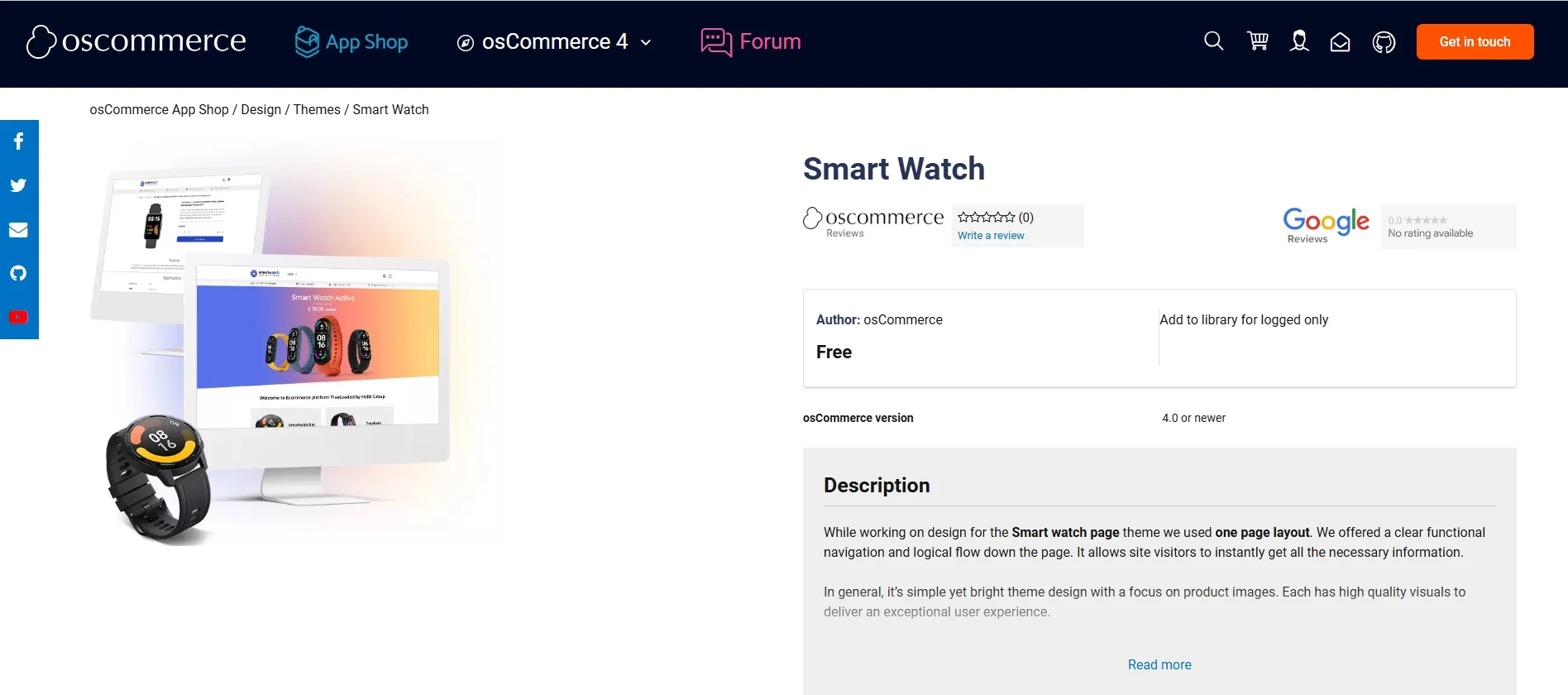
WooCommerce, by contrast, gives store owners access to one of the largest design ecosystems available on any eCommerce platform. Built on WordPress, it is compatible with thousands of free and premium themes, all designed with modern UX standards, mobile responsiveness, and conversion optimization in mind. Beyond themes, WooCommerce works seamlessly with no-code page builders such as Elementor, Divi, and the native WordPress block editor (Gutenberg), allowing store owners to design and customize every page visually without writing a single line of code.

The contrast between osCommerce vs WooCommerce mostly comes down to accessibility and speed. What takes a developer days to implement in osCommerce can often be achieved in WooCommerce in a matter of hours, with no coding required.
Ease of Use – WooCommerce Wins
The verdict:
In the osCommerce vs WooCommerce comparison in this criterion, WooCommerce is the winner. It is significantly more accessible and easier to use, especially for business owners without a technical background.
Getting an osCommerce store off the ground is not a beginner-friendly experience. The initial setup requires FTP access, manual database configuration, and a working knowledge of PHP–steps that immediately put it out of reach for most non-technical users.
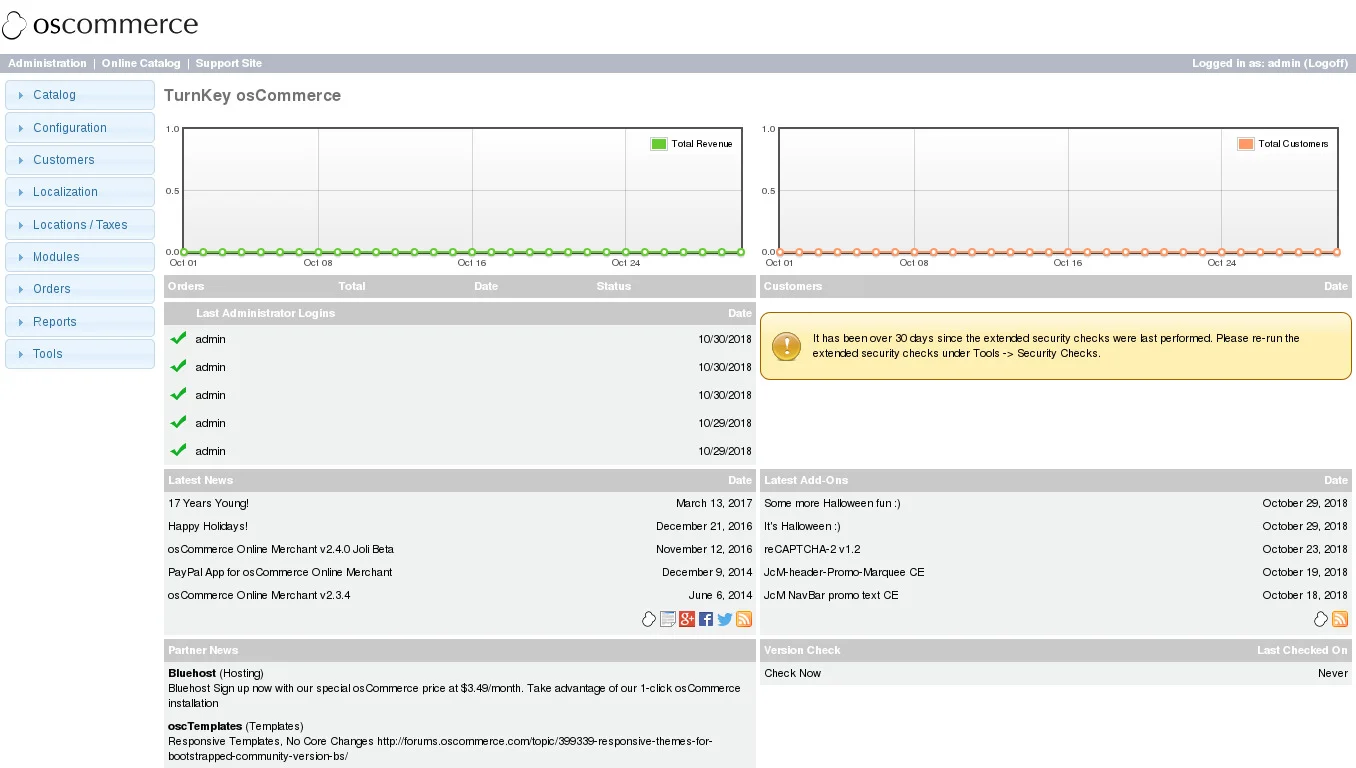
Once installed, the admin interface feels dated and unintuitive, with a navigation structure and visual design that have changed little since the platform's early days. Routine tasks such as adding products, managing orders, or updating store settings require more steps than they should, and there is no guided onboarding process to help new users find their footing.
Meanwhile, WooCommerce takes the opposite approach. Installing WooCommerce takes just a few clicks from the WordPress plugin directory, after which a guided setup wizard walks you through configuring your store, from currency and payment methods to shipping zones and tax settings, without requiring any technical knowledge.
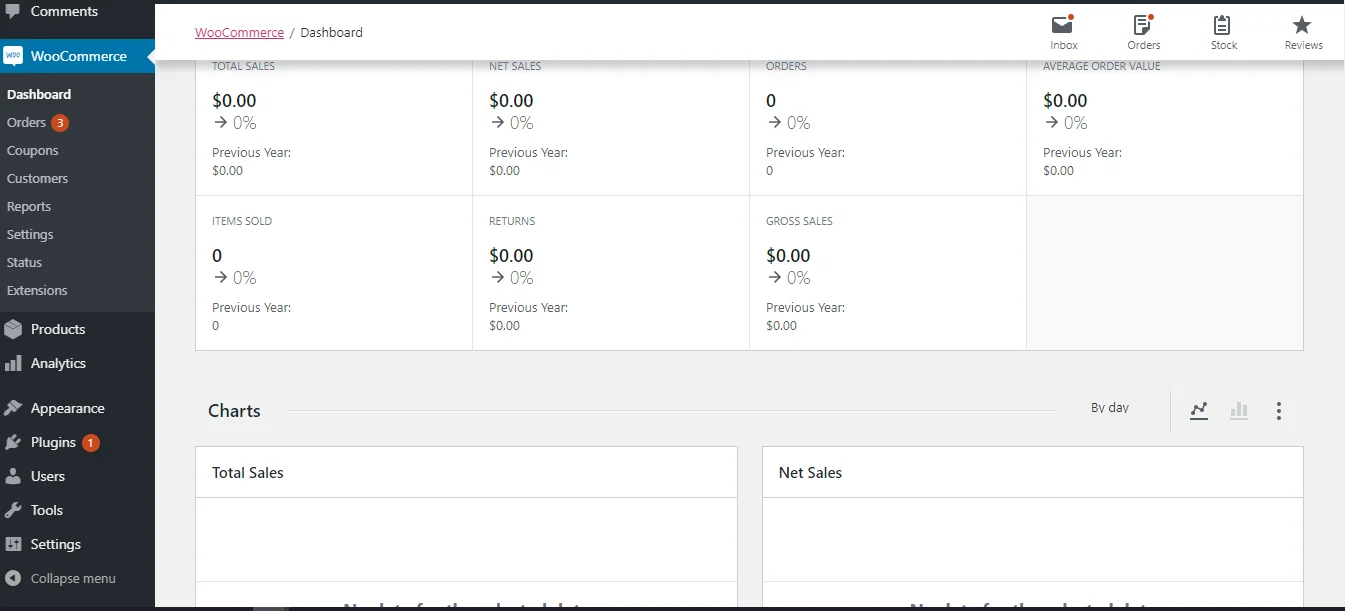
The dashboard is clean, logically organized, and consistent with the WordPress interface that millions of users already know. Adding products, processing orders, and adjusting store settings are all straightforward tasks that most users can handle independently from day one.
Inventory and Order Management – WooCommerce Wins
The verdict:
In the osCommerce vs WooCommerce comparison, WooCommerce offers a significantly richer and more flexible inventory and order management experience out of the box.
osCommerce includes basic inventory tracking and order management functionality that gets the job done for simple, low-volume stores. You can set stock quantities, receive order notifications, and update order statuses manually.
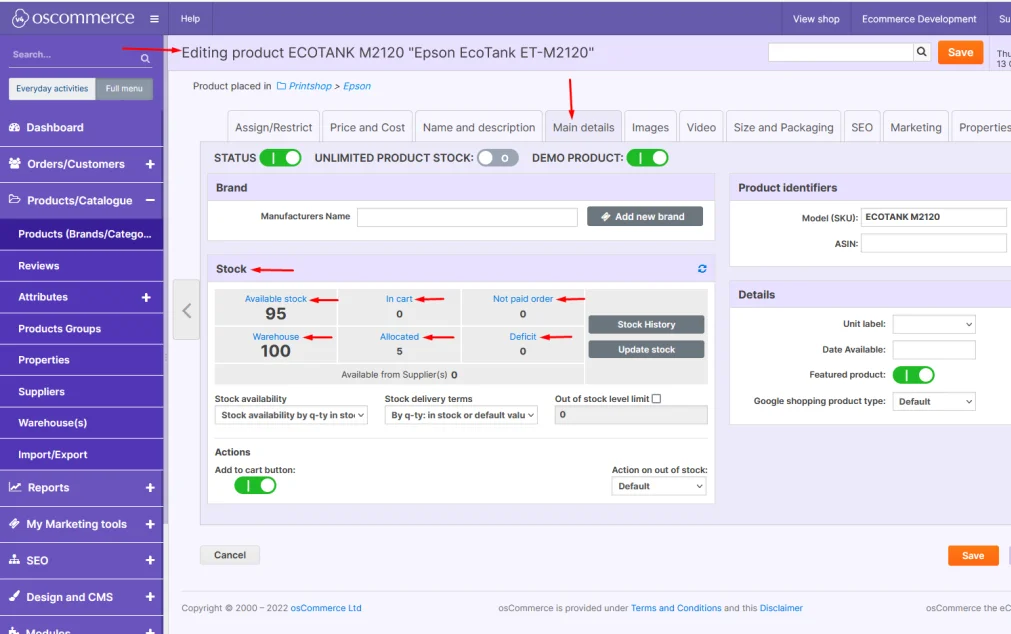
However, the feature set stops well short of what most growing businesses need. There is no native support for product variations (such as size or color options), backorder management is limited, and the platform offers little in the way of automated workflows for order processing. Integrating with modern fulfillment platforms, warehouse management systems, or third-party logistics providers requires custom development work
WooCommerce, on the other hand, delivers a comprehensive order and inventory management system that scales with your business. Natively, it supports variable products with multiple attributes, stock level tracking with low-stock alerts, backorder handling, and grouped or bundled product types. Order management is equally robust. Each order comes with a detailed view, including customer information, line items, payment status, shipping details, and internal notes, all manageable from a single dashboard screen.
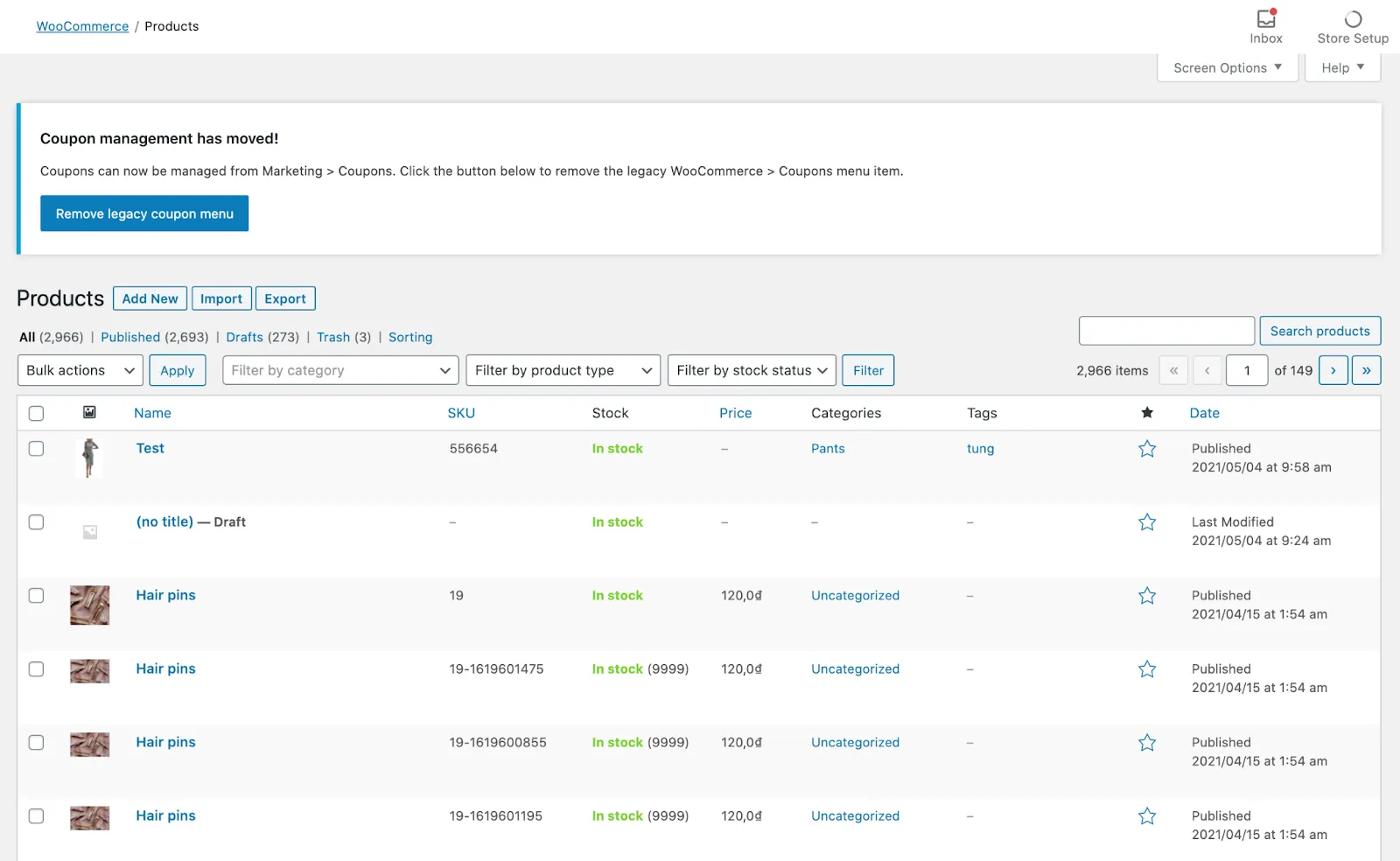
For stores that need more, WooCommerce integrates seamlessly with dedicated inventory management tools and fulfillment platforms, all through actively maintained plugins that require no custom development.
Payment Gateways – WooCommerce Wins
The verdict:
Between osCommerce vs WooCommerce in this criterion, WooCommerce offers a far broader, better-maintained, and more modern payment gateway ecosystem that osCommerce simply cannot keep up with.
osCommerce only supports PayPal and a limited number of legacy processors natively. Support for modern options, such as Stripe, Klarna, Apple Pay, Google Pay, or region-specific gateways, exists only through community-contributed add-ons, many of which have not been updated in years.
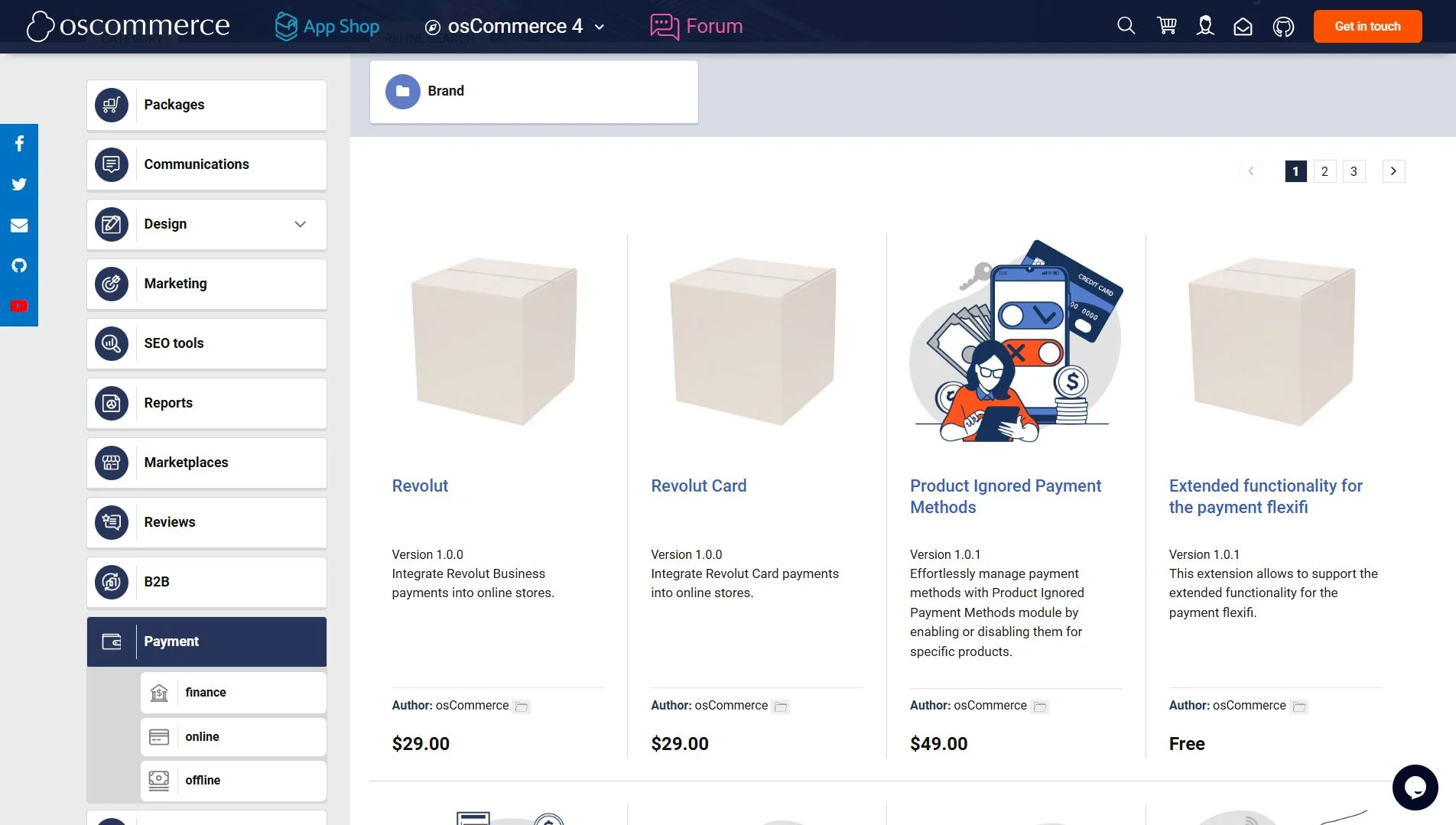
This creates a genuine risk: outdated payment integrations are not just inconvenient, they can expose your store to security vulnerabilities and compliance issues. Store owners on osCommerce frequently rely on developers to maintain or rebuild payment integrations that other platforms handle automatically.
In contrast, WooCommerce treats payment flexibility as a first-class feature. Its core installation includes ready-to-use integrations with both PayPal and Stripe, covering the vast majority of online shoppers from day one. On top of that, the platform gateway library now spans over 100 options, including best WooCommerce payment gateways like Authorize.net and Square; buy-now-pay-later services like Klarna and Afterpay; digital wallets such as Apple Pay and Google Pay; and dozens of regional payment methods tailored to specific markets.
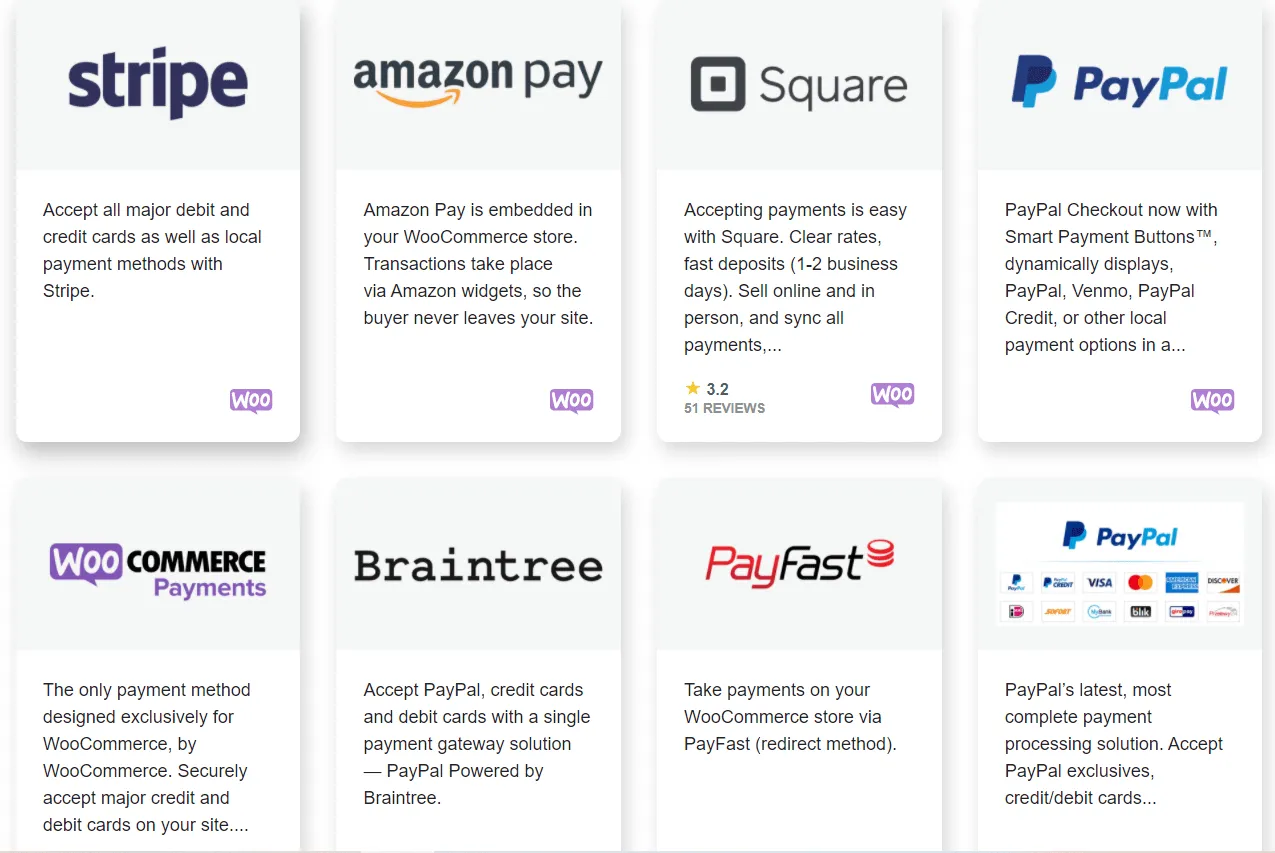
Additionally, for stores that want everything under one roof, WooPayments provides a native, fully integrated payment solution that handles transactions, refunds, and dispute management directly from the WordPress dashboard.
Marketing and SEO Features – WooCommerce Wins
The verdict:
When comparing osCommerce vs WooCommerce in marketing, WooCommerce clearly takes the lead. Its WordPress foundation gives it a structural SEO advantage and a far richer marketing toolkit that osCommerce cannot replicate.
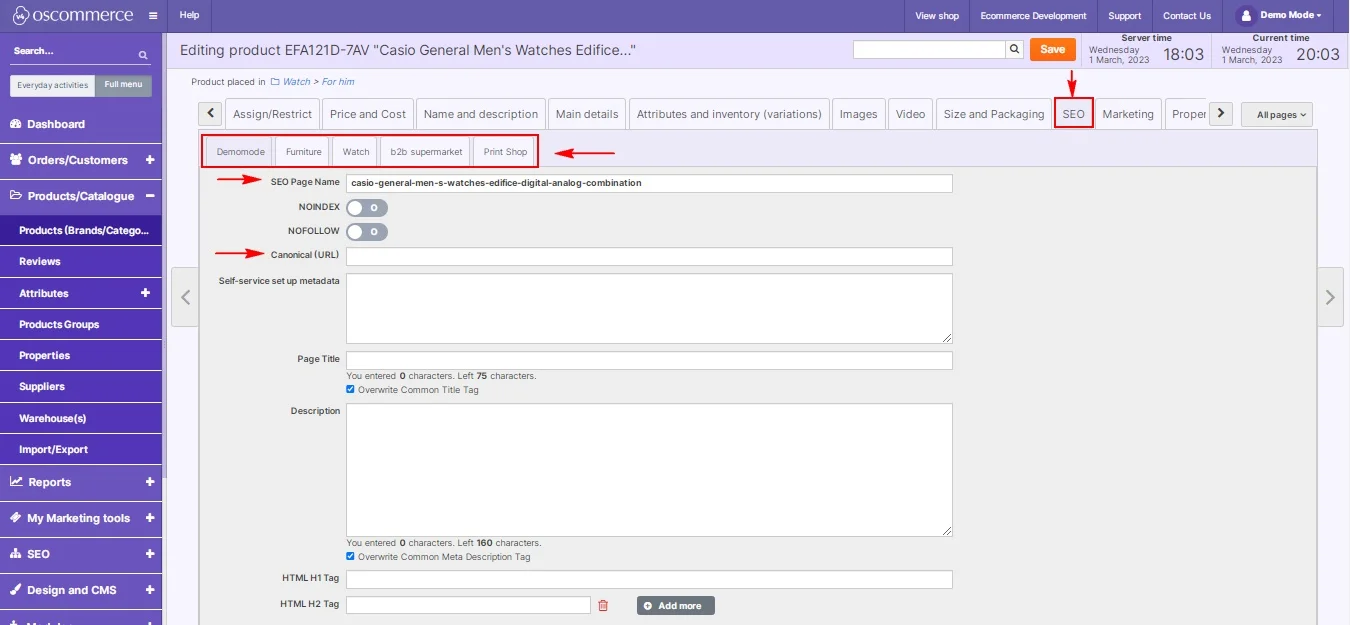
osCommerce offers only the most basic SEO functionality. Store owners can edit meta titles and descriptions at the product level, but beyond that, the platform provides little native support for modern SEO best practices. URL structures are not clean or customizable by default, page speed optimization is largely left to the server administrator, and there is no built-in content management system to support blogging or content marketing.
On the marketing side, osCommerce includes a simple coupon and discount system, but lacks native tools for email marketing, abandoned cart recovery, upsells, cross-sells, or customer segmentation. Filling these gaps requires custom development or community add-ons that are increasingly difficult to maintain.
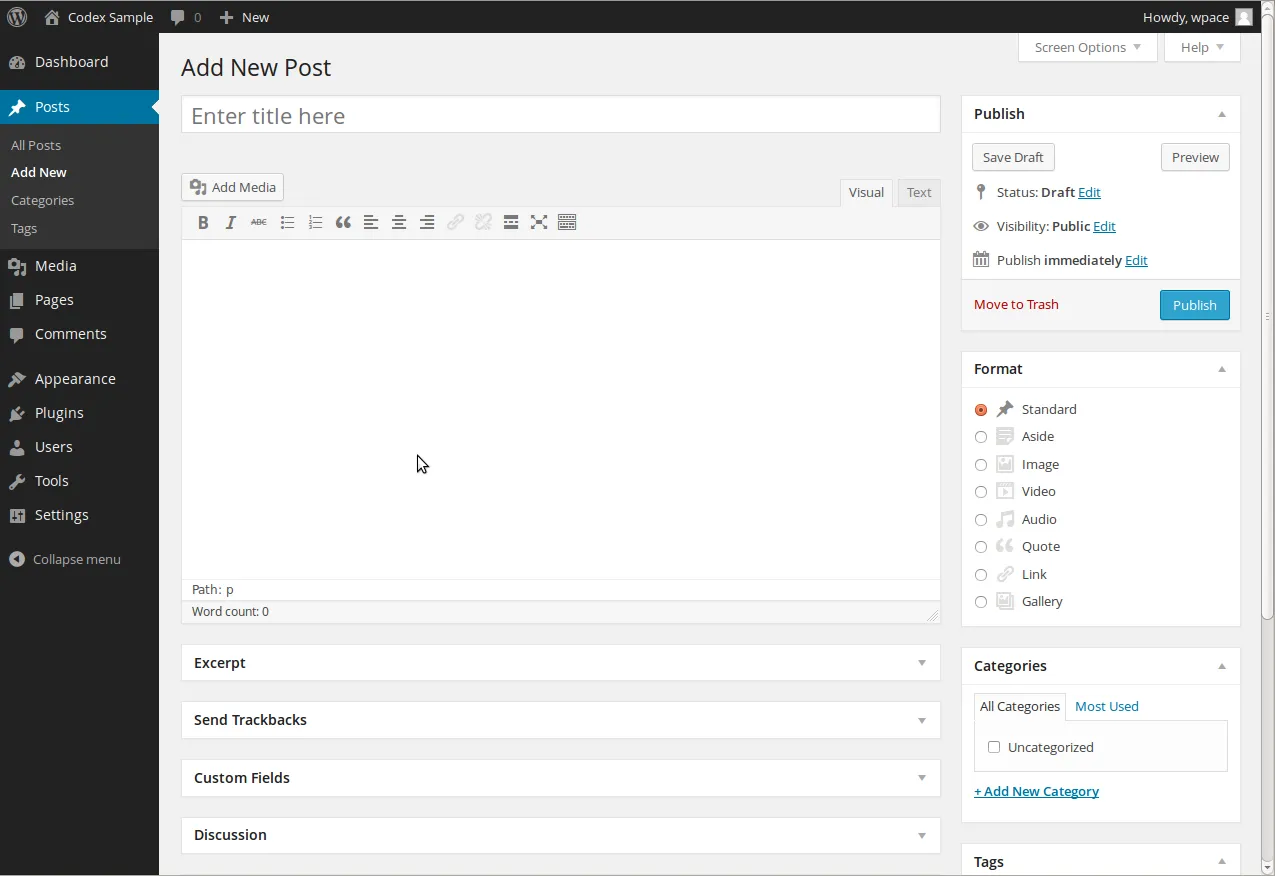
On the other hand, WooCommerce inherits all of WordPress's well-established SEO strengths the moment it is installed. Clean, customizable URL structures, fast page rendering, schema markup support, and seamless integration of SEO plugins give WooCommerce stores a significant head start in organic search. Beyond technical SEO, WordPress's native blogging capabilities mean store owners can build a comprehensive content marketing strategy alongside their storefront to drive organic traffic.
In terms of marketing, WooCommerce is equally well-equipped. Its built-in promotional tools cover product-level upsells and cross-sells, flexible coupon and discount rules, and sale pricing schedules. The plugin ecosystem then extends this further, all available through actively maintained extensions. Together, these capabilities give WooCommerce store owners a complete marketing infrastructure to promote their store.
Apps and Integrations – WooCommerce Wins
The verdict:
In the osCommerce vs WooCommerce comparison, WooCommerce wins for offering one of the largest and most active plugin ecosystems.
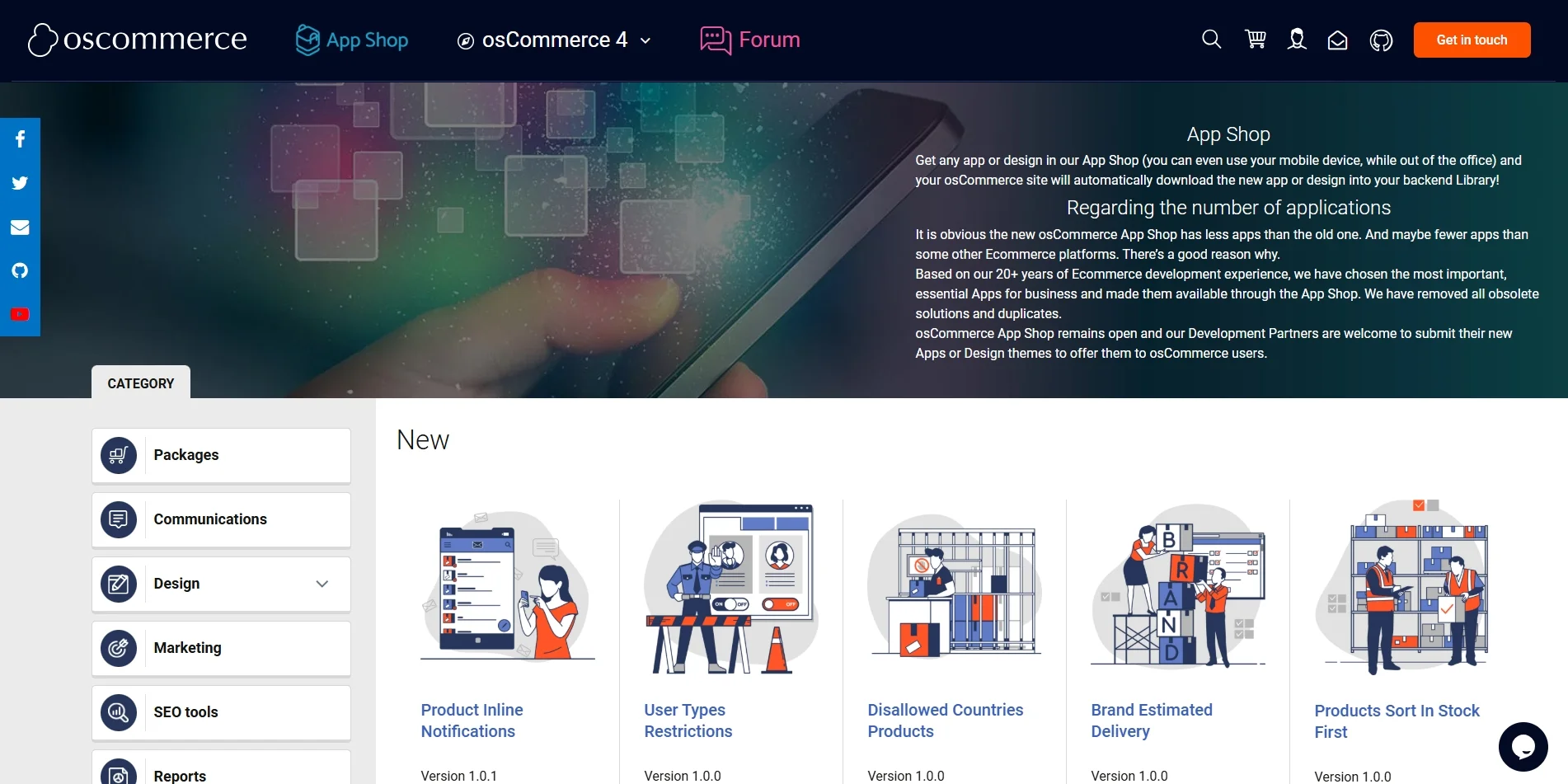
osCommerce's integration library is narrow by modern standards. Connecting the platform with CRM or automation tools is more than just installing a plugin. Most meaningful integrations require custom API development, which introduces additional cost, extended timelines, and long-term maintenance responsibilities that fall entirely on your team or your developer. For businesses that depend on a connected, automated software stack, this constraint becomes a recurring operational burden rather than a one-time setup challenge.
In contrast, WooCommerce users have access to over 58,000 plugins spanning virtually every business function imaginable. Official integrations cover the tools most store owners rely on daily without writing a single line of code. Beyond the official library, WooCommerce's widespread adoption means that most modern SaaS platforms build and maintain their own native WooCommerce integrations, ensuring compatibility is rarely a concern. All of these integrations are actively maintained, regularly updated, and backed by dedicated support teams.
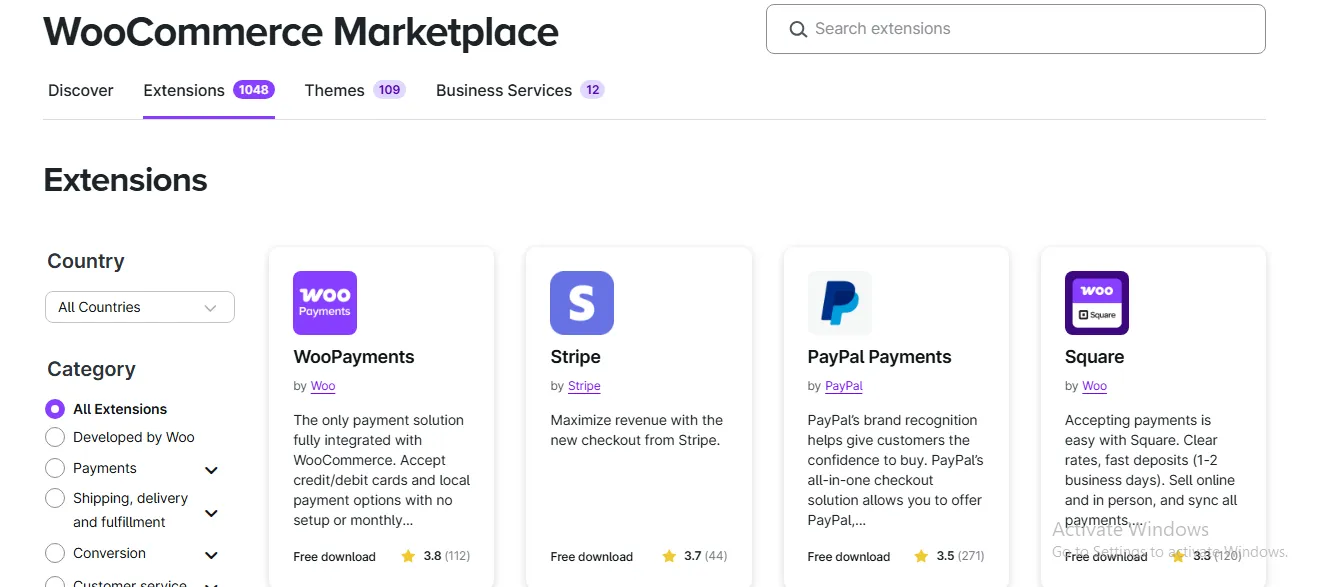
The gap between osCommerce vs WooCommerce in apps and plugins might be the widest of all categories. Where osCommerce leaves businesses piecing together custom integrations one by one, WooCommerce provides a ready-made, reliable connection to virtually every tool a modern eCommerce business needs.
Security – A Tie
The verdict:
It's a tie between osCOmmerce vs WooCommerce when it comes to security. Both platforms place the responsibility of security squarely on the store owner, making the outcome less about the platform itself and more about how diligently it is maintained.
osCommerce is a self-hosted platform, which means security is entirely the store owner's responsibility. The platform has experienced its share of vulnerabilities over the years, and while patches are released, the pace of response is slower compared to platforms backed by larger development teams. Additionally, many osCommerce stores run outdated versions of the software or rely on unmaintained add-ons, both of which are common entry points for attackers. Without a proactive maintenance routine, an osCommerce store can become a security liability over time.
Similarly, WooCommerce is also a self-hosted, open-source platform, and it is not immune to vulnerabilities either. As the world's most widely used e-commerce plugin, it is in fact a frequent target for attackers precisely because of its market dominance. However, WooCommerce benefits from WordPress's large and well-resourced security community, which means vulnerabilities are typically identified and patched faster. Along with the best WooCommerce security practices, merchants can secure their stores from data attacks.
Support and Resources – WooCommerce Wins
The verdict:
When comparing osCommerce vs WooCommerce in terms of support, WooCommerce wins. This platform's support network is vastly larger, more active, and more accessible, regardless of your budget or technical level.
osCommerce does come with a community forum, but it is not as robust as other eCommerce platforms. Official documentation is quite thorough, but finding a developer who specializes in osCommerce today is genuinely difficult, and often expensive when you do. For store owners who encounter a technical issue outside their own expertise, resolution can be slow and costly. There is no dedicated support team, no official ticketing system, and no structured onboarding resources for new users getting started with the platform.
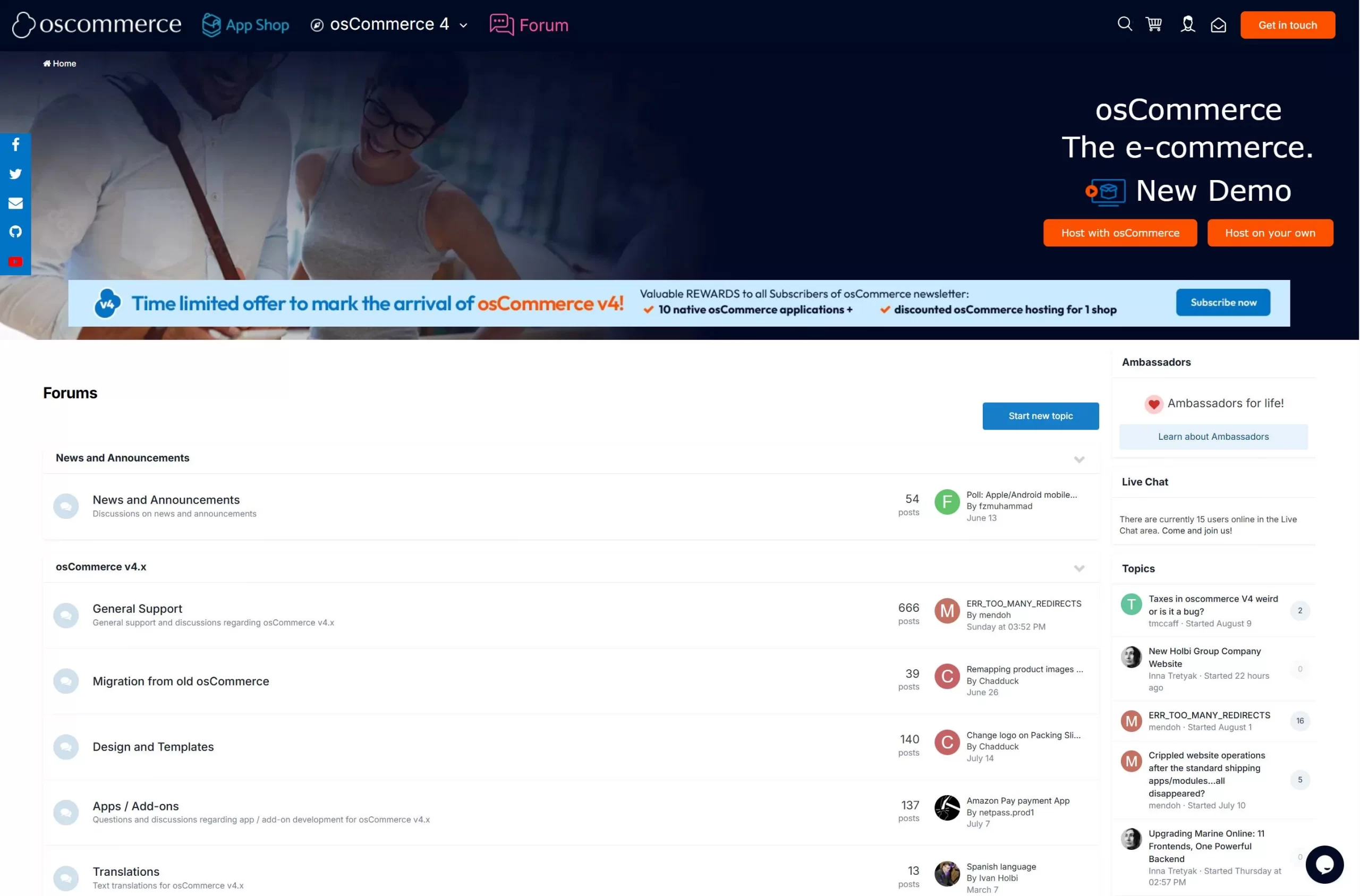
WooCommerce, by contrast, is backed by one of the most comprehensive support ecosystems in the e-commerce space. Official documentation covers everything from initial setup to advanced configuration, and is regularly updated to reflect the latest version of the platform. Beyond official docs, store owners have access to an active community and an enormous library of YouTube tutorials covering virtually every use case imaginable.
When professional help is needed, the pool of WooCommerce-specialist developers and agencies available on platforms like Upwork, Fiverr, and Codeable is large, competitive, and affordable. making it easy to find qualified help at almost any budget.
Cost of Ownership – A Tie
The verdict:
When it comes to the cost of ownership between osCommerce vs WooCommerce, it's a tie. Both platforms are free to acquire but carry real ongoing costs; the difference lies in where those costs accumulate and how predictable they are.
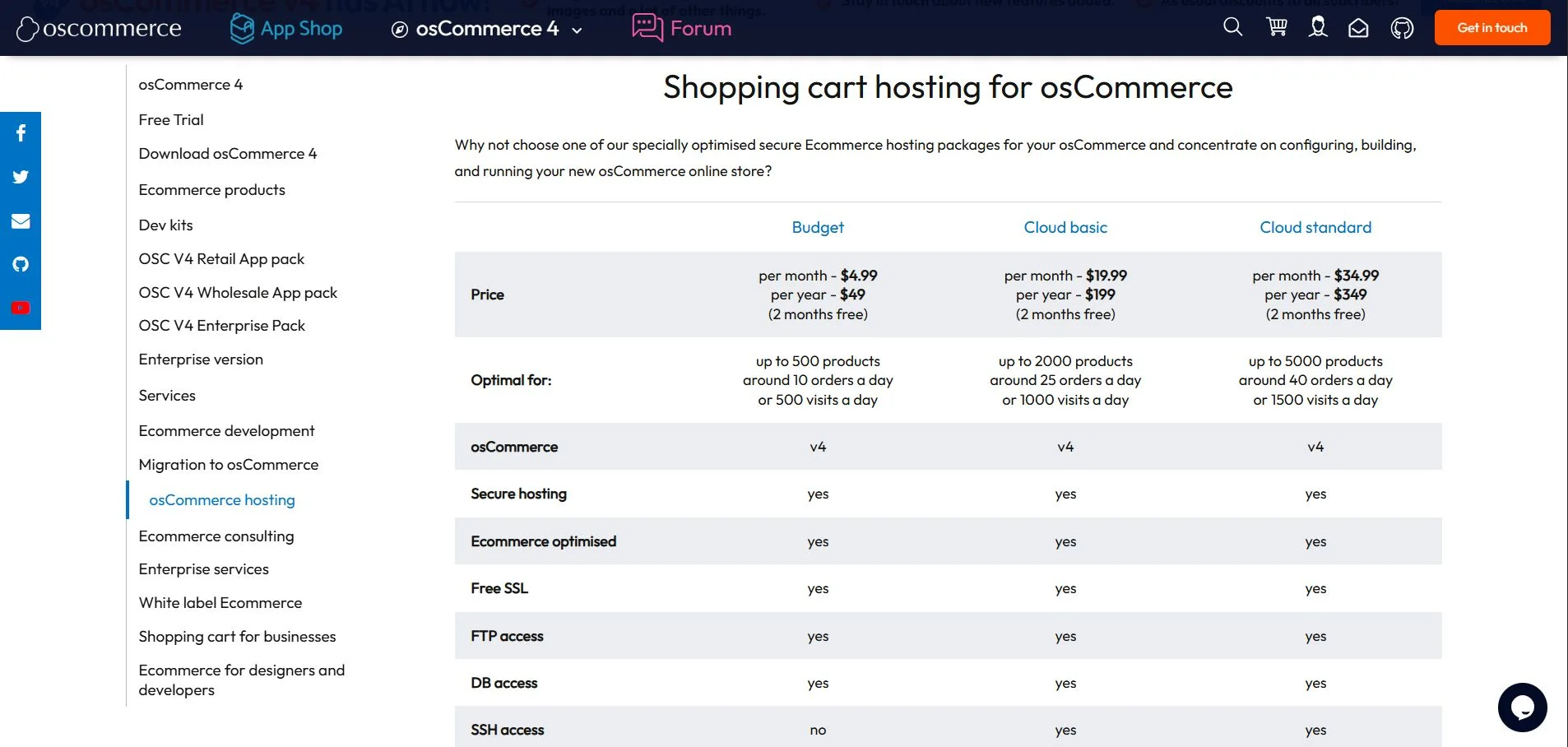
osCommerce's base software is free, and its official hosting plans start at a relatively low: $4.99/month for the Budget tier (up to 500 products), $19.99/month for Cloud Basic, and $34.99/month for Cloud Standard. On the surface, this looks affordable, but the true cost of ownership often lies elsewhere.
Because osCommerce has a relatively small pool of specialist developers, any custom development, integration work, or technical maintenance commands a premium. Developer hourly rates for niche platform specialists can range significantly higher than those for mainstream platforms, and even routine tasks may require paid professional involvement.
Similarly, WooCommerce's core plugin is free, but a realistic annual budget depends heavily on the setup tier. A basic store can be operational for as little as $300–$600 in year one, covering shared hosting ($5–$10/month), a free theme, and free plugins. However, as your store scales up, costs can reach $2,000+ annually, though this reflects genuine revenue-generating investment rather than maintenance overhead.
For a detailed breakdown of WooCommerce pricing, please check out our article here.
osCommerce vs WooCommerce – Which Should You Go For?
After comparing both platforms across 10 criteria, the data points clearly in one direction, but the right choice still depends on your specific situation, technical resources, and growth plans. Here is a straightforward breakdown of which platform fits which type of store owner.
Choose osCommerce if:
- You already run a stable, established osCommerce store with heavy customizations, and the cost and disruption of migrating outweighs the benefits of switching.
- You have a dedicated in-house PHP developer who is comfortable maintaining and extending a legacy codebase long-term.
- You prioritize complete server-level independence and want no reliance on a CMS framework like WordPress.
On the other hand, choose WooCommerce if:
- You are building a new online store from scratch and want a modern, scalable, and beginner-friendly platform to launch on.
- You need reliable, out-of-the-box integrations with modern payment gateways, shipping platforms, CRM tools, or email marketing software.
- You expect your store to grow significantly in product range, traffic, or geographic reach, and need a platform that scales without friction.
- You are currently on osCommerce and experiencing limitations with design flexibility, extension availability, developer support, or platform performance.
Need Help to Migrate Your Store to WooCommerce?
LitExtension Automated Migration Tool transfers products, customers, and orders
from osCommerce to WooCommerce—fast, accurate, and hassle-free.

osCommerce vs WooCommerce – FAQs
Is WooCommerce the best alternative to osCommerce?
Yes, WooCommerce is one of the best osCommerce alternatives. It matches osCommerce's open-source, self-hosted model while offering a dramatically more modern feature set, a larger plugin ecosystem, and a far gentler learning curve.
That said, other alternatives worth considering depending on your needs include Magento (for large enterprise stores), PrestaShop (for a developer-friendly open-source option), and Shopify (for a fully hosted, zero-maintenance solution).
What are the disadvantages of WooCommerce?
Some noticable disadvantage of WooCommerce includes:
- Cost can escalate quickly, especially when you use premium themes and plugins.
- Performance is not guaranteed out of the box, you might need to configure hosting and perform optimization tactics to speed up your site.
- While WooCommerce is beginner-friendly for basic setups, more advanced customizations still require developer involvement.
Is osCommerce cheaper than WooCommerce?
Both platforms are free to download, so neither has an upfront licensing cost advantage. However, in practice, osCommerce comes with a relatively small, hence customization and maintenance work commands a premium. For simple, static stores, osCommerce can be marginally cheaper, but for any store that requires regular updates or modern integrations, WooCommerce typically delivers better value in the long run.
Our Methodology
To ensure this osCommerce vs WooCommerce comparison is as useful and accurate as possible for store owners making a real platform decision, here is how we approached our evaluation.
- Criteria selection: Both platforms were assessed across 10 criteria chosen specifically for their relevance to small-to-medium eCommerce businesses.
- Research sources: Our analysis draws from official platform documentation, user community forums, third-party software review platforms, as well as hands-on platform testing and real-world developer and merchant feedback.
- Cost data: Pricing figures referenced throughout this article are based on publicly available hosting and plugin pricing at the time of publication and are intended as estimates rather than exact quotes. Actual costs will vary based on store size, plugin selection, and hosting provider.
- Impartiality: This article does not represent a paid partnership or sponsorship with either platform. Our goal is to give you an honest, evidence-based assessment of osCommerce vs WooCommerce so you can make the right decision for your business.


