
If you are considering Joomla vs Wix, you are likely deciding between control and convenience. Although both are popular platforms, they’re built for distinct audiences and understanding that distinction is what leads to the right choice.
In this article, we will walk through the key differences between Wix or Joomla to help you make the best decision.
Quick takeaway:
- Choose Joomla if you need deep customization, advanced content management, and full control over your site.
- Choose Wix if you want an easy setup, built-in features, and minimal technical work.
Let’s get started!
Joomla vs Wix: An Overview
Which one should you choose?
If you are still deciding between Joomla or Wix, the table below summarizes the key differences at a glance.
Aspects | Joomla | Wix | Winner |
Pricing | Free core, but the total cost is variable and often higher. | Predictable monthly pricing with most costs bundled. | Wix |
Ease of use | Requires manual setup, extensions, and technical knowledge | Guided onboarding and visual editing make it beginner-friendly | Wix |
Themes & customization | Deep customization with code-level control and third-party templates | Fast visual customization within a controlled design system | A tie |
eCommerce features | Via extensions, very flexible but complex | Built-in selling tools, easy to manage | Wix |
Integration & scalability | Highly flexible and scalable with custom integrations and APIs | Easier integrations, but limited as needs become more complex | Joomla |
CMS | Advanced content structure, workflows, and permissions for teams | Simpler CMS suited for small teams and basic content | Joomla |
SEO & marketing features | Full technical SEO control, but requires expertise | Guided SEO tools and AI assistance for easier optimization | Wix |
Security & support | Strong core security, but responsibility lies with the site owner | Platform-managed security and centralized vendor support | Wix |
Best for | Developers, agencies, complex or content-heavy projects | Beginners, small businesses, fast launches |
Pros & Cons
Joomla | Wix | |
Pros | • There is no license cost, and the source code can be modified and used commercially. • Multilingual websites are supported out of the box, without extra plugins. • Joomla is highly flexible with a large library of extensions that support advanced customization. | • Wix is very easy to use, even for beginners with no technical or design background. • A large library of well-designed templates for you to choose from. • Setup is fast with AI tools like Wix ADI and newer AI design features. • Wix offers a forever-free plan, which is useful for testing ideas or launching a basic site before upgrading. |
Cons | • The learning curve is relatively steep for non-technical users. • eCommerce functionality depends on third-party extensions. | • Performance can become a concern for large or feature-heavy websites. • You can’t switch to a different template without rebuilding the design. |
This overview gives you a quick snapshot of the Joomla vs Wix differences. In the sections below, we will break down each aspect in more detail to help you decide which platform fits your needs best.
Pricing (Wix Wins)
The Verdict
In the Joomla vs Wix price comparison, Wix clearly wins thanks to its simple, predictable monthly pricing. Joomla offers more flexibility, but the total cost is harder to control and usually higher over time.
Joomla pricing
With Joomla, you can get started for free, but that does not mean building a website is cost-free. Because Joomla is self-hosted, you are responsible for budgeting for everything around the platform.
Here are some typical additional expenses every month:
- Registering a domain: $10-30/year.
- Getting a hosting provider: $5-100+/month (varies based on type and provider).
- Design and development: $50-200+/hour.
- Maintenance: $100–1,000 monthly.
- Plugins: Free to $300+ for complex plugins/subscriptions.
When all of these costs are combined, you could end up spending $700–$6,500 per month or more to run a Joomla website. The exact range depends on how complex your project is and how much professional support you rely on.
Wix pricing
In contrast, Wix offers a much more predictable, subscription-based pricing model. Instead of paying separately for hosting, maintenance, and core features, you choose a plan that bundles everything into one monthly fee.
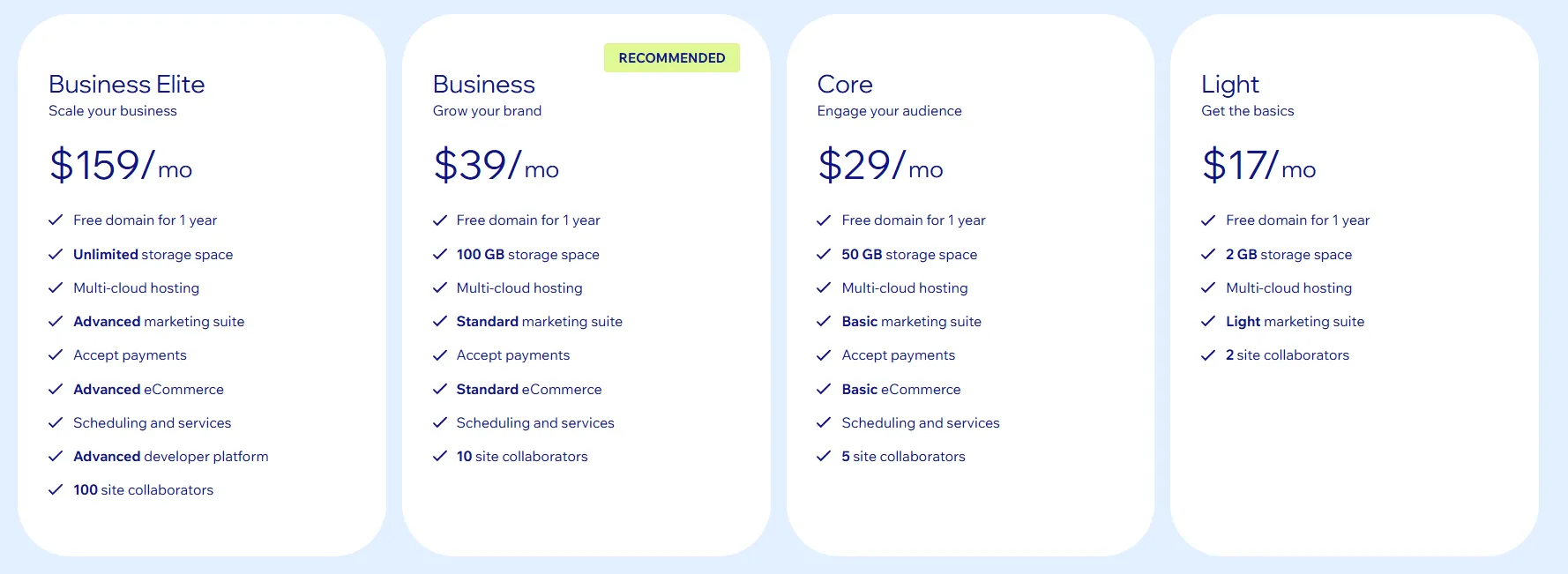
Currently, Wix provides four pricing tiers designed for different types of businesses, typically ranging from $17 to $159 per month. Please note that this pricing range can vary by region:
You can also build and publish a website on Wix completely for free. The free plan gives you access to the full Wix Editor, customizable templates, and essential features to get online. However, Wix-branded ads and a Wix subdomain will remain on your site unless you upgrade to a paid plan.
That’s why the free plan works well for experimentation, but upgrading is essential once you want a professional-looking website or plan to grow your business.
Ease of Use (Wix Wins)
The Verdict
Wix is generally much easier to use than Joomla. In the Joomla vs Wix comparison, Wix is the better choice for beginners and non-technical users.
Joomla ease of use
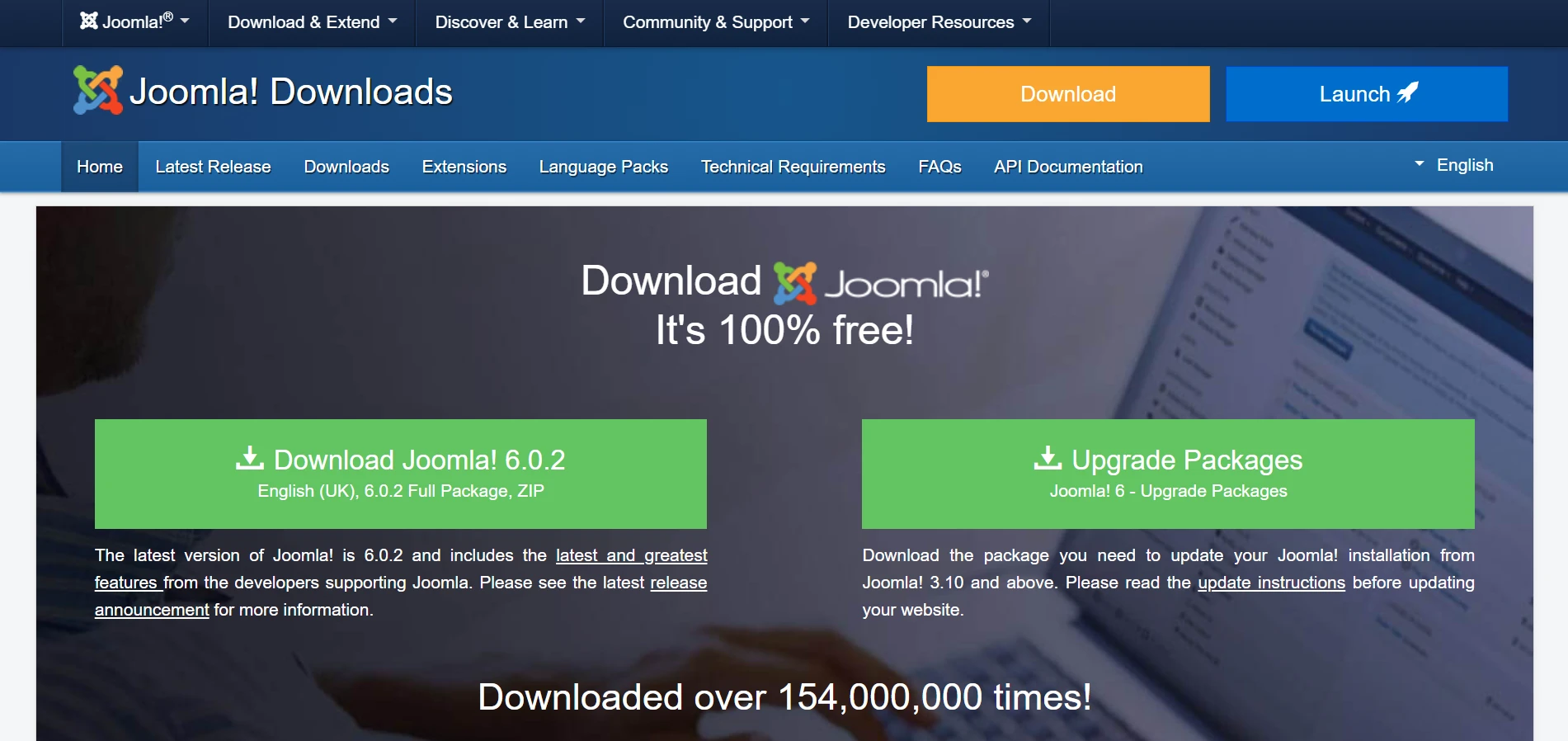
Before you can start using Joomla, you first need to download and install it on your web server. This step is required because Joomla is a self-hosted platform. There are two common ways to do this:
- One-click installation via hosting provider: Many web hosts offer a built-in Joomla installer directly in their control panel.
- Manual download and installation: You download the Joomla package and upload it to your web server if a one-click installer is not available.
After installation, setup is still hands-on. You must configure hosting settings, choose a template, and install extensions before the site looks and functions the way you want.
For eCommerce, functionality depends on the extension you use. Each extension requires separate configuration for products, taxes, shipping, and payment gateways. Additional modules may also be needed for carts, checkout, or customer accounts.
Wix ease of use
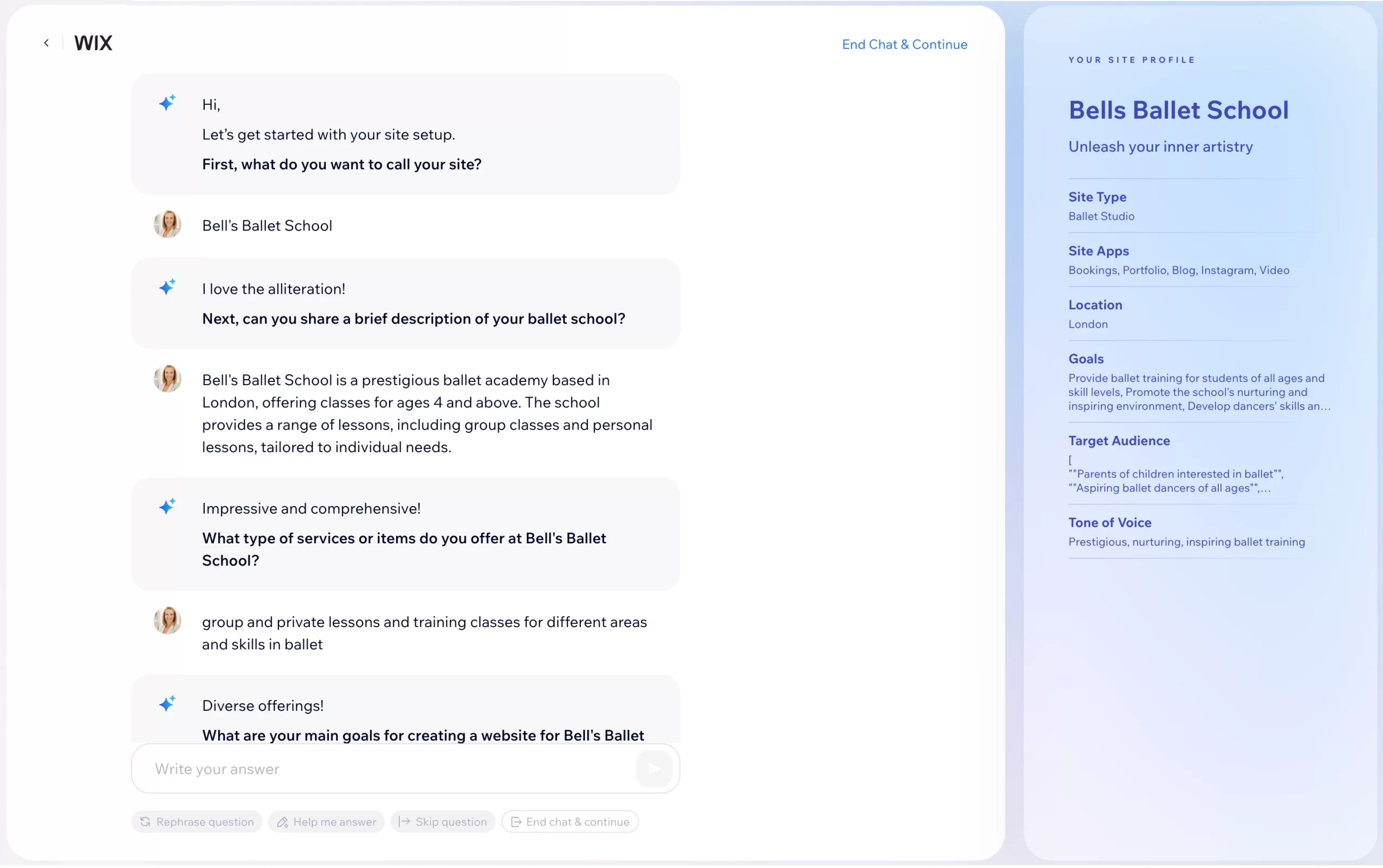
By comparison, Wix focuses on guided onboarding from the start. You either pick a template or answer a few questions through Wix ADI. Based on your input, Wix AI automatically generates a starter site with a pre-built layout, pages, and basic content.
All daily tasks are handled in one place. You can add products, update prices, manage stock, create coupons, process orders, and print packing slips from a single commerce dashboard. This keeps site management simple and consistent.
So, Wix is a strong fit if you want everything in one place and prefer not to deal with technical setup or multiple tools.
Themes & Customization (A Tie)
The Verdict
When comparing Joomla vs Wix, neither platform clearly wins on customization. Joomla favors deep, code-driven control, while Wix prioritizes fast and visual design within set limits.
Joomla customization
Joomla does not have a centralized template store. Instead, you need to find templates from third-party developers, with thousands of free and paid options available across the ecosystem, such as Helix, YOOtheme, or Gantry.
Customization on Joomla can feel complex, especially for non-technical users. Joomla does not include a native drag-and-drop editor, so visual editing is limited by default.
If you want drag-and-drop functionality, you need to install third-party page builders or editors. Without these tools, deeper customization usually requires working directly with code, including HTML, CSS, and sometimes PHP.
Wix customization
Wix offers a large library of over 800 designer-made templates. These templates are well organized and cover a wide range of use cases, including online stores, blogs, portfolios, and business websites.
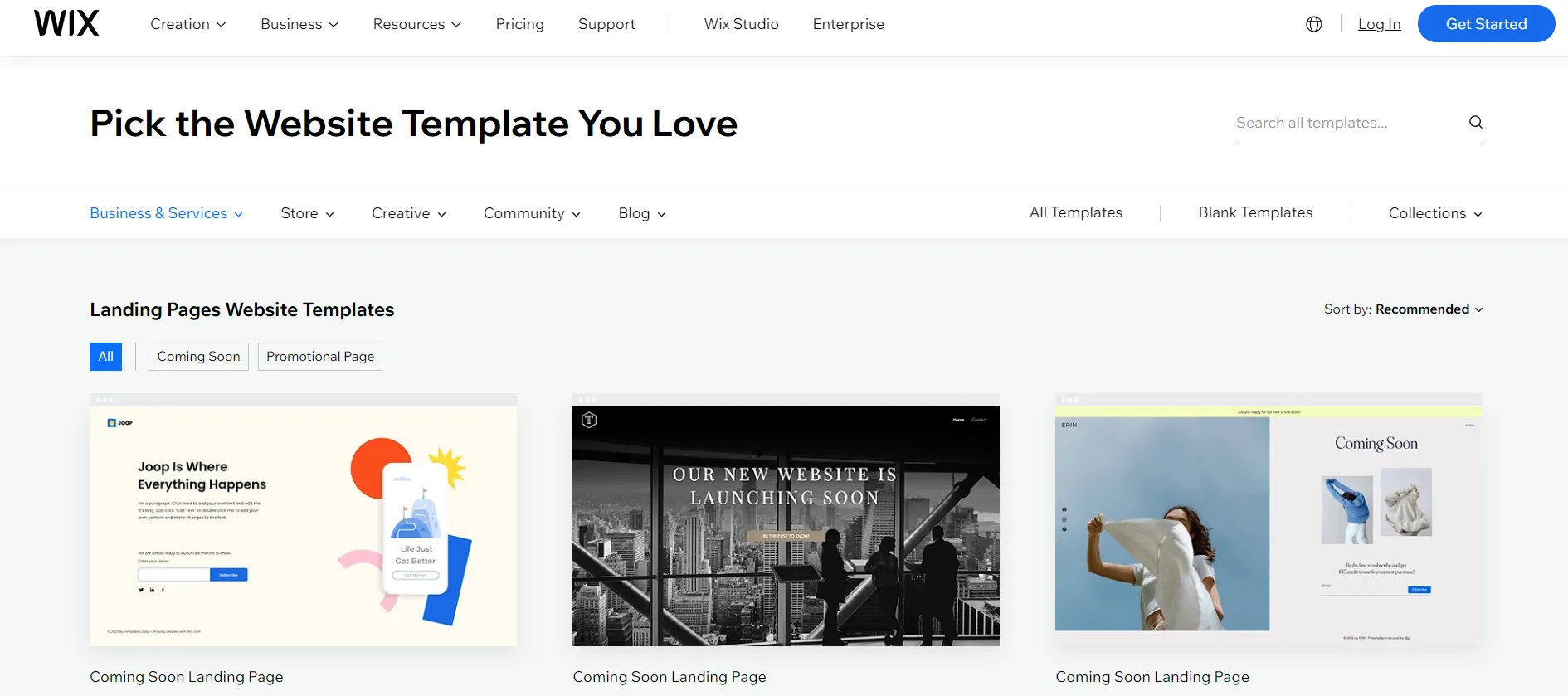
With the Wix Editor, you can move sections visually, adjust colors and fonts, and rearrange layouts directly in the browser. Wix also provides AI assistants for content, images, and SEO, helping you customize faster while maintaining a consistent structure.
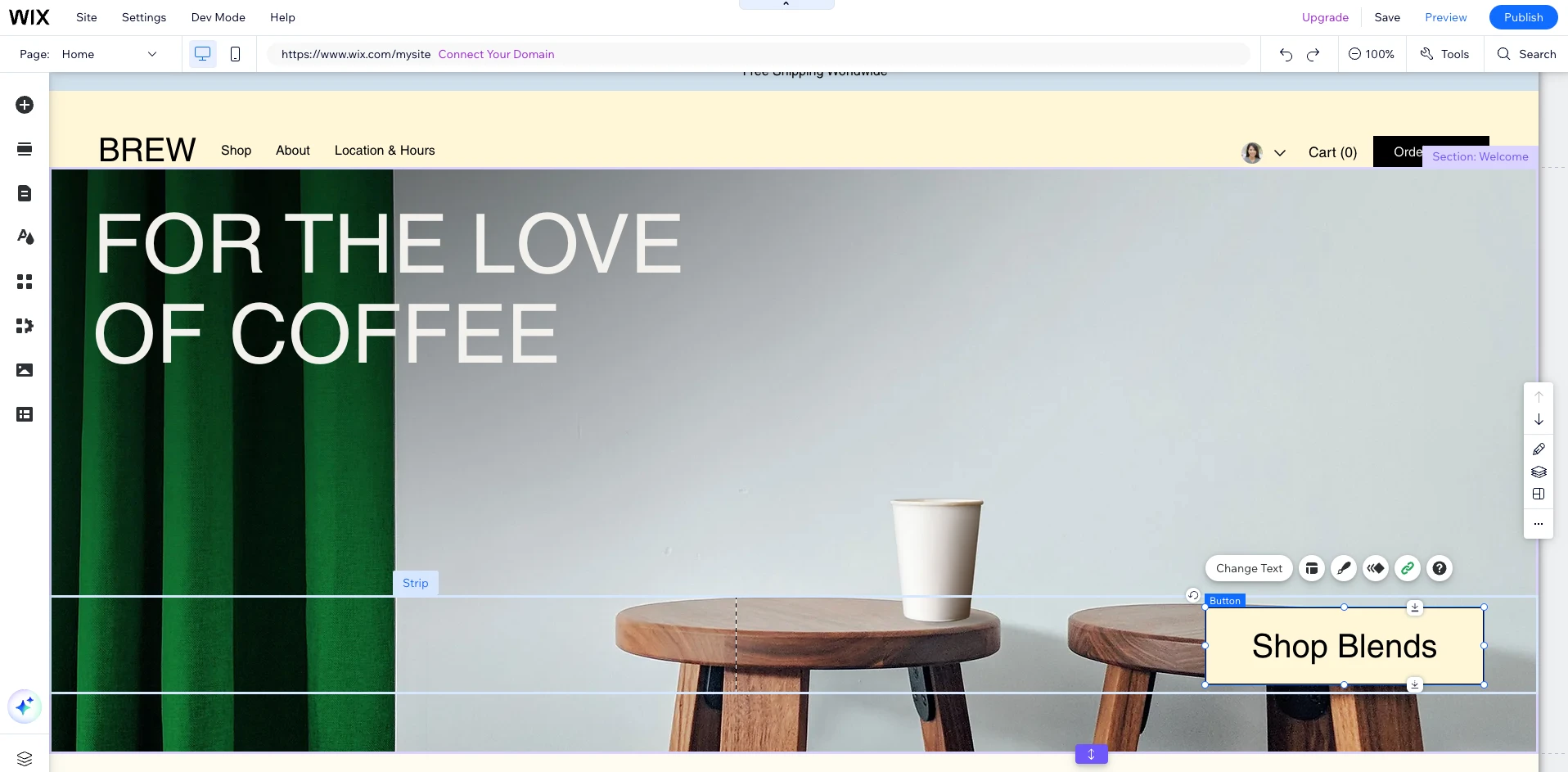
However, customization mainly stays at the visual level. Direct access to core HTML, CSS, or system markup is limited, making advanced code-based customization difficult or impossible in many cases.
There are also structural limits. Once you start building a site, you cannot switch templates, so changing the overall design usually means rebuilding the site from scratch and manually moving content.
Even with these constraints, Wix remains a strong choice for users who value speed and visual simplicity. As long as you are comfortable working within its design system, the platform delivers consistent and reliable results.
eCommerce Features (Wix Wins)
The Verdict
For eCommerce use cases in Joomla vs Wix, the latter is the more practical choice for most sellers. It offers ready-to-use selling tools and simpler day-to-day management.
Joomla eCommerce
With Joomla, eCommerce is not available by default. To start selling, you need to install a dedicated eCommerce extension such as VirtueMart, HikaShop, or J2Store. Each extension turns Joomla into a store, but the setup and features depend heavily on the solution you choose.
You can customize almost every part of the selling flow and even build custom logic if needed. Nevertheless, setup takes time, features are spread across different extension settings, and ongoing maintenance is your responsibility.
Wix eCommerce
Selling on Wix is designed to be straightforward and ready from the start. Instead of installing separate systems, eCommerce features are provided through Wix Stores and managed from one central dashboard.
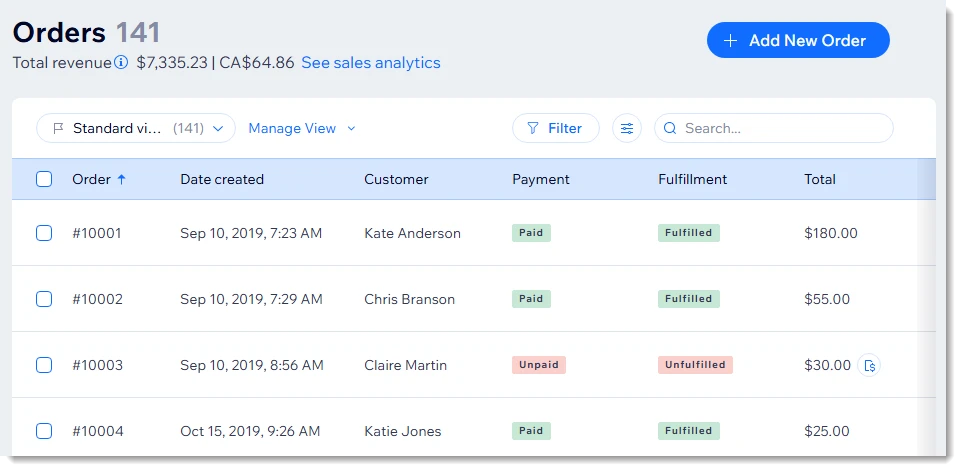
Here are some built-in eCommerce features you can find on Wix:
- Creating and managing physical products, digital products, and subscriptions in one place.
- Tracking inventory, setting product variants, and managing stock levels.
- Processing orders, managing customers, and sending automated order emails.
- Accepting payments through 80+ integrated gateways such as Stripe, PayPal, and others (region-dependent).
- Setting up taxes and shipping rules without manual configuration.
- Offering coupons, discounts, and abandoned cart recovery (on paid plans).
- Delivering digital products securely and supporting customer accounts.
Overall, Wix focuses on helping you sell quickly with minimal setup. Most day-to-day selling tasks are handled out of the box, making it a strong choice for users who want simplicity rather than deep customization.
If you are planning to move your store to Wix, LitExtension can help you do it smoothly and safely. We support expert-led migrations that transfer products, customers, orders, and more with minimal downtime.
Wix Migration Made Easy With LitExtension!
LitExtension offers great migration solutions that help you transfer your data from the current eCommerce platform to a new one accurately, painlessly with utmost security.

Integration & Scalability (Joomla Wins)
The Verdict
In the Joomla vs Wix comparison, Joomla clearly wins for integration and scalability. Wix is easier and safer to start with, but Joomla gives you far more freedom as your site and systems grow.
Joomla integration
Because Joomla is open-source, it comes with a very large extension ecosystem. There are nearly 5,000 extensions, plus many others from third-party developers, covering eCommerce, CRM, marketing, APIs, and custom workflows.
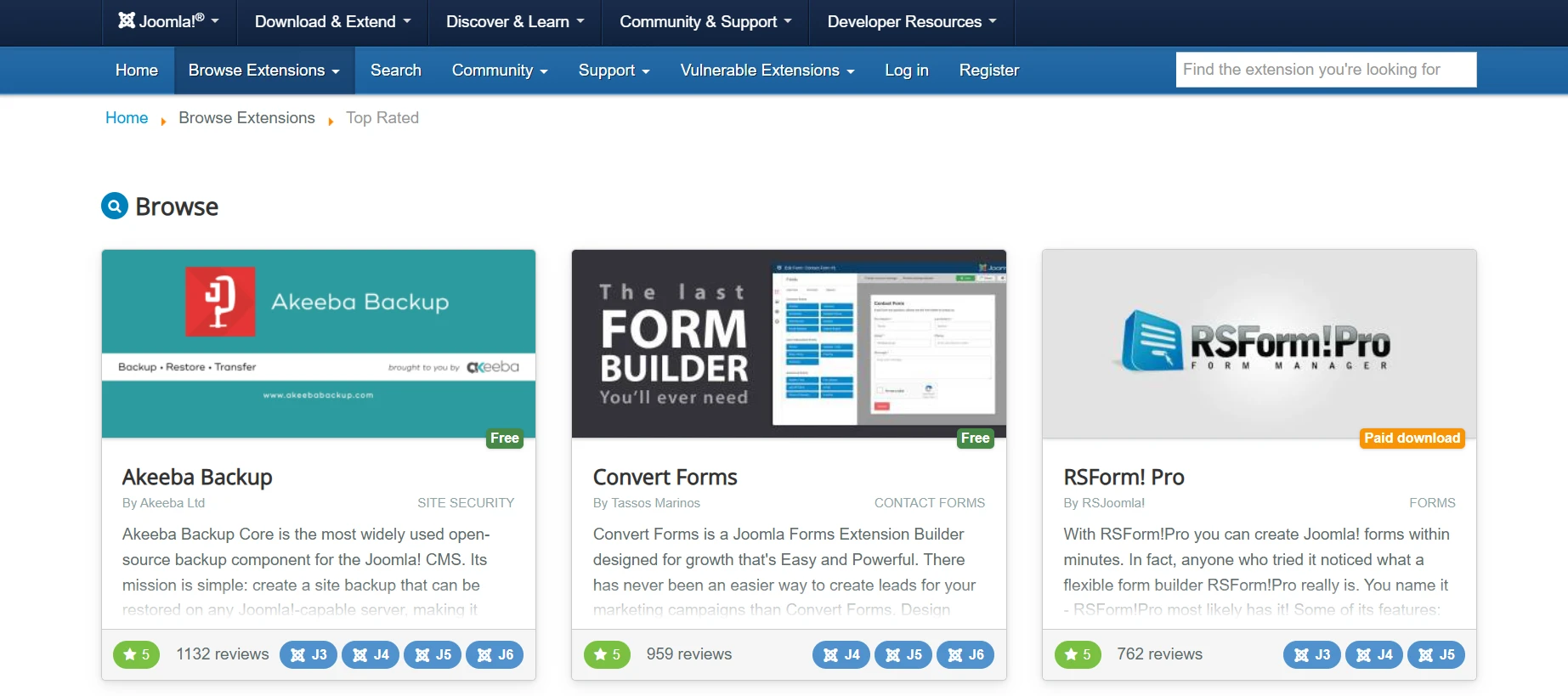
This gives you a lot of flexibility, but it also means you need to choose carefully. Not every extension is fully reviewed or maintained at the same level. Before installing one, you should always check the update history, compatibility, developer reputation, and user reviews.
The good news is that with full access to the server and source code, you are not locked in. If no suitable extension exists, you can still build custom integrations using APIs or develop your own solution.
Wix integration
Wix offers more than 500 apps in the Wix App Market, categorized into six main groups and specific use cases. These apps cover common needs such as marketing, sales, bookings, and site management.
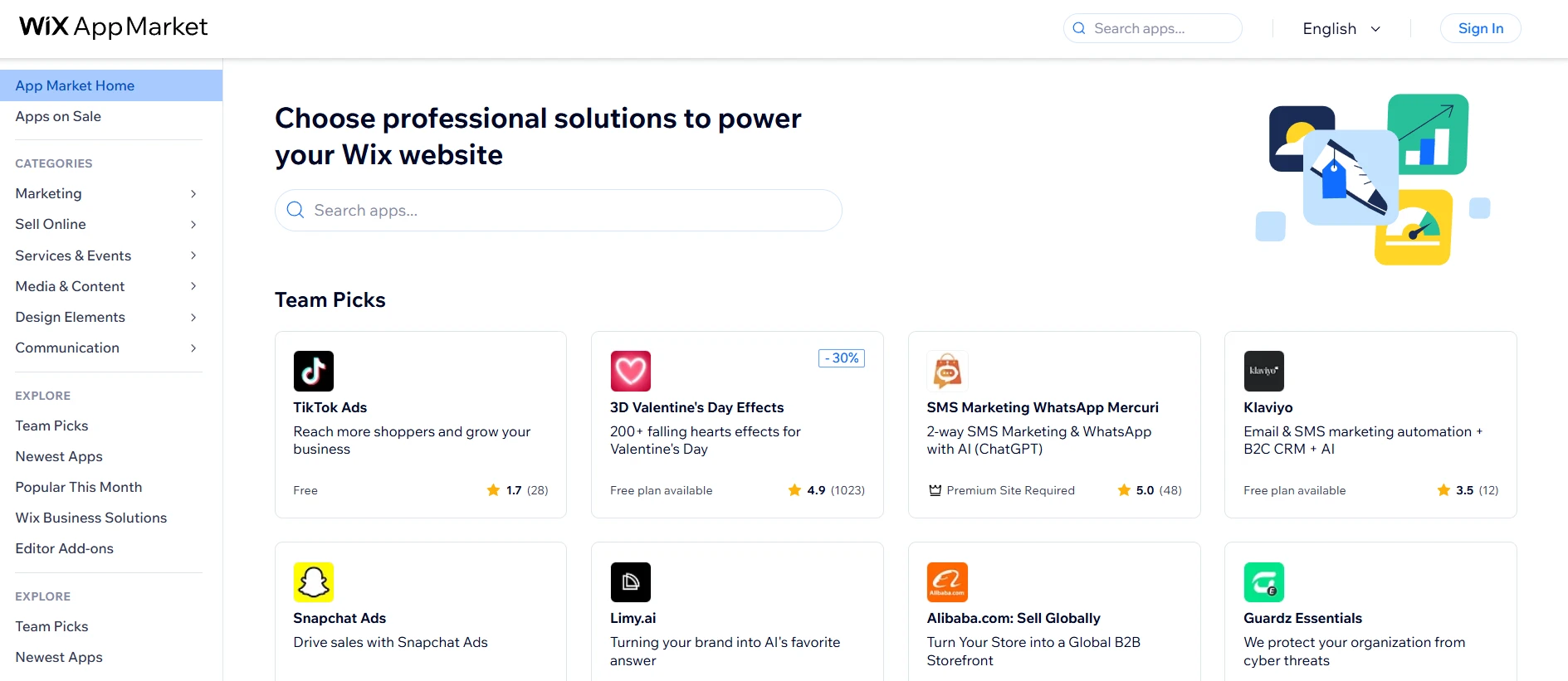
Installing an app is quick and simple. You do not need to worry much about compatibility, security, or technical setup, because Wix manages all of that for you.
That said, this simplicity also sets clear limits. If the integration you need is not available in the App Market, your options are quite restricted. Tools like Velo, webhooks, or iframes can help in some cases.
However, deeper custom integrations – such as full ERP systems, warehouse management, or complex custom APIs – are often difficult or not possible.
So, Wix works best when your integration needs are clear and fairly standard. As long as the apps you need are available in the Wix App Market, you can set everything up quickly without technical effort.
Content Management (Joomla Wins)
The Verdict
Joomla wins when content structure, workflows, and permissions really matter. For simpler sites and small teams, Wix is easier to manage but far less powerful as a CMS.
Joomla CMS
For content creation, Joomla supports a variety of WYSIWYG editors, allowing writers and editors to create and format content visually without touching code. It lets you organize content using categories, tags, and custom fields, and you can go further by creating custom content types through additional components.
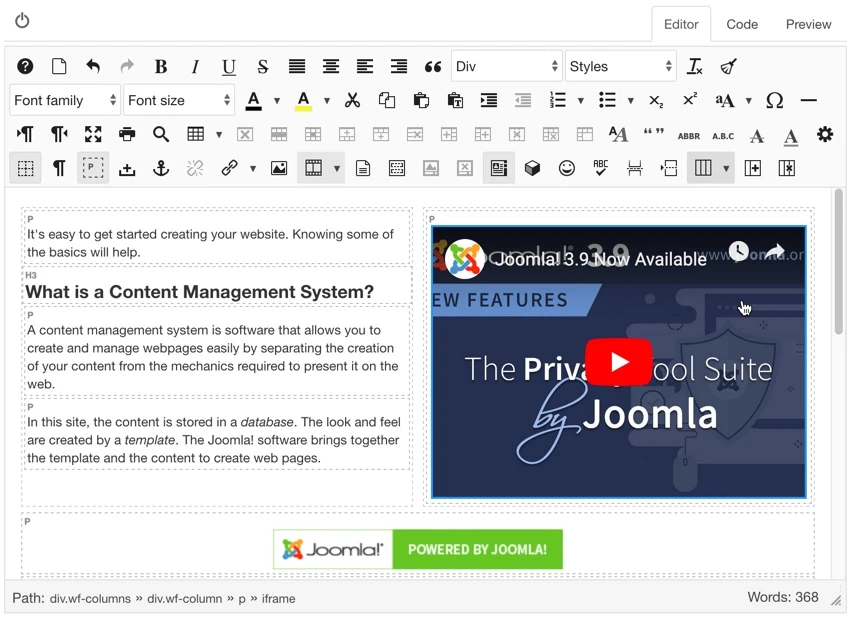
If you are working with a team, Joomla really shows its strength. You can manage content through different states, such as draft, review, and published, and keep track of changes with version history. Detailed user groups and permission settings also make it easier to control who can edit, approve, or publish content.
Wix CMS
On the other side of the Joomla vs Wix discussion, Wix takes a much simpler approach. Wix CMS allows you to create collections of content and connect them to repeaters or dynamic pages. This setup works well for blogs, listings, portfolios, or basic product catalogs.
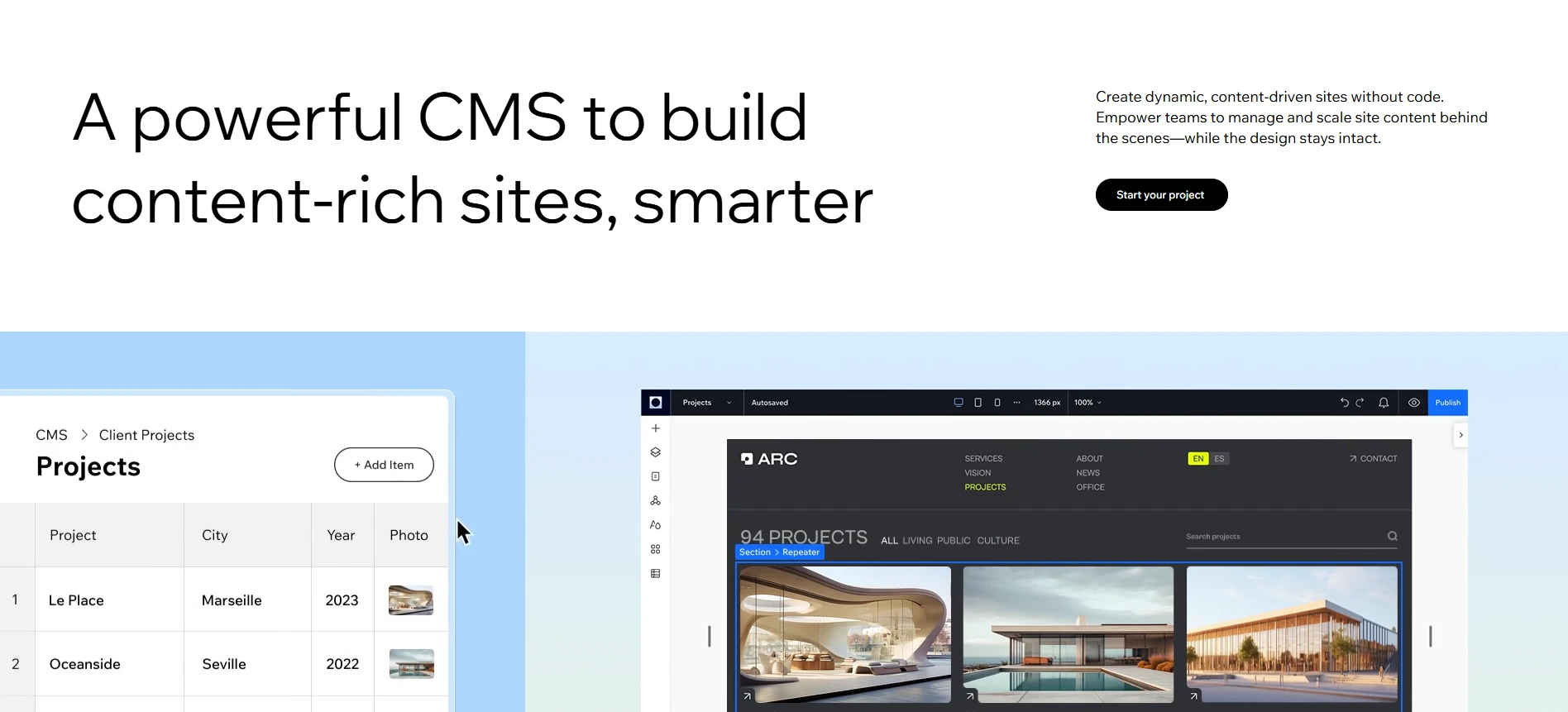
For team access, Wix keeps things straightforward. You can assign roles like site collaborator or store manager and publish content with minimal steps. While this is often enough for small teams, it does not offer the same depth of workflows as Joomla.
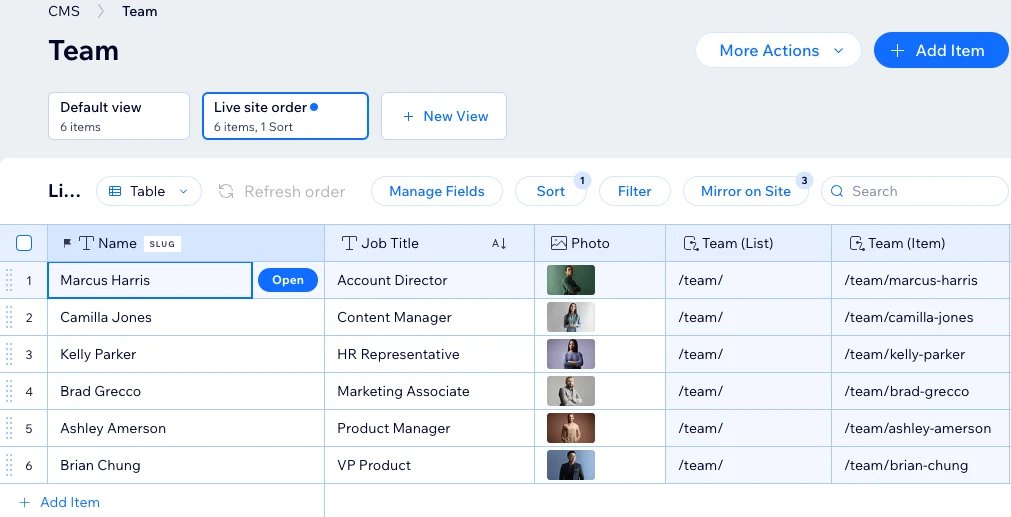
As a result, Wix CMS helps teams move faster, as long as content governance and permissions stay simple.
SEO & Marketing Features (Wix Wins)
The Verdict
While Joomla offers deeper technical control, Wix wins in the Joomla vs Wix comparison by making SEO simpler and more accessible.
Joomla marketing
Out of the box, Joomla supports clean, search-engine-friendly URLs, custom meta titles and descriptions, redirects, and multilingual SEO. You can control SEO settings at different levels, including articles, menus, and categories.
Because you have access to files like robots.txt, .htaccess, templates, and server settings, almost any technical SEO requirement can be implemented. However, this level of freedom comes with responsibility and usually requires solid SEO or technical knowledge to use effectively.
On the marketing side, Joomla takes a more modular approach. Features such as email marketing, forms, lead capture, analytics, and CRM integrations are usually added through extensions. This lets you build custom marketing workflows and connect Joomla with external tools, but it also means setup and maintenance depend on the extensions you choose.
Wix marketing
Meanwhile, Wix comes with built-in tools like the SEO Setup Checklist (formerly Wix SEO Wiz), which walks you through key tasks such as setting page titles, meta descriptions, and indexing options. XML sitemaps are generated automatically, and all templates are mobile-friendly by default.
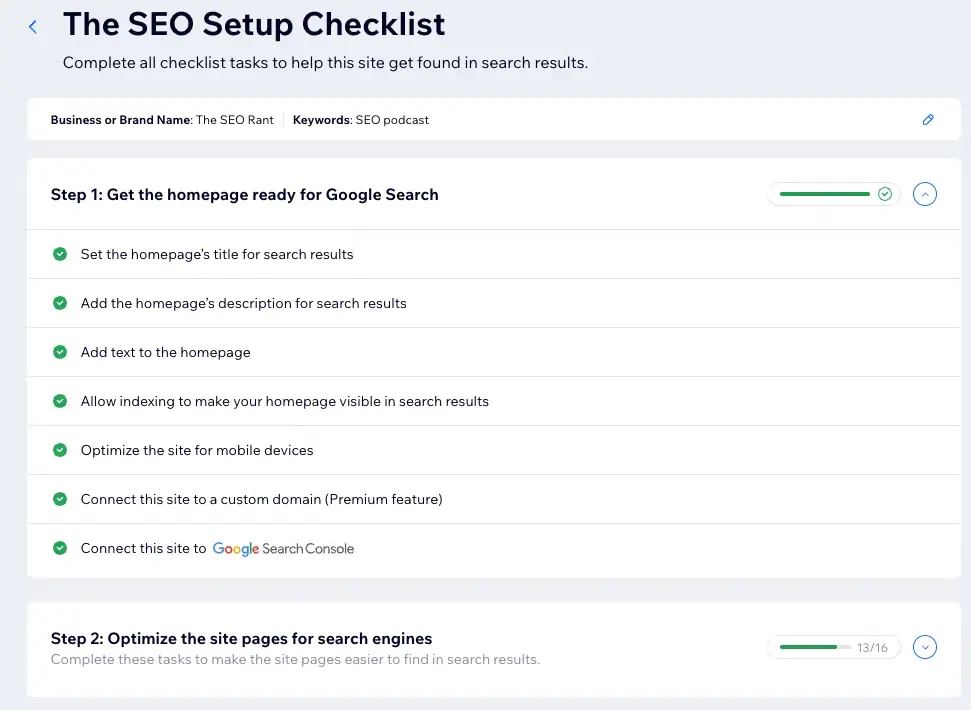
On top of that, Wix leans into AI and automation. Its AI-powered SEO assistants can help generate meta tags, improve on-page copy, and suggest keywords directly inside the SEO dashboard. Connecting Google Analytics and Google Search Console is also simple, so you can track performance without dealing with technical setup.
Beyond SEO, Wix also includes a range of built-in marketing tools designed to help you attract and convert visitors without extra setup. You can create email campaigns, pop-ups, contact forms, and lead-capture elements directly from the dashboard, and manage everything in one place. Wix also offers built-in tools for social media marketing, basic automation, and integrations with popular platforms like Google Ads and Facebook Ads.

Security & Support (Wix Wins)
The Verdict
When comparing Joomla vs Wix for security and support, Wix is the better choice. Security and support are handled for you, with far less hands-on work.
Joomla security & support
If you choose Joomla, security is something you actively take part in. The core platform itself is well built, with features like two-factor authentication, strong password protection, and regular security updates released by the Joomla team.
But in real life, your site’s safety depends a lot on how you manage it. Because Joomla is self-hosted, things like your hosting provider, how often you update the site, and which extensions you install all play a big role. Many security issues happen not because Joomla is weak, but because sites are outdated or poorly maintained.
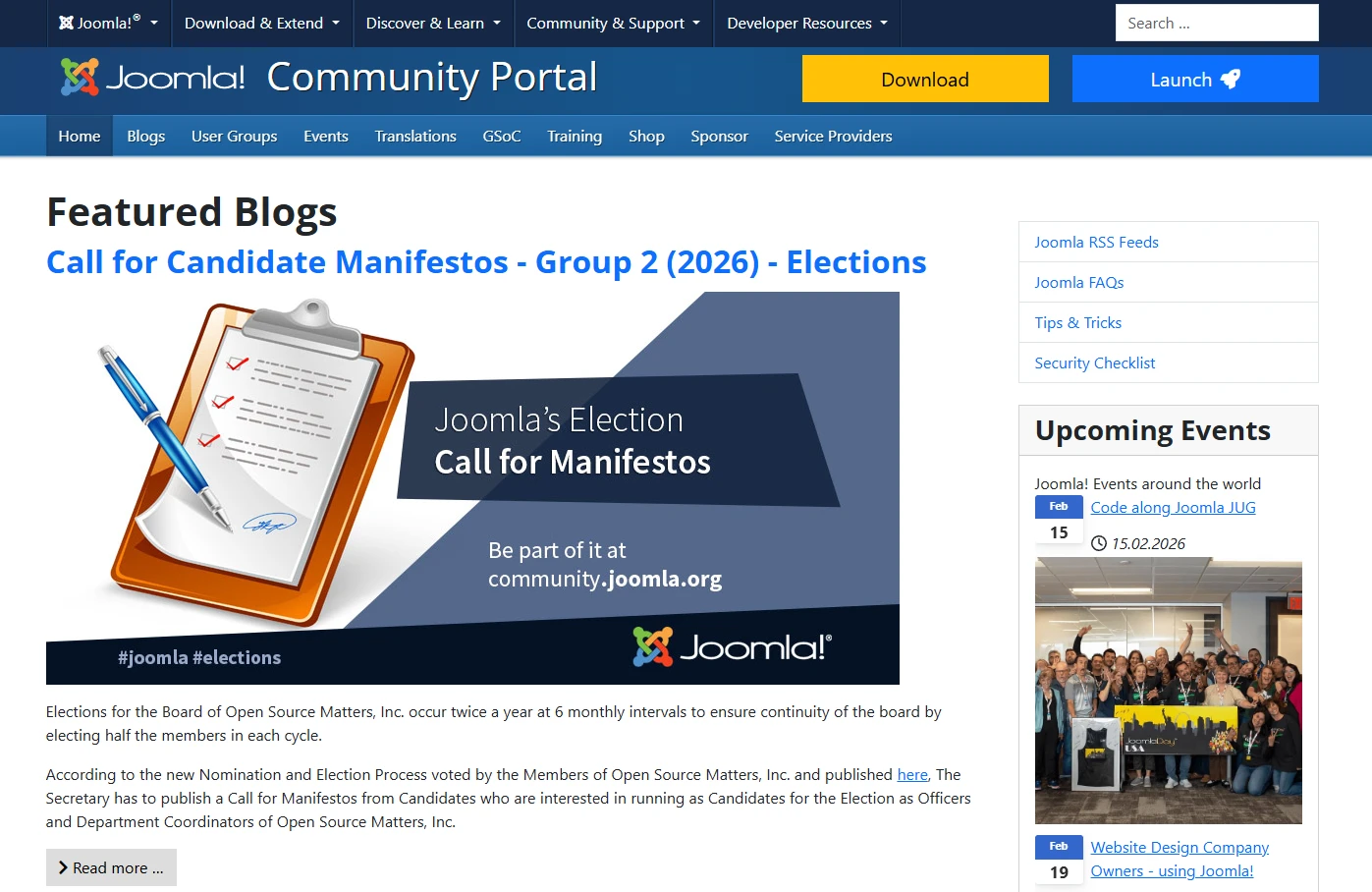
This naturally affects support as well. Joomla does not come with official one-to-one vendor support for your site. Instead, you rely on community forums, documentation, tutorials, and local user groups, or you hire agencies and freelancers when you need help.
Wix security & support
With Wix, the experience feels very different. Security is mostly invisible, and that is intentional. Wix takes care of SSL, data encryption, DDoS protection, and constant monitoring at the platform level, so you rarely have to think about it.
Updates and security fixes happen automatically in the background. You do not manage servers, apply patches, or worry about hardening your site, because Wix handles all of that for you. For many users, this alone brings a lot of peace of mind.
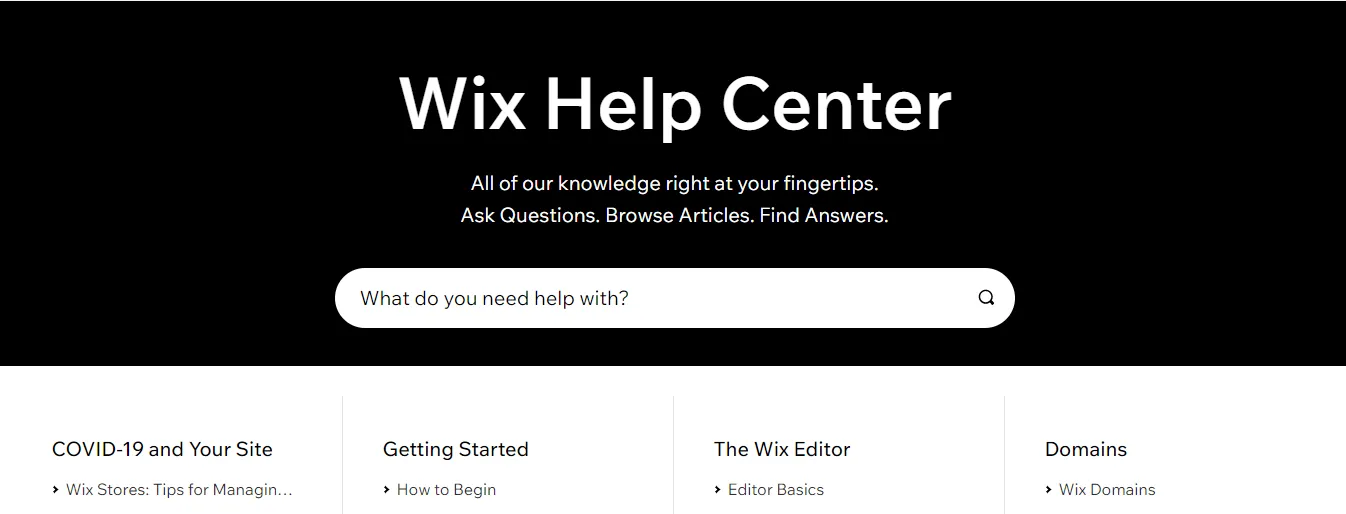
Support follows the same philosophy. If something goes wrong, you know exactly where to go: the Wix Help Center, support tickets, and in some plans, priority or phone support. Add to that in-editor tips and tutorials, and you are never expected to deal with hosting or technical infrastructure on your own.
Between Joomla vs Wix, we can see that Wix offers a worry-free experience for users who prefer not to deal with security or infrastructure.
Joomla vs Wix: FAQs
Is Joomla still relevant in 2026?
Yes. Joomla is still relevant in 2026, especially for content-heavy and complex websites. It continues to be used by organizations that need structured content, multilingual support, and advanced access control, even though it is no longer the default choice for beginners.
Does anyone use Joomla anymore?
Yes, many organizations still rely on Joomla today. It powers hundreds of thousands of websites worldwide, particularly in education, government, nonprofits, and large content portals. While it is less visible than newer website builders, it remains active in professional and institutional use cases.
Do professional website builders use Wix?
Yes, many professionals do use Wix, especially for small businesses, landing pages, portfolios, and fast turnaround projects. Agencies often choose Wix when clients want speed, visual editing, and minimal technical maintenance rather than deep customization.
What is the downside of Wix?
The main downside of Wix is flexibility at scale. While it is easy to use, it has limits when you need deep customization, complex integrations, or advanced performance tuning. Once a site grows beyond standard features, these limitations can become noticeable.
Conclusion
In short, there is no one-size-fits-all winner in Joomla vs Wix. The right platform is the one that matches your skills, resources, and how you plan to grow your website over time.
Hopefully, this article has helped you decide the platform that fits your business best. For more eCommerce insights and practical guides, explore our other blog posts and join our community to learn and grow with other merchants.


