If you’re comparing Drupal vs BigCommerce, chances are you’re already dealing with real constraints – scale, complexity, and long-term maintainability. Yet, these two platforms approach eCommerce from very different angles, shaping how you build, scale, and operate your store over time.
In this comparison, we will focus on the practical trade-offs that actually matter once basic features are no longer the question. Here are the key points we will break down:
- Pricing;
- Ease of use;
- Themes & customization;
- eCommerce features;
- Apps & integrations;
- CMS & B2B;
- Developer tools & scalability;
- Performance & security;
- Customer support.
Continue reading for more details!
Drupal vs BigCommerce: Which Platform Should You Choose?
Before diving into the detailed comparisons, it helps to understand how Drupal vs BigCommerce differ at a high level. The scorecard below provides an early snapshot of each platform’s strengths and the business types they typically serve best.
Criteria | Drupal | BigCommerce |
Pricing | ||
Ease of use | ||
Customization | ||
eCommerce features | ||
CMS & content management | ||
B2B capabilities | ||
Apps & integrations | ||
Developer tools | ||
Performance & security | ||
Customer support | ||
Best-fit business types | • Content-heavy enterprises • Media & publishing brands • Government & education organizations • Enterprises with in-house dev teams | • Hybrid B2B/B2C businesses • Mid-market & enterprise retailers • Fast-scaling eCommerce brands • Enterprises prioritizing stability & speed |
What is Drupal?
Drupal is an open-source content management system founded in 2001. Over the past two decades, it has evolved into a mature, enterprise-grade CMS trusted by governments, universities, and large organizations worldwide.
As businesses began using Drupal for more than content-driven websites, its role naturally expanded into eCommerce. In these use cases, Drupal is commonly extended with Drupal Commerce to handle products, checkout, and payments.
Today, Drupal powers more than 400,000 websites, highlighting its long-standing presence and continued relevance in large-scale digital projects. To better understand what this means in practice, the table below breaks down Drupal’s key strengths and limitations:
Drupal pros | Drupal cons |
|
|
This sets the stage for comparing Drupal with a commerce-first platform like BigCommerce.
What is BigCommerce?
Founded in 2009, BigCommerce is a SaaS-based eCommerce platform designed to support online selling from the start. You can find all the native features for product management, checkout, and payments as part of the core platform. Today, it is the home of over 40,000 live websites across different industries and markets.
More recently, the platform became part of Commerce.com, following a rebrand that brought together Feedonomics and Makeswift under one parent brand. This move reflects a broader shift toward a modular commerce ecosystem that spans storefront experience, core commerce, and product data syndication.
Based on our hands-on experience with BigCommerce, the following table outlines the main pros and cons:
BigCommerce pros | BigCommerce cons |
|
|
This overview highlights the focus of BigCommerce or Drupal Commerce. Below is a detailed comparison across key eCommerce areas.
Total Cost of Ownership (Beyond Pricing Pages)
Our Verdict
In this Drupal vs BigCommerce pricing comparison, BigCommerce is more affordable due to its predictable subscription pricing. Meanwhile, Drupal trades higher long-term costs for flexibility and control.
Drupal
Drupal is often described as “free” because it is open-source and does not charge a license fee. In reality, the total cost of ownership extends well beyond the initial setup and depends heavily on infrastructure and development needs.
Here are the main cost components you’ll typically need to factor in:
- Domain name: you’ll usually spend around $10 per year.
- Hosting: entry-level plans often start at about $4 per month.
- Paid theme (optional): if you don’t want to design from scratch, premium themes can start from around $20 per month.
- Plugins and modules (optional): you may rely on free modules at first, but advanced features can cost anywhere from a few dollars to $1,000+ for premium solutions.
- Developer fees: in most cases, you should expect ongoing development work, typically around $40 per hour, for setup, customization, updates, and maintenance.
For simpler implementations, the total cost of ownership on Drupal often starts around $2,000–$5,000 annually. As customization, ongoing updates, and maintenance increase, total annual costs typically rise to $10,000–$30,000 or more, with enterprise-level projects often exceeding this range over time.
BigCommerce
With BigCommerce, the total cost of ownership is closely tied to how much revenue your store generates. The platform uses a subscription-based pricing model where each plan comes with an annual online sales threshold, and moving beyond that limit requires upgrading to a higher tier.
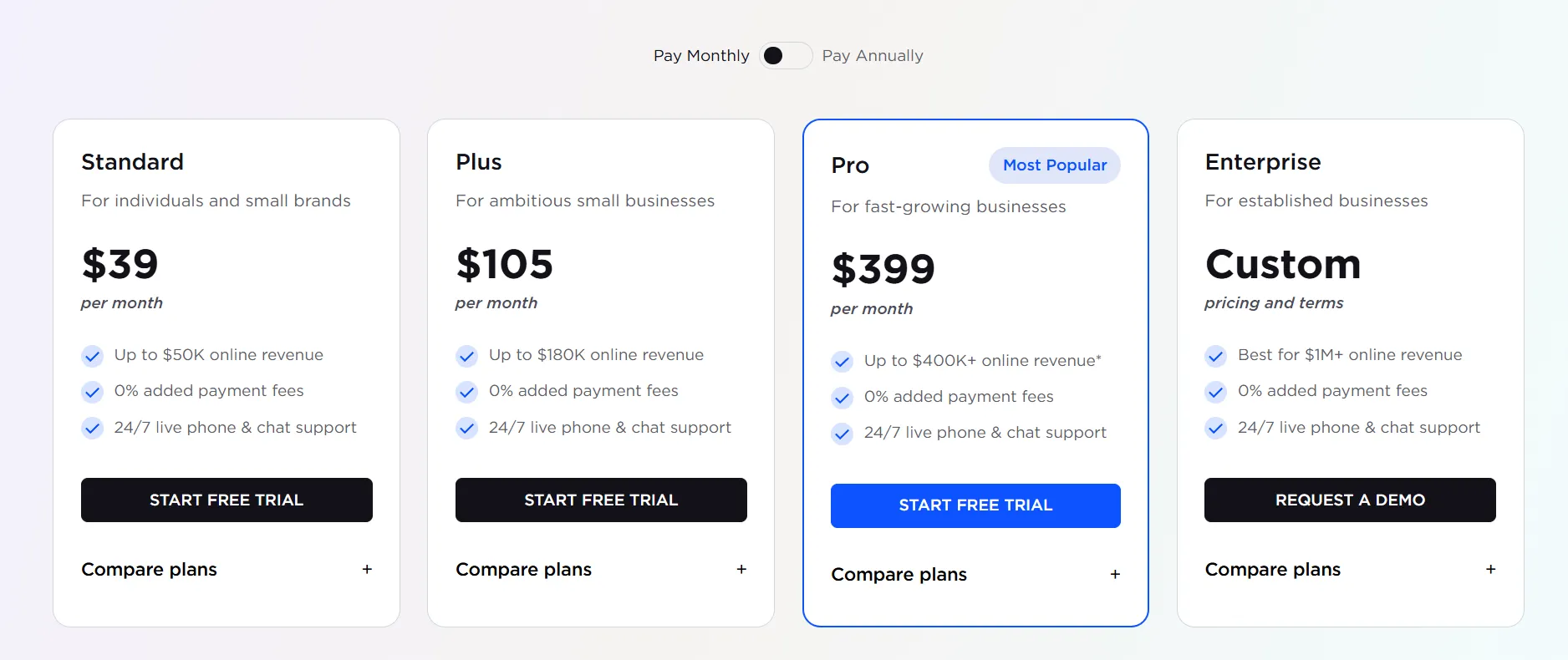
In practice, many smaller stores operate within an annual cost range of $1,500–$4,000 under standard plans. Once higher revenue thresholds or advanced features come into play, total ownership costs usually move into the $5,000–$12,000+ per year range.
Compared to Drupal, the key difference here is not lower cost at scale, but clearer budgeting and fewer hidden operational expenses. With BigCommerce, most infrastructure, performance, and security costs are bundled into the platform, making long-term spending easier to forecast as your business grows.
Ease of Use
Our Verdict
When it comes to ease of use, BigCommerce is clearly the more accessible platform. It removes most technical barriers upfront that are required when you work with Drupal.
Drupal
From a usability standpoint, Drupal presents a steep learning curve early on. Getting the platform up and running already requires you to handle several technical steps after downloading the files, such as:
- Updating the codebase with Git,
- Installing PHP libraries via Composer,
- Setting up a database,
- Running an installation script, and
- Managing the source code.
After setup, Drupal’s admin interface does not follow a fixed or opinionated layout. What you see in the backend depends heavily on which modules you install and how the system is structured.
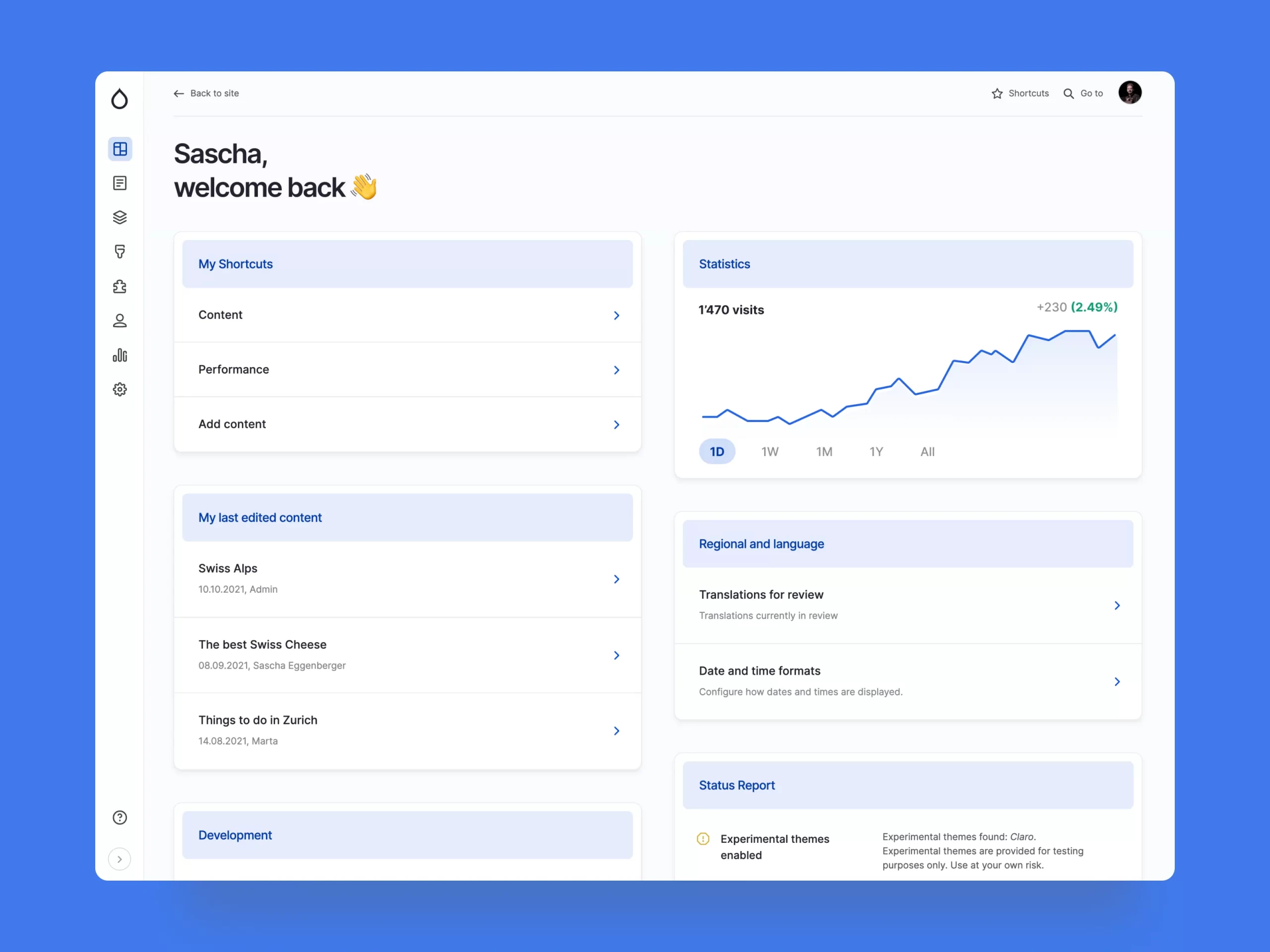
As a result, Drupal’s ease of use is highly customizable – but also highly dependent on technical decisions made early on. A well-configured admin can feel clean and efficient, while a poorly planned setup may feel fragmented or overwhelming. Thus, if you are a newcomer, we highly recommend checking out some of the common Drupal modules like Admin Toolbar, Gin Admin or Layout Builder, etc.
BigCommerce
By comparison, BigCommerce is much easier to get started with. Store creation begins with a simple signup process. Within minutes, you’re taken straight into the admin dashboard, without having to deal with hosting, databases, or code configuration.
Once inside, the dashboard reflects BigCommerce’s recent usability-focused redesign. The interface is cleaner, navigation is more straightforward, and key tools are easier to find thanks to clearer labels and a centrally placed search bar.
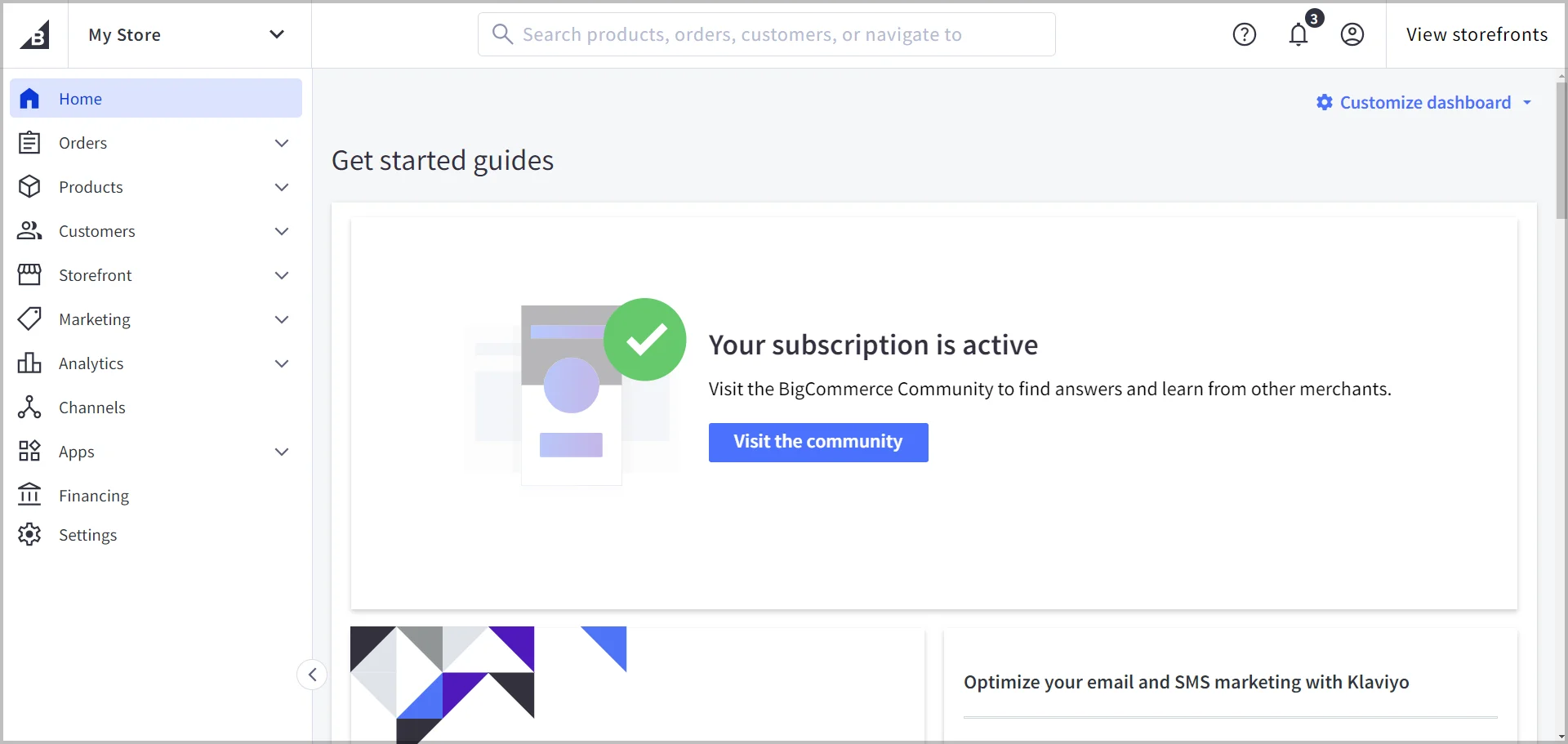
To help you move faster, the platform also includes built-in onboarding guidance that walks you through essential launch steps. Just follow that, and your store is ready to be taken to the more advanced configurations.
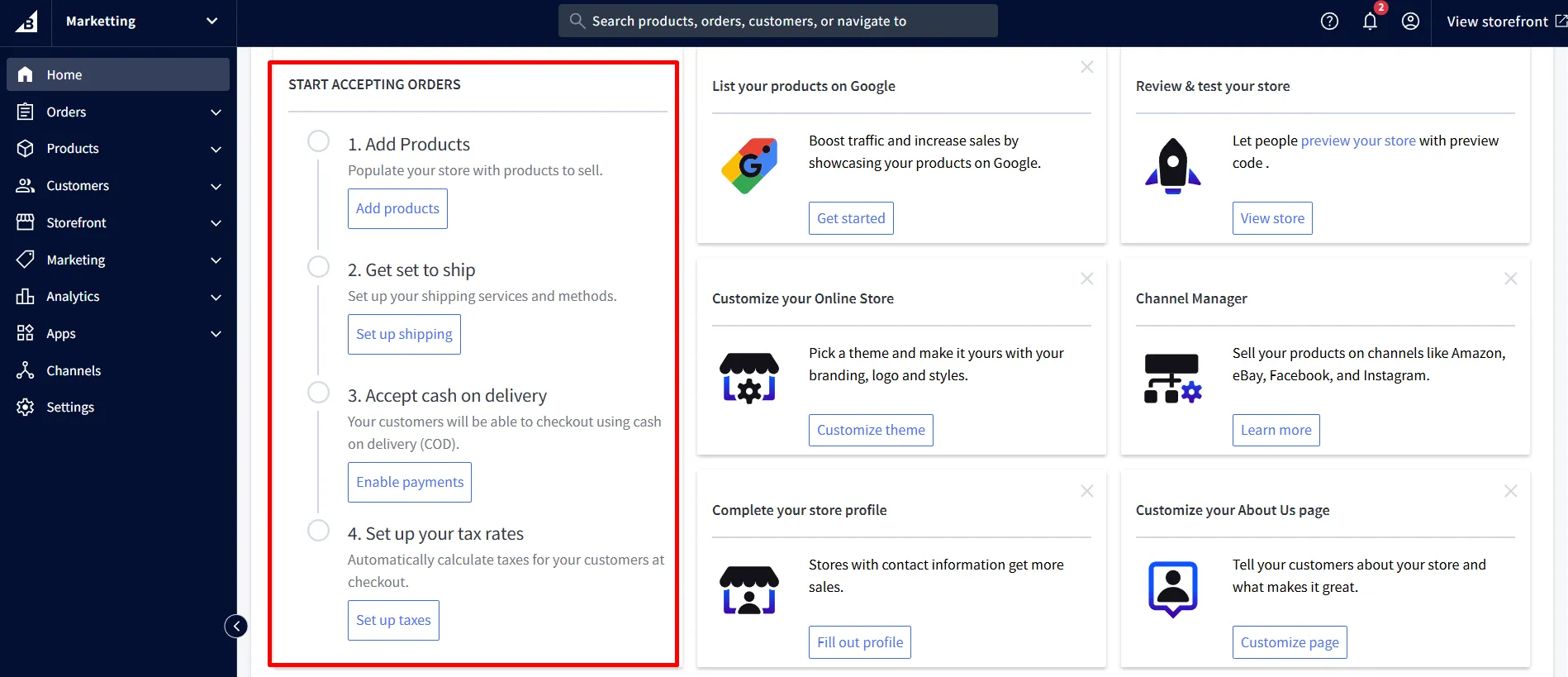
This guided setup removes much of the technical overhead, which makes getting started on BigCommerce noticeably simpler compared to Drupal.
Themes & Customization
Our Verdict
Comparing Drupal vs BigCommerce, the latter wins overall because it delivers strong flexibility while remaining far easier to use. Meanwhile, Drupal trades ease of use for deeper control.
Drupal
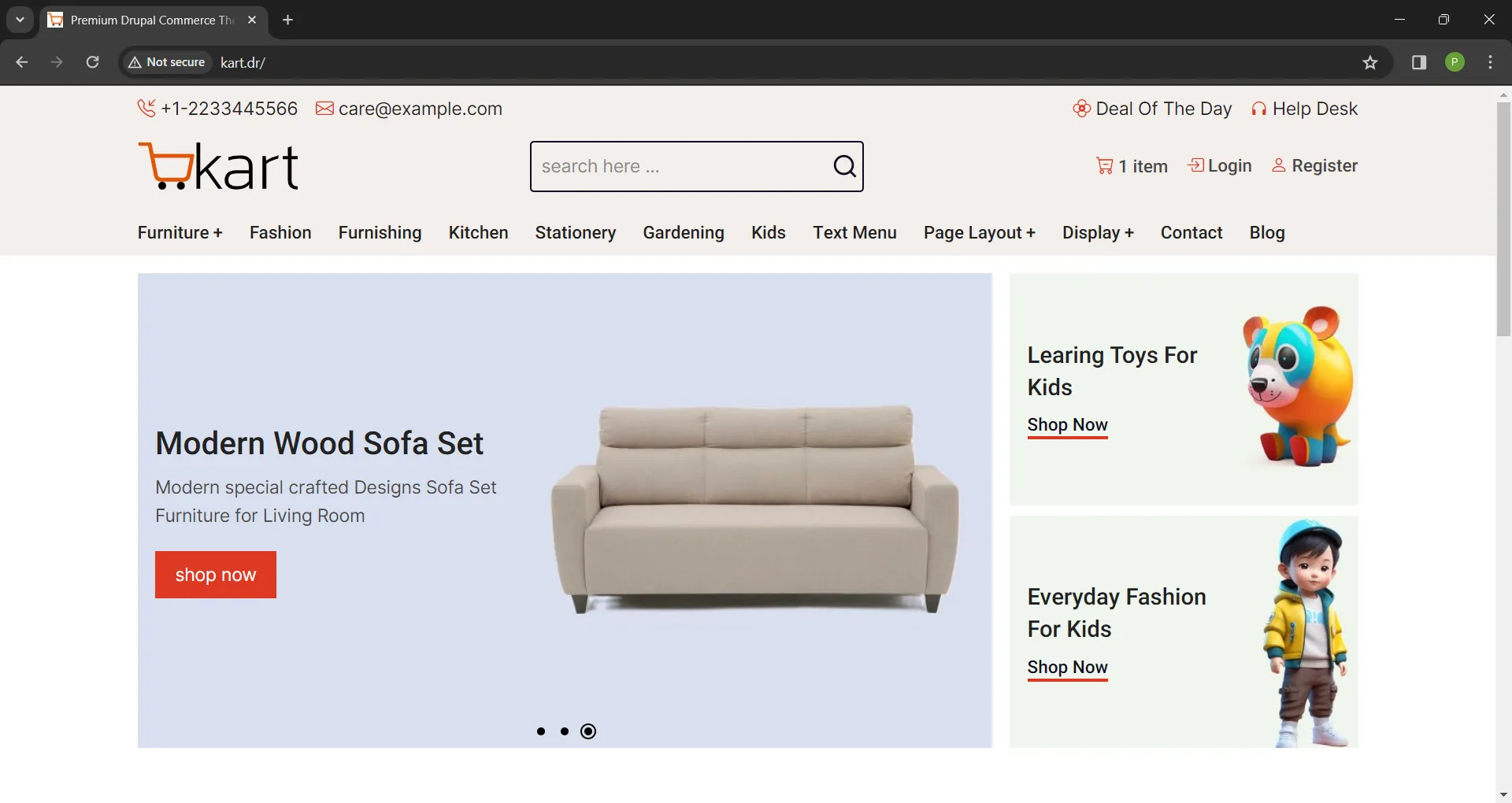
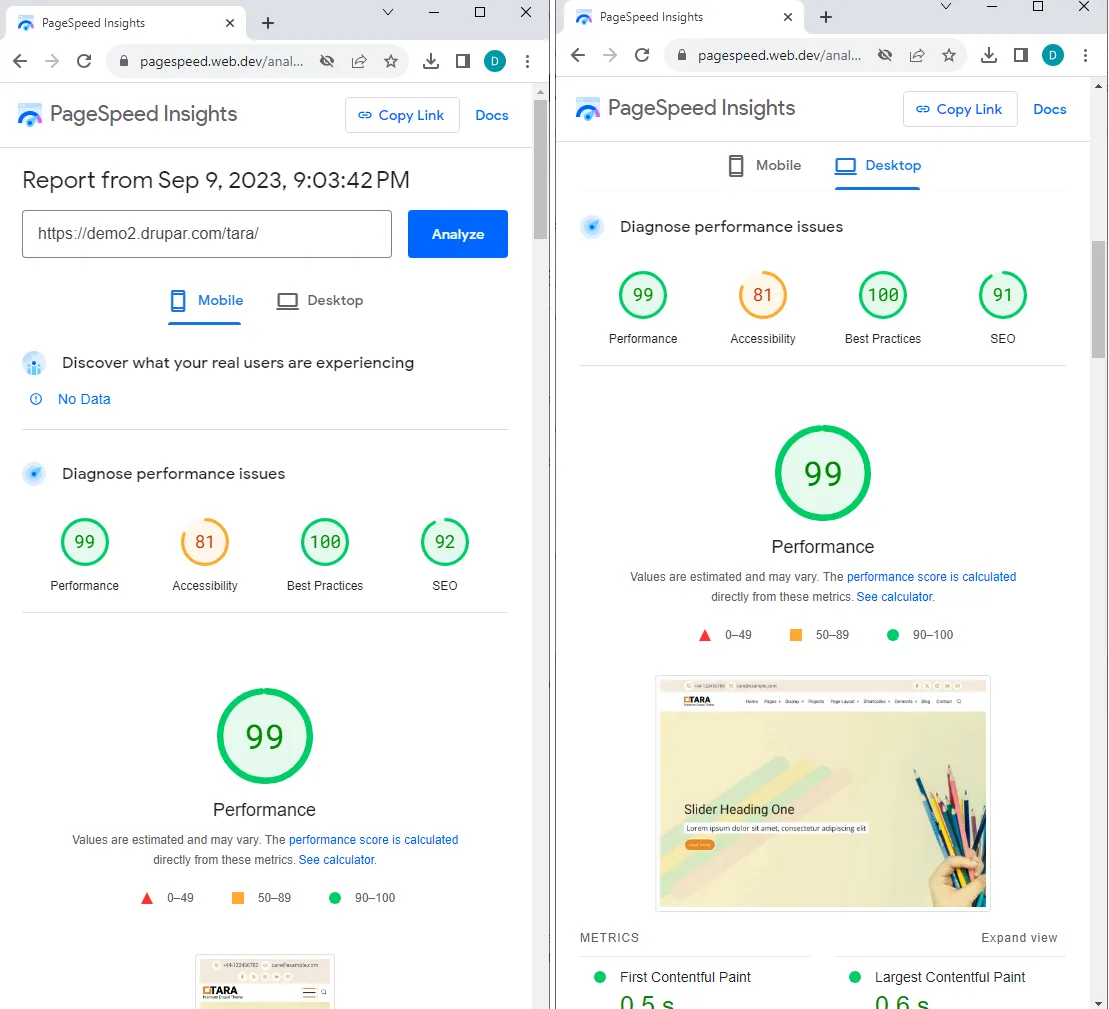
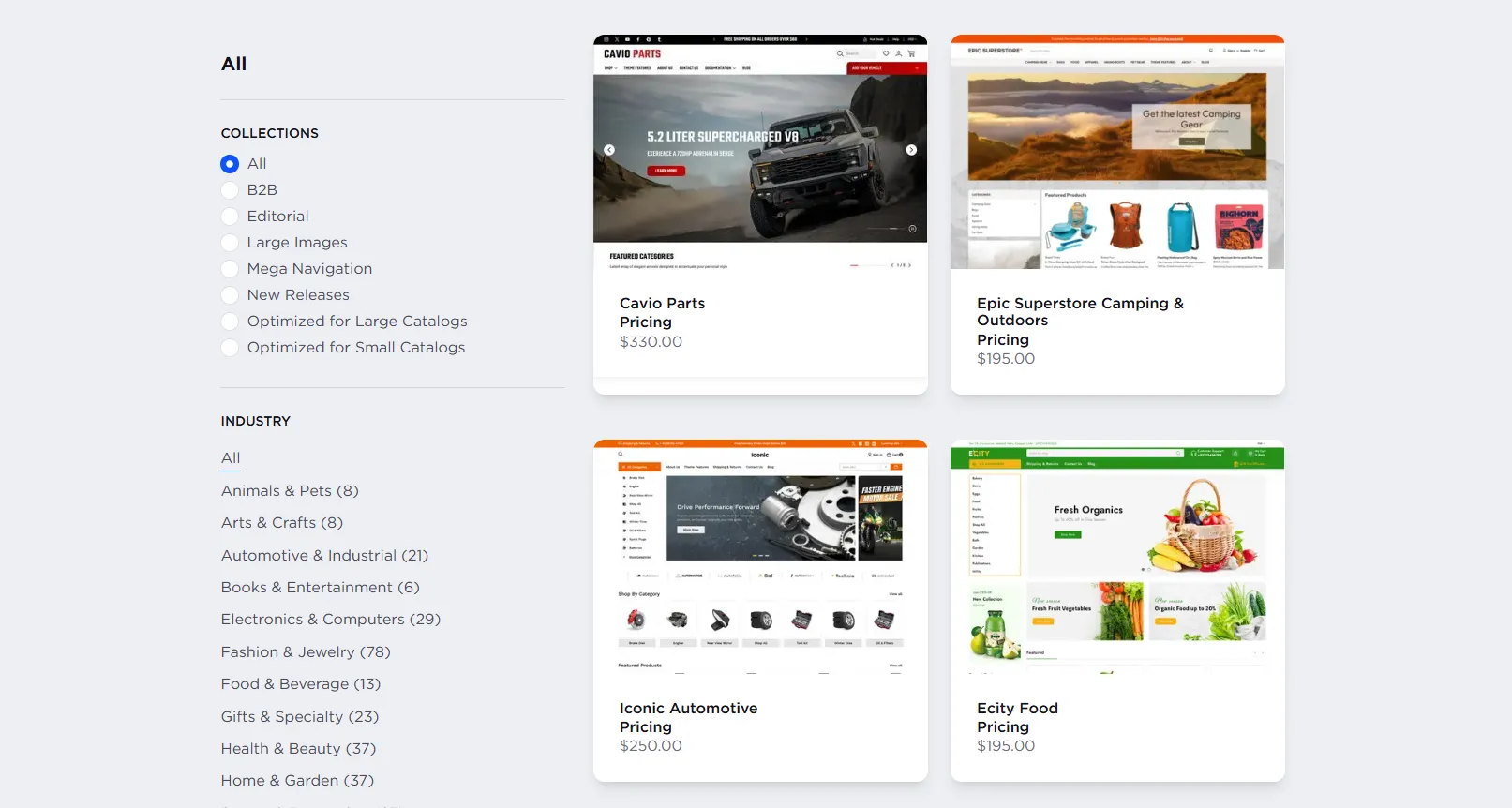
The Drupal ecosystem currently provides over 3,000 themes, including free community themes and premium options from third-party vendors. These themes generally prioritize clean markup and efficiency, which helps Drupal storefronts deliver fast load times and high performance scores in real-world setups.
For instance, this is the website speed score of the Tara theme demo:
The platform stands out for its depth of customization. Themes are built with Twig templates and closely connected to content structures and layouts, giving you full control over how pages are rendered. You can fully customize templates, override markup, adjust caching behavior, and fine-tune performance directly at the theme layer.
Drupal also allows you to upload and use fully custom-built themes, making it suitable for brands that need a completely unique storefront or strict design system alignment. Combined with tools like Layout Builder and component-based theming approaches, teams can create highly tailored experiences that go far beyond preset theme options.
This flexibility is powerful, but it relies heavily on front-end development skills rather than visual, drag-and-drop tools.
BigCommerce
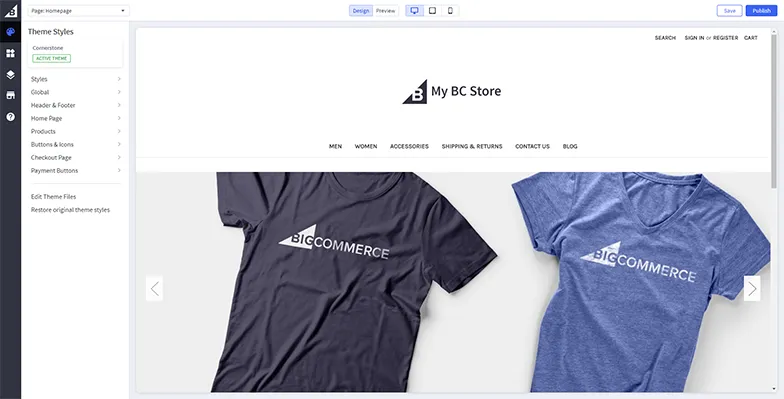
With BigCommerce, you can choose from their collection of 200+ professionally designed themes, including both free and premium options. If none of them satisfy your needs, you can modify its default theme for every new store called Cornerstone Light.
Customization is largely handled through Page Builder – BigCommerce’s visual editing tool. It allows you to adjust layouts, rearrange sections, and fine-tune design elements like colors, fonts, and buttons without touching code, while previewing changes in real time.
For more advanced needs, Enterprise users can work directly with theme code using Stencil CLI. For headless storefronts, Catalyst provides a Next.js-based framework focused on performance, flexibility, and modern development workflows.

Overall, BigCommerce can achieve a level of flexibility comparable to Drupal through headless setups and direct theme customization. The difference is that this flexibility is delivered in a more guided and user-friendly way.
eCommerce Features
Our Verdict
In this Drupal vs BigCommerce comparison, BigCommerce wins on eCommerce features thanks to its comprehensive, ready-to-use functionality and native B2B capabilities. Meanwhile, Drupal stands out for its flexibility through customization.
To compare eCommerce capabilities fairly, it’s important to clarify the scope first. Drupal does not provide native eCommerce features on its own – all selling functionality is delivered through Drupal Commerce.
Thus, this section focuses on a direct comparison between Drupal Commerce vs BigCommerce across essential eCommerce features.
Features | Drupal Commerce | BigCommerce |
Product management | • Create unlimited custom product types • Add custom fields (specs, attributes, B2B data) • Fully customizable product data models | • Standard product structure • Support for up to 600 variants per product • SKU-based product management |
Product types | • Support physical products • Support digital products via modules • Custom fulfillment logic | • Physical, digital products and downloads • Built-in fulfillment settings |
Inventory & order | • Custom inventory logic with ERP/PIM integrations • Custom order states and workflows | • Inventory tracking with ERP integrations via apps/APIs |
Catalog & categories | • Taxonomy-based category structures • Custom navigation logic • Faceted navigation via modules | • Category and subcategory management • Menu-based storefront navigation |
Cart | • Customizable cart behavior • Rule-based cart logic | • Basic cart functionality settings |
Checkout | • Fully customizable checkout flow • Custom fields and steps via development | • Hosted checkout • Configurable payment and shipping rules |
Payments | • Payment gateway integrations via modules • Custom payment logic possible | • Native integrations with 65+ global payment gateways |
Shipping | • Custom shipping rules • Carrier integrations via modules | • Shipping zones and rates • Carrier integrations via apps |
Taxes | • Tax rules via modules/integrations • Custom tax logic possible | • Tax configuration in admin • Automated tax integrations |
Promotions & discounts | • Rules-based promotions • Conditions, actions, segmentation | • Built-in promotion rules |
Multilanguage | • Native multilingual CMS • Content and entity translation | • Language handling via themes/apps • Headless CMS integrations |
Headless commerce | • REST, JSON:API, GraphQL (via modules) • CMS + commerce backend | • REST and GraphQL APIs • Headless storefronts with Catalyst |
This comparison highlights a clear difference in approach: Drupal prioritizes flexibility through configuration and development, while BigCommerce focuses on delivering complete eCommerce features with less setup overhead.
Apps & Integrations
Our Verdict
In this Drupal vs BigCommerce comparison, Drupal wins due to its unmatched extensibility and flexibility across apps and integrations. This makes it better suited for highly customized and integration-heavy eCommerce setups.
Drupal
Drupal offers an extensive ecosystem of extensions, with over 54,000 modules available in its community repository. These modules allow you to modify existing functionality or introduce entirely new features for your website.
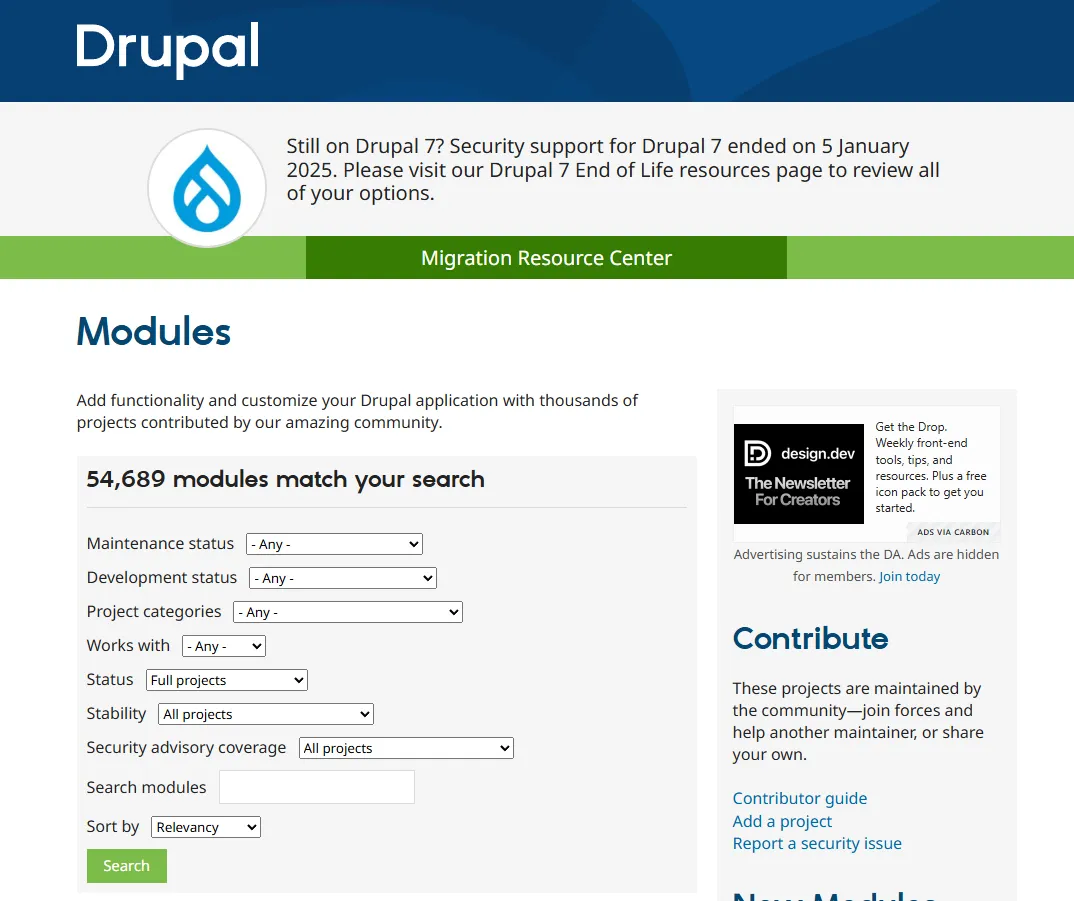
While the size of Drupal’s module ecosystem is a major strength, it also comes with added responsibility. Not all modules are vetted before release, so we recommend prioritizing well-maintained modules with clear security coverage and active community adoption.
BigCommerce
Compared to Drupal, BigCommerce offers a much smaller app ecosystem, with just over 1,200 apps available. These apps are organized by specific business needs and can be installed quickly, with minimal setup. You can also be confident that apps listed in the marketplace are reviewed to meet platform quality and reliability standards.
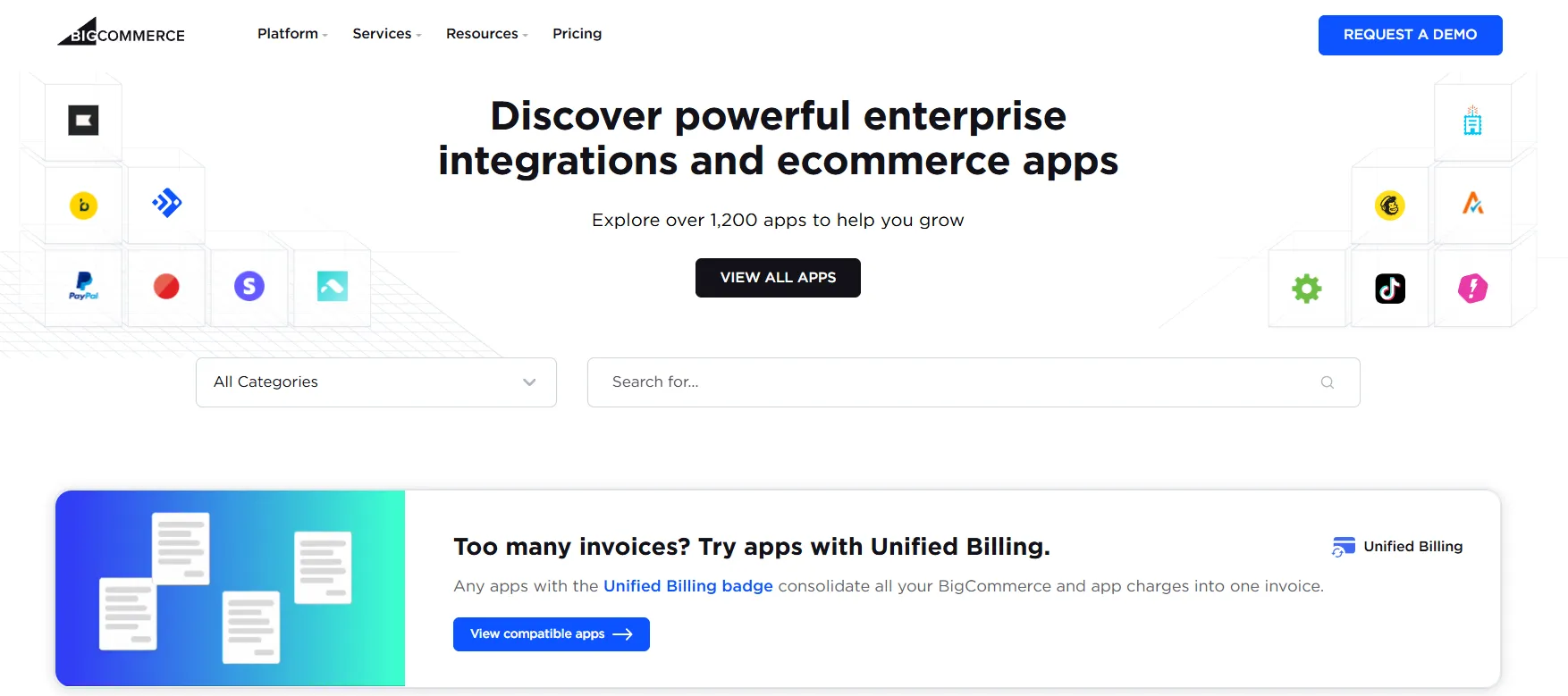
For Enterprise merchants, integration capabilities go beyond the app marketplace through a network of dedicated technology partners. BigCommerce also supports headless commerce, allowing businesses to build fully custom front ends without disrupting core backend operations.
In this case, a smaller app ecosystem is not necessarily a drawback. BigCommerce prioritizes quality over volume, which results in more stable integrations and fewer hidden issues when scaling or maintaining the store over time.
CMS & B2B
Our Verdict
In this Drupal vs BigCommerce comparison, BigCommerce clearly wins for CMS & B2B thanks to its native B2B capabilities and proven enterprise performance. Drupal remains strong on content management, but BigCommerce leads when it comes to ready-to-use, scalable B2B commerce.
Drupal
Since Drupal originally started as a CMS, its content management capabilities are well established. The platform excels at handling complex content structures, multilingual setups, and editorial workflows at scale. To support these CMS requirements, Drupal provides tools such as:
- Content types & fields for building structured content models.
- Views for dynamically displaying content based on custom logic.
- Layout builder for flexible page and layout control.
- Workflows & content moderation for multi-step editorial processes.
In addition to its traditional CMS capabilities, Drupal has started integrating AI-powered tools into its content workflows. Through the Drupal AI initiative, the platform supports AI-assisted content creation, summarization, translation, and metadata generation, helping teams work faster with large volumes of content.
On the B2B side, Drupal does not provide ready-made B2B features out of the box. Instead, these capabilities are assembled through Drupal Commerce and supporting modules. This approach allows you to support advanced requirements like custom pricing, role-based access, account-specific catalogs, and complex approval workflows.
However, please be aware that they require planning, configuration, and often ongoing development to match specific business processes.
BigCommerce
Instead of deep content modeling, BigCommerce focuses on giving merchants practical tools to manage storefront content quickly and efficiently. For CMS needs, you can find these tools:
- Visual page creation through Page Builder, allowing you to create and edit pages without code.
- Reusable content blocks for banners, text, images, and promotional sections.
- Content scheduling to plan campaigns and updates in advance.
- SEO-friendly page management, including control over URLs, metadata, and on-page content.
- Headless CMS support, enabling integration with external CMS platforms when more advanced content management is required.
BigCommerce offers a dedicated B2B edition, which is where the platform clearly stands out compared to Drupal and many other eCommerce solutions. According to the Paradigm B2B Combine (Mid-Market Edition), BigCommerce’s B2B eCommerce solution received medals in all 12 evaluation categories, outperforming every other competitor included in the report.
Instead of relying heavily on custom development, BigCommerce delivers native B2B functionality built directly into the core platform. This is backed by a suite of built-in B2B tools designed to support real-world enterprise workflows.
- Company accounts with multiple buyers under one organization.
- Customer groups and price lists for account-specific pricing and catalogs.
- Shared shopping lists and quick reordering for repeat purchases.
- Quote management and approval workflows for structured B2B buying processes.
Overall, BigCommerce delivers a CMS that is optimized for commerce execution rather than content complexity. When combined with its built-in B2B features and headless integrations, it provides a practical balance between content control and operational efficiency.
Developer Tools & Scalability
Our Verdict
Drupal takes the lead thanks to its full codebase access, deeper developer control, and a strong community-driven ecosystem. BigCommerce scales well at the platform level, but offers less flexibility for teams that need low-level customization.
Drupal
Built with developers in mind, Drupal provides full access to the codebase and a highly modular architecture. Compared to BigCommerce’s managed model, this level of control is significantly deeper, allowing teams to customize nearly every layer of the system based on their technical requirements.
It supports modern workflows through tools like Composer, Git, and Twig, and offers strong API support for headless or decoupled builds. These tools are reinforced by an active global developer community that maintains the core platform and shares technical best practices.
From a scalability standpoint, Drupal is proven at the enterprise level and can handle large volumes of content and traffic. However, this scalability typically depends on proper infrastructure setup and ongoing technical maintenance rather than out-of-the-box configuration.
BigCommerce
Instead of exposing the full codebase like Drupal, BigCommerce is built around an API-first, platform-managed model. Developers interact with the system through APIs, webhooks, and SDKs, which enables customization and headless storefronts without direct access to core infrastructure.
This approach shifts much of the operational responsibility away from development teams. While BigCommerce offers less low-level control than Drupal, it compensates with predictable scalability. Tools such as REST and GraphQL APIs and frameworks like Catalyst support composable and headless setups, while infrastructure, performance, and updates remain managed by the platform.
In practice, this means BigCommerce scales more easily out of the box. Compared to Drupal, developers spend less time on system maintenance and more time building features, integrations, and customer-facing experiences.
Performance & Security
Our Verdict
In this Drupal vs BigCommerce comparison, BigCommerce wins thanks to consistent, platform-managed performance and security. Drupal can match this performance, but only when you invest heavily in setup, tuning, and ongoing maintenance.
Drupal
With Drupal, website speed and security are not fully out-of-the-box. They depend on how well you configure caching, optimize the database, and keep core and modules up to date. When everything is set up properly, Drupal can scale and perform well, but without the right technical setup, both performance and security can become issues.
Platform version upgrades add another layer of complexity. Major Drupal updates often require compatibility checks, module updates, and testing, which can temporarily impact performance or security if not handled carefully. Compared to BigCommerce’s platform-managed updates, this places more responsibility on your team to plan and execute upgrades without disrupting the site.
From user and merchant feedback, Drupal is often praised for its stability and ability to scale once properly configured. At the same time, many reviews point out that performance and security rarely feel “hands-off” – users frequently mention the need for ongoing developer involvement to keep the site fast and secure.
BigCommerce
Meanwhile, BigCommerce handles performance and security at the platform level. Because infrastructure and caching are managed centrally, website speed remains consistent even as product catalogs and databases grow, without requiring manual tuning from your team. Typical load times for well-optimized BigCommerce stores fall in the range of about 1.5–3 seconds on desktop and 2–4 seconds on mobile.
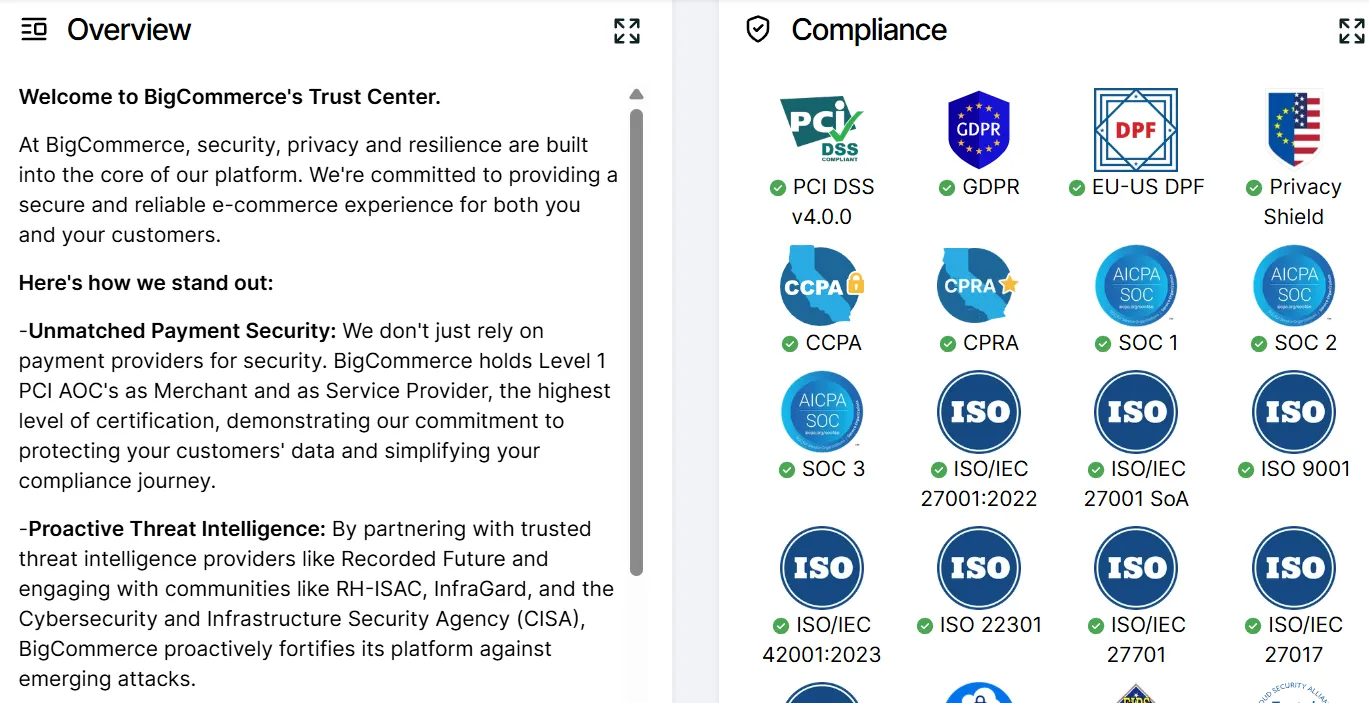
On the security side, BigCommerce provides automatic SSL, PCI DSS Level 1 compliance, and 24/7 threat monitoring, with patches, firewalls, and DDoS protection handled behind the scenes. For most merchants, this results in predictable performance and a security setup that requires little to no ongoing operational effort.
Customer Support
Our Verdict
BigCommerce wins due to its 24/7 vendor-managed support and structured assistance. Drupal relies more on community and external experts, which can be effective but less immediate.
Drupal
Drupal does not offer centralized customer support, as it operates within an open-source framework. Instead, you rely on a large and active community, supported by extensive documentation, forums, and Q&A platforms where developers share solutions and best practices.
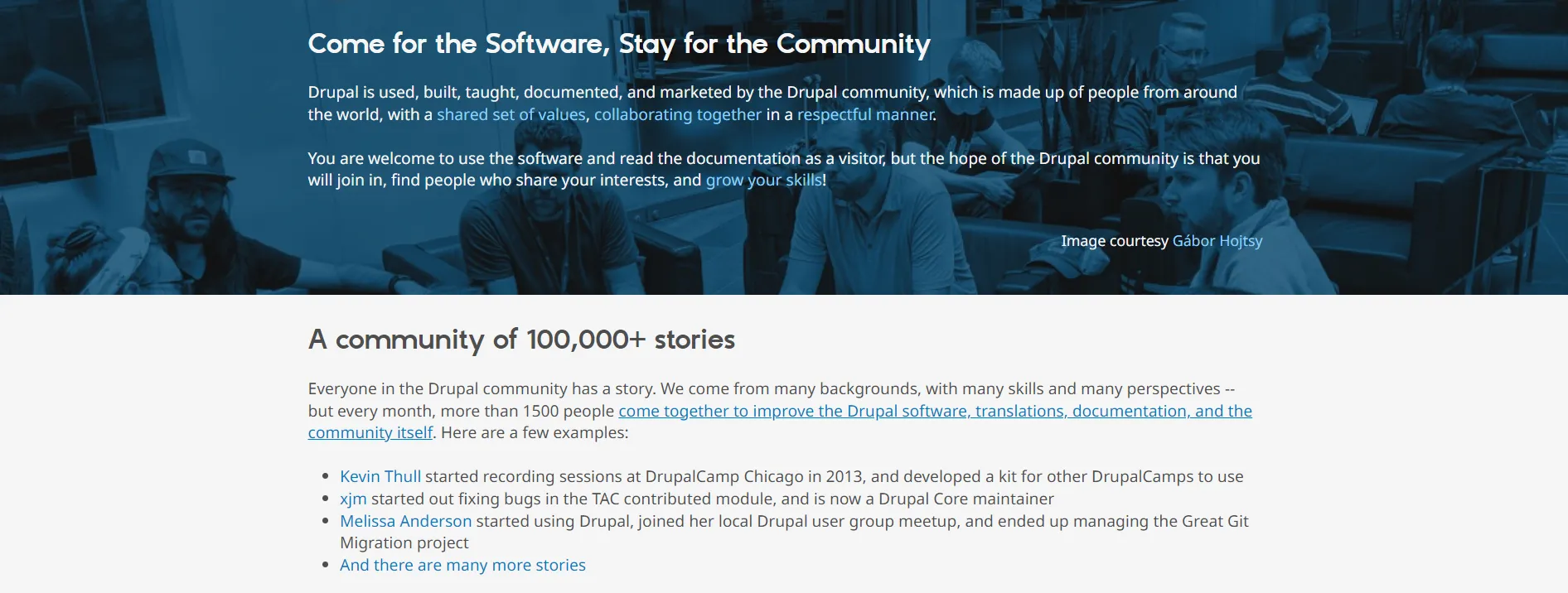
If you need more direct assistance, you can also work with Drupal agencies or independent experts for paid support. This model offers flexibility and depth of expertise, but it often requires more patience and technical knowledge compared to platforms with dedicated, vendor-managed support.
BigCommerce
In contrast, BigCommerce provides 24/7 customer support via live chat, phone, and email, including during the free trial. Support agents are generally responsive and helpful, which lowers the barrier for new merchants getting started. Enterprise customers also receive priority support and access to a dedicated success manager focused on long-term growth.
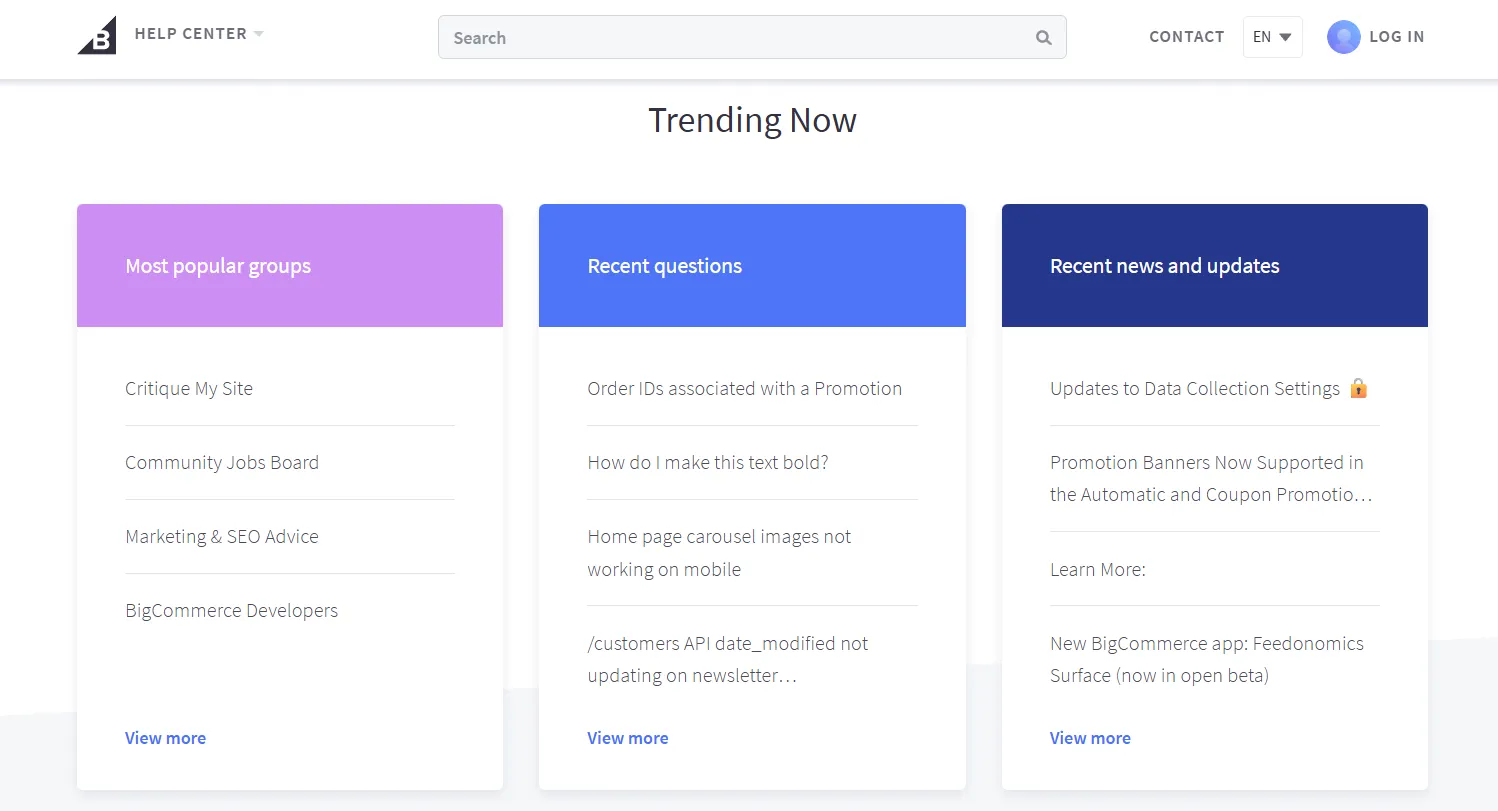
Outside of direct assistance, BigCommerce invests heavily in self-service resources. Its knowledge base includes practical guides, tutorials, and developer-focused documentation, while community spaces, webinars, and an official partner network provide additional ways to get expert help when projects become more complex.
While Drupal benefits from a large community, BigCommerce’s support is typically faster and more predictable because it comes directly from the platform vendor. This makes support feel more hands-on and reliable for merchants who prioritize speed and clear guidance.
Migration Considerations To Drupal and BigCommerce
After going through the comparisons above, you likely already have a clearer idea whether Drupal vs BigCommerce is the better fit for your business. The next question then becomes how to move to that platform without disrupting your operations, data, or performance.
This is where LitExtension comes in. We provide professional migration services to both Drupal and BigCommerce. We handle complex data mapping, large product catalogs, customer records, order history, and URLs with precision. If you’re ready to move to Drupal Commerce or BigCommerce, working with a dedicated migration partner allows you to focus on your business growth.
Store Migration Made Easy With LitExtension!
LitExtension offers great migration solutions that help you transfer your data from the current eCommerce platform to a new one accurately, painlessly with utmost security.

Drupal vs BigCommerce: FAQs
What is the core difference between Drupal Commerce and BigCommerce?
The core difference lies in how each platform is built and operated. Drupal Commerce is a modular eCommerce framework layered on top of a CMS, giving you deep control but requiring configuration and development. BigCommerce, on the other hand, is a fully hosted, commerce-first platform where core selling features are ready to use and managed at the platform level.
Is Drupal good for eCommerce?
Yes, Drupal can be very good for eCommerce, especially for content-heavy or highly customized use cases. With Drupal Commerce and supporting modules, you can build advanced catalogs, pricing logic, and workflows.
However, success depends heavily on technical expertise, as most commerce functionality must be configured or developed rather than enabled out of the box.
Is Drupal CMS headless?
Yes. Drupal is fully headless-capable and is often used in decoupled or headless architectures. It supports REST, JSON:API, and GraphQL (via modules), allowing you to use Drupal purely as a backend CMS while delivering content to custom front ends, mobile apps, or other channels.
When does Drupal Commerce become too complex or costly compared to using BigCommerce?
Drupal Commerce tends to become complex or costly when you need fast time-to-market, predictable costs, or minimal ongoing development. If your project requires continuous custom development, performance tuning, and module maintenance, total ownership costs can quickly exceed those of BigCommerce.
Can Drupal and BigCommerce be integrated together?
Yes, of course! You can use Drupal as a headless CMS to manage content, while BigCommerce handles products, checkout, payments, and B2B logic. This integration is typically done through APIs, allowing each platform to focus on what it does best without tightly coupling the two systems.
Final Verdict
After breaking down both platforms in detail, the difference between Drupal vs BigCommerce becomes clear. Drupal excels when content structure, deep customization, and full technical control are critical. Meanwhile, BigCommerce stands out as a strong enterprise-grade commerce platform, particularly for B2B.
If you are still choosing an eCommerce platform for your business, we have more blog posts for you to explore and a community group where you can learn from other peers.