When building an online presence or scaling a business, choosing the right platform is one of the most critical decisions you need to make. Among the many options currently available, Odoo vs WordPress are often compared since both can be used to build websites and run online stores.
Nevertheless, under the surface, these two are designed with different goals in mind. Odoo is an all-in-one business management system that connects operations, while WordPress typically focuses on content management and front-end experience. Which one is a better fit for your business, then?
No worries! To help you answer that question, we will break down how Odoo and WordPress perform across key criteria:
- Ease of use
- Customization
- eCommerce features
- Apps & integration
- SEO & marketing
- Support & security
- Pricing
Let's begin!
Odoo vs WordPress overview
Odoo pros & cons
Odoo is an all-in-one ERP platform designed to manage business operations end-to-end, including CRM, accounting, inventory, HR, marketing, and eCommerce within a single system.
As of recent estimates, Odoo has over 184,000 users worldwide (BuiltWith), ranging from small businesses to large enterprises. Its strength lies in consolidating multiple business functions into one unified platform, which fundamentally shapes how it compares to WordPress.
Pros | Cons |
- All-in-one system (CRM, inventory, accounting, marketing) | - High upfront implementation cost ($5K–$200K+) |
WordPress pros & cons
Meanwhile, WordPress is a content management system (CMS) primarily used to build websites. It powers over 40% of all websites globally and remains the most widely used website platform in the world.
Unlike Odoo, WordPress is not an all-in-one system. Instead, it follows a modular approach where users combine different plugins and tools to build the functionality they need.
Pros | Cons |
- Extremely flexible (themes, plugins, full code access) | - Requires WooCommerce for eCommerce functionality |
Odoo vs WordPress: Which Is Better?
Based on this comparison, WordPress wins overall for most users, primarily due to its flexibility, lower cost of entry, and superior SEO capabilities.
Of course, this does not mean Odoo is inferior. In fact, Odoo is still the better choice for businesses that prioritize operations, automation, and system integration over marketing flexibility.
To summarize the entire comparison, here is a quick recap:
Criterion | Odoo | WordPress | Winner |
Ease of Use | Easier setup (SaaS), harder to learn system | Slightly harder setup, easier daily use | WordPress |
Customization | Strong for business logic (Python, modules) | Strong for UI/UX (themes, plugins) | Tie |
eCommerce Features | Native, integrated (inventory, shipping) | WooCommerce & plugins | Odoo |
Apps & Integration | Deep native integration | 60,000+ plugins, plug-and-play | WordPress |
SEO & Marketing | Strong marketing, basic SEO | Advanced SEO, modular marketing | WordPress |
Support & Security | Centralized, controlled ecosystem | Decentralized, plugin-dependent | Odoo |
Pricing | High upfront, predictable | Low entry, flexible but variable | WordPress |
Ease of Use (WordPress wins)
The Verdict: Although WordPress requires slightly more effort during setup (due to its self-hosted nature), its simpler interface, clearer structure, and lower learning curve in day-to-day use still make it more accessible than Odoo.
Let's look closer at this Odoo vs WordPress difference:
Odoo ease of use
Odoo offers a fast initial setup, particularly through its SaaS version, where users can create a database, select modules such as CRM, Sales, or Website, and begin using the system almost immediately.
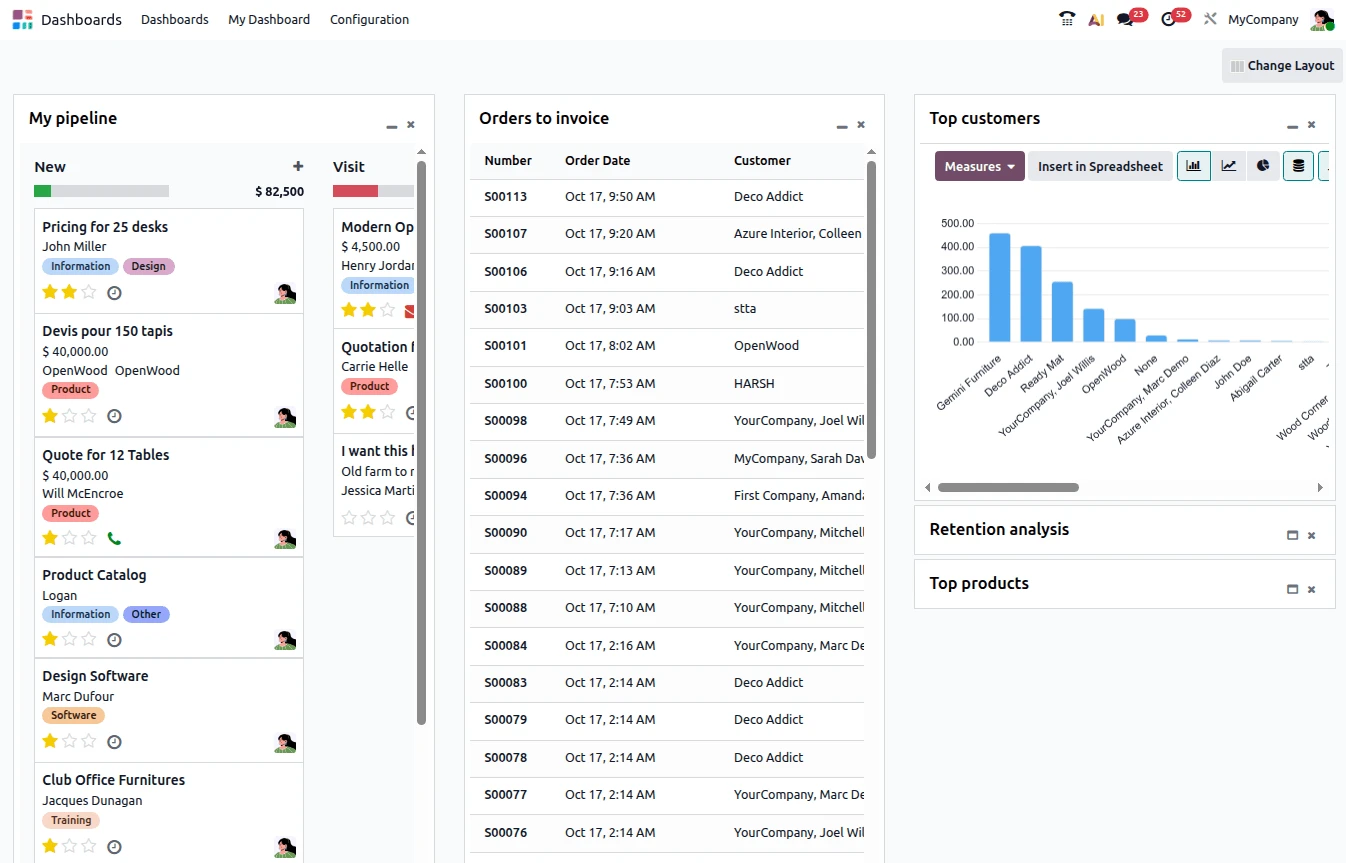
However, because Odoo is built as an ERP system, every action is tied to a broader workflow. For instance, processing an order is not a single action but typically involves multiple modules working together, including Sales for order creation, Inventory for stock handling, and Accounting for invoicing. This interconnected structure means users must understand how data flows across the system, rather than simply completing isolated tasks.
Similarly, menus are organized by modules, and the same data (such as customer records) appears across different contexts. Though this design is powerful for business operations, it increases cognitive load for new users.
WordPress ease of use
WordPress introduces more friction at the beginning, as users need to secure hosting, install the platform, and configure basic settings. Fortunately, this process has become significantly easier with modern hosting providers offering one-click installations and pre-configured environments.
Once set up, WordPress easily stands out for its clarity and simplicity. Its dashboard separates key functions into intuitive categories such as posts, pages, media, and plugins, which allows users to understand the system almost immediately. Plus, as the Gutenberg editor further enhances usability with a block-based approach, users can create and edit content visually without needing to understand backend logic.
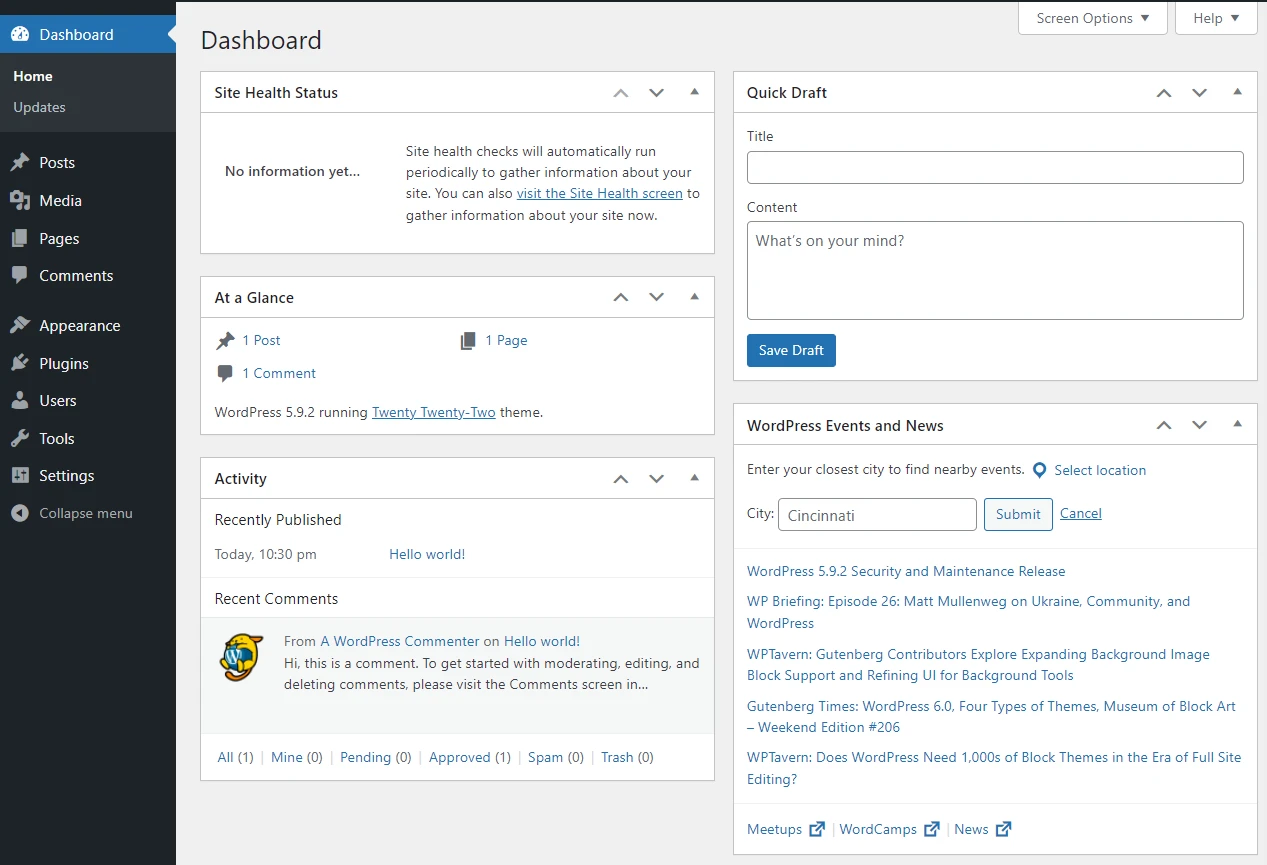
Most importantly, unlike Odoo, WordPress does not require users to think in terms of workflows or interconnected systems. Content can be created and published independently, which reduces the learning curve considerably. While managing multiple plugins and updates can introduce some complexity over time, the platform remains far more approachable for non-technical users.
Customization (A tie)
The Verdict: WordPress is stronger in front-end customization and user experience. Odoo, on the other hand, excels in customizing business logic and internal workflows.
Despite the difference between Odoo vs WordPress, each platform dominates in a different dimension, which makes them equally powerful depending on the use case:
Odoo customization
Odoo's customization is deeply rooted in its modular architecture and unified database.
Each application (whether CRM, Sales, or Inventory) functions as a module that can be configured to match specific business processes. Users can adjust workflows, add or modify fields, and automate actions such as triggers or scheduled operations, allowing the system to reflect how a business actually operates.
Plus, for more advanced needs, Odoo supports development through Python for backend logic and XML for interface customization. This feature enables developers to create entirely new modules or extend existing ones, all while maintaining consistency across the system. Because everything operates within a shared database, customizations are inherently cohesive, avoiding the fragmentation often seen in other platforms.
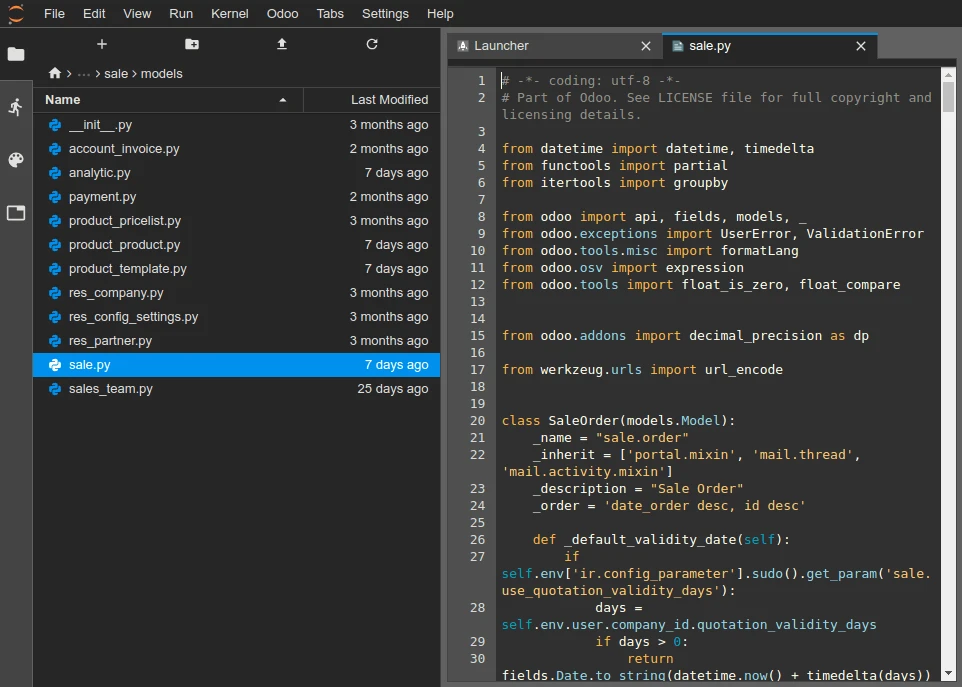
Of course, such a high level of control comes with a higher barrier to entry. In short, customizing Odoo at a deeper level typically requires specialized knowledge of its framework, and its front-end flexibility is more limited.
WordPress customization
On the other hand, WordPress is widely recognized for its flexibility in front-end customization. Users can select from thousands of themes and extend functionality through a vast plugin ecosystem, allowing them to build anything from simple blogs to complex digital experiences.
At a technical level, WordPress provides full access to its core technologies, including PHP for backend logic, HTML and CSS for layout, and JavaScript for interactivity. Not to mention, its system of hooks (actions and filters), allows developers to modify functionality without altering core files. At the same time, the REST API enables integrations with external systems or headless architectures.
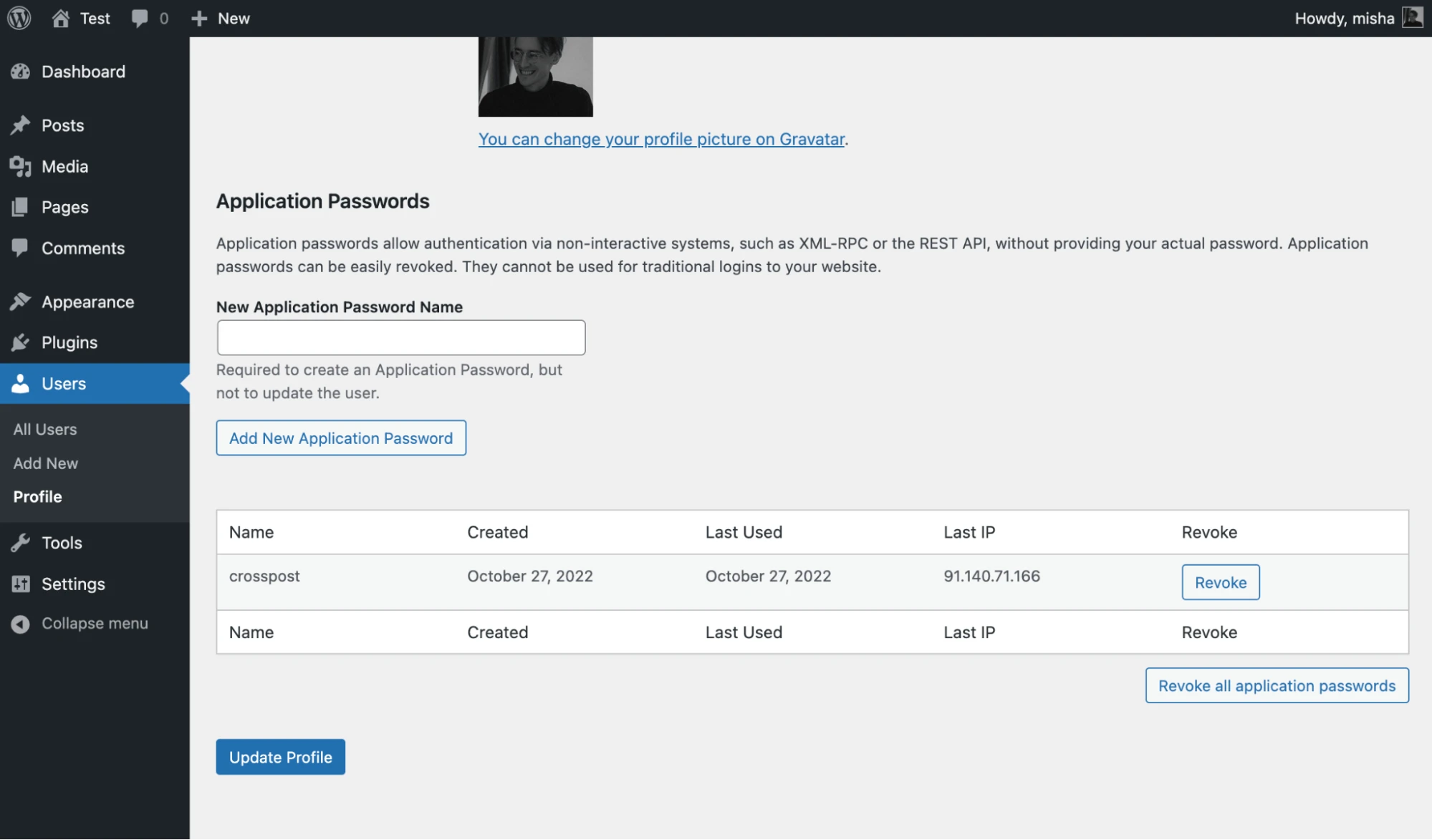
These capabilities make WordPress exceptionally powerful for shaping how a website looks and behaves. However, since many features are added through separate plugins, customization can become fragmented over time, in contrast to Odoo's more unified approach.
eCommerce Features (Odoo wins)
The Verdict: Odoo wins because its eCommerce capabilities are built natively within a unified ERP system, particularly in inventory and fulfillment.
Meanwhile, WordPress supports eCommerce through WooCommerce. Woo introduces strong flexibility, especially in payments, but still relies heavily on extensions for advanced operations.
To see how this Odoo vs WordPress difference plays out in practice, it's worth breaking down the three core pillars of eCommerce: inventory, payments, and shipping:
Inventory management
Odoo clearly outperforms in inventory because it is designed as an ERP from the ground up.
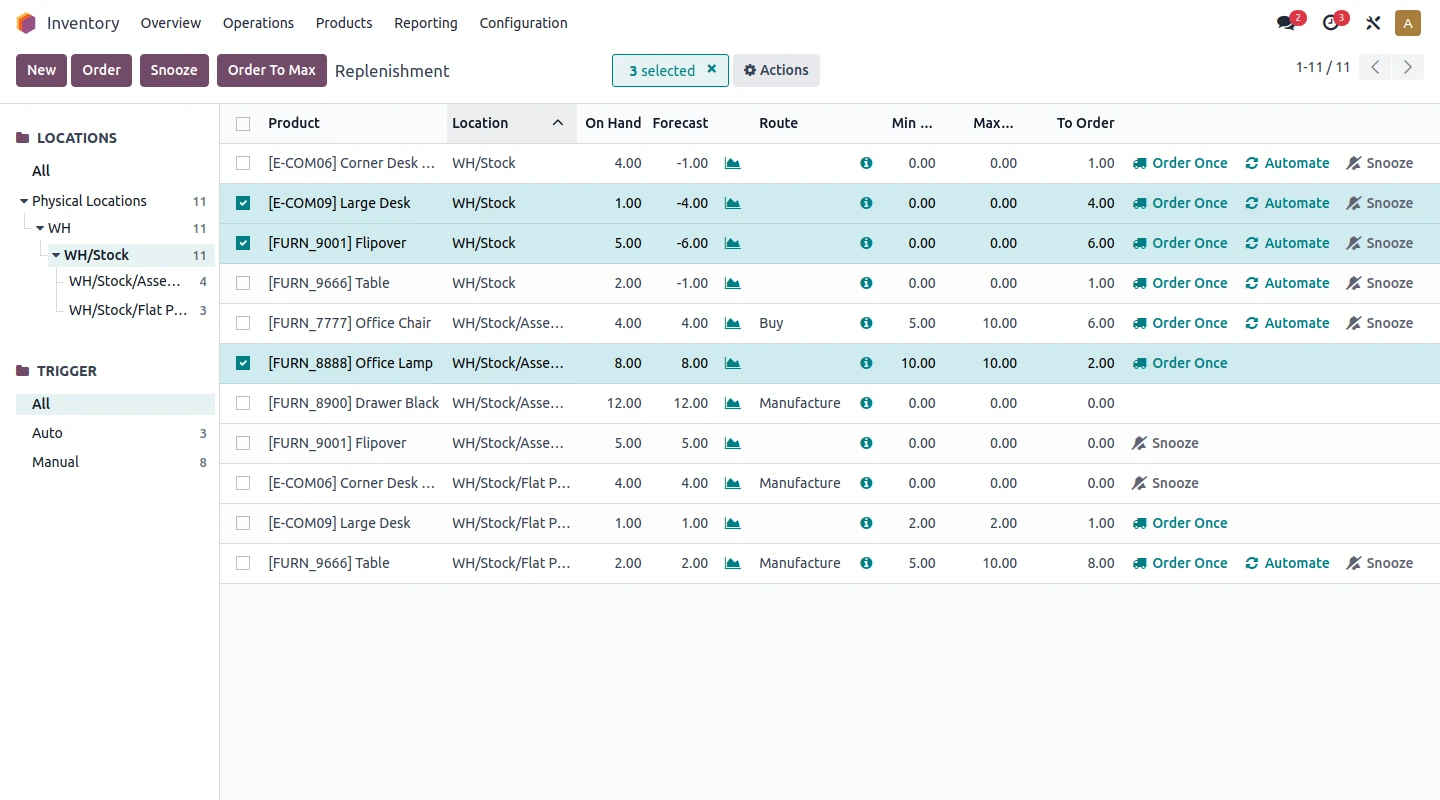
Its inventory system is not an add-on but a core module, tightly integrated with Sales, Accounting, and Purchasing. That way, it's easy to track real-time stock updates across multiple warehouses and locations, with support for advanced features such as automated replenishment rules, batch and serial number tracking, barcode operations, and inventory valuation methods like FIFO or AVCO.
Meanwhile, inventory in WordPress only becomes available after installing WooCommerce.
WooCommerce supports stock tracking, SKUs, backorders, and low-stock alerts out of the box. More advanced capabilities (such as multi-warehouse management, demand forecasting, or automated restocking) are not native and must be added through plugins or external systems. As stores scale, this often results in a stack of tools that need to be synchronized, increasing the risk of data inconsistency and operational overhead.
Payment gateways
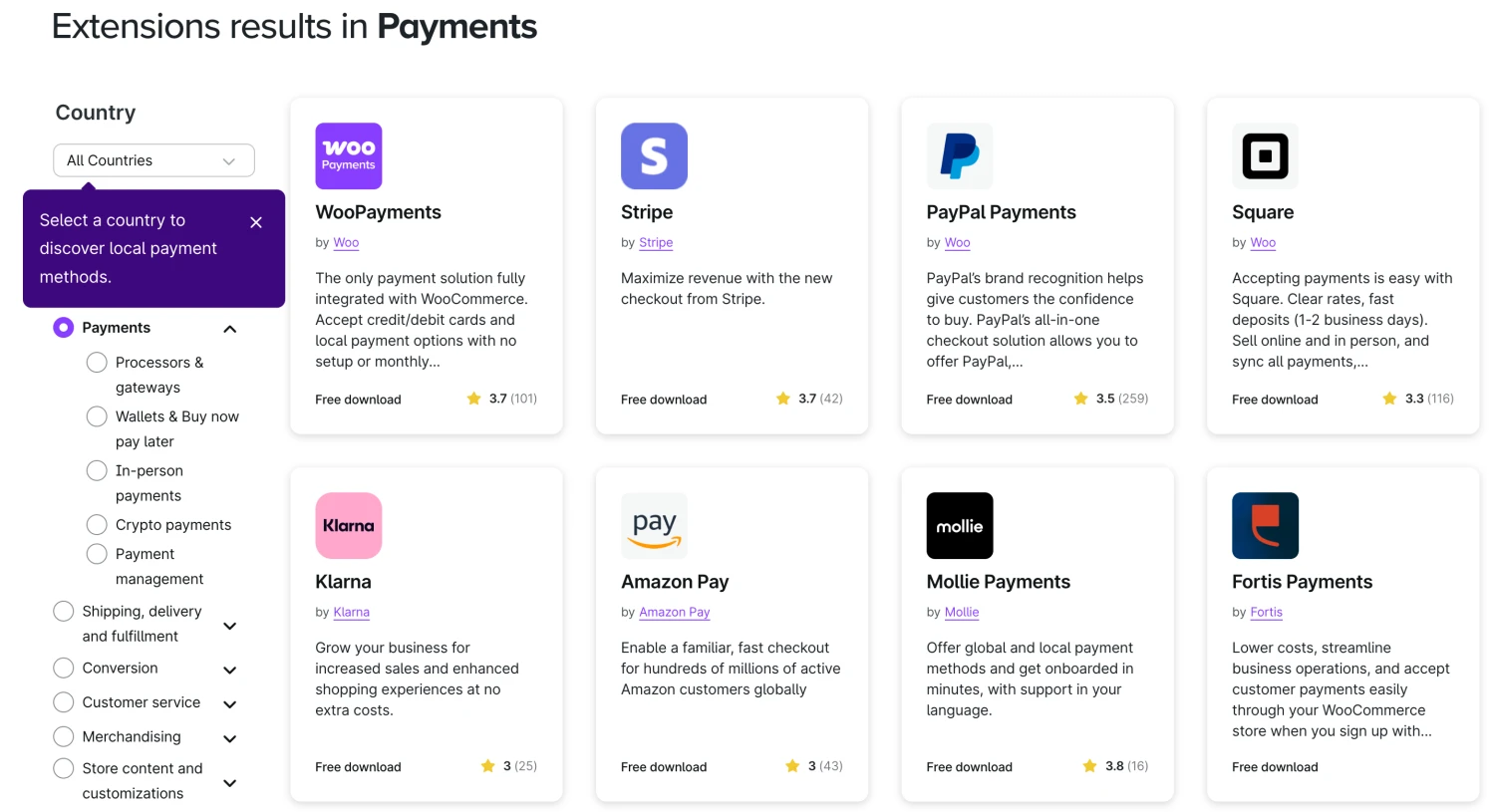
Once installed, WooCommerce gives access to a vast ecosystem of payment integrations, with 100+ gateways available globally, including Stripe, PayPal, Square, and numerous region-specific providers. This breadth is enabled by WordPress's plugin ecosystem, which includes over 60,000 plugins, allowing merchants to quickly enable new payment methods with minimal setup. Features such as subscriptions, digital wallets, and buy-now-pay-later options can also be added easily through extensions, which makes WooCommerce highly adaptable to different markets and customer preferences.
Odoo, in comparison, supports 170+ payment providers, typically focused on major global options. Plus, its strength lies in how payments are integrated into the broader system. Transactions are directly tied to invoices and accounting records, enabling automatic reconciliation and real-time financial tracking. This is particularly valuable for businesses that need tight control over financial operations.
Shipping
Shipping and fulfillment are other areas where Odoo demonstrates its strength as an operational platform.
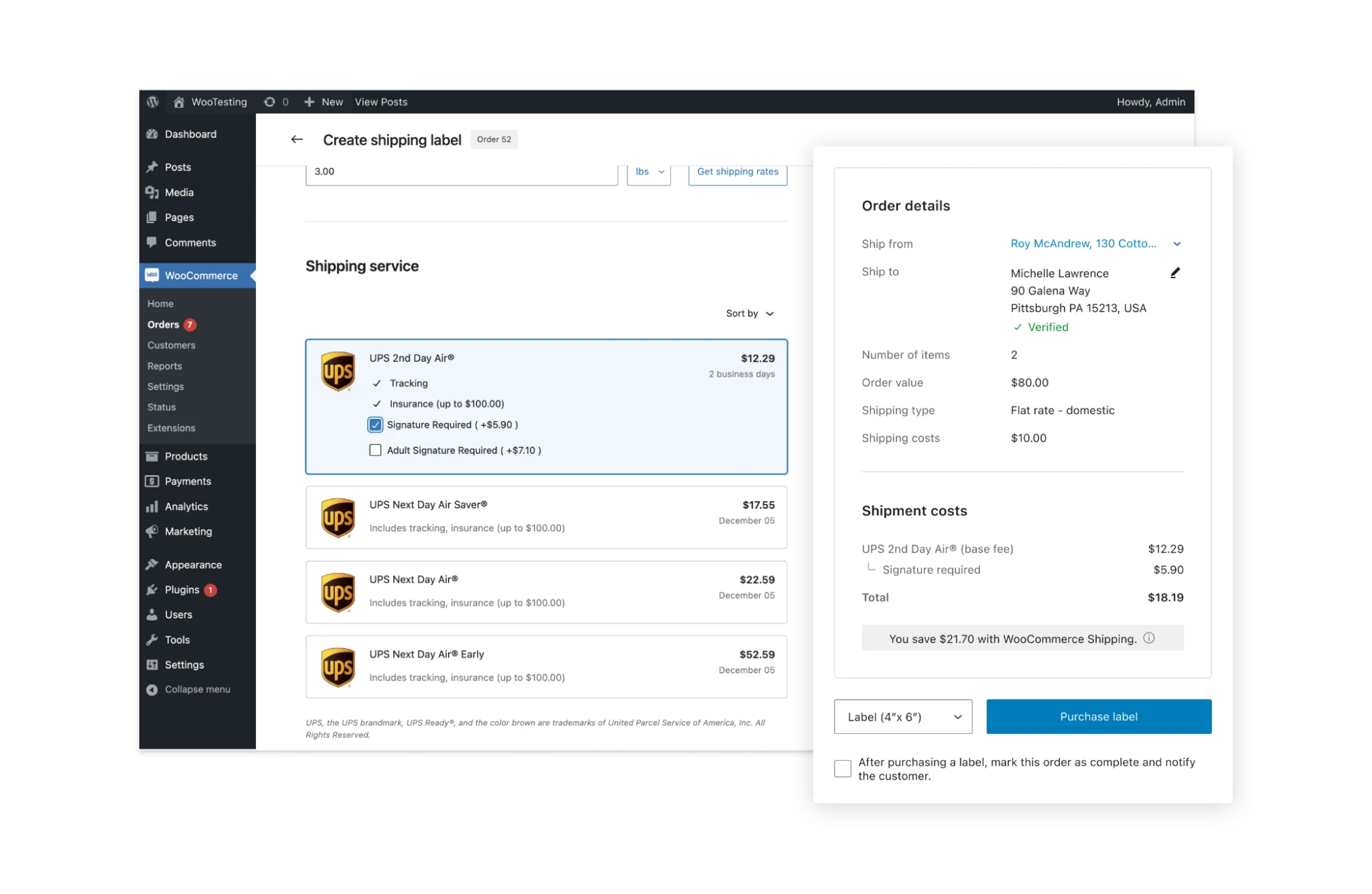
It includes built-in integrations with major carriers such as UPS, FedEx, and DHL, along with real-time rate calculation and end-to-end fulfillment workflows like pick-pack-ship. Also, because shipping is directly connected to inventory and warehouse management, Odoo can support complex scenarios such as multi-warehouse routing, automated delivery orders, and centralized tracking within a single system.
Like Odoo, WooCommerce also starts with essential shipping features once installed, including flat rates, free shipping, local pickup, and shipping zones. Still, more advanced capabilities (such as real-time carrier rates, label printing, or fulfillment automation) require additional plugins. Again, this reflects the platform's modular nature: merchants can build a highly customized shipping setup, but doing so often involves combining multiple extensions.
Apps & integration (WordPress wins)
The Verdict: WordPress wins due to its massive plugin ecosystem and ease of integration. It provides far greater flexibility and accessibility when connecting to external tools and services.
Meanwhile, Odoo offers stronger native integration within its own system. The Odoo vs WordPress difference ultimately comes down to ecosystem size versus integration depth.
Odoo apps & integration
Odoo provides a comprehensive suite of built-in applications, including CRM, Sales, Inventory, Accounting, HR, eCommerce, and marketing tools. These applications are designed to work together within a single database, ensuring that data flows seamlessly across all business functions. For example, customer data created in the CRM can automatically be used in sales orders, invoices, and marketing campaigns without requiring additional integration.
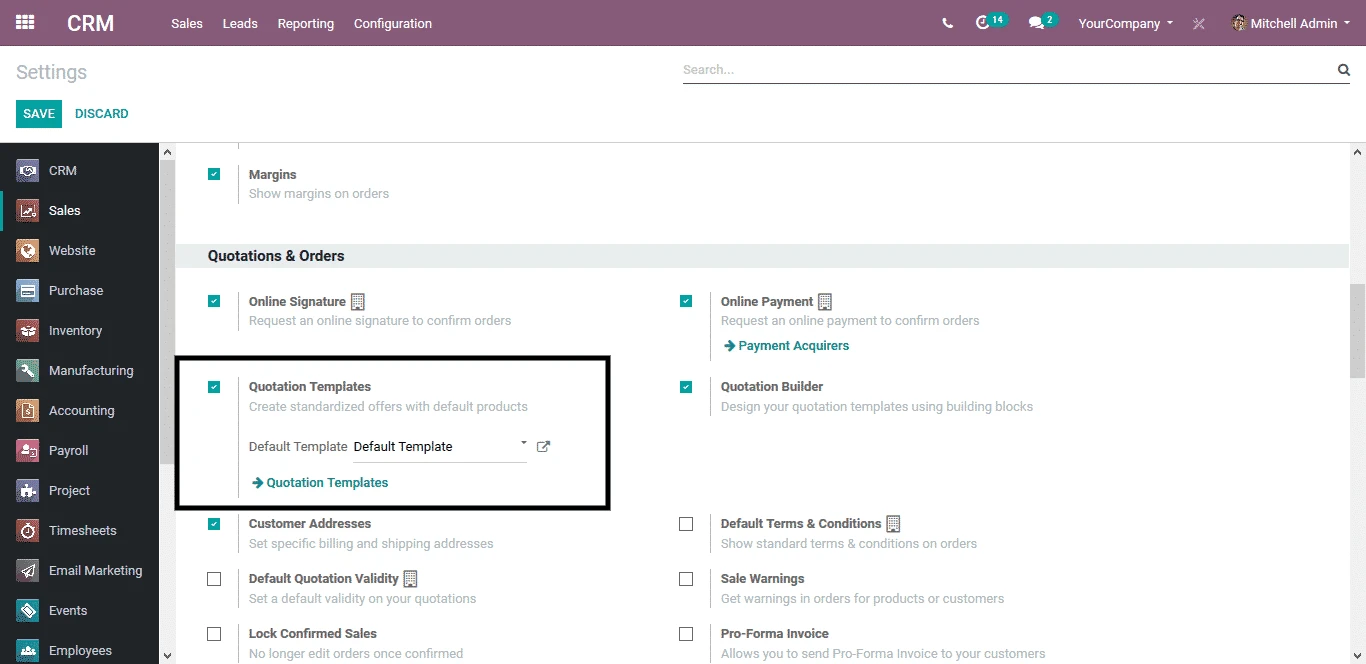
This native integration is one of Odoo's biggest strengths. It eliminates the need for multiple third-party tools and reduces the risk of data inconsistencies.
However, when businesses need to connect with external systems, the process is less straightforward. Although Odoo offers APIs, integrations often require custom development or technical configuration, which makes them less accessible for non-technical users.
WordPress apps & integration
WordPress.org offers one of the largest ecosystems in the industry, with over 60,000 plugins available. These plugins allow users to add features and integrate with a wide range of third-party services, including SEO tools, analytics platforms, CRMs, and payment gateways.
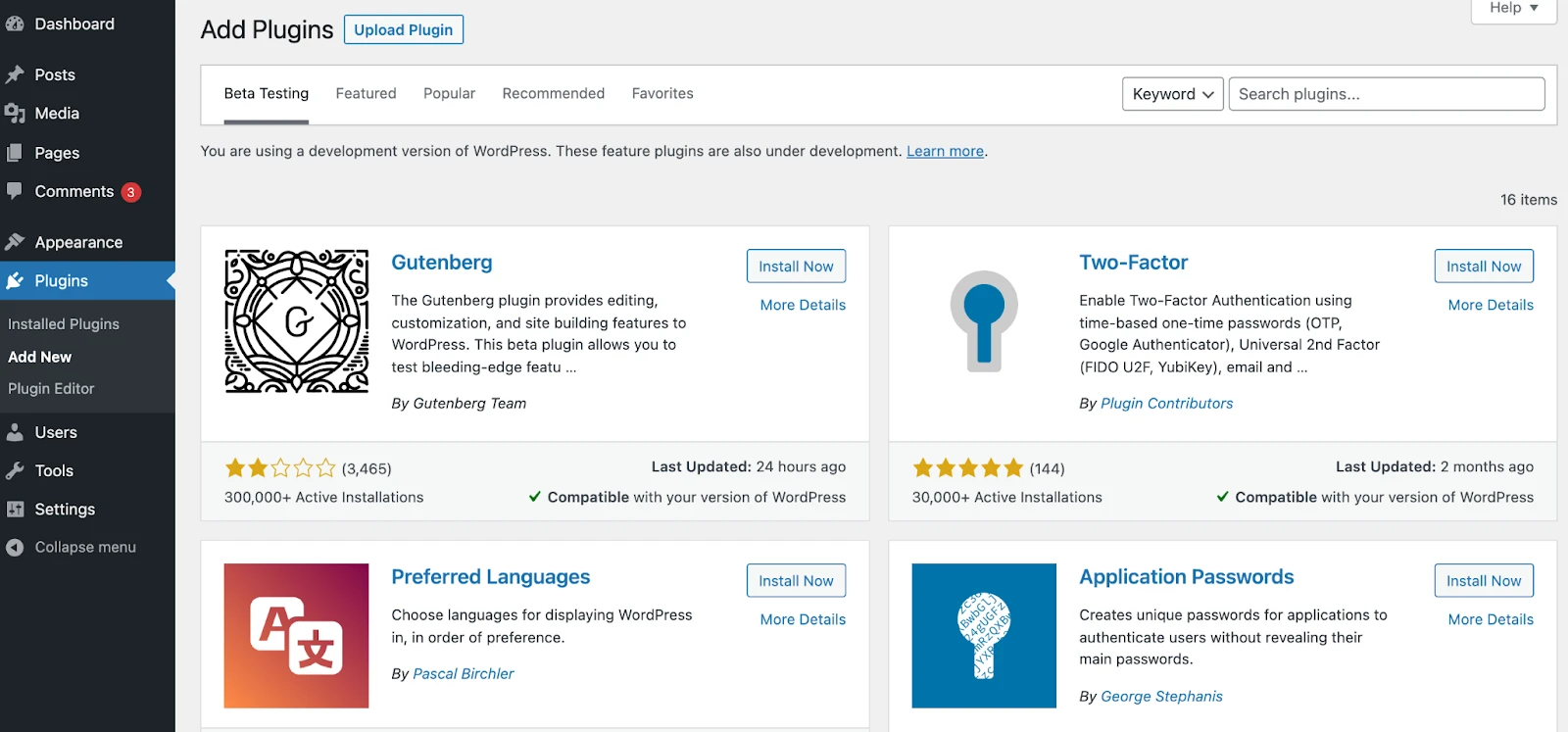
Furthermore, what sets WordPress apart is how easily these integrations can be implemented. In many cases, users can install a plugin, configure a few settings, and immediately connect their website to external services without writing code. Thanks to this plug-and-play approach, it's possible to scale functionality quickly and adapt to new requirements with minimal effort.
Need Help To Migrate to WordPress?
LitExtension provides a well-optimized All-in-One migration service for your data transfer!

SEO & Marketing (WordPress wins)
The Verdict: WordPress provides far more advanced and granular SEO capabilities, which are critical for traffic acquisition. Meanwhile, Odoo offers a strong native marketing automation ecosystem, but its SEO toolset remains relatively basic.
To understand this Odoo vs WordPress difference clearly, let's examine how each platform handles this aspect.
Odoo SEO & marketing
Odoo includes built-in SEO features that cover technical fundamentals without requiring external tools. Users can directly edit meta titles and descriptions, generate SEO-friendly URLs, and rely on automatically generated XML sitemaps. The platform also benefits from solid default performance and mobile optimization, which support core ranking factors.
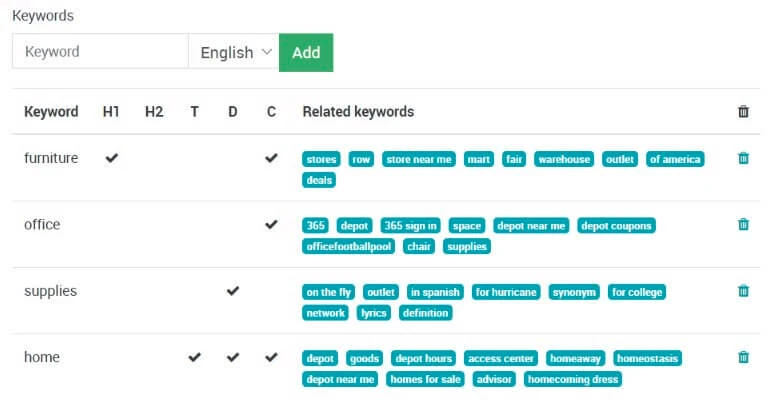
However, its SEO capabilities stop at the foundational level. It does not provide advanced features such as keyword analysis, content scoring, or detailed on-page optimization guidance—capabilities that are standard in dedicated SEO tools.
Meanwhile, where Odoo differentiates itself is in marketing. It offers a fully integrated marketing suite that operates natively within the same system as CRM, sales, and eCommerce, including:
-
-
- Email marketing with campaign builders and segmentation
- Marketing automation with behavior-based triggers
- Multi-channel capabilities (such as SMS campaigns).
-
And because all customer data is centralized, businesses can track the entire funnel—from lead generation to conversion to revenue—without relying on third-party integrations. This level of integration is difficult to replicate in modular systems and gives Odoo a significant advantage in operational marketing.
WordPress SEO & marketing
WordPress stands out as one of the most powerful platforms for SEO, largely due to its ecosystem.
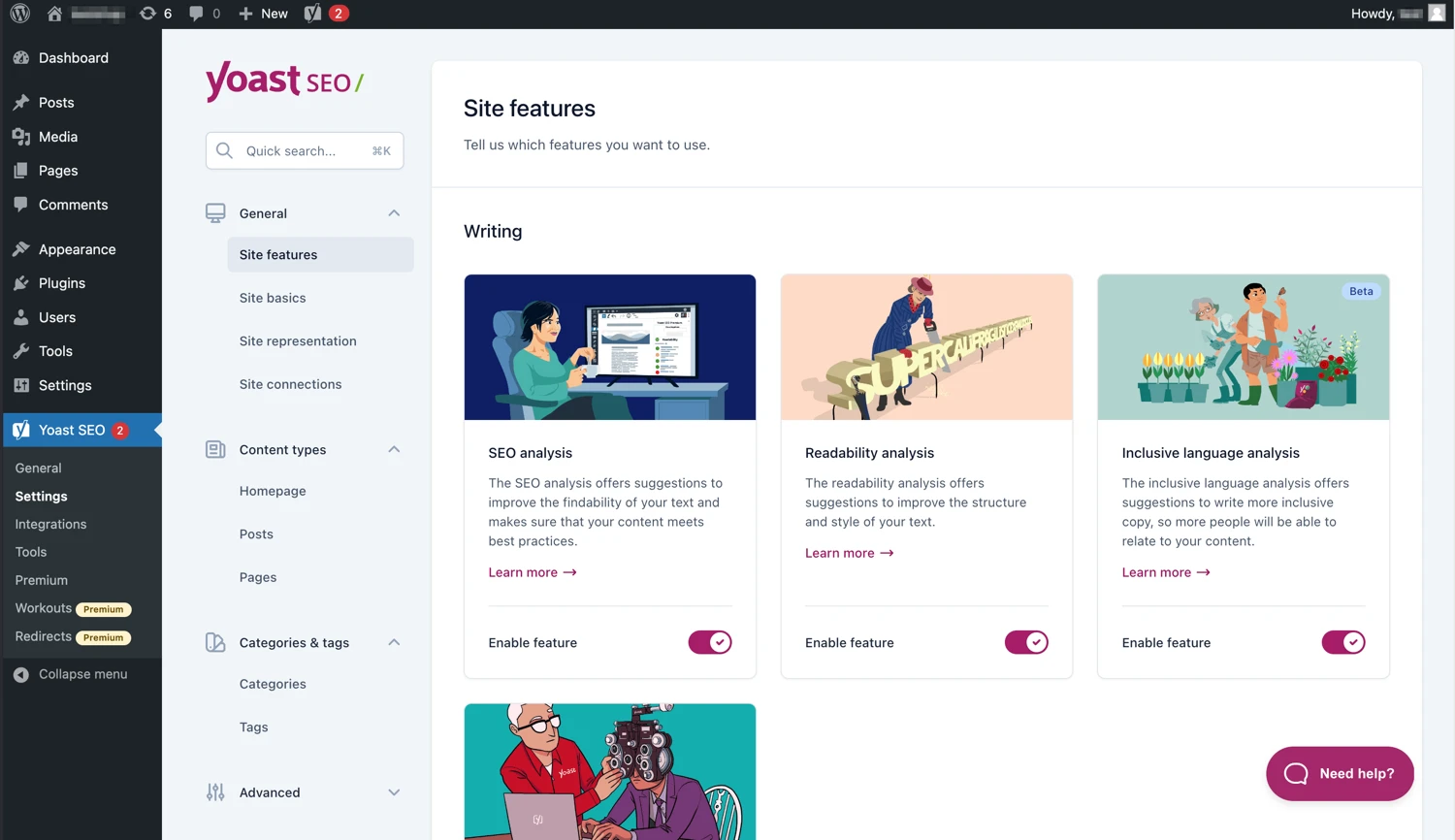
While it provides basic SEO control out of the box, its real strength comes from plugins such as Yoast SEO or Rank Math, which extend functionality far beyond what most platforms offer. These tools enable keyword optimization, content scoring, schema markup, redirect management, and full control over metadata and indexing rules. Combined with WordPress's native blogging capabilities, this makes it particularly effective for content-driven SEO strategies.
On another note, marketing in WordPress is not built into the core platform and must be assembled through plugins and third-party services. WooCommerce provides decent promotional tools such as coupons and discounts, but more advanced capabilities—such as email automation, segmentation, and CRM—require integrations with platforms like Mailchimp or HubSpot. Like other aspects, this creates a “best-of-breed” stack where each tool may be highly capable, but data is distributed across multiple systems.
Support & Security (Odoo wins)
The Verdict: Odoo wins overall due to its controlled ecosystem, reduced dependency on third-party extensions, and centralized support model.
Let's further examine this Odoo vs WordPress and see how each platform handles both system integrity and user support in practice.
Odoo support & security
Odoo operates within a relatively controlled environment where most core functionalities are developed and maintained within its own ecosystem. This reduces reliance on third-party extensions and limits the number of potential vulnerabilities. For users on managed hosting solutions such as Odoo Online or Odoo.sh, critical aspects like updates, security patches, and backups are handled automatically, ensuring that systems remain up to date without manual intervention.
From a security perspective, this centralized architecture results in a smaller attack surface compared to plugin-heavy platforms. Because modules are designed to work together within a single framework, compatibility issues are less frequent and easier to manage.
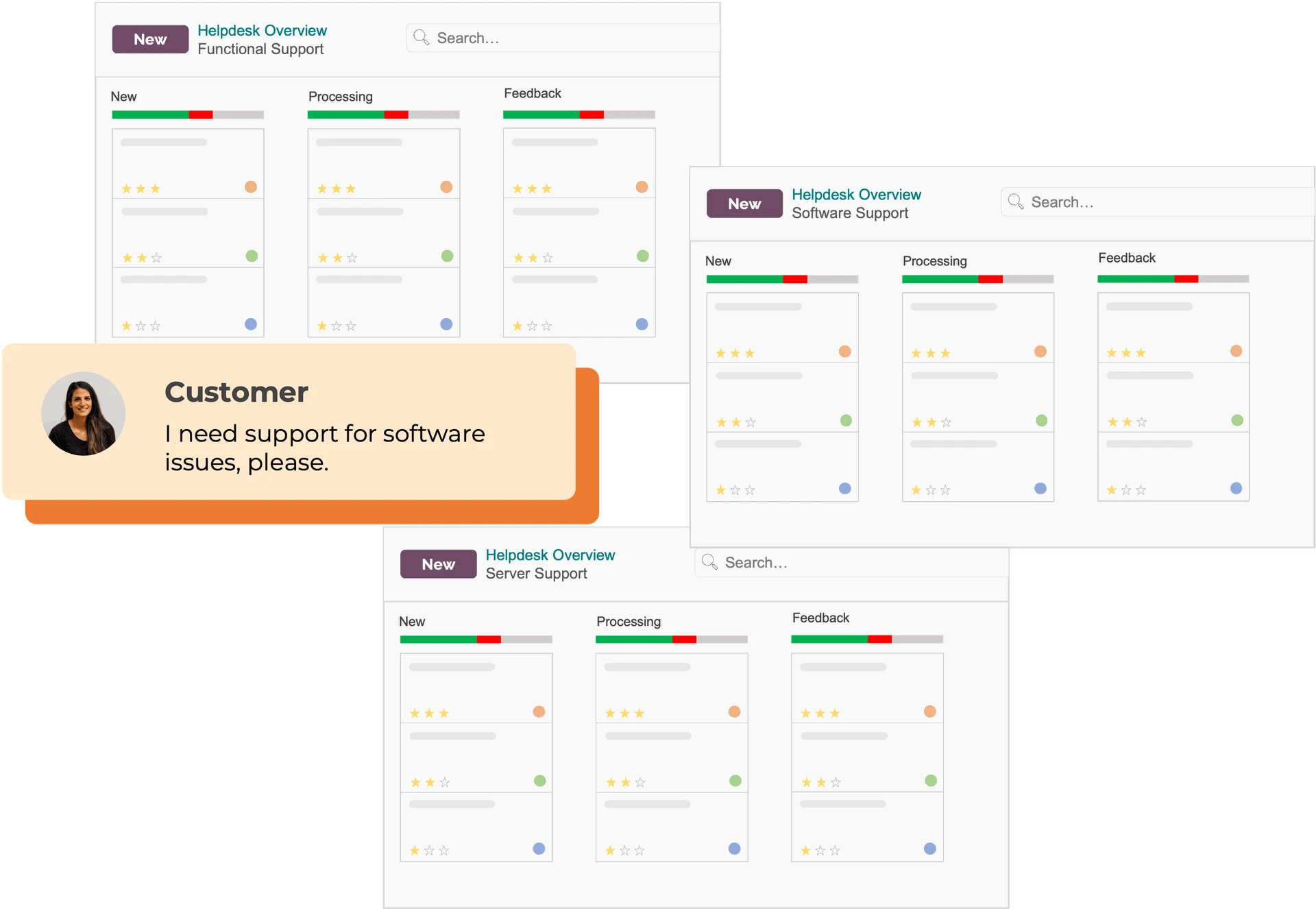
And in terms of support, Odoo provides a structured model that includes official support for paid users, a global partner network for implementation and customization, and formal documentation. As a result, it's easier for businesses to access reliable assistance, particularly for complex use cases.
WordPress support & security
WordPress core is generally secure and well-maintained, but the platform's open ecosystem introduces significant variability in security and support quality.
With more than 60,000 plugins available, vulnerabilities often originate from outdated or poorly maintained extensions rather than the core system itself. Hence, maintaining security in WordPress requires active management, including regular updates, careful vetting of plugins, and the use of additional security tools such as firewalls or monitoring services.
Support in WordPress is decentralized. Users rely on a combination of community forums, documentation, and individual plugin or theme developers. Sure, this creates a vast knowledge base and flexibility, but it can also complicate troubleshooting—especially when issues arise from interactions between multiple plugins.
In practice, WordPress offers more freedom and extensibility. However, it shifts responsibility for security and support onto the user, which makes it less predictable than Odoo in these areas.
Pricing (WordPress wins)
The Verdict: WordPress offers a significantly lower entry cost and more flexible spending model, which makes it more affordable for most small to mid-sized businesses.
In contrast, Odoo comes with a higher upfront investment and user-based pricing, though it can become more cost-efficient in the long run for businesses that need an all-in-one system:
Odoo pricing
Odoo’s pricing is structured as a subscription model combined with implementation costs.
Public pricing is relatively transparent: there is a free plan for a single app with unlimited users, while the two paid plans (Standard and Custom) typically range from $9.10 to $13.60 per user per month. These fees generally include hosting, maintenance, and updates, which makes Odoo’s recurring costs more predictable than many alternatives.
However, the most significant cost factor lies in implementation. Depending on business size and complexity, initial setup can range from $5,000 to $20,000 for small businesses, $20,000 to $70,000 for mid-sized companies, and $70,000 to $200,000+ for enterprise deployments. Additional customization and integrations can further increase costs, often adding $1,000 to $20,000+ depending on requirements.
WordPress pricing
WordPress.org itself is free, and so is WooCommerce, which is required to enable eCommerce functionality. The total cost, however, still depends on a combination of hosting, themes, plugins, and development:
-
-
- Hosting is the primary ongoing cost and can range widely from around $200 per year for small sites to $20,000+ per year for high-traffic or enterprise-level setups.
- Domain registration typically costs $10 to $50 per year
- Themes can range from free to around $100+ annually
-
And plugins represent the most variable cost component. While many are free, premium plugins for SEO, payments, shipping, and marketing can add up to anywhere from a few hundred to several thousand dollars per year, depending on the stack.
Not to mention, development and maintenance are optional but often necessary as complexity grows. Costs can range from a few hundred dollars for minor adjustments to tens of thousands for custom builds. In practice, a small store may operate at around $200 to $1,000 per year, and growing businesses typically spend $1,000 to $10,000+ annually.
On the other hand, the key advantage of WordPress is flexibility. Businesses can start with very minimal investment and scale gradually over time.
Can You Integrate Odoo & WordPress?
Yes, you can integrate Odoo and WordPress, and this is actually a very common setup.
In practice, many businesses use WordPress (with WooCommerce) as the front-end storefront and Odoo as the backend system for operations such as inventory, CRM, and accounting.
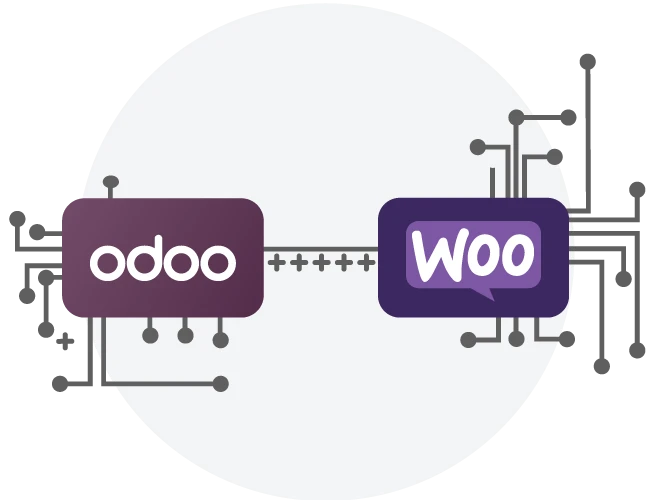
Integration typically works through APIs or middleware. WordPress (via WooCommerce) sends data such as orders, customers, and products to Odoo, where it is processed within the ERP system. In return, Odoo can push updated inventory levels, order statuses, or customer data back to WordPress. This creates a synchronized system where each platform handles what it does best.
There are several ways to implement this integration. Businesses can use:
-
-
- Ready-made connectors (available as plugins or Odoo modules)
- Middleware platforms like Zapier or Make
- Custom API-based integrations for more complex requirements.
-
Final Verdict: Which One Should You Choose?
Choosing between Odoo vs WordPress ultimately depends on your priorities and business model.
You should choose WordPress (with WooCommerce) if your primary focus is on building a website and scaling through marketing. It is especially well-suited for content-driven businesses, startups, and small to mid-sized eCommerce stores that need flexibility and low upfront costs.
On the other hand, Odoo is the better choice if your business requires strong operational control. This includes managing inventory across multiple locations, automating workflows, integrating accounting and CRM, or handling complex logistics. Odoo is valuable for growing or established businesses where operational efficiency is more critical than front-end flexibility.
In many cases, the best solution is not choosing one over the other, but combining both: using WordPress for customer-facing experiences and Odoo for backend operations.
WordPress vs Odoo: FAQs
Is Odoo similar to WordPress?
No, Odoo and WordPress are generally not considered similar in their core purpose, though they overlap in functionality. WordPress is a dedicated Content Management System (CMS) designed primarily for creating websites and blogs; Odoo is a comprehensive Enterprise Resource Planning (ERP) suite that includes a website builder as one of its many integrated applications.
What is the disadvantage of using Odoo?
The disadvantages of using Odoo primarily revolve around its complexity and implementation costs. While it is a powerful, flexible ERP, these advantages often come with significant hurdles.
Is Odoo a Chinese company?
No, Odoo is not a Chinese company. Odoo is a Belgian software company founded in 2005 by Fabien Pinckaers.
Why don't big companies use WordPress?
Many large enterprises avoid WordPress in favor of custom-built, enterprise-grade, or Headless CMS solutions. The primary reasons include security risks, performance issues with massive traffic, and technical limitations for complex, bespoke functionality.
Our Methodology
To ensure this comparison is accurate, balanced, and actionable, we followed a structured evaluation process:
1. Feature-level analysis
Instead of treating each category as an isolated checkbox (for example, simply stating that both platforms “support SEO” or “have inventory management”), we broke every feature down into its core components and evaluated them individually.
This approach ensures that the comparison reflects actual functionality and depth. As a result, differences between the two platforms become clearer and more meaningful, especially for users who need to understand how these features work in day-to-day operations.
2. Native vs ecosystem distinction
A key part of this analysis was distinguishing between features that are built directly into the platform and those that rely on external extensions. This distinction is critical because Odoo and WordPress are fundamentally different in how they deliver functionality.
That's why, during the process, we evaluated not only whether a feature exists, but also how it is implemented, how much effort is required to enable it, and how it affects system cohesion. This stage allows for a more accurate analysis, especially in areas where “available via plugin” may not provide the same experience as a built-in feature.
3. Total Cost of Ownership (TCO) evaluation
For pricing, we examined the full cost structure associated with each platform over time.
For instance, for Odoo, this includes subscription fees based on the number of users, as well as significant implementation costs that can range from several thousand to over one hundred thousand dollars, depending on business complexity. Customization and integration costs were also considered, as they are often necessary for real-world deployments.
4. Practical use case testing
Last but not least, we evaluated both platforms across common business scenarios, such as running an online store, managing inventory, and scaling marketing efforts, to understand how businesses actually use them. The end result is a comparison that is not only technically accurate but also practical and decision-oriented for real users.