If you’re building a WordPress-based store, chances are you’ll eventually narrow your options down to two familiar names: Easy Digital Downloads vs WooCommerce.
On the surface, they are similar: both are WordPress plugins that give you full control over your store. But in reality, the real differences don’t show up until you start thinking about what you sell, how you plan to grow, and how much flexibility you’ll need over time!
But no worries; we are here to help you find the best match for your business. This article will compare them across key areas that matter most, including:
- Product and inventory
- Payment gateways
- Ease of use
- Customization
- Integrations
- Security
- Customer support
- Pricing
Let's get started!
Easy Digital Downloads vs WooCommerce: A Quick Overview
Understanding Easy Digital Downloads
Easy Digital Downloads was a WordPress plugin created to help merchants sell digital products. It is widely used by over 41,000 developers, software vendors, course creators, and creators (according to BuiltWith), who distribute files such as plugins, themes, PDFs, or licenses.
Since EDD is optimized for downloads, licensing, and subscriptions, it often feels cleaner and more intentional for digital sellers. However, that specialization also means it lacks native support for physical products or hybrid business models, which limits its applicability as businesses scale or diversify.
Easy Digital Downloads Pros | Easy Digital Downloads Cons |
Purpose-built for selling digital products | Does not natively support physical products |
Clean, lightweight admin experience | Much smaller extension ecosystem |
Strong built-in digital delivery and licensing features | Limited payment gateways compared to WooCommerce |
Predictable, bundled pricing plans | Scaling often requires higher-tier plans |
Direct, ticket-based customer support | Customization and integrations are more constrained |
Understanding WooCommerce
Meanwhile, WooCommerce is the most widely used eCommerce plugin in the WordPress ecosystem, powering 6.5 million active online stores globally (according to BuiltWith).
Its flexibility comes from a massive ecosystem rather than rigid defaults; WooCommerce provides a free core and allows merchants to layer functionality as needed through extensions, themes, and integrations.
WooCommerce Pros | WooCommerce Cons |
Supports physical, digital, and hybrid products | Costs can increase as more extensions are added |
Massive extension and integration ecosystem | Requires more configuration for complex setups |
Native payment processor (WooPayments) | Security depends heavily on hosting and plugins |
Highly customizable via themes, hooks, and APIs | Direct customer support is limited |
Scales well with growing businesses | Less opinionated out of the box than EDD |
Easy Digital Downloads vs WooCommerce: Which Is Better?
According to our research, WooCommerce is the better overall platform for most businesses, as it consistently wins on flexibility, integrations, payment options, customization depth, and long-term value.
That said, EDD remains a strong contender for sellers who are absolutely certain they will only ever sell digital products while valuing simplicity and direct support:
Criterion | Easy Digital Downloads | WooCommerce | Winner |
Ease of Use | Beginner-friendly and minimal | Beginner-friendly with guided setup | Tie |
Products & Inventory | Digital-only focus | Physical, digital, and hybrid support | WooCommerce |
Payment Gateways | Limited selection | 100+ gateways + WooPayments | WooCommerce |
Customization | Flexible but smaller ecosystem | Extremely deep customization | WooCommerce |
Integrations | Smaller library, Zapier workaround | 1,100+ extensions + WordPress plugins | WooCommerce |
Security | Solid, but configuration-dependent | Solid, but plugin-dependent | Tie |
Customer Support | Direct ticket-based support | Mostly self-serve resources | Easy Digital Downloads |
Pricing & Value | Predictable but limited scope | Flexible, scalable value | WooCommerce |
If you want to understand why each of these categories played out the way they did, the detailed sections above break down every comparison point in depth!
Product and Inventory (WooCommerce wins)
The Verdict: WooCommerce supports a full spectrum of product types (both physical and digital) while offering robust, built-in inventory tools. Easy Digital Downloads, although polished and highly capable in the digital-product niche, cannot match WooCommerce’s depth or versatility.
The following sections will discuss further how Easy Digital Downloads vs WooCommerce handle product creation, variation management, and inventory control:
Easy Digital Downloads’ product & inventory
As its name suggests, Easy Digital Downloads is built expressly for selling downloadable goods, and that specialization defines its entire product structure.
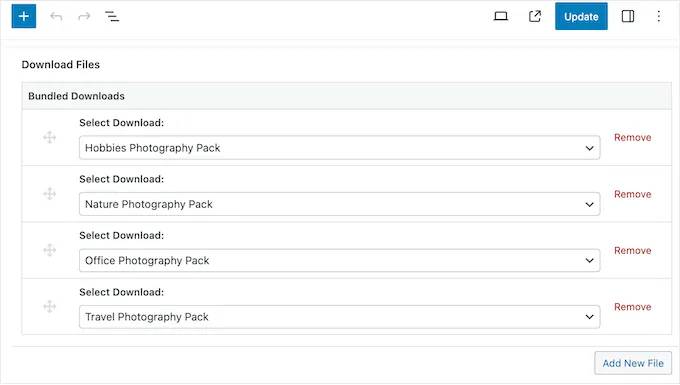
Each item you sell exists as a “Download” post type, where you enter its title, description, relevant metadata, and the files customers will receive. The system allows you to create unlimited downloadable products, and a single item can include multiple attached files added through the Download Files metabox.
In addition, you can configure an item as a simple product, bundle multiple downloads into a single package, or use variable pricing to offer different tiers for the same item. Variable pricing is built directly into the core plugin and lets you define as many pricing options as needed, which works well for lite-versus-pro tiers, donation models, or any scenario requiring multiple price points.
Unfortunately, EDD’s laser focus on digital products limits its usefulness for stores with more diverse catalogs. The plugin does not include native support for physical product management, meaning there are no built-in SKUs, stock tracking tools, shipping configurations, or warehouse-level inventory options. Merchants who attempt to sell physical items often find themselves needing custom development or a stack of premium add-ons.
WooCommerce’s product & inventory
WooCommerce, by contrast, is designed to accommodate a wide range of product types from the start:
- Simple products act as the foundation for single-item listings
- Variable products allow you to create variations such as size, color, or material.
- Grouped products make it possible to unify individual items under a single listing
- External or affiliate products let you direct purchases to another store entirely.
Better yet, WooCommerce also handles digital goods seamlessly. All you need to do is mark a product as “Virtual” to remove shipping requirements. Similarly, marking it as “Downloadable” will open fields for uploading digital files and enable automatic file delivery after purchase.
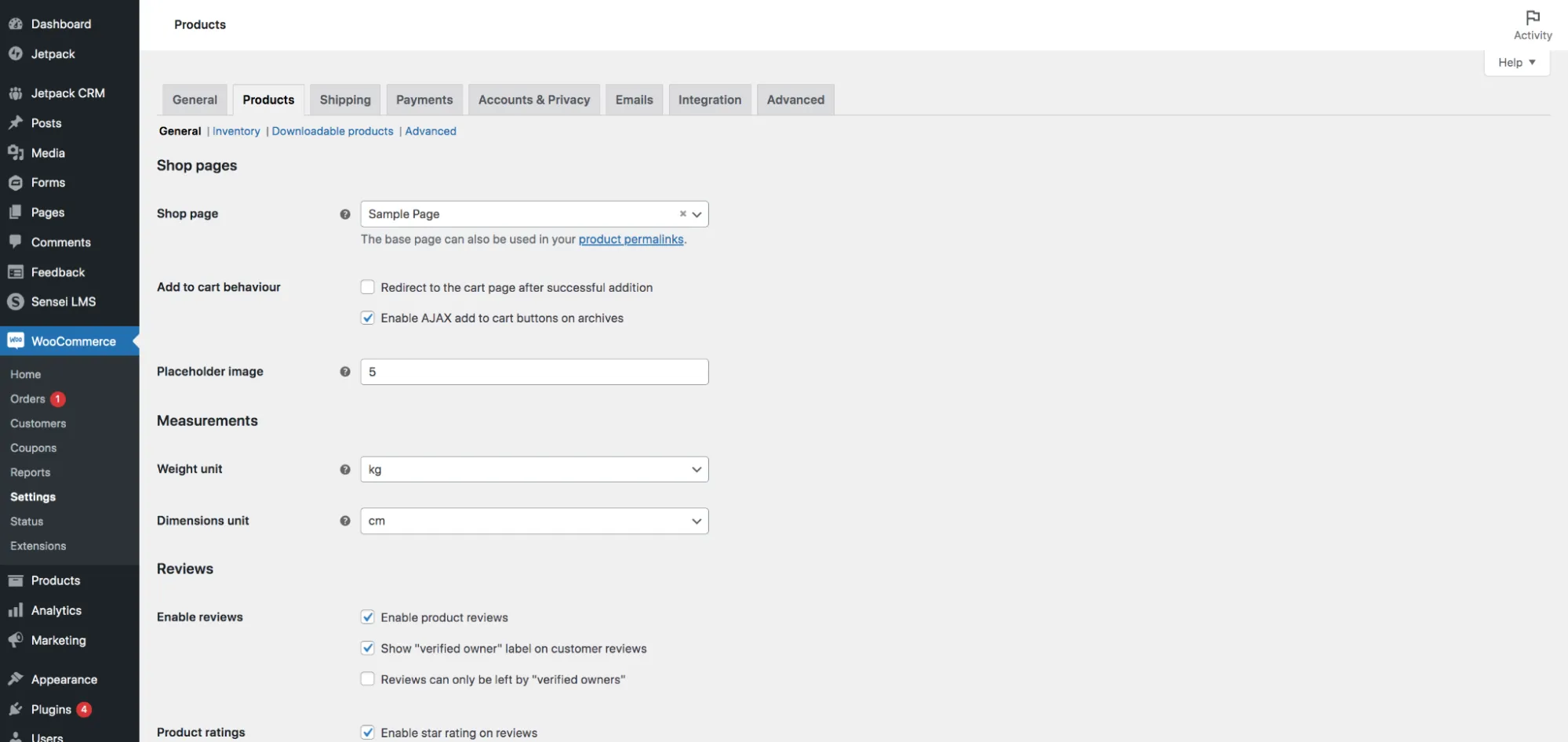
We are also impressed with WooCommerce's comprehensive inventory management. The global settings (located under WooCommerce → Settings → Products → Inventory) allow you to:
- Activate automated stock tracking
- Determine how long WooCommerce should hold stock for abandoned carts (with typical hold times ranging from one to four hours).
- Trigger email alerts at global low-stock and out-of-stock thresholds so that merchants can restock proactively
- Hide out-of-stock products from the storefront.
WooCommerce also offers bulk inventory editing, which is particularly helpful for stores with a large number of SKUs. Merchants can enable or disable stock management across multiple items, update stock statuses, adjust quantities, and modify backorder rules in one action. Although not as automated as full ERP systems, this bulk-editing capability significantly reduces administrative workload for growing catalogs.
Payment Gateways (WooCommerce wins)
The Verdict: WooCommerce supports a far broader range of payment gateways than Easy Digital Downloads. Plus, it also offers WooPayments, its own native, first-party payment processor.
While Easy Digital Downloads does integrate with several popular gateways, its catalog is noticeably smaller. The following Easy Digital Downloads vs WooCommerce breakdown shows how each system handles payment integrations:
Easy Digital Downloads’ payment gateways
At the moment, Easy Digital Downloads supports a modest collection of only twelve official options.
These include major processors such as Stripe, PayPal Commerce Pro, Authorize.Net, Braintree, and 2Checkout/Verifone, along with more specialized or situational add-ons like Wallet, Conditional Gateways, etc. In most EDD stores, PayPal and Stripe serve as the primary methods, supplemented by the Store Gateway, which is mainly used for free or test transactions during development.
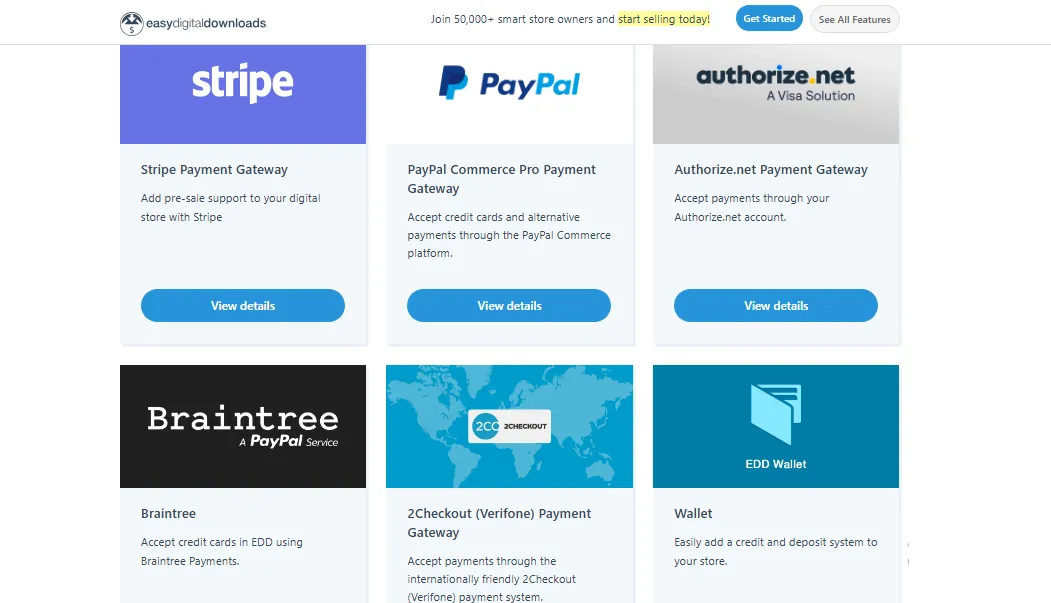
As you can see, though this lineup covers the fundamentals for digital-only merchants, it is still relatively limited. Store owners often have fewer regional or alternative payment options to choose from, and many integrations require paid extensions.
WooCommerce’s payment gateways
WooCommerce offers four default, built-in gateways that cover essential offline and basic online payment needs: Direct Bank Transfer (BACS), Check Payments, Cash on Delivery (COD), and PayPal.
However, the platform's most powerful option is WooPayments, WooCommerce’s native payment processor developed by Automattic. WooPayments is available in 38 countries and supports more than 135 currencies, giving merchants access to a unified, first-party checkout experience without needing external processors. It also handles features like saved cards, Apple Pay and Google Pay support, detailed reporting, and automatic deposit management, all from within the WooCommerce dashboard.
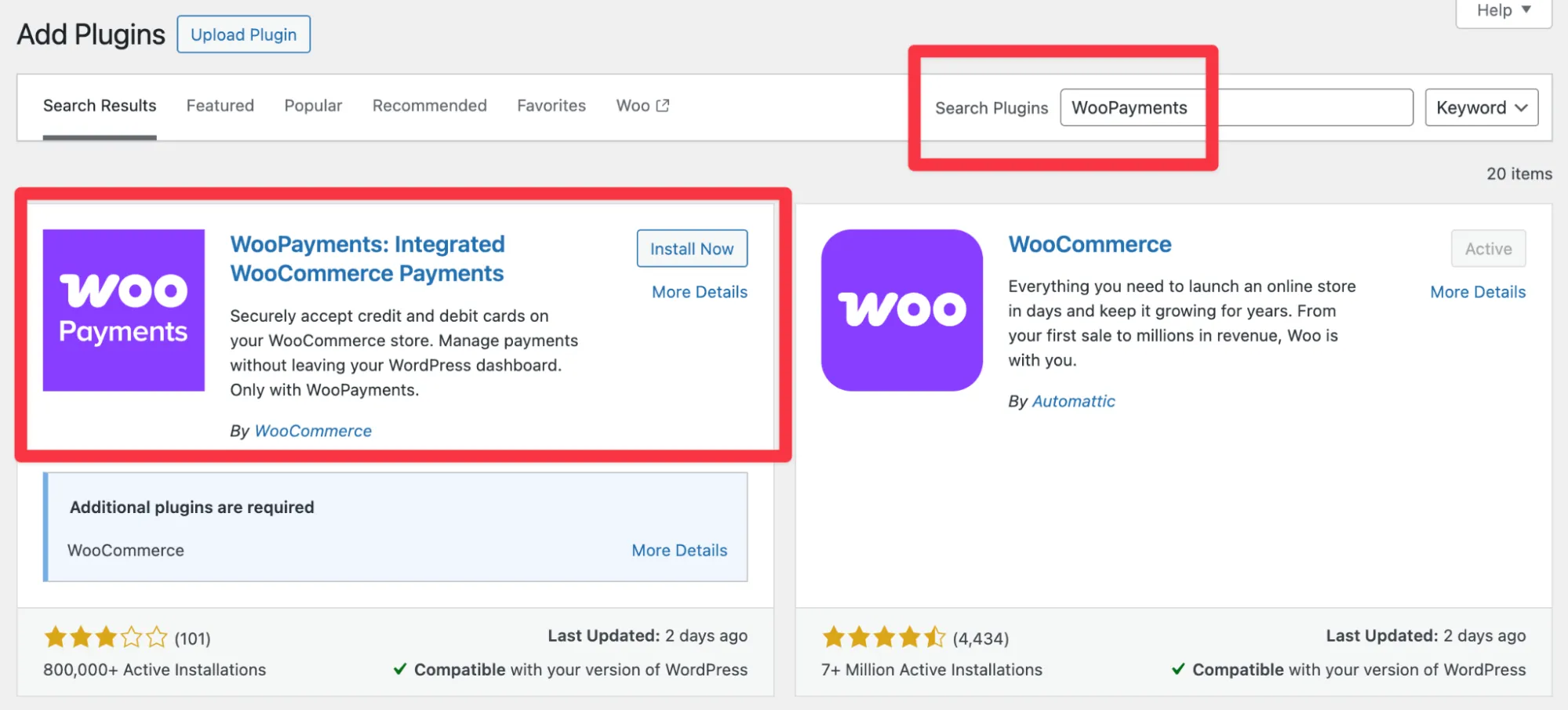
And that's not all. Beyond WooPayments, WooCommerce’s ecosystem also includes more than 100 payment gateway integrations through official extensions and third-party plugins. As a result, merchants can connect regional payment methods, niche industry processors, local bank systems, or marketplace-specific gateways, easily adapting to nearly any size, location, or sales model.
Ease of Use (A Tie)
The Verdict: Both Easy Digital Downloads vs WooCommerce offer nearly identical starting experiences. Each installs through the WordPress plugin library with just a search and a click, and both provide dashboards that feel instantly familiar even to users without technical backgrounds.
In short, neither platform creates friction at the onboarding stage. Let's take a closer look:
Easy Digital Downloads’ ease of use
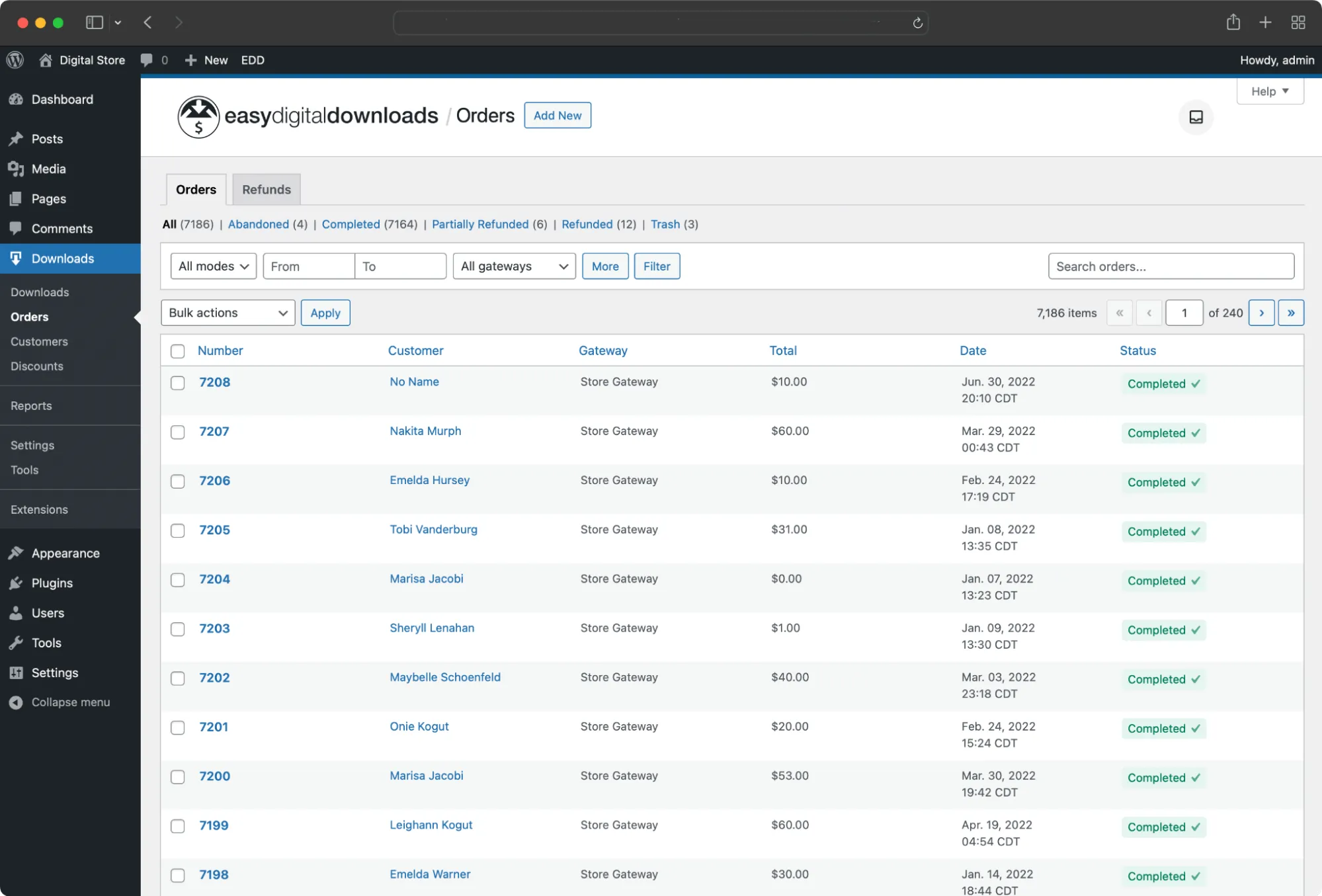
In general, setting up Easy Digital Downloads feels smooth from the very first step.
The installation process mirrors what WordPress users already know: search for the plugin, click install, and watch it activate within seconds! There’s no learning curve here, which makes it especially welcoming for beginners who may be launching their first digital store.
This simplicity continues once the plugin is live. EDD presents a clean, uncluttered dashboard that makes it easy to figure out where things are and what to do next. Hence, even users with no eCommerce background tend to settle in quickly.
WooCommerce’s ease of use
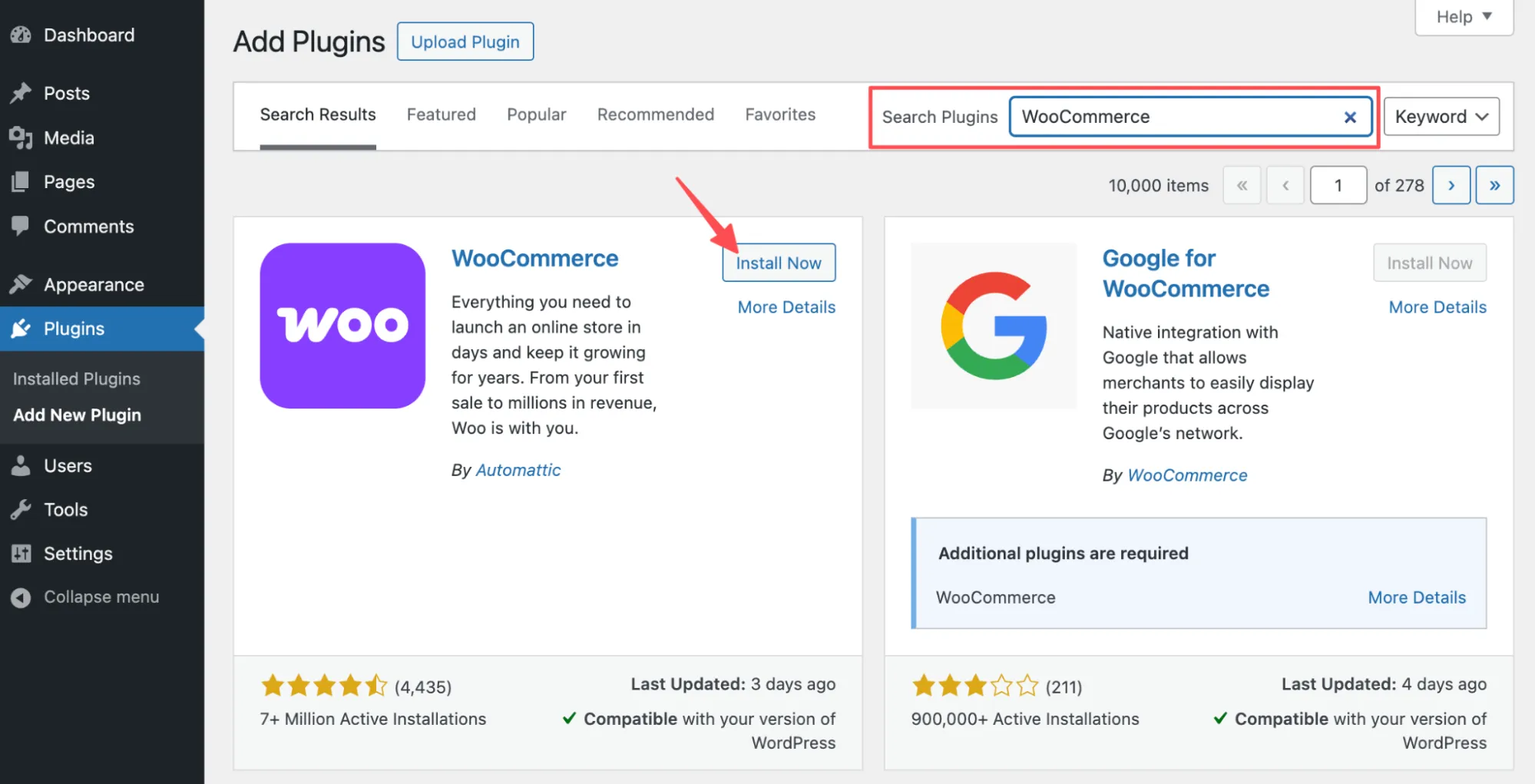
WooCommerce follows the same familiar installation flow. Just like with Easy Digital Downloads, you locate the plugin in the WordPress library, install it with a click, and it becomes part of your site immediately.
Where WooCommerce starts to differentiate itself slightly, however, is in how it guides you after activation. Instead of dropping you straight into the dashboard, it launches a setup wizard that walks you step-by-step through core decisions like store location, payment preferences, and shipping rules.
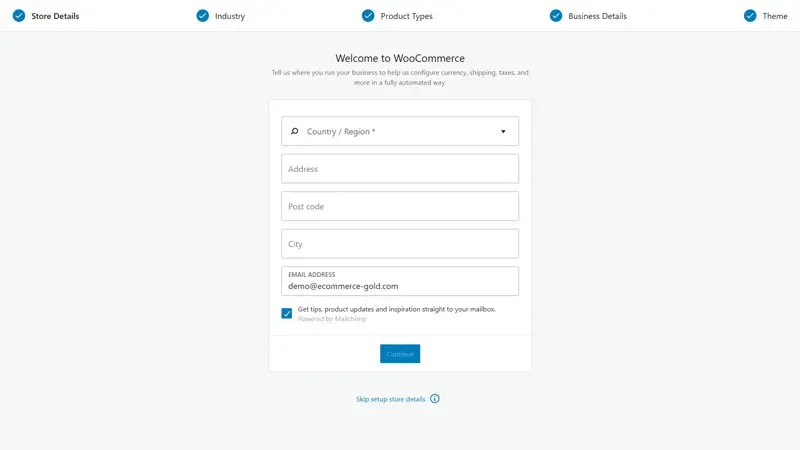
This structured introduction helps first-time merchants feel supported as they configure their store. And once the setup is complete, WooCommerce organizes its tools in a way that feels familiar to anyone who has ever used WordPress, keeping the experience approachable even as the feature set expands.
Customization (WooCommerce wins)
The Verdict: Both Easy Digital Downloads vs WooCommerce allow meaningful customization through themes and code overrides. However, WooCommerce ultimately wins as it offers more than 110 official themes, whereas EDD maintains only two first-party themes.
That difference in scope sets the tone for the comparison below:
Easy Digital Downloads’ customization
To help merchants get started, the EDD highlights two official starter themes, Themedd and Vendd, along with a curated list of 14 community and third-party themes (GeneratePress, Mayosis, ProductPress, etc.).
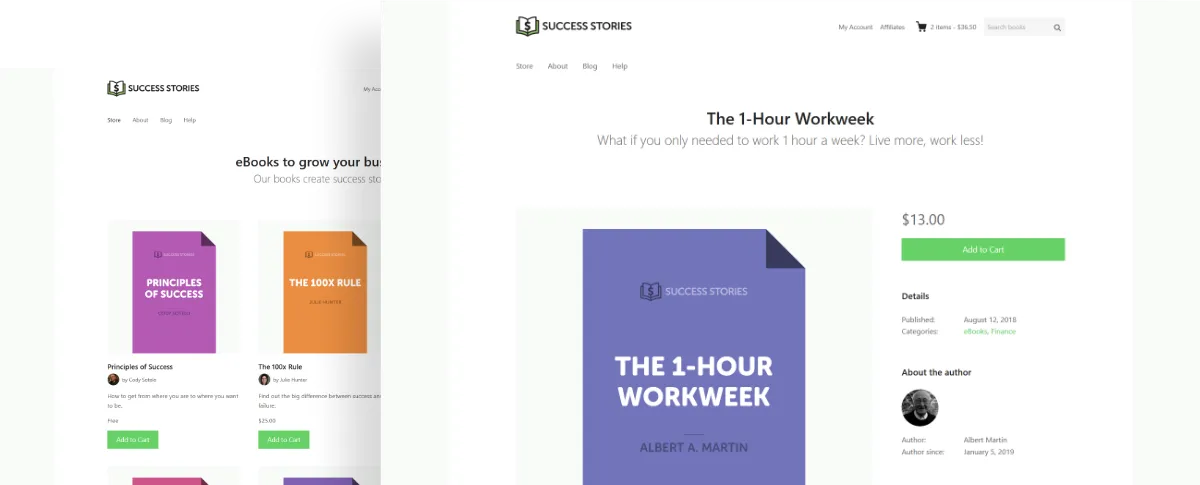
For design customization, EDD generally follows a familiar WordPress workflow. You select a compatible theme and then adjust layout, typography, and colors using the WordPress Customizer or theme-specific options.
But what if more precise control is needed? In that case, EDD allows developers to override its template files.
Specifically, when copying templates into an edd_templates folder within the active theme, you can modify the structure of download pages, checkout layouts, or modal windows while still keeping the core plugin update-safe. Styling changes can be handled by overriding EDD’s CSS or enqueueing custom styles after the plugin loads.
And that's not all; beyond visual changes, EDD exposes multiple developer-level entry points for deeper customization.
It provides a comprehensive set of WordPress-style actions and filters that let developers alter checkout flows, inject custom email tags, modify cart behavior, or adjust how payments and receipts are generated. This hook-based approach allows extensive behavioral changes without editing core plugin files. Plus, EDD also supports shortcodes and Gutenberg blocks for elements such as download grids, carts, checkouts, and login forms, so you can place and style eCommerce components without writing PHP.
WooCommerce’s customization
With WooCommerce, merchants have access to more than 115 official WooCommerce themes, many of which are built for specific industries and can be customized visually without touching code. Because these themes are designed specifically for WooCommerce, they often include optimized shop layouts, product pages, and checkout flows right out of the box, so your team can find a design that fits a brand from day one.
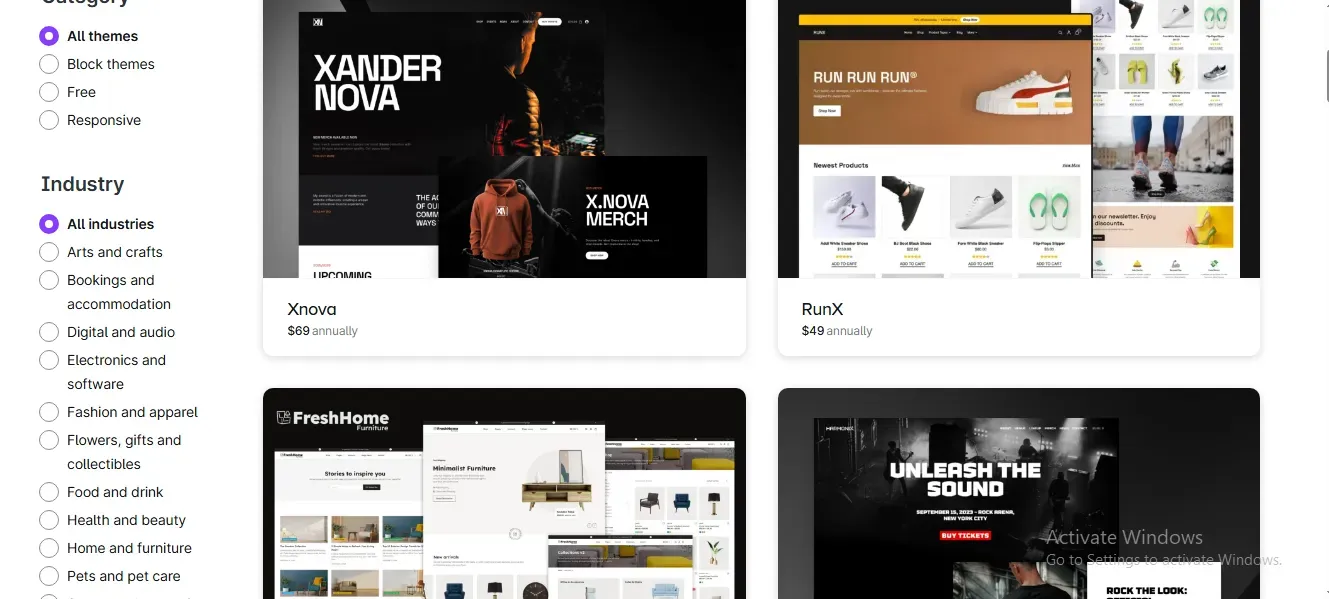
Better yet, for developers and advanced users, WooCommerce offers one of the most flexible customization frameworks in the WordPress ecosystem. It exposes an extensive system of hooks, filters, and actions that allow developers to modify nearly every aspect of store behavior, from cart logic and checkout validation to order processing and email notifications. This hook-based architecture makes it possible to implement complex business rules or UI changes while keeping the core plugin intact.
WooCommerce also supports full template overrides. Every major storefront component, including shop pages, product pages, cart and checkout layouts, order summaries, and transactional emails, is rendered from template files inside the plugin.
In short, when copying these files into a WooCommerce folder within the active theme, developers can completely restructure layouts, reposition elements, or add custom markup and styling as needed. Such a level of control is particularly valuable for stores with highly specific design or UX requirements.
Integrations (WooCommerce wins)
The Verdict: With more than 1,100 dedicated ecommerce extensions and access to the entire WordPress plugin ecosystem of over 60,000 plugins, WooCommerce offers an integration landscape that Easy Digital Downloads cannot match.
Sure, Easy Digital Downloads does support integrations and even provides workarounds for expanding functionality, but the scale and convenience are not comparable. Let's look closer into the difference between Easy Digital Downloads vs WooCommerce:
Easy Digital Downloads’ integrations
Easy Digital Downloads maintains a relatively compact extension ecosystem of only roughly 80 official add-ons available. Sure, these extensions cover common needs such as payments, subscriptions, licensing, email marketing, and basic analytics, but the selection is clearly limited when compared directly to WooCommerce.
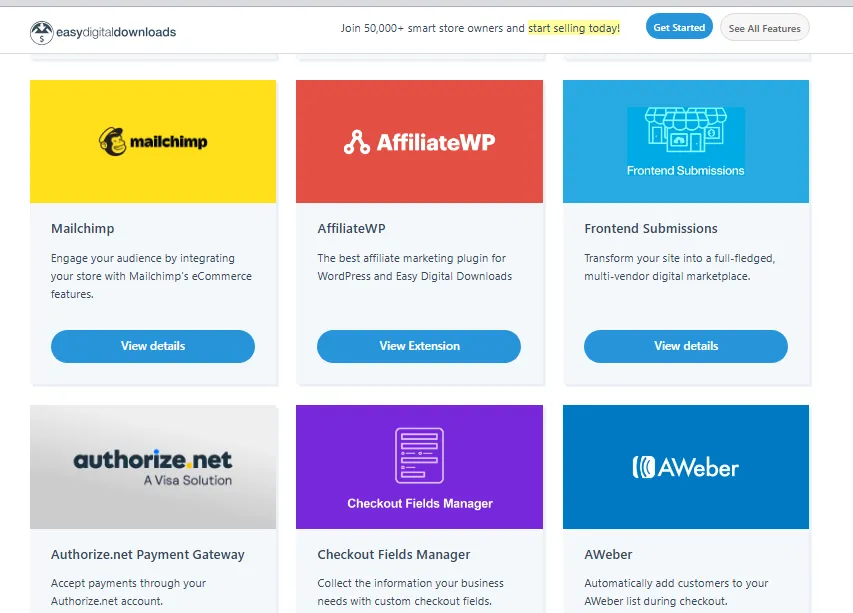
On a more positive note, EDD does integrate with Zapier, which opens the door to a much broader range of tools. Through Zapier, EDD can connect to more than 8,000 apps, allowing store data to flow into CRMs, email platforms, spreadsheets, or internal automation systems.
Of course, such integrations are not direct and may introduce additional costs. Still, at least this approach prevents EDD from feeling completely closed off and gives merchants a viable way to extend functionality.
WooCommerce’s integrations
WooCommerce, by contrast, offers both exceptional breadth and depth when it comes to integrations.
Specifically, its official marketplace alone features more than 1,100 extensions, many of which are developed by WooCommerce itself or by long-standing, trusted partners. These extensions span virtually every eCommerce function imaginable, including customer relationship management, marketing automation, subscriptions, bookings, shipping carriers, payment services, accounting tools, and advanced tax calculation systems.
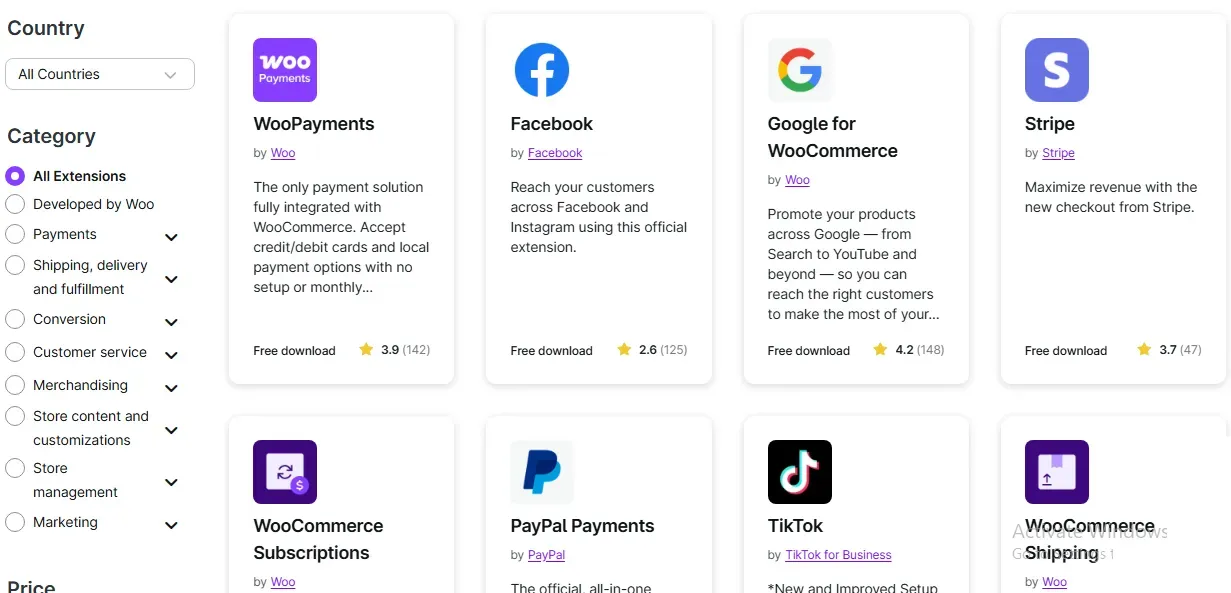
And there's still more. Beyond its own marketplace, WooCommerce benefits from being built on WordPress, which gives merchants access to a repository of more than 60,000 plugins! Though compatibility checks and testing are still necessary at the end of the day, this ecosystem clearly expands what can be added to a WooCommerce store.
Security (A tie)
The Verdict: Both Easy Digital Downloads vs WooCommerce are WordPress plugins at their core, which means they benefit from WordPress’s security foundation while also inheriting its risks. Each platform also implements its own security measures on top of WordPress.
Nevertheless, keep in mind that neither is immune to vulnerabilities, especially when third-party plugins, server configuration, or delayed updates come into play. In practice, security depends less on which plugin you choose and more on how carefully you maintain and configure your store:
Easy Digital Downloads’ security
One of the platform's core strengths lies in how it handles file distribution.
Instead of exposing direct public URLs, EDD serves downloadable files through a controlled delivery endpoint and uses tokenized download links. As a result, the system can track download activity, limit access, and revoke permissions when necessary, reducing the risk of unauthorized file sharing.
Plus, EDD also allows merchants to enforce download limits and expiration rules. A purchase link can be configured to work only for a specific number of downloads or within a defined time window, which further limits the impact of leaked links. On the compliance side, EDD includes privacy and data-handling settings designed to support GDPR-style requirements, such as data retention controls and export tools for customer information.
That said, EDD’s security history shows why caution is still necessary. Over time, several serious vulnerabilities have been discovered and patched, including:
- Improper authorization issues that allowed attackers to view other users’ receipts and download links
- Order-verification bypasses
- SQL injection
- Arbitrary file downloads
- CSRF weaknesses.
Though these issues were fixed, they highlight real attack vectors that can emerge in complex plugins. To maintain your store's safety, you must stay updated, configure the server correctly, and be selective with your extensions.
WooCommerce’s security
Like EDD, WooCommerce is built directly on top of WordPress and therefore inherits WordPress’s security architecture, permission model, and update system.
At the platform level, it benefits from WordPress core protections such as nonce validation, role-based access control, capability checks, and a mature vulnerability disclosure and patching process. When security issues are discovered in WordPress core, fixes are typically released quickly, and WooCommerce aligns its updates accordingly.
Like EDD, WooCommerce does not store raw credit card data by default. Payments are handled through external gateways such as Stripe, PayPal, or Square, which means PCI-DSS compliance is largely offloaded to those providers as long as merchants use properly implemented hosted or tokenized payment flows. Order, customer, and product data are also stored using standard WordPress database tables.
Unfortunately, where WooCommerce’s security profile becomes more complex is in its extensibility. The platform’s greatest strength – its vast plugin and theme ecosystem – is also its largest risk factor. Each added component introduces new code paths, endpoints, and potential vulnerabilities.
Not to mention, weak hosting environments, especially low-quality shared hosting, are a common factor in compromised WooCommerce stores. If the underlying server is insecure, WooCommerce cannot compensate for those gaps.
Customer Support (Easy Digital Downloads wins)
The Verdict: Unlike WooCommerce, which relies heavily on documentation and community-driven help, EDD combines strong self-help resources with direct, official support channels.
To understand why EDD comes out ahead in this Easy Digital Downloads vs WooCommerce showdown, let's discuss how each platform structures its support experience:
Easy Digital Downloads’ customer support
With Easy Digital Downloads, users can open support tickets directly from their account dashboard on the official EDD website, so it's easy to reach the support team without hunting through forums or third-party sites.
The great news is that even users of the free version of the plugin can submit support tickets. However, support for premium extensions is tied to an active license. Basically, if the subscription for a paid extension expires, access to updates and official support for that extension is also lost.
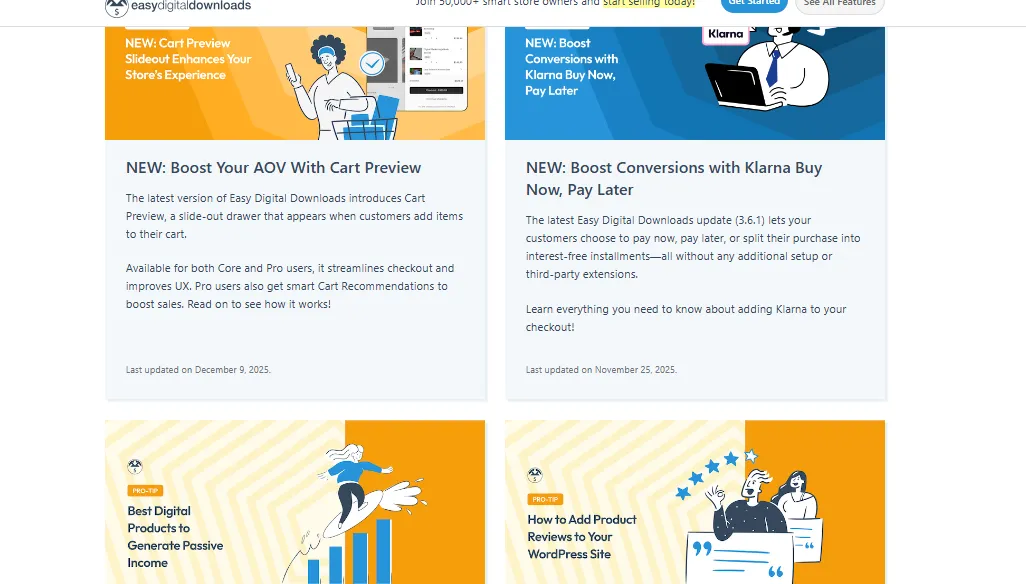
Alongside direct support, EDD also maintains a comprehensive documentation library that covers everything from initial setup and extension configuration to troubleshooting and developer-focused topics. These docs are publicly accessible and are often the first resource recommended by the support team. To complement this, EDD regularly publishes tutorials, newsletters, and blog posts that walk through features in more practical, real-world scenarios, bridging the gap between reference documentation and hands-on guidance.
WooCommerce’s customer support
Regarding WooCommerce, its strongest support is an enormous library of documentation built over many years, covering user guides, troubleshooting steps, and detailed developer references.
Not to mention, there is a vast amount of community-generated content across forums, blogs, YouTube channels, and social media groups. Hence, for self-sufficient users who are comfortable searching for answers, this ecosystem can be incredibly valuable.
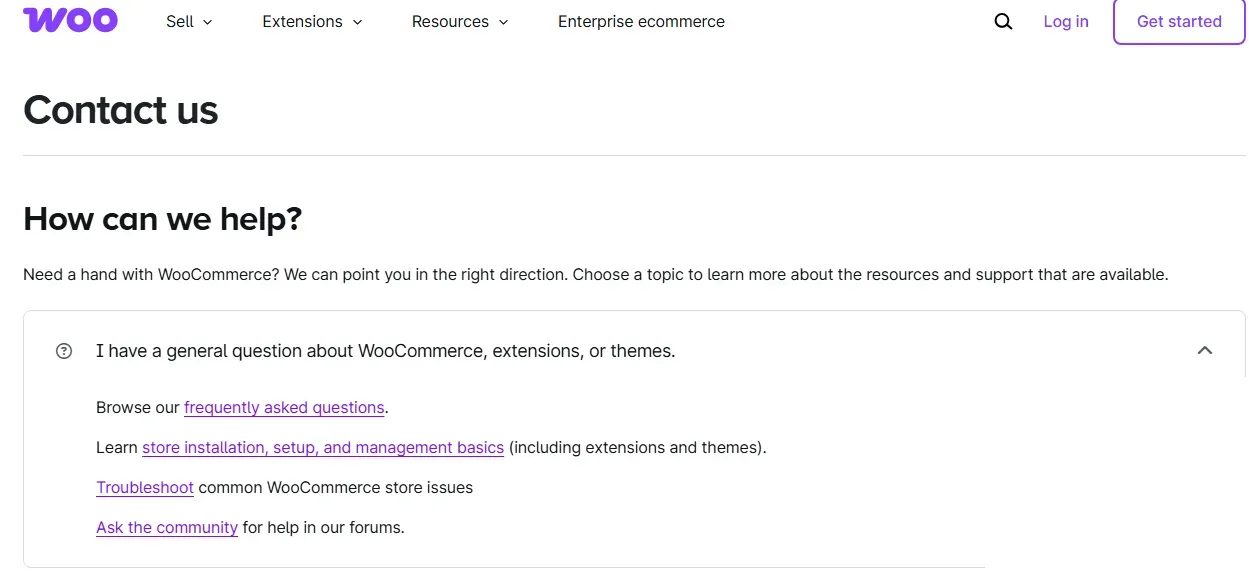
What WooCommerce generally lacks, however, is direct, personalized support. Unlike EDD, there is no official support ticket system tied to the core WooCommerce plugin. Direct support is typically only available when you purchase a specific paid extension from WooCommerce.com, and even then, assistance is limited to that individual product. Core plugin issues are largely left to documentation and community discussion.
Pricing (A tie)
The Verdict: Though Easy Digital Downloads offers clearly defined, predictable pricing plans, these plans are tightly scoped around selling digital products only. WooCommerce, by contrast, adapts its costs to the needs of each business and supports a much wider range of product types.
In short, when you weigh flexibility and long-term value, WooCommerce delivers more overall, as seen in the Easy Digital Downloads vs WooCommerce's breakdown below:
Easy Digital Downloads’ pricing
Aside from the free version, Easy Digital Downloads follows a structured, tier-based pricing model built around annual subscriptions. Each plan bundles a specific set of features and determines how many sites you can use them on:
- Personal ($199 per year) is the entry-level plan. It supports 1 site and includes the essentials needed to launch a digital store, such as unlimited products and transactions, full data ownership, core payment gateways, etc.
- Extended ($399 per year) is designed for single-site businesses, including unlimited products and transactions, full data ownership, all payment gateways, and email marketing integrations.
- Professional ($599 per year) supports 2 sites and focuses on EDD’s most popular features, including subscriptions, software licensing, invoices, content restrictions, and advanced marketing tools, paired with premium support and plugin updates.
- All Access Pass ($999 per year) covers up to 3 sites and unlocks every feature EDD currently offers, along with all future add-ons. It includes unlimited products and transactions, full data ownership, access to all payment gateways and email marketing integrations, and advanced sales tools.
Overall, EDD’s pricing is transparent and easy to understand. However, given that EDD only allows digital-only use cases, some merchants might feel these plans are rather overpriced.
WooCommerce’s pricing
On the other hand, the core WooCommerce plugin is completely free to install and use, which lowers the barrier to entry and makes it appealing to businesses just starting out. You can technically launch a store without paying anything upfront!
That said, the free core is intentionally minimal. To unlock advanced features such as subscriptions, donations, custom invoicing, advanced shipping logic, or enhanced email workflows, you’ll need to add extensions or third-party plugins. Some extensions may cost around $100 per year; not to mention, enterprise-level solutions for large stores can run into the thousands or even tens of thousands annually.
On the brighter side, this flexible pricing means you only pay for what your business actually needs. More importantly, unlike EDD, WooCommerce supports a much broader range of product types, including physical goods, digital downloads, subscriptions, bookings, and hybrid catalogs. Hence, when you factor in all these advantages, WooCommerce ultimately offers stronger pricing value.
Our Methodology: How We Test Easy Digital Downloads vs WooCommerce
To ensure this comparison reflects real-world usage, we followed a structured, scenario-driven evaluation process designed to minimize bias and surface practical differences.
Step 1: Defining scope and real-world use cases
First, we narrowed the comparison to criteria that actually influence platform decisions for WordPress-based sellers, rather than evaluating every possible feature. From there, we tested both platforms against realistic user profiles instead of a single idealized store:
- One scenario focused on a solo creator selling digital products such as software or downloadable content.
- Another represented a small business planning to sell both physical and digital products with room to expand.
- The final scenario modeled a growing online store that required integrations, automation, and scalability over time.
Step 2: Hands-on testing and extended use
Next, we installed both Easy Digital Downloads and WooCommerce from scratch on clean WordPress environments. We tested onboarding flows, product setup, payments, extensions, customization options, and daily management tasks.
Beyond initial setup, we evaluated how each platform felt over extended use, including store configuration changes, updates, and troubleshooting. Customer support and documentation were also tested intentionally, since these often become critical only after a store is live.
Step 3: Weighting and scoring criteria
Finally, we assigned weighted importance to each category, based on what matters most to the average online store owner:
- Ease of use: 15%
- Product & inventory management: 20%
- Payments & integrations: 20%
- Customization 15%
- Security: 10%
- Customer support: 10%
- Pricing & overall value: 10%
Within each category, the two platforms were scored on completeness, ease of execution, and how well the results matched real business needs. This weighted approach ensured the final verdict reflected both capability and practicality.
Easy Digital Downloads vs WooCommerce: FAQs
Is Easy Digital Download free?
Yes, Easy Digital Downloads (EDD) has a powerful free version for WordPress that lets you sell digital products with core features. However, there is also a premium version where you pay for advanced add-ons like subscriptions, software licensing, or advanced payment gateways.
What is the difference between the Easy Digital Download free and pro?
The Easy Digital Downloads (EDD) free version offers core eCommerce functions for selling digital products (file management, basic reports, discounts, emails, PayPal/Stripe). Meanwhile, the paid "Pro" plans unlock advanced features like subscriptions, software licensing, multi-vendor marketplaces, advanced reporting, content restriction, and premium integrations, essentially scaling from a simple store to a robust digital business platform.
Is WooCommerce as good as Shopify?
Neither WooCommerce nor Shopify is universally "better" as they cater to different needs. Shopify is an easier, all-in-one hosted solution, great for beginners wanting speed and less maintenance. WooCommerce is a free WordPress plugin offering ultimate flexibility, control, and lower long-term costs for those with technical skills.
Is WooCommerce for free?
Yes, the core WooCommerce plugin is free to download and use for building an online store on WordPress. Nevertheless, running a full-fledged store involves costs for essential services like hosting, a domain name, premium themes, and extra paid extensions for advanced features.
Final Words: Which One to Choose?
So, between Easy Digital Downloads vs WooCommerce, which one should you choose?
All in all, choose Easy Digital Downloads if:
- Your business is strictly focused on selling digital products
- You value a clean and opinionated setup
- You want predictable pricing with direct access to support.
Otherwise, stick to WooCommerce if:
- You want flexibility, scalability, and the freedom to evolve your business over time.
- Your stores sell physical products and mixed catalogs
- You plan to grow into subscriptions, marketplaces, or advanced automation.
In short, though it requires more decisions and maintenance, WooCommerce offers far greater long-term value for most businesses.