
If Big Cartel no longer fits the way you want to sell online, you’re not alone. Many sellers eventually look for more flexibility, better design control, or stronger selling tools. This guide breaks down the most practical Big Cartel alternatives to help you understand how each platform compares and which direction makes sense for your next step.
1. Shopify: Sellers who want a scalable, commerce-first platform for long-term growth.
2. Squarespace: Brands and creators prioritizing design, content, and visual storytelling.
3. Wix: Businesses seeking a balance between website design flexibility and eCommerce tools.
4. Ecwid: Sellers who want to add online selling to an existing website.
5. Webflow: Designers and teams building highly customized storefront experiences.
6. Sellfy: Creators selling digital products, subscriptions, or simple merchandise.
7. WooCommerce: Businesses of any size needing full control and flexibility on WordPress.
8. Square Online: Local and POS-based businesses supporting offline sales with an online store.
9. Hostinger Website Builder: Budget-conscious beginners launching a website for basic selling.
10. GoDaddy Website Builder: Users who want a quick website launch with light eCommerce needs.
Let’s get started!
1. Shopify: Best for Scaling Sales
If you have been running your store on Big Cartel and feel limited as your sales grow, Shopify is often the next logical step. It keeps things simple enough to get started quickly, but adds the tools you need to sell at scale. Compared to Big Cartel, Shopify is built to support higher order volumes, more products, and more advanced selling workflows.

Here’s what Shopify offers more than Big Cartel:
- Unlimited products and variants with no cap, even on the lowest plan.
- Multi‑location inventory tracking to manage stock across warehouses, stores, or fulfillment centers.
- 900+ pre-built themes and easy customization with their powerful drag-and-drop editor.
- AI‑powered tools (Shopify Magic, Sidekick, and related features) to assist store management.
- Native POS, social and marketplace integrations, and its own payment processor.
- Robust SEO tools, discount rules, abandoned‑cart recovery, and detailed reports.
If you’re looking for a deeper comparison, we’ve broken everything down in detail in our Big Cartel vs Shopify guide.
Shopify pros & cons
Pros | Cons |
|
|
Shopify pricing
Currently, Shopify is offering four pricing plans for you to choose from. You can switch to yearly billing to receive a 25% discount. All standard business plans include a 3-day free trial, along with the $1 per month offer for the first three months.
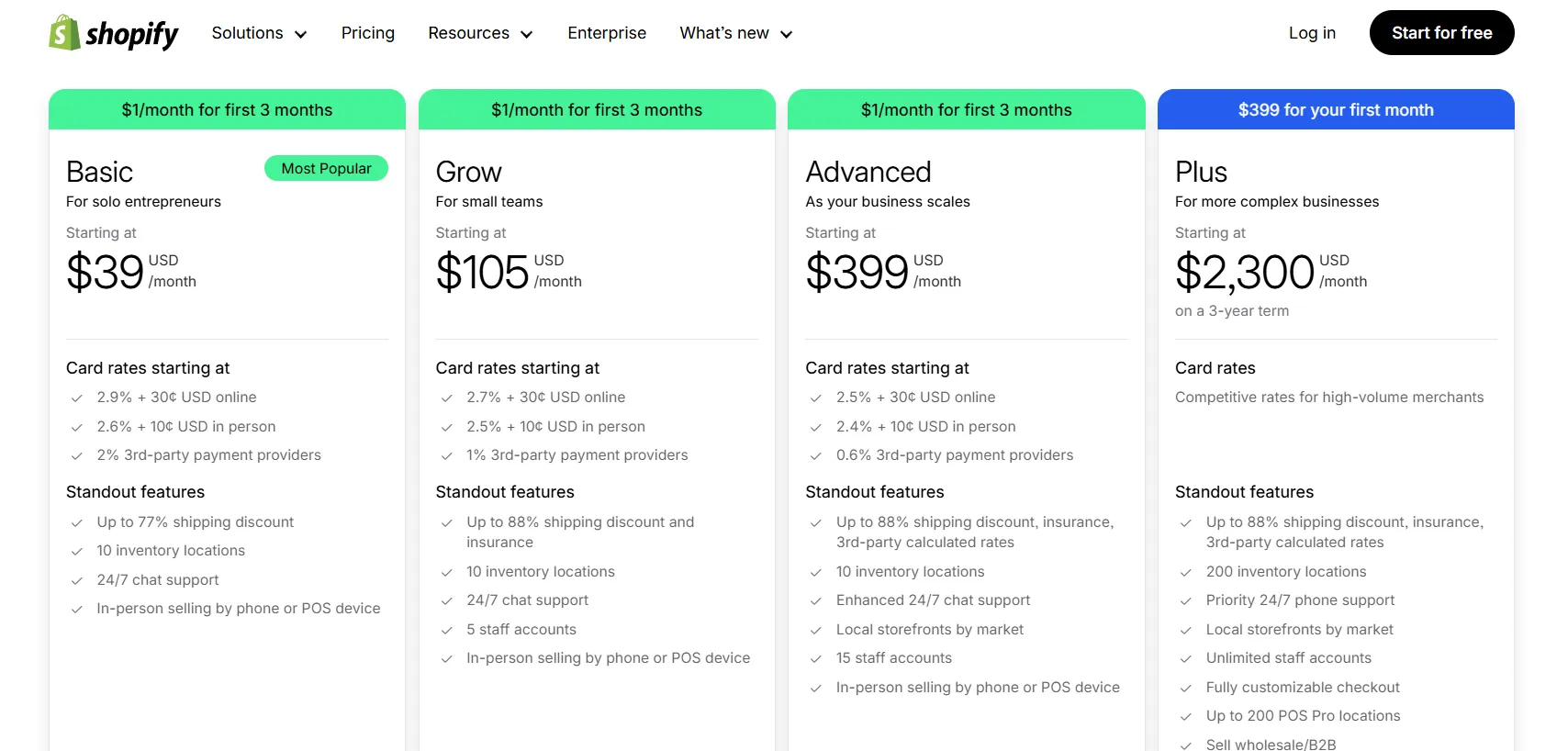
It’s true that Shopify costs more than Big Cartel, not just in plan pricing but also in ongoing costs. Beyond paid themes and apps, Shopify may charge additional transaction fees if you use a third-party payment gateway instead of Shopify Payments. These fees, typically between 0.5% and 2%, can quietly add up as your sales grow.
That said, Shopify’s higher cost reflects how the platform is monetized and what it prioritizes. You are paying for a more managed, all-in-one system that focuses on operational convenience and flexibility. In the long run, this can actually be more cost-saving, as you spend less time fixing issues, switching tools, or moving platforms again.
Who should use Shopify
- DTC brands and growing product-based businesses are looking for multi-channel sales and automation.
- Print-on-demand stores selling apparel, mugs, stickers, or merch with third-party fulfillment.
- Beauty, wellness, or lifestyle brands that need custom storefronts and subscription options.
- International sellers who want to manage multiple currencies, languages, and shipping zones.
- Brick-and-mortar stores are expanding online with POS integration and inventory sync.
Need Help to Migrate Your Store from Big Cartel to Shopify?
LitExtension Automated Migration Tool transfers products, customers, and orders from Big Cartel to Shopify—fast, accurate, and hassle-free.

2. Squarespace: Best for Design-first Stores
The next name in our list of Big Cartel alternatives is Squarespace. Instead of building everything around commerce workflows, Squarespace emphasizes layout, visuals, and content structure. If your priority is building a creative website that showcases your personality and brand identity, Squarespace is well worth considering.

Here’s what Squarespace offers more than Big Cartel:
- Flexible layout editor that allows precise control over sections, spacing, typography, and page structure.
- Stronger content management for pages, blogs, galleries, and media.
- Built-in marketing tools, such as email campaigns, pop-ups, and basic SEO features.
- Unlimited products and product types, without strict catalog caps.
Squarespace pros & cons
Pros | Cons |
|
|
Pricing
Currently, Squarespace offers multiple pricing plans that bundle website hosting and eCommerce features together.
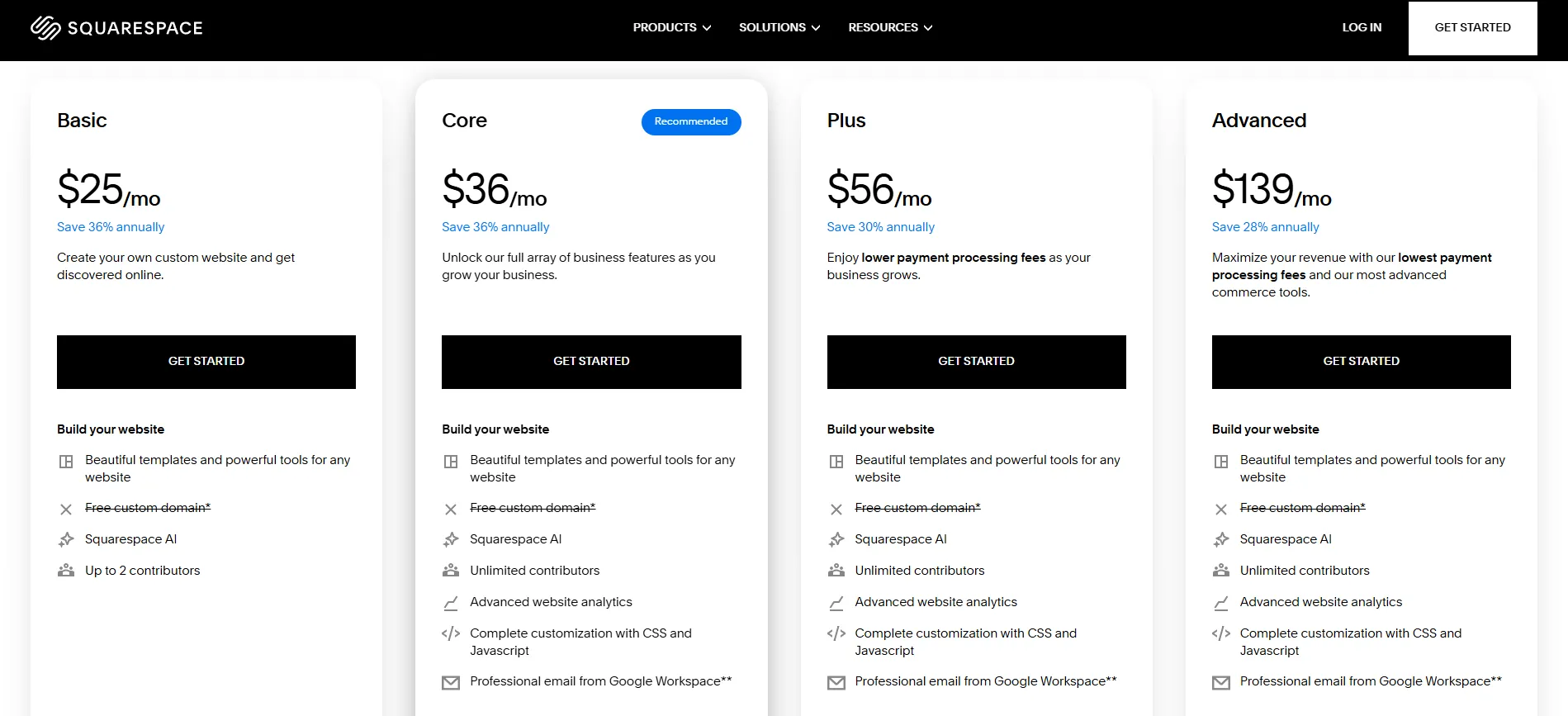
In the Big Cartel vs Squarespace comparison, Squarespace is more expensive at the entry level, but the pricing reflects more than just selling tools. You are paying for a complete website platform where design, content, and commerce live in one place.
While Squarespace may not be the cheapest option, its value shows up in simplicity and presentation. For many users, the cost is justified by not needing separate tools for website building, hosting, and basic online selling.
Who should use Squarespace
- Freelancers and creatives (photographers, designers, artists, writers).
- Small businesses and solo founders (consultants, studios, boutique shops, local services).
- Brands selling a limited product range where strong visuals matter more.
3. Wix: Best for Balanced Website & Selling
Among Big Cartel alternatives, Wix gives you the perfect balance between creative website building and essential eCommerce features. When comparing Big Cartel vs Wix, we had full control over how each page looks and how your brand is presented, while still being able to manage products, orders, and payments with ease on Wix.
Here’s what Wix offers more than Big Cartel:
- 300+ apps for extensive features, covering marketing, automation and bookings.
- Basic eCommerce tools and tailored solutions for bookings, restaurants, and events.
- Custom code support (Velo by Wix) for advanced logic, databases, and dynamic pages.
- Integrated email marketing, automation, social tools, and pop‑ups.
Wix pros & cons
Pros | Cons |
|
|
Pricing
Wix offers four pricing plans, but only the Core plan ($29/month) and above support eCommerce. The Light plan doesn’t include selling features, so if you're moving from Big Cartel, you’ll need to start at least from Core.
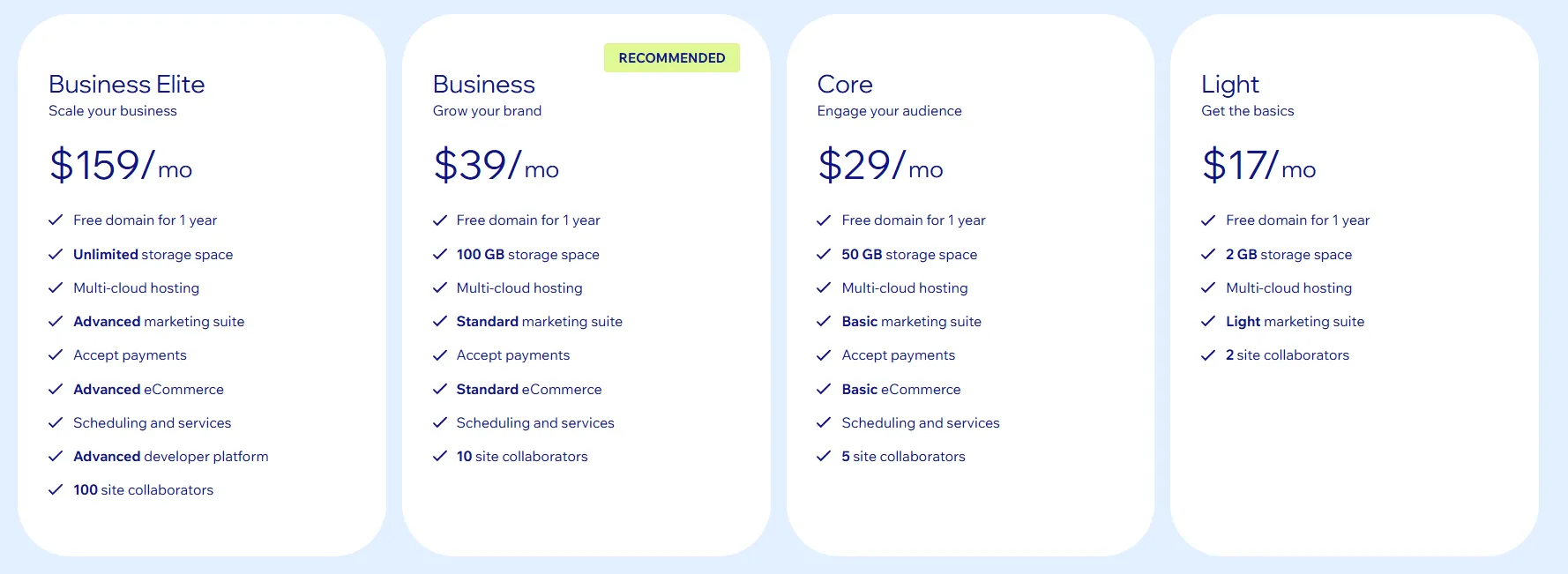
As you can see, Wix is neither the cheapest nor the most commerce-focused Big Cartel competitors. Its pricing makes sense when online selling is part of a broader setup that may include content, bookings, or service-based offerings. If selling products is your main priority, platforms built purely around eCommerce tend to be more efficient.
Who should use Wix
- Service-based businesses such as salons, fitness trainers, coaches, and local agencies.
- Freelancers and personal brands who want full visual control over layouts, sections, and branding.
- Creators and educators selling courses, memberships, or downloadable products with built-in tools.
4. Ecwid: Best for Adding Selling to Sites
Ecwid is built around the idea of adding commerce to where your online presence already exists. It can be embedded into websites, blogs, or landing pages, while also extending sales to social channels and marketplaces. This approach keeps the focus on selling without forcing a full site rebuild or platform switch.
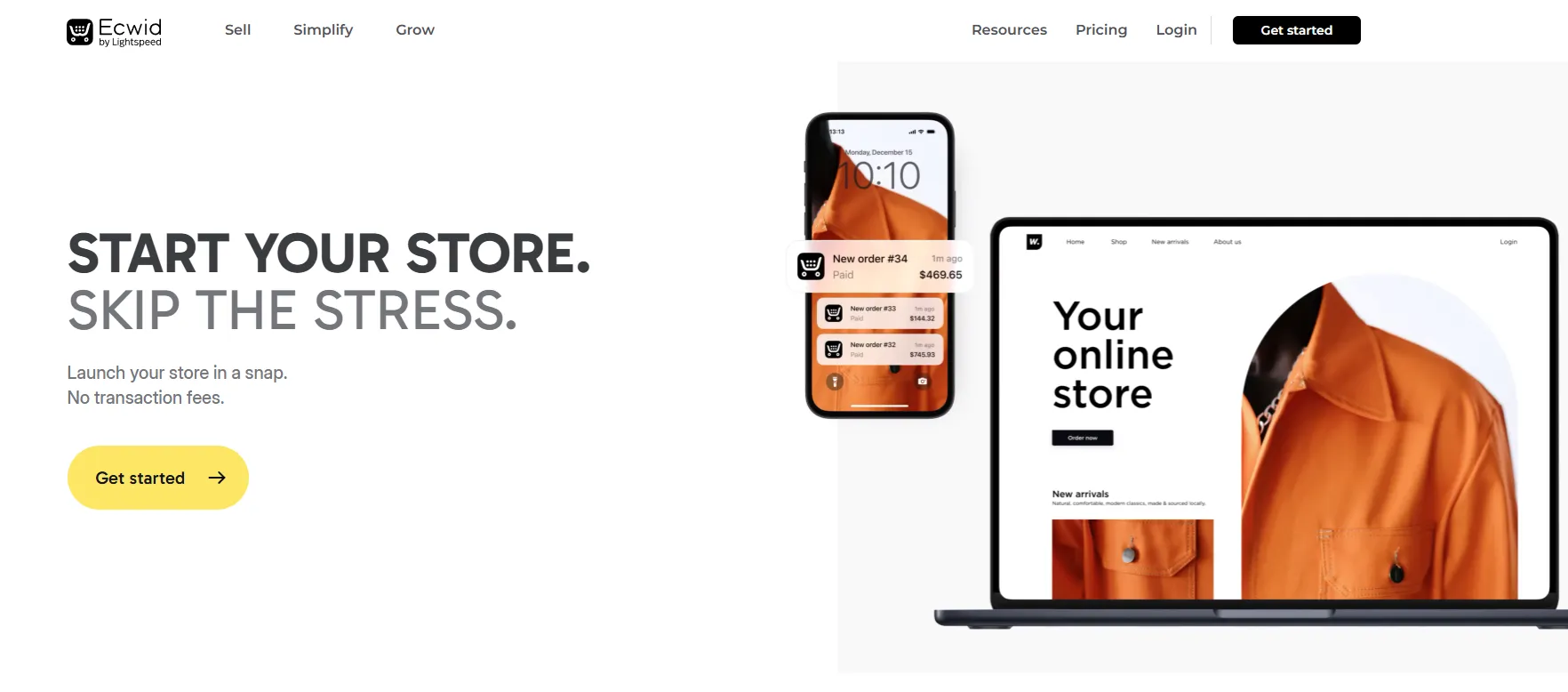
Here’s what Ecwid offers more than Big Cartel:
- Multi-channel selling across social media and marketplaces from one dashboard.
- Support for physical products, digital goods, services, and subscriptions with flexible product options.
- 70+ payment gateways, including regional providers, Lightspeed Payments, and recurring payments.
- Automated tax calculation and flexible shipping, covering real-time rates, local delivery, and pickup.
For more context on how Ecwid compares with Big Cartel, you can check our Ecwid vs Big Cartel breakdown.
Ecwid pros & cons
Pros | Cons |
|
|
Pricing
There are four pricing plans you can consider when working with Ecwid:
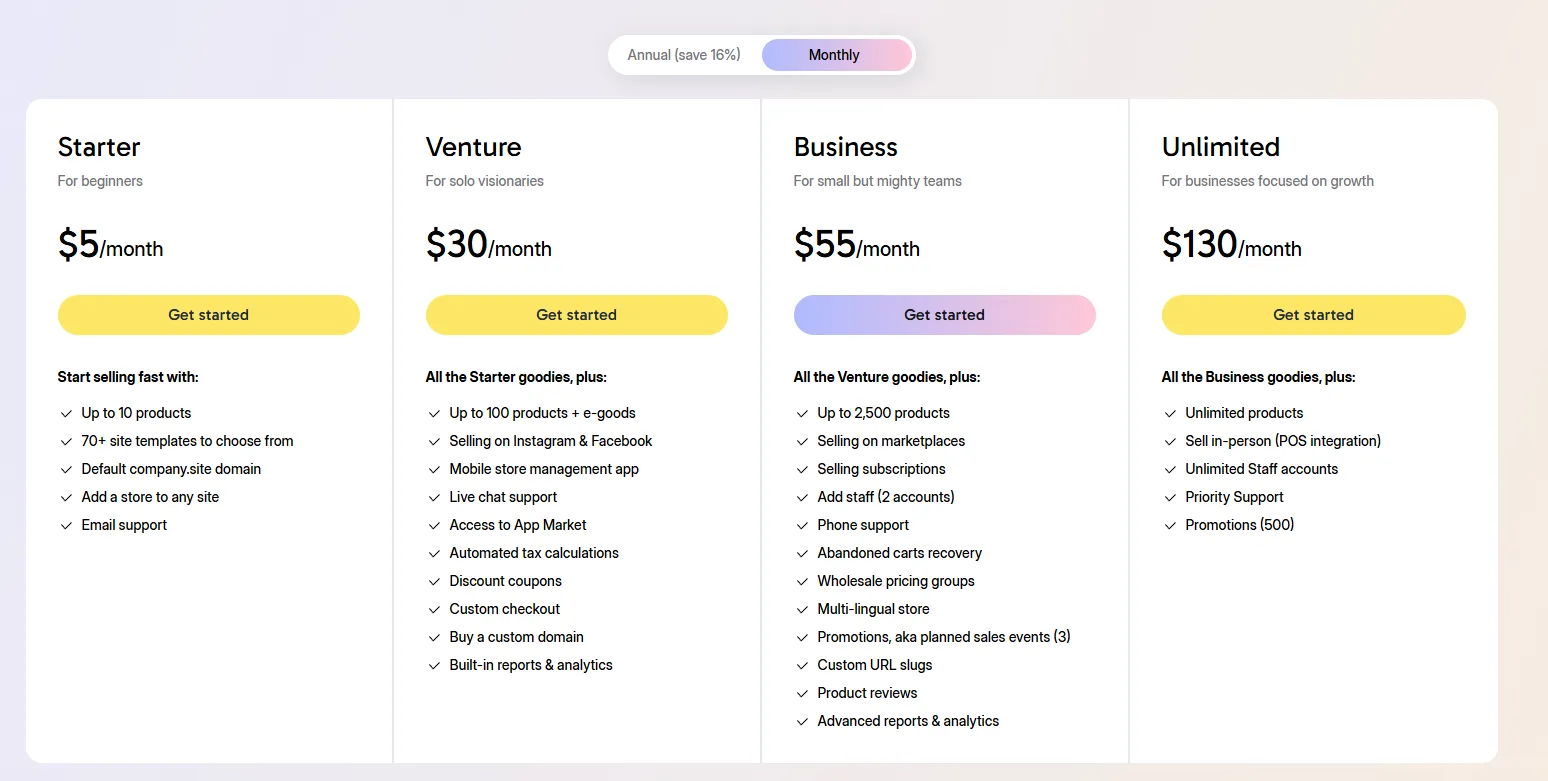
Ecwid may not look cheap at first due to its limited entry plan, but overall, it remains one of the more cost-effective Big Cartel alternatives. With no platform transaction fees and relatively controlled costs for apps and themes, expenses tend to scale more gradually instead of increasing sharply.
Who should use Ecwid
- Businesses that already have a website and want to add selling with minimal changes.
- Content-focused sites looking to monetize products or services.
- Sellers who prefer lightweight commerce over full store management.
5. Webflow: Best for Custom Storefront Design
Webflow approaches eCommerce from a designer-first and developer-friendly mindset. Visual control sits at the center of the experience, allowing every layout, interaction, and component to be shaped with precision.
Selling on Webflow is closely tied to how the site is structured and styled, which makes it feel more like a custom website project than a plug-and-play store. This puts Webflow in a very different position compared to other alternatives to Big Cartel.
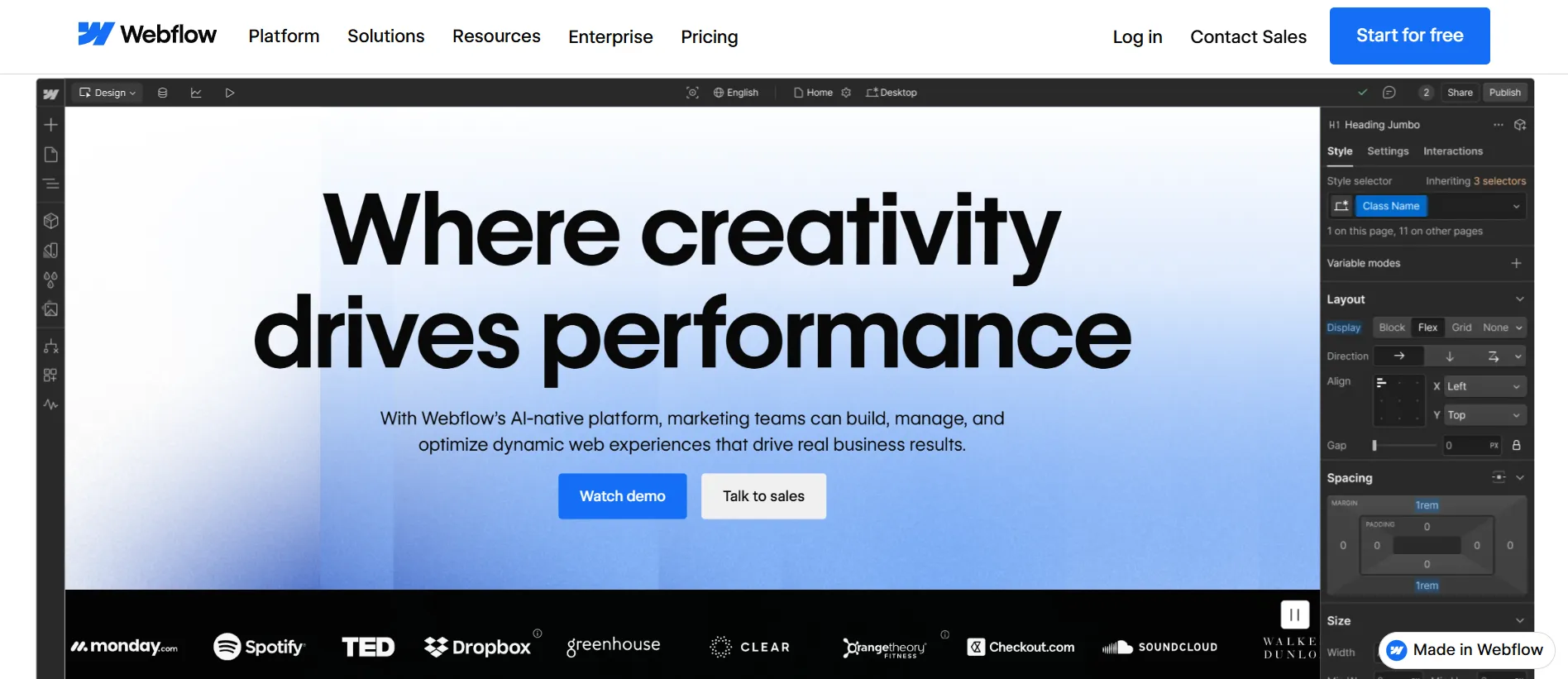
Here’s what Webflow offers more than Big Cartel:
- Custom interactions and animations for advanced visual storytelling.
- Editable SEO elements, including meta titles/descriptions, alt text, clean semantic markup, and sitemaps.
- AI tools help draft content and generate sections/components from prompts.
Webflow pros & cons
Pros | Cons |
|
|
Pricing
Webflow follows a layered pricing structure that combines Site Plans and Workspace Plans. To simplify how this works, the table below outlines each plan type and the costs associated with it.
Plan type | Sub-plan | Tiers & pricing |
Site Plans For individual websites (hosting, CMS, eCommerce) | General | - Starter: $0/month; - Basic: $18/month; - CMS: $29/month; - Business: $49/month; - Enterprise: Varied. |
eCommerce | - Standard: $42/month; - Plus: $84/month; - Advanced: $235/month. | |
Workspace Plans For teams & collaborators (access, roles) | In-house teams | - Starter: Free; - Core: $28/month; - Growth: $60/month; - Enterprise: Varied. |
Freelancers & agencies | - Starter: Free; - Freelancers: $24/month; - Agencies: $42/month. |
Webflow’s pricing is higher than most Big Cartel alternatives, especially once eCommerce plans are required. You’re paying mainly for design flexibility and layout control, not for selling features. If your priority is brand presentation and custom layouts, the pricing can make sense. But if your main goal is to sell at scale, the value is less clear.
Who should use Webflow
- Design-focused brands that need full layout and visual control.
- Content-heavy sites like blogs, publications, and marketing pages.
- Agencies and freelancers building custom client websites.
6. Sellfy: Best for Creators & Digital Products
As we continue exploring Big Cartel alternatives, Sellfy is another option worth looking at. The platform aims to help you sell digital products and simple merchandise without technical setup. Compared to Big Cartel, Sellfy feels more opinionated, but also more streamlined for creators who want selling to stay lightweight.
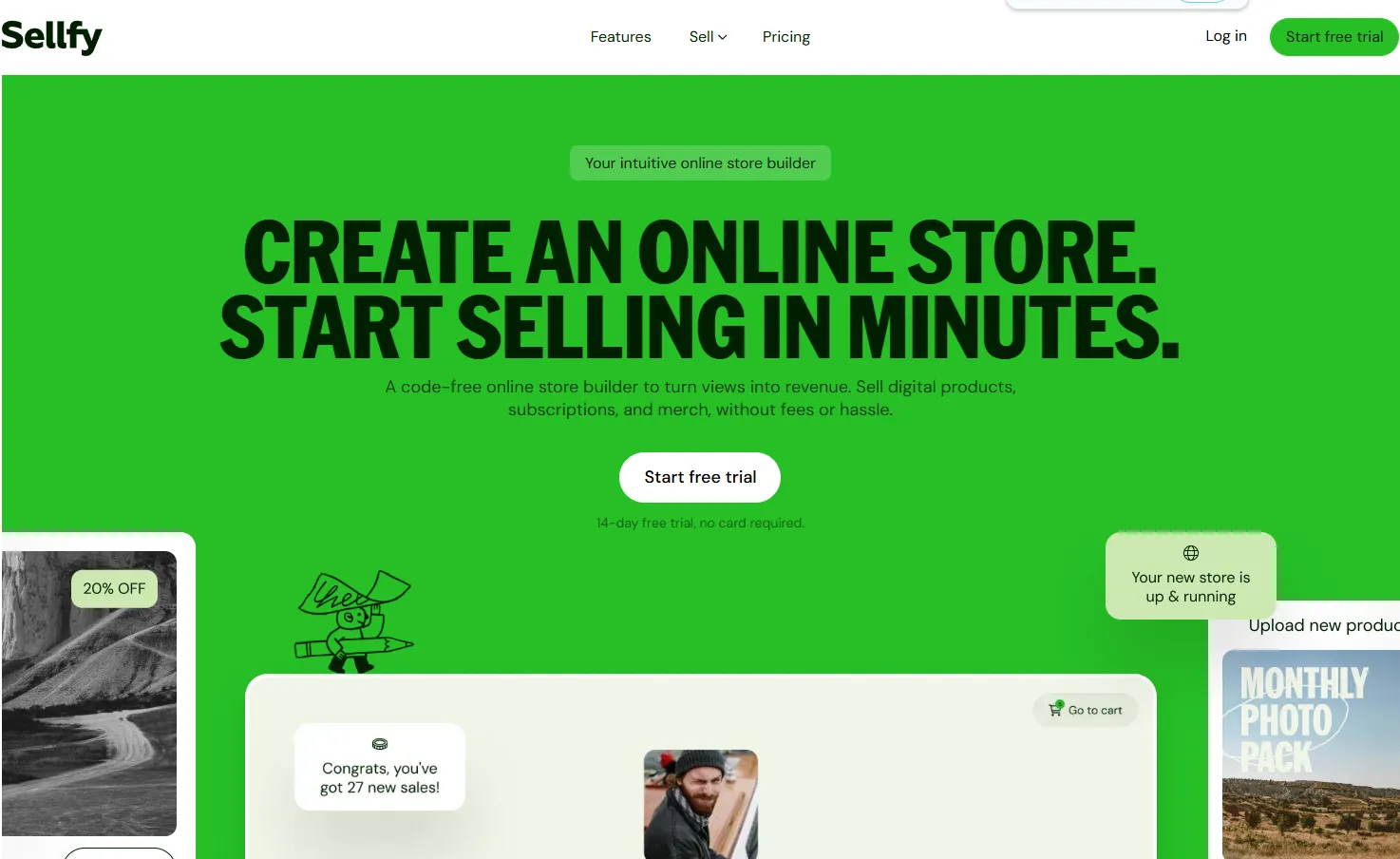
Here’s what Sellfy offers more than Big Cartel:
- Unlimited products across all plans, without catalog limits.
- Built-in marketing features, including email campaigns, upsells, discount codes, and cart abandonment tools.
- Instant storefront setup with hosting, checkout, and product delivery handled automatically.
- Simple subscription and recurring billing for memberships or ongoing content.
- Direct payment integrations with Stripe and PayPal.
Sellfy pros & cons
Pros | Cons |
|
|
Pricing
At first glance, Sellfy does not look cheap. The entry plan starts at $29/month, which is significantly higher than Big Cartel, especially if you are coming from Big Cartel’s free or low-cost tiers.
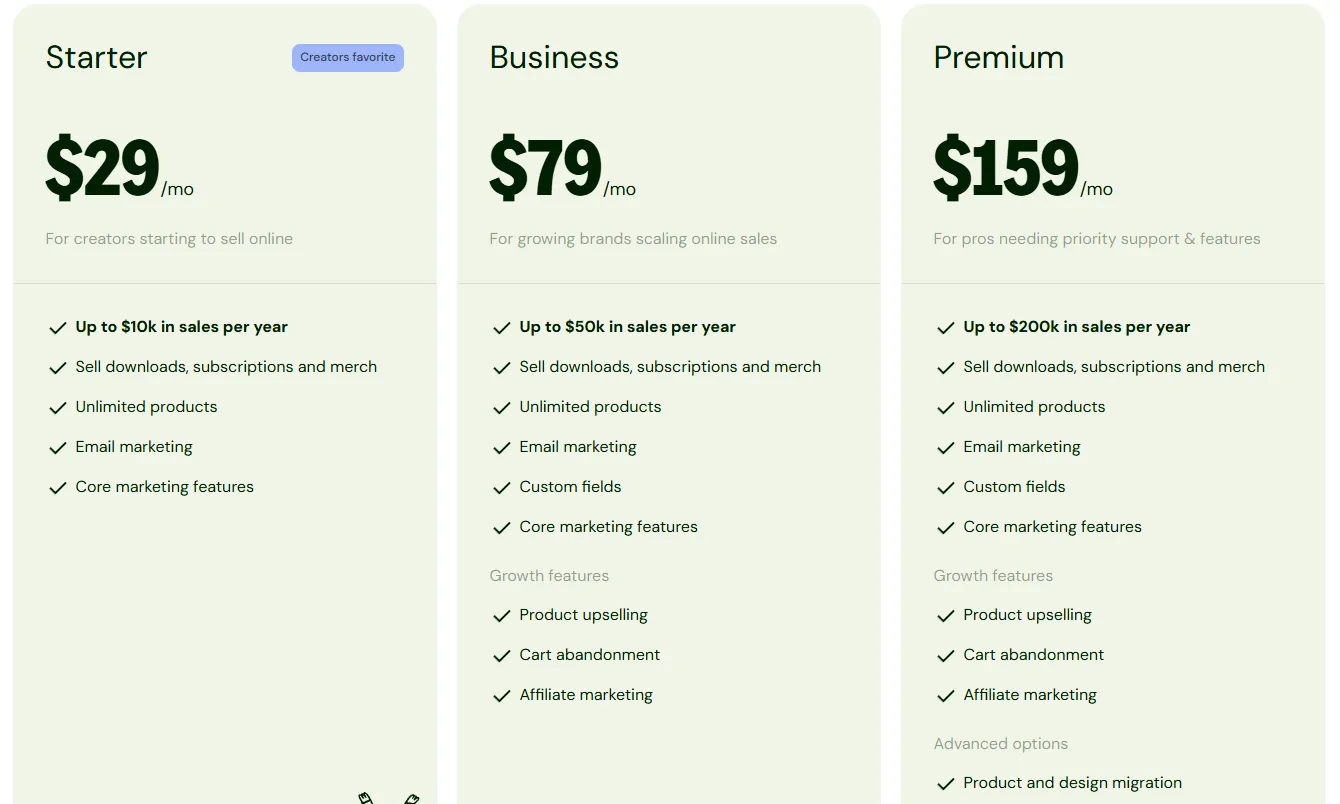
However, the value equation is different. Sellfy’s pricing already includes features that Big Cartel users often need to add through workarounds or external tools, such as built-in email marketing, subscriptions, upsells, and cart abandonment.
In practice, Sellfy is not a budget option for casual selling. It becomes cost-effective when selling digital products, subscriptions, or creator merchandise is the main activity and marketing tools are required from day one.
Who should use Sellfy
- Digital creators selling ebooks, music, videos, templates, or courses.
- Subscription-based businesses offering memberships or recurring content.
- Print-on-demand sellers who want a simple setup without managing inventory.
- Content creators and influencers monetizing their audience with digital products or merch.
7. WooCommerce: Best for Full Control & Flexibility
WooCommerce takes a very different path from most Big Cartel alternatives. It isn’t a hosted platform with fixed rules. It’s an open-source plugin that turns a WordPress site into a fully functional online store. That difference alone puts WooCommerce in a category of its own.
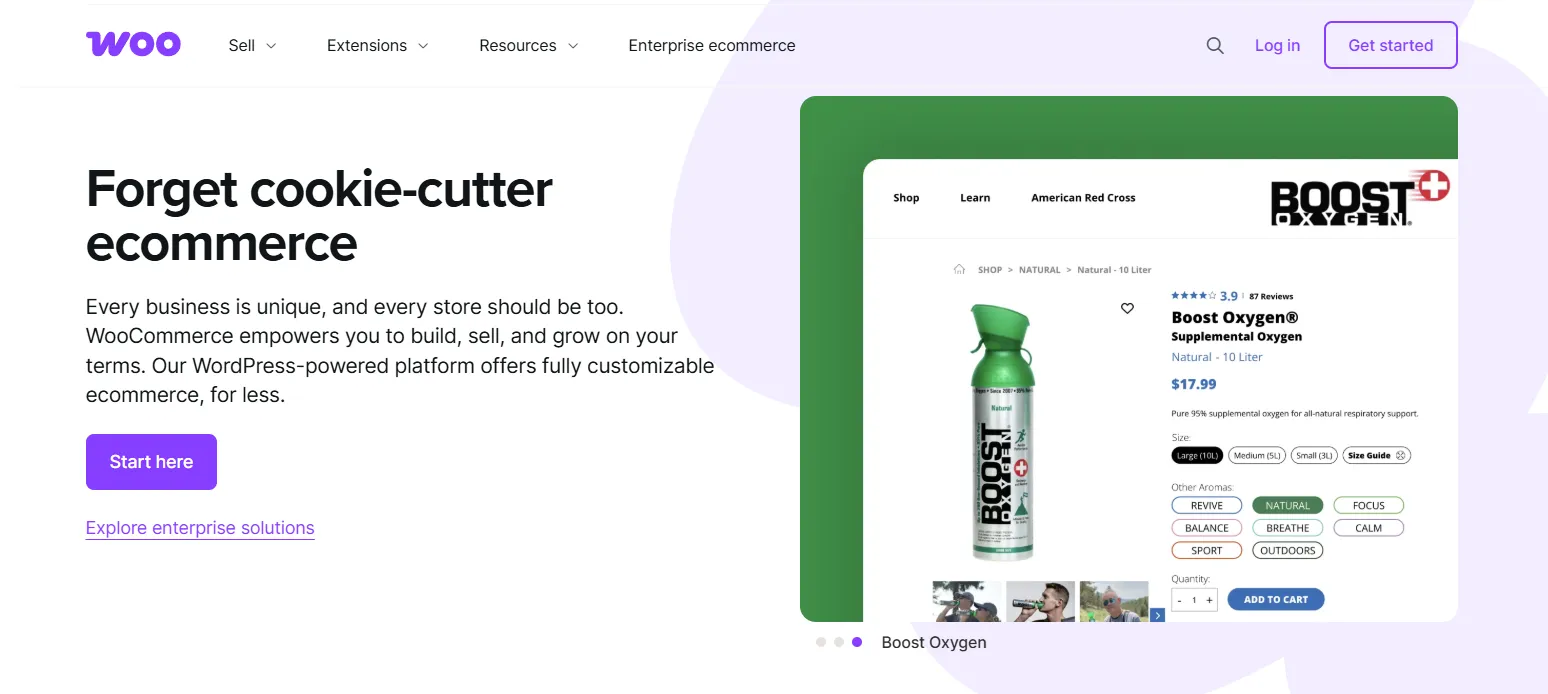
Selling with WooCommerce feels less like choosing a plan and more like building a system. Everything from design to checkout logic can be adjusted, extended, or replaced, depending on how far your store needs to go.
Here’s what WooCommerce offers more than Big Cartel:
- Unlimited products and variants without platform-imposed caps.
- Access to WordPress’s vast ecosystem, with 60,000+ plugins and thousands of themes.
- Extensive payment flexibility, with connections to 100+ gateways.
WooCommerce pros & cons
Pros | Cons |
|
|
Pricing
WooCommerce itself is free, but running a store is not. The total costs usually fall somewhere between $20–$100+ per month, depending on hosting quality, paid plugins, themes, and maintenance needs. Compared to other Big Cartel alternatives, WooCommerce can be cheaper at the start but more expensive over time if the setup becomes complex.
Who should use WooCommerce
- Budget-conscious founders willing to handle technical setup themselves.
- WordPress-based content sites are adding eCommerce.
- Mid-size and enterprise brands need custom logic and integrations.
- Enterprises with in-house developers managing complex workflows.
Need Help to Migrate Your Store from Big Cartel to WooCommerce?
LitExtension Automated Migration Tool transfers products, customers, and orders
from Big Cartel to WooCommerce—fast, accurate, and hassle-free.
8. Square Online: Best for Local & POS Sellers
Square Online is best understood as an extension of Square’s in-person selling ecosystem. It keeps setup lightweight and focuses on getting products live quickly, much like Big Cartel.

The main difference lies in how the store is used. Square Online is especially appealing when online sales are meant to complement other selling channels, such as in-person or social sales, rather than operate as a standalone storefront.
Here’s what Square Online offers more than Big Cartel:
- Built-in payments via Square, with no need for third-party gateways.
- Unified product and order management across online, in-person, and social channels.
- Tools for local selling, such as pickup, local delivery, and in-store fulfillment.
- Emerging AI content generation for site copy, product descriptions, and email campaigns.
Square Online pros & cons
Pros | Cons |
|
|
Pricing
Square Online is one of the few free Big Cartel alternatives available today. You can start selling online without paying a monthly fee, which makes it especially appealing for small sellers or local businesses.
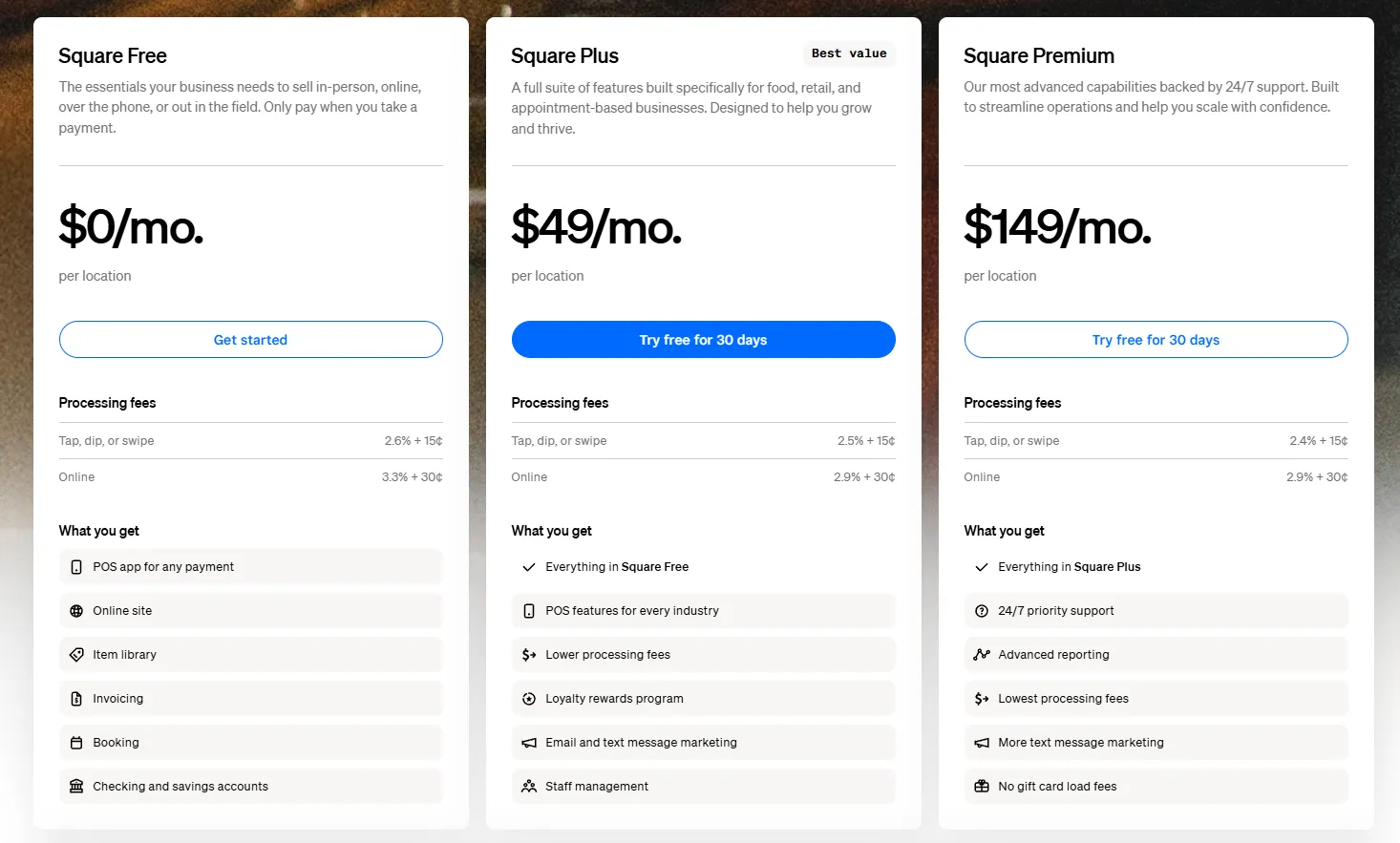
However, as sales grow, those transaction fees and paid upgrades add up. At that point, Square Online can become more expensive than Big Cartel’s paid plans, which rely more on flat monthly pricing. So Square Online is cheaper at the beginning, but not always cheaper in the long run.
Who should use Square Online
- Service businesses combining in-person sales with basic online booking.
- Brick-and-mortar stores needing a synced online storefront.
- Very small or new businesses testing online selling on a free plan.
9. Hostinger Website Builder: Best for Budget Beginners
Hostinger Website Builder is designed to make launching a website feel straightforward and approachable. It combines website creation, hosting, and basic eCommerce tools in one place, so you can get started with minimal setup.
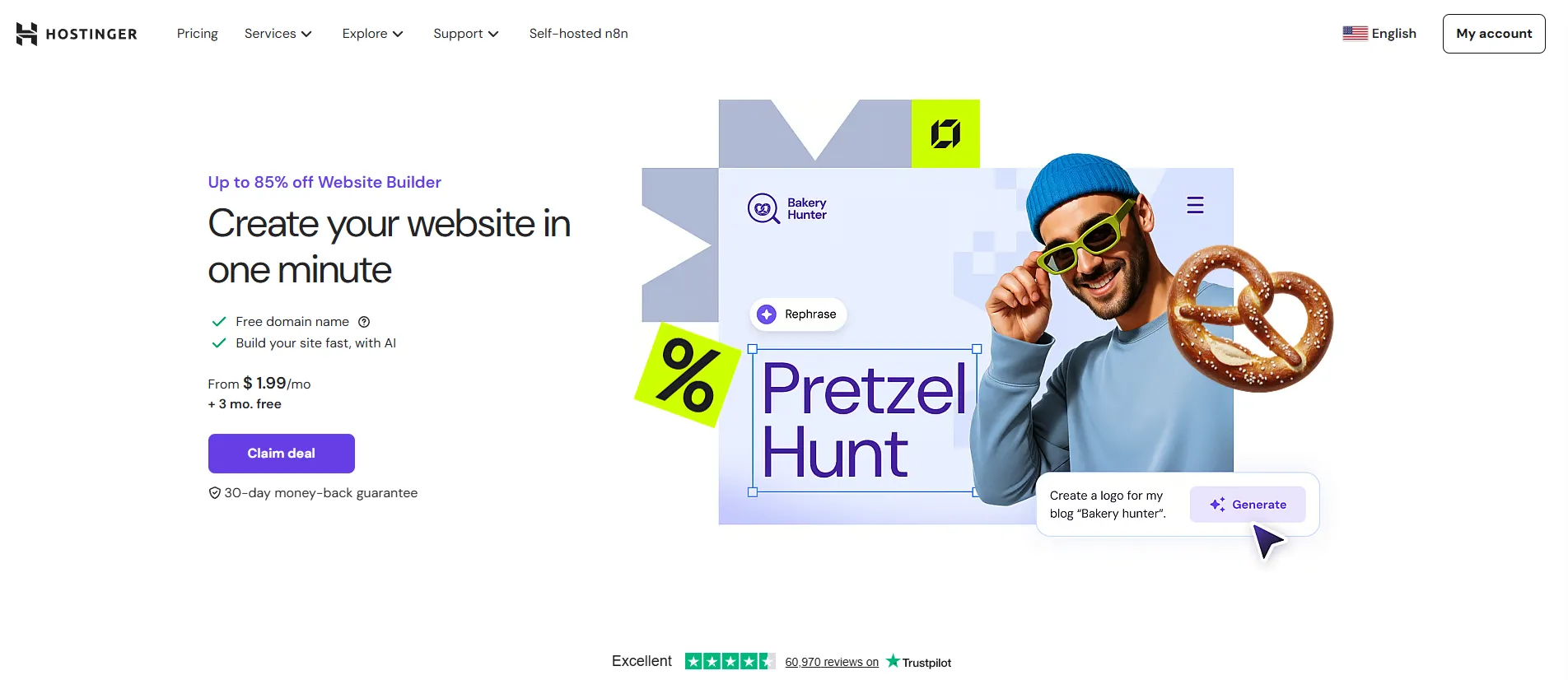
The builder itself is powered by Hostinger’s acquisition of Zyro, which helped strengthen its editor, templates, and AI features. As a result, Hostinger offers a more capable website builder while keeping pricing beginner-friendly.
Here’s what Hostinger website builder offers more than Big Cartel:
- All-in-one setup, with hosting, domain management, and site builder included.
- Unlimited products on eCommerce plans without strict catalog limits.
- Built-in payment and shipping options for straightforward selling needs.
- Built‑in SEO tools (titles, meta descriptions, alt text, search console tags), basic blogging, and on‑page optimization options.
Hostinger pros & cons
Pros | Cons |
|
|
Pricing
Hostinger Website Builder is one of the more affordable Big Cartel alternatives, especially for users starting from scratch. At the time of writing, Hostinger Website Builder comes with two pricing options:
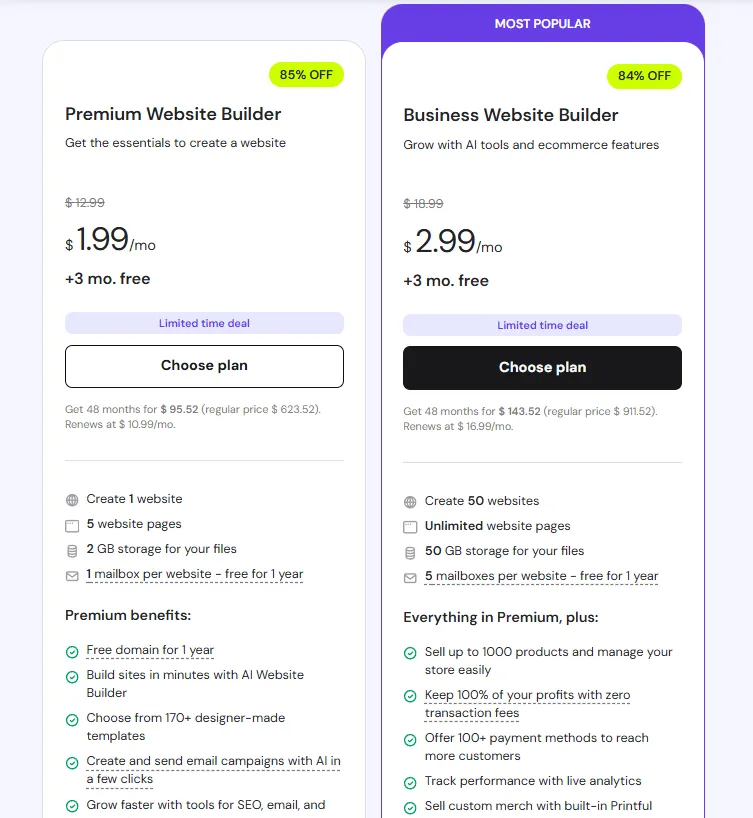
The lower plans focus purely on website building, while eCommerce features are unlocked at the Business level, where you can sell up to 1,000 products. From a value standpoint, the pricing makes sense when selling is a secondary goal rather than the core focus.
Who should use Hostinger website builder
- New sellers looking for a low-cost way to launch an online store.
- Stores with straightforward products and limited operational needs.
10. GoDaddy Website Builder: Best for Quick Launches
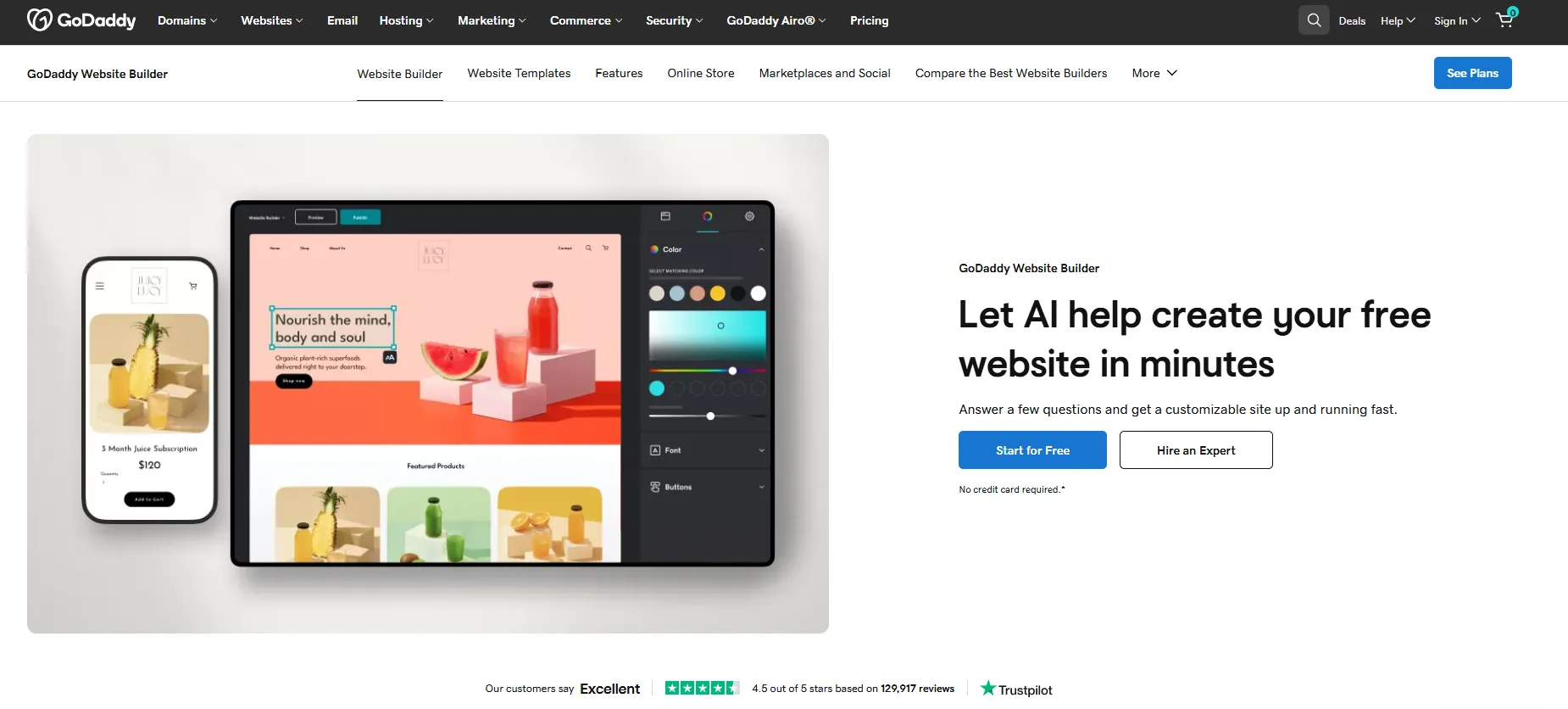
Last on the list is GoDaddy Website Builder, a platform that prioritizes speed and simplicity. It is designed to help you get a website online quickly, with guided setup, pre-built layouts, and minimal decisions along the way.
As a Big Cartel alternative, GoDaddy Website Builder sits closer to the “quick launch” end of the spectrum. Selling is treated as an add-on to a general website, rather than the core experience.
Here’s what GoDaddy website builder offers more than Big Cartel:
- Guided website creation with AI-assisted setup and content suggestions.
- Basic online selling tools available on higher-tier plans.
- Integrated marketing features, including email marketing and social posting.
- Built‑in payments via GoDaddy Payments plus support for other gateways.
GoDaddy pros & cons
Pros | Cons |
|
|
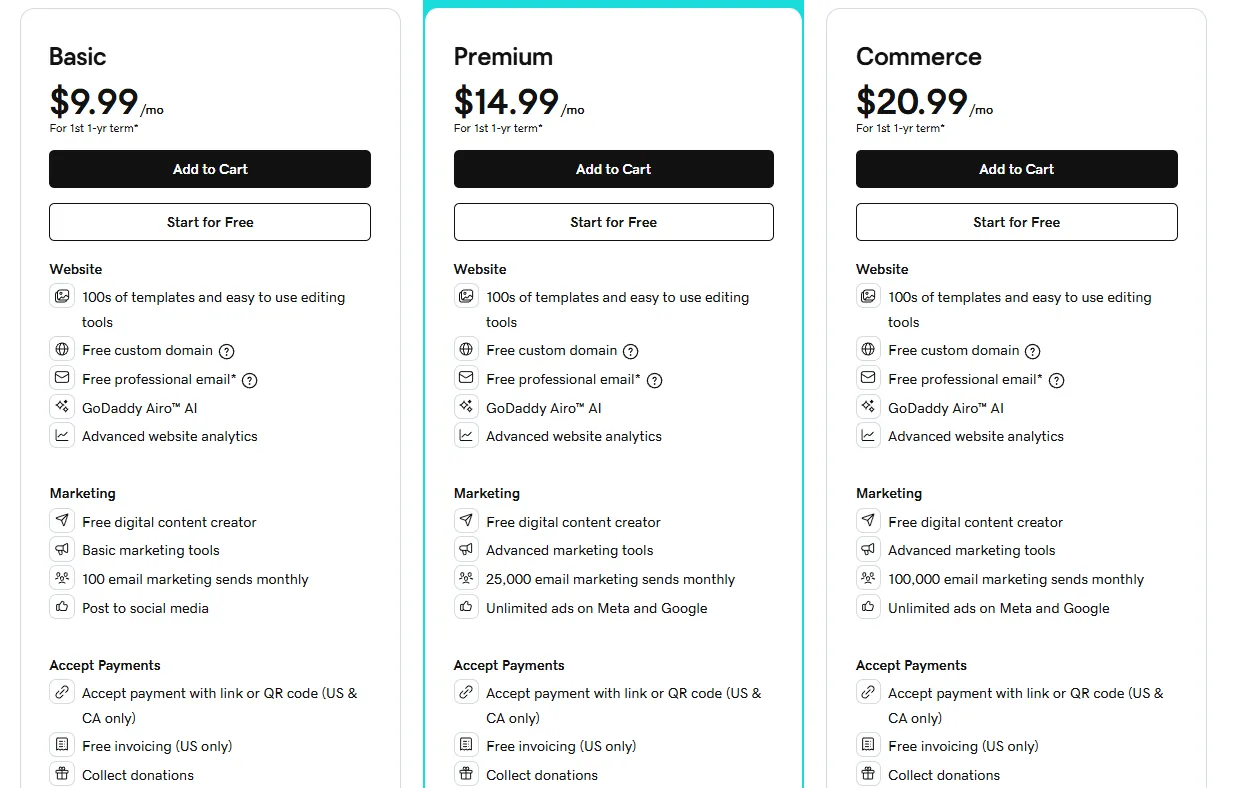
Pricing
GoDaddy website builder is competitively priced, especially for users who already use GoDaddy for domains or hosting. Selling features require upgrading to higher plans, but overall costs stay predictable.
Who should use GoDaddy website builder
- Users who want to get a website online as quickly as possible.
- Small businesses needing a simple online presence with light selling.
- Sellers who value ease of use over customization.
How to Choose the Best Big Cartel Alternatives for Your Online Store
Not all Big Cartel alternatives are created equal, so finding the right fit depends on your specific needs as a seller. Before switching platforms, it's worth taking a step back and evaluating what matters most to your business.
Start by defining your budget. if you're just starting out, a low-cost or free option might work fine, but growing stores often benefit from investing in a platform with more robust features.
Next, think about the products you sell. Physical goods, digital downloads, and handmade items each have different requirements, so make sure the platform supports your product type before committing.
Here are the key factors to evaluate when comparing Big Cartel alternatives:
- Ease of use: Look for an intuitive dashboard that doesn't require technical skills to set up and manage.
- Transaction fees: Some platforms take a cut of every sale on top of payment processor fees, which adds up fast.
- Design and customization: Check whether the themes are flexible enough to match your brand identity.
- Scalability: Choose a platform that can grow with you as your product catalog and traffic expand.
- App integrations: Ensure it connects with tools you already use, like email marketing, shipping, or accounting software.
- Customer support: Reliable support is crucial when technical issues arise during peak sales periods.
Finally, take advantage of free trials. Most Big Cartel alternatives offer a trial period, giving you a hands-on feel for the interface before you commit. Testing two or three options side by side is the best way to find the platform that truly fits your workflow and long-term goals.
Big Cartel Alternatives: FAQs
Is Sellfy better than Big Cartel?
Sellfy works better for digital products like ebooks, music, or videos. It includes built-in file delivery and marketing tools. Big Cartel is more focused on physical products and offers more design flexibility. If you want a simple way to sell digital content, Sellfy might be the better fit.
Is Big Cartel better than Squarespace?
Big Cartel is simpler, but Squarespace is more powerful. If you want a lightweight store with quick setup, Big Cartel is easier to start with. But if design flexibility, blogging, and content-focused features matter to you, Squarespace gives you more control and a polished look out of the box.
What's better, Shopify or Big Cartel?
Shopify is the better choice if you plan to grow. It supports unlimited products, has stronger sales tools, and lets you sell across multiple channels. Big Cartel works well for small stores or side projects, but it’s limited once you start getting more traffic and orders.
What alternatives are there to Big Cartel?
Some solid alternatives include:
- Shopify – for scaling up and multichannel selling
- Squarespace – for design-focused brands
- Wix – for flexible drag-and-drop customization
- Sellfy – for selling digital products
Conclusion
The right platform depends on how you plan to sell today and how much you expect your business to grow. As these Big Cartel alternatives show, each solution is built for a different use case, ranging from simple creator storefronts to fully scalable eCommerce platforms.
If you’re ready to move away from Big Cartel but don’t want to risk data loss or downtime, LitExtension can help. Our migration service ensures your products, customers, and orders are transferred safely, so you can focus on building your next store with confidence.
For more insights, feel free to explore our other blog posts and join the Facebook community group to learn from real merchants.


